Working Days in a Month Calculator
Count every date inside the selected month boundary, keep only the chosen workweek, remove optional holidays, and convert the final workdays into planned hours.
| Weekday | Dates in month | Selected as workday | Listed holidays | Net working dates |
|---|
| Month | Calendar days | Workweek dates | Holidays removed | Working hours |
|---|
| Shift length | Net working days | Total hours | Daily average over month | FTE at 160 hours |
|---|
| Month length | Mon-Fri range | Six-day range | Four-day range | Why it varies |
|---|---|---|---|---|
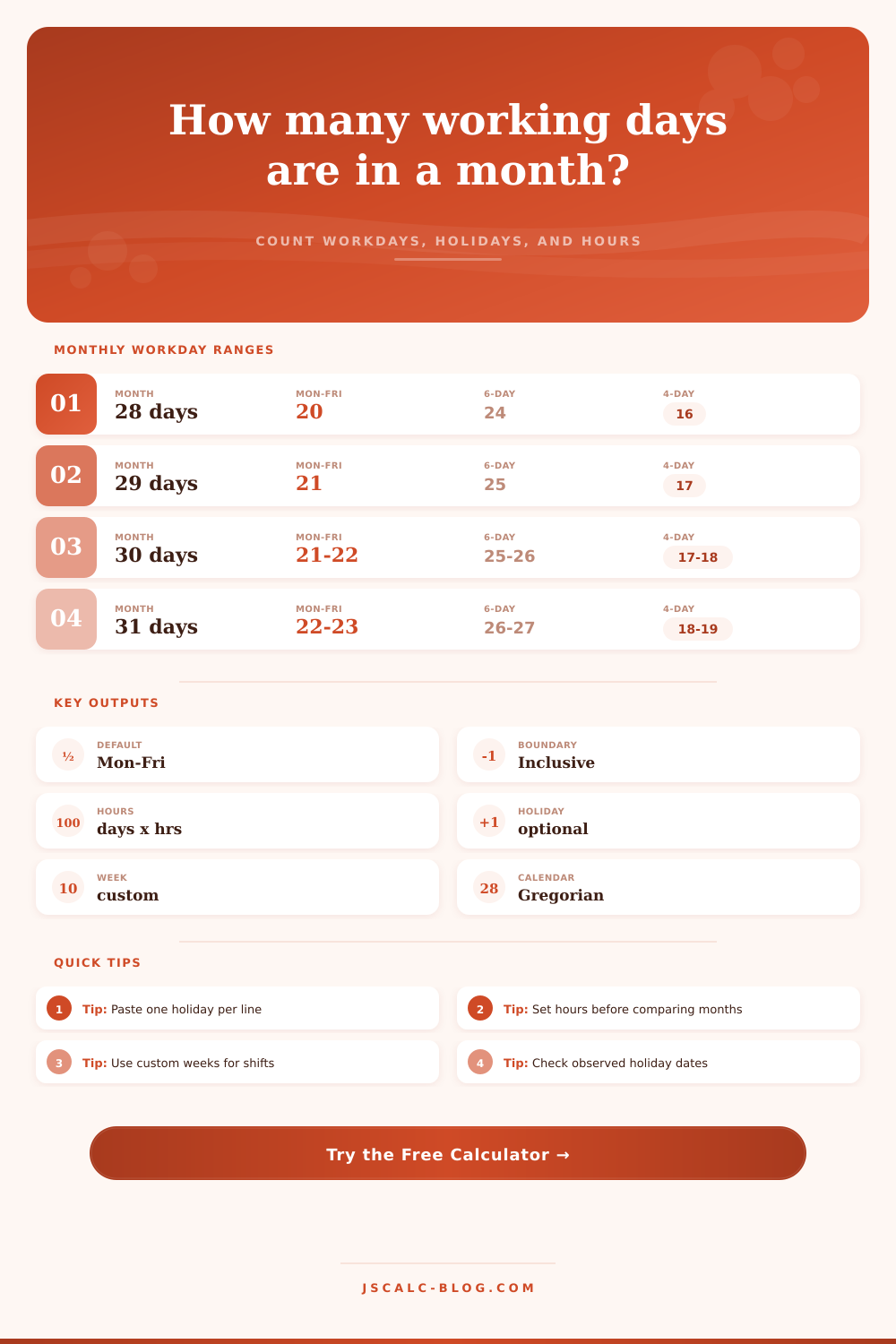
| 28 days | 20 | 24 | 16 | Exactly four complete weeks. |
| 29 days | 21 | 25 | 17 | Leap February adds one weekday. |
| 30 days | 21 or 22 | 25 or 26 | 17 or 18 | Two extra dates fall after four full weeks. |
| 31 days | 22 or 23 | 26 or 27 | 18 or 19 | Three extra dates fall after four full weeks. |
Sounds easy enough: count up the number of workdays in a month. Except it’s never quite that easy. Human time changes; there are 30 days in a calendar month, but that doesn’t mean they’re all filled with work. Some days, there is none. Other days, fewer than eight hours (or more). Your schedule changes from month to month, and rarely repeats itself. Payroll errors hide there. Where staffing shortage hide. Budget overruns hide there. It’s a small thing, but it matters.
Twenty-two days is about right, most people think “thirty days” translates into something like “twenty-two days‘ worth.” And sure, if you’re a normal Monday-to-Friday office worker during a normal thirty-day month, that’ll get you close. But throw in different weekend schedules, throw in shift workers, throw in some holidays, and the numbers don’t line up. The calculator above does it for you: removes holidays and weekends and shows what remains.
Why Counting Work Days Is Important
But what is a workweek? That’s where things get complicated. Depending on your location, the weekend might be Saturday and Sunday. Or maybe it’s Friday and Saturday. Perhaps you work in a manufacturing or retail group, working six days a week. Maybe your admin folks only works four. Changing the workweek setup changes the total number of days available, drastically.
Take a thirty day month; if you have a five day workweek, there are going to be twenty-two days of work in that month. If you’re a four day crew, then it becomes seventeen. On the page below, we’ve put together a reference table showing just how much difference a single workweek format makes on the number of days available in a given month. And that’s precisely why averages don’t work. An average doesn’t account for your specific roster. You can’t plan labor based off an average that doesn’t apply to you.
Then there are the holidays. In most countries, if an official holiday happens on the weekend then it gets substituted with the nearest workday. So maybe the holiday is on a Sunday but your day off is actualy the next Monday. Unless you know which day(s) to ignore, you’ll budget by workdays and get your labor budget all messed up. You’ll budget for a full team to come in on Monday but end up with half the staff gone since they’re taking holiday off. With this tool you can enter special dates to exclude so the resulting net count isn’t just what the calendar says, but what’s realy going on. This is one of those precise steps where getting it right avoids expensive surprises at the busiest times of year.
The days don’t tell you everything. So do the hours. Seven and a half hour days add up. Twenty two days at seven and a half hours equals a different bucket of resource than 22 days at eight. That’s a half hour a day, every day. It adds up fast. In a month, that’s a significant chunk of lost productivity or unpaid time. You can use this calculator to convert net days to an hourly value of capacity so when looking at months rather than days, you will be able to see how many hours were actually scheduled. And then predict full time equivalents based on those values. Knowing what is realistic with your schedule are important for all projects.
There’s seasonality as well. Because there are 29 days in February during a leap year, there could possibly be one additional workday based on whether or not that 29th day lands on a weekday. You’ll typically find December with fewer workdays compared to January because holidays tend to cluster together. Seeing month-to-month variation is easier by comparing the previous and subsequent months. If you’re managing a view across a whole quarter, you may notice July has a few more days of capacity different than August. This allows you to spread out your work to match. The goal here is to smooth out the highs and lows of your year.
Static thinking tends to lead people into common errors. They make a spreadsheet at some point and forget to edit it when rosters change, or holidays happen. They think that one month is just like another. This means that you are being reactive instead of managing things proactively. Keeping track of how many working days there are will allow you to plan ahead for shortages. Knowing in advance that a month has fewer working days may help you re-schedule vacation time, stagger it across months, or shift due dates on projects. Knowing about the limit before it becomes an issue is a helpful advantage.
The bottom line is, clarity matters when it comes to accurately calculating your working days. Once you know how many hours you have available during the month, you’ll make better choices, regardless of whether your organization is big or small. And those choices won’t be based on hopes and dreams anymore; they will become concrete plans. Stop saying “I hope I have the time” and start saying “I know I have the time,” because knowing that is the key to operating smoothly. Knowing is what makes things ordered. Know when people work and match their efforts to what needs to be done, efficiently and fairly.