Add Days to a Date Calculator
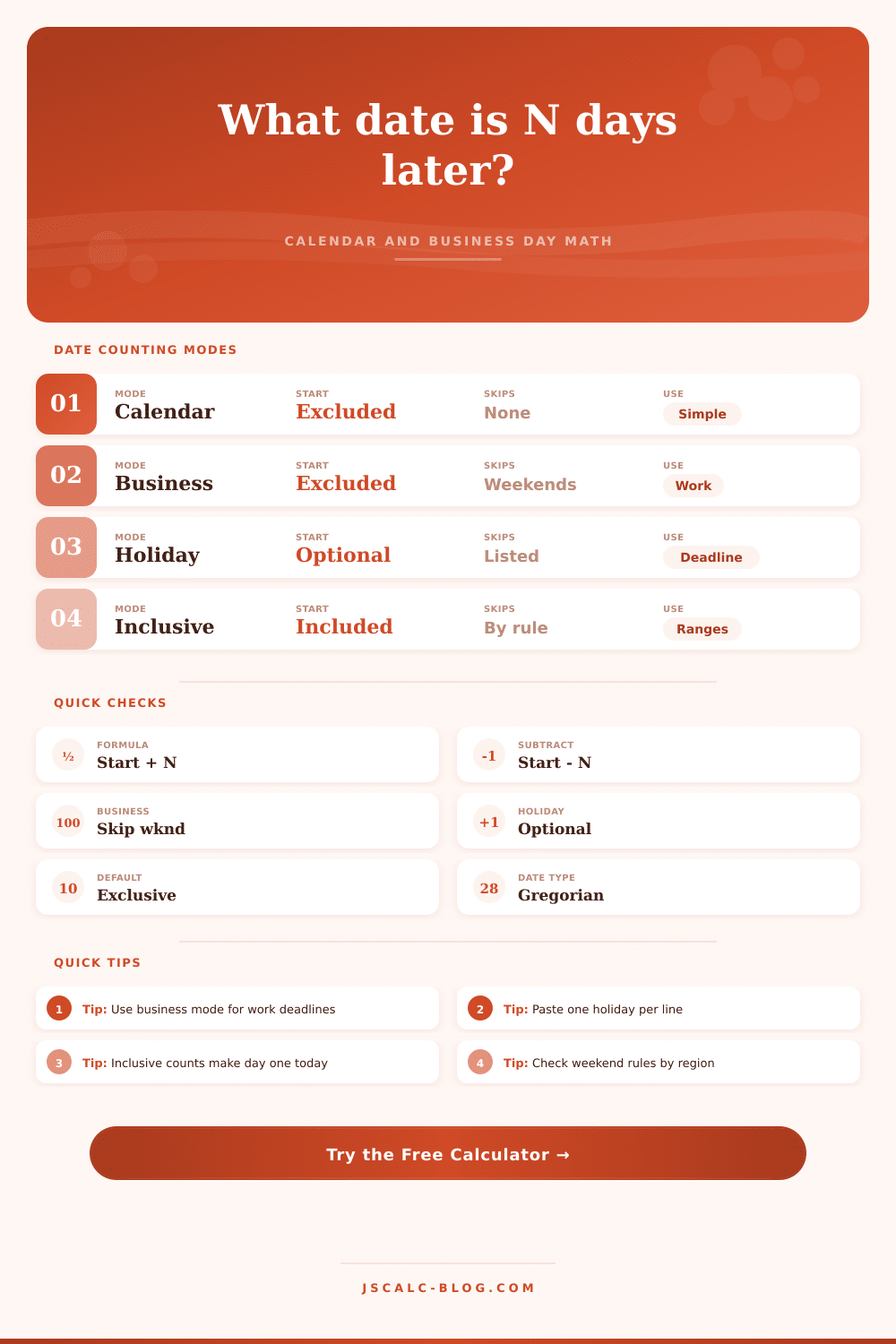
Add or subtract calendar days, count business days, skip weekends, include optional holidays, and choose whether the start date counts as day one.
Date Result
Calendar Mode
Counts every date on the calendar.
Business Mode
Skips weekends and selected holidays.
Inclusive Start
Counts the start date as day one.
Reverse Count
Subtracts the same number of days.
| Offset | Calendar Date | Business Date | Weekday | Business Skips |
|---|
| Method | How day 1 is chosen | Example from Monday +5 | Best use |
|---|---|---|---|
| Exclusive start | Tomorrow is day 1 | Saturday by calendar days | Standard date addition |
| Inclusive start | Start date is day 1 | Friday by calendar days | Event windows that start today |
| Business days | Next valid workday is counted | Next Monday with Sat/Sun weekends | Work deadlines and service levels |
| Holiday exclusion | Listed holiday is skipped | Moves one valid day later | Contracts, support, filing, operations |
| Subtract mode | Counts backward from start | Previous Wednesday by calendar days | Lookbacks and cutoff dates |
| Rule | Excluded weekdays | Typical context | Calculator impact |
|---|---|---|---|
| Saturday/Sunday | Sat, Sun | Most office schedules | Five counted days per normal week |
| Friday/Saturday | Fri, Sat | Some regional workweeks | Sunday can be a counted workday |
| Sunday only | Sun | Six-day operations | Six counted days per normal week |
| No weekend exclusion | None | Always-open teams | Business mode behaves like calendar mode unless holidays are excluded |
| Holiday list | Entered dates | Observed closures | Each listed valid date delays or advances the result by one workday |
| Scenario | Mode | Target date | Calendar span | Skipped days | Note |
|---|
You’ve got a deadline falling on a Sunday. On Friday afternoon your boss emails to say she needs the report by Monday. Naturaly, you understand it’s going to be Monday, but how are you supposed to get there? Does this week begin on Monday or Tuesday? Is next Friday a holiday (who knows). Inevitably, people will turn to their calendar app, click through each day individually and end up losing their confidence along with all that time.
Using a date arithmetic tool to handle the math frees them from that drudgery, and the shame of missing a deadline because they counted the wrong number of weekend. But the twisty bit with date math isn’t adding. It’s the definition of “day.” By itself, a day mean 24 hours. In the real world (of work), it means one unit of labor that doesn’t include weekends. Five days after a Monday? Calendar says Saturday, Business says next Friday. The difference between those two settings shift everything. The calculator above do the adding for you. However, the first step is to understand whether the expectation match your contract or your boss’s understanding of it.
How to Count Days for Deadlines
Project timelines tend to be calendar days; legal agreements usually says business days. Getting these mixed up is where most people miss their deadlines. Things get even more complicated when we throw in inclusive counting. So if you begin a trial period today, does today count as day one? Yes, then you’re including today which means you’re using inclusive counting. No, then you’re excluding today, meaning you’re using exclusive counting, starting tomorrow. Depending on the rule you choose, the start date could shift by just one day, but that single day may cost you a lot of money in the form of a late fee or other invalidation of your contract.
Check exact language of your agreement to know for sure what’s expected of you. See if it includes the word “beginning” or says something like “within ten days.” If it does, it typically indicate a specific start date. If not, then today counts.
It gets trickier still during holidays. Maybe it’s Friday and you’re in a city where Friday is a work day, but your customer is on the other side of the country where it’s the weekend. Perhaps your business doesn’t recognize a federal holiday as such. By letting you paste a list of dates to remove, the tool makes you define exactly what “closed” looks like for you. That’s why these business day calculations are way more powerful then just adding up calendars. They take into account how real life actualy works.
Take the example of sending your invoice on the thirtieth of the month. That doesn’t mean it will arrive back to you on the thirtieth of the following month. There is fewer days in February. And then leap year throws a wrench in things. Pretty soon, the math are a mess. Let someone else deal with the Gregorian calendar‘s rules and offload the guessing game.
Backwards planning is important too. Subtract thirty business days from your due date (let’s say the fifteenth) and you’ll have an idea of when you should of begin working if you want to avoid feeling rushed. Any project manager knows this is invaluable, especially if you’re managing more than one project. It turns a fixed end date into a flexible start time frame.
It all comes down to matching your tool to your context. If it’s something that happens automatically (e.g., warranty expiration, subscription renewal) use calendar days. If it’s something that needs some form of human intervention (e.g., meeting, approval, shipping) use business days. If it has a clear start moment, use inclusive counting (e.g., event). If it measures the duration between two adult-sized sofa, use exclusive counting (e.g., time off request). After you learn those distinctions, the math isn’t a puzzle anymore. It’s just a lookup. You don’t have to worry about holidays falling on weekends; you can focus on the work.