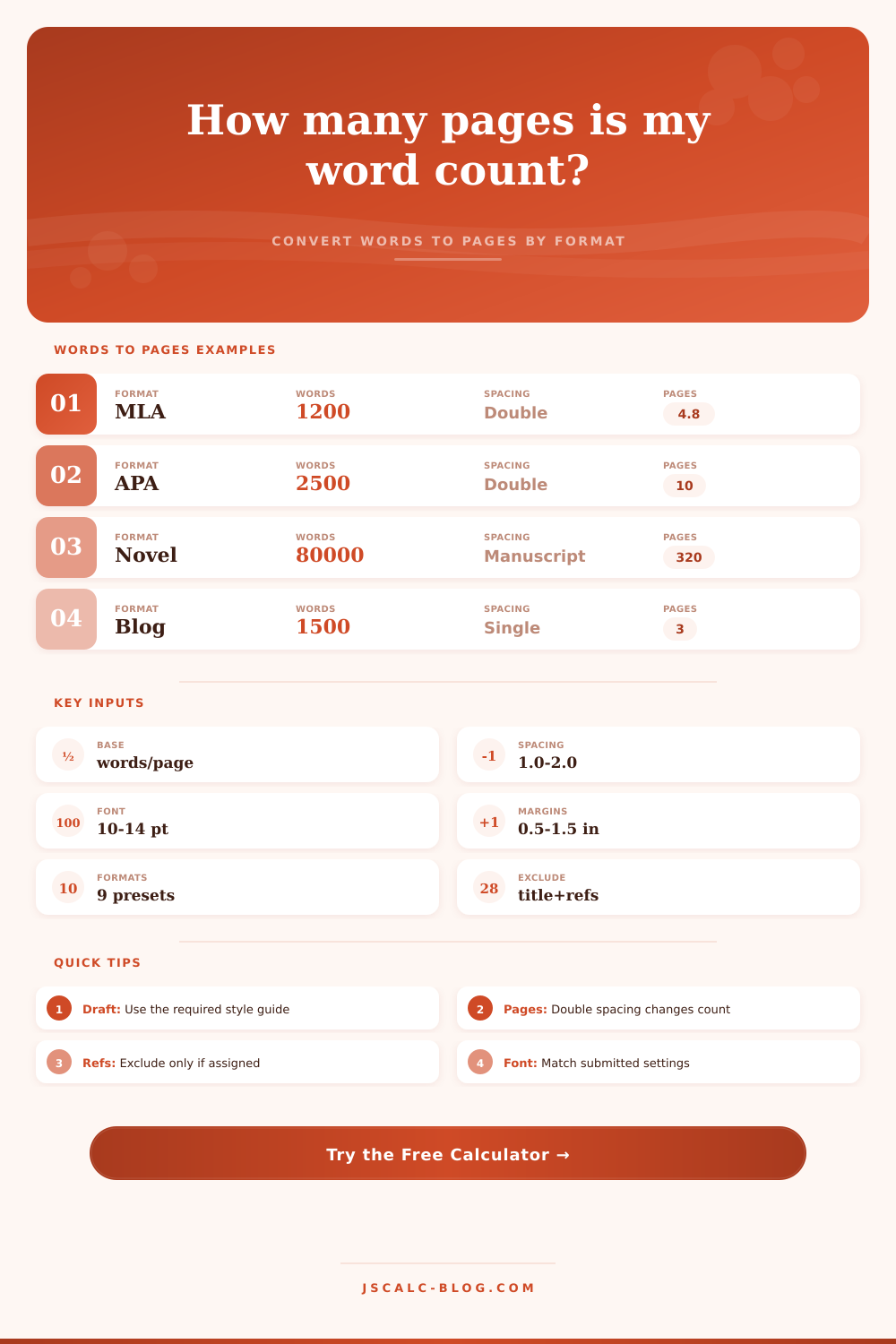
Word Count to Page Count Converter
Estimate pages from words using words per page derived from document format, font size, spacing, line height, margins, page size, and paragraph density.
Choose a familiar document setup, then adjust the word count or formatting fields.
| Standard Setup | Typical Words Per Page | Font and Spacing | Notes |
|---|---|---|---|
| MLA student paper | 240 to 280 | 12 pt, double spaced | Usually 1 inch margins and a readable serif or sans-serif font. |
| APA student paper | 240 to 280 | 12 pt, double spaced | References may be excluded when the assignment asks for body text only. |
| Book manuscript | 225 to 275 | 12 pt, double spaced | Manuscript pages often use Courier or another readable submission font. |
| Single-spaced report | 450 to 560 | 11 to 12 pt, single spaced | Denser line spacing puts about twice as many words on a page. |
| Screenplay draft | 150 to 220 | 12 pt script style | Dialogue, scene headings, and white space reduce words per page. |
| Web article draft | 500 to 650 | 11 to 12 pt, single spaced | Draft pages are not the same as rendered web pages. |
| Word Count | Double Spaced 250 WPP | Single Spaced 500 WPP | Manuscript 250 WPP |
|---|---|---|---|
| 500 words | 2 pages | 1 page | 2 pages |
| 1,000 words | 4 pages | 2 pages | 4 pages |
| 1,500 words | 6 pages | 3 pages | 6 pages |
| 2,500 words | 10 pages | 5 pages | 10 pages |
| 5,000 words | 20 pages | 10 pages | 20 pages |
| 80,000 words | 320 pages | 160 pages | 320 pages |
| Adjustment | Effect on Words Per Page | Why It Matters | When to Use |
|---|---|---|---|
| Larger font size | Lowers words per page | Each line holds fewer words and fewer lines fit vertically. | Accessibility, school rules, or submission guidelines. |
| Wider margins | Lowers words per page | The usable writing block becomes smaller. | MLA, APA, thesis, and manuscript submissions. |
| Open paragraph density | Lowers words per page | Short paragraphs and scene breaks create more white space. | Fiction, dialogue, memos, and web drafts. |
| A4 page size | Slightly changes pages | The usable area differs from US Letter after margins. | International academic and office documents. |
| Reference exclusion | Lowers counted words | The calculation removes words that should not count toward body pages. | Assignments excluding title pages or references. |
| Formula Step | Calculation | Inputs Used | Output |
|---|---|---|---|
| Counted words | Total words minus selected exclusions | Word count, title words, reference words | Net words |
| Usable area factor | Text area divided by Letter text area | Page size and margins | Area multiplier |
| Format factor | Base model adjusted by format | MLA, APA, manuscript, screenplay, report | Format multiplier |
| Words per page | Base x area x font x spacing x density x format | All formatting controls | Derived WPP |
| Estimated pages | Counted words divided by words per page | Net words and derived WPP | Page count |
It’s happened to us all. It’s that day when you’re staring at a blinking cursor and realize you’ve got two hours until that paper is due. You know youd better hit that five-page mark, but you can’t tell if those twelve hundred words on the screen will cut it or not. It’s simple to keep an eye on word count. But page count vary depending on how you dress up the words for their occasion.
If they’re formatted as a single-spaced report packed with detail, a thousand words may appear as a hefty stack of paper. If they’re typed out in double-spaced manuscript complete with wide margins, however, the same thousand words may shrink down to fit on only three pages. That’s where the tool on this page comes into play; it handles all that complicated math regarding formatting variables so you’ll be able to get a realistic estimate without resorting to a vague ballpark guess.
Why Word Counts Do Not Equal Page Counts
The thing most folks believe is that “pages” are static containers, like shoe boxes that hold exactly twenty-five hundred words. That’s a naive idea. Pages is flexible. Depending on whether you choose Times New Roman or Arial, the width of your text change slightly, sans serif fonts occupy more horizontal space. Depending on if you use double-spaced or single-spaced lines, then you’re effectively doubling (or halving) the number of words each sheet can contain.
By allowing you to specify actual physical dimensions of your file, the calculator takes these small variations into consideration. How much room do your margins leave? What is the effective size of a line of text? Are you using 12 point font or 10 point font? Rules like APA or MLA is strict about these small details. One inch margins? Twelve point font? Using anything else in your head will mess with your word count estimation. The calculator helps you stay on track with what you need to turn in.
Surprisingly, page length is influenced by paragraph structure. How many writers notice? Long, dense paragraphs fills a page with more text than short, punchy ones. Remember, each line of action and character exchange take up white space on a fiction manuscript page. This lowers its words-per-page ratio. Spacing may vary completely on business memos. With the calculator, you can account for these differences, knowing that narrative rhythm shapes physical volume.
That’s what makes a standard film script page so famous: it’s one minute of on-screen action no matter how many words fill it. The rhythm is dictated by the format; the format dictates the space. This informs your approach as a writer, helping you plan during writing process. Knowing you write with short paragraphs, you could find yourself needing to produce more raw text to reach a page goal.
There is one more caveat: exclusions. A lot of writing tasks request a certain number of pages, and then say you don’t have to include the bibliography (or abstract, or title page) in that figure. Put your whole thing through one of those free online word-counters and you’ll probably end up with too high an estimate of body text length. Take out the words on the title page, and the ones in references; you’re closer now to what’s actualy there. That’s a little bit of nothing, but it helps avoid the heart-attack moment where you realise you’re three pages under-length at hour-or-so before submission time.
The reference tables included with the tool contains guidelines on typical word counts for various kinds of documents. They are not prescriptive rules, but they are good places to start. It is also a reminder that a web draft isn’t like a thesis chapter. A thesis chapter isn’t the same as a standard essay.
In conclusion: Page counts aren’t promises, they’re estimates. Weird heading styles, images, block quotes, and footnotes will throw off your text every single time. This isn’t about being perfectly accurate; it’s about making an educated guess. Run your word count through the calculator so you have expectations upfront.
You have 4,000 words in your hands and need ten pages. You’ve got a clear idea how far you still must write. It makes filling out the blank page seem like a doable math equation instead of a source of anxiety. You’ll be able to get lost in your words, confident that they’ll format just fine.