Exam Time Per Question Calculator
Split exam minutes into reading, review, skip buffer, MCQ pace, essay pace, and weighted section timing before the clock starts.
| Section | Type | Questions | Weight | Allocated Time | Pace | Checkpoint |
|---|
| Question style | Typical pace | Use when | Skip trigger | Review note |
|---|---|---|---|---|
| Fast recall MCQ | 0.5-0.8 min | Definitions and facts | Over 60 sec | Flag unsure items |
| Reasoning MCQ | 0.9-1.5 min | Two-step logic | Over 2 min | Check traps last |
| Math problem | 2-4 min | Formula work | No setup in 45 sec | Audit units |
| Short answer | 2-5 min | Brief explanation | No outline in 1 min | Answer all parts |
| Data or lab item | 3-6 min | Charts and evidence | Lost in table | Recheck labels |
| Case analysis | 6-12 min | Scenario prompts | No issue list | Tie facts to rule |
| Long essay | 12-30 min | Argument writing | No thesis in 3 min | Save edit pass |
| Reading passage | 8-13 min | Passage plus items | Second reread | Return to line proof |
| Buffer | Formula role | Typical amount | Best for | Warning sign |
|---|---|---|---|---|
| Reading buffer | Subtract fixed minutes first | 3-10 min | Complex directions | You start solving blind |
| Review buffer | Percent of post-reading time | 8-15% | Scantron, math, essays | No time to catch errors |
| Skip buffer | Percent of working time | 5-12% | Hard mixed exams | One item stalls progress |
| Checkpoint pace | Question count by time point | 25-75% | Long tests | You discover delay too late |
| Essay reserve | Weight and difficulty lift | 12-30 min | Written responses | Essay becomes leftovers |
| MCQ pass one | Fast first sweep | 70-85% time | Many items | Flags pile up unchecked |
| Step | Calculation | Output | Why it matters |
|---|---|---|---|
| 1 | post-reading = total minutes - reading minutes | Exam time left | Directions are not solving time |
| 2 | review minutes = post-reading x review % | Final check bank | Protects clean-up time |
| 3 | skip minutes = post-reading x skip % | Revisit bank | Prevents one hard item from taking over |
| 4 | usable = post-reading - review - skip | Working minutes | Main time per question numerator |
| 5 | base pace = usable / total questions | Simple average | Best quick clock check |
| 6 | section share = weight x difficulty x type factor | Weighted allocation | Essays and hard sections get more time |
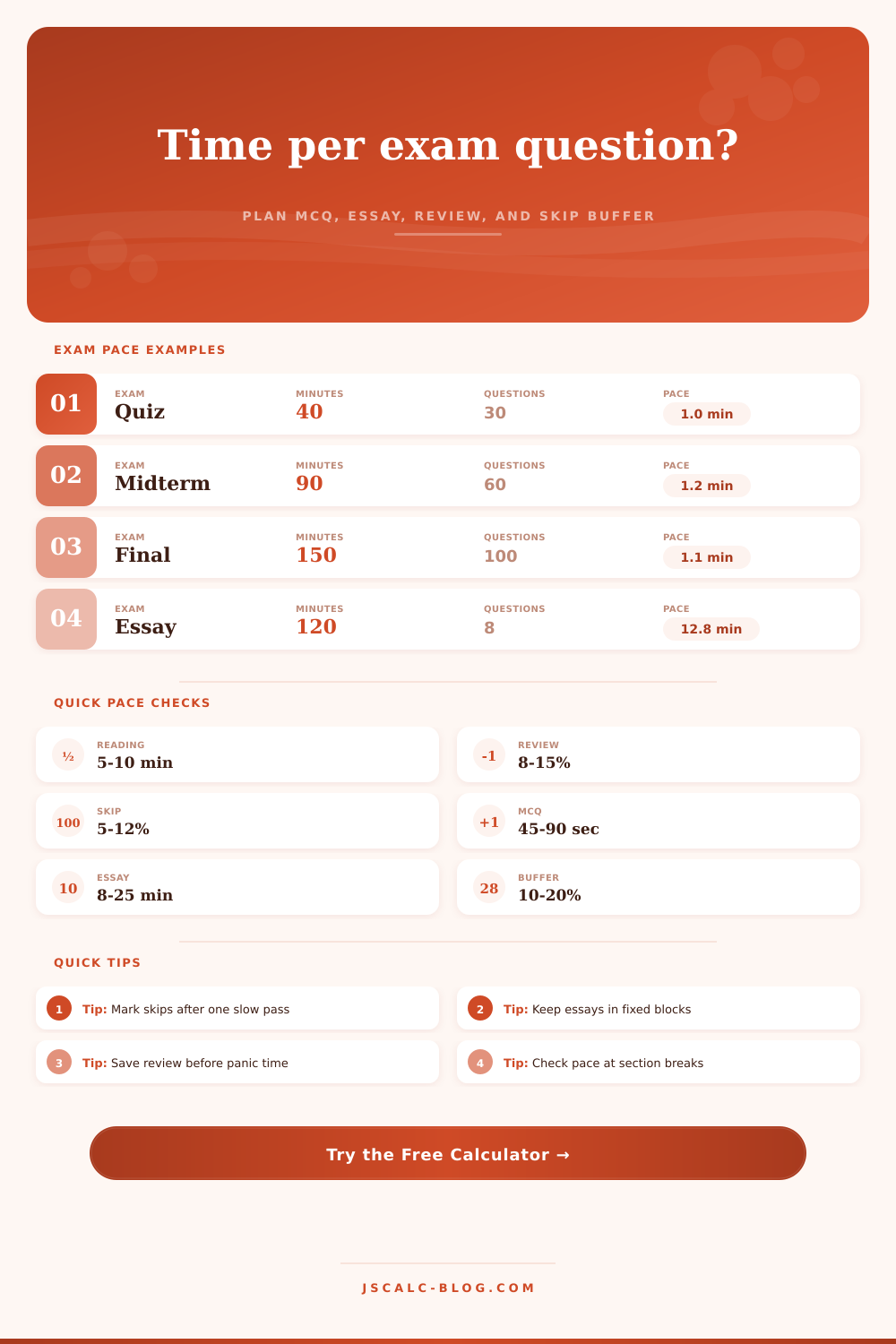
Before grabbing that pencil and circling the first question, do the math: Take total minutes allotted for the test, divided by number of questions. That’s important, because without some sort of strategy, you’ll waste all that adrenaline for no reason.
Exam time isn’t one big lump of energy; that kind of thinking will cause panic. Before proctor distributes the booklets, you’d better have something planned out. The calculator above will run the math for you, but understanding why those inputs matter is what actualy saves your grade.
How to Manage Your Time During Exams
Non-solving time is the single most overlooked part of test-taking. It include the minutes spent reading instructions and looking for formulas. Six minutes off a 90 minute exam? That’s not a small reduction in your work effort. It’s recognizing the initial minutes will be devoted not to doing the job but to orienting yourself. Not building in reading time is the same as arriving late on your first ten question. The calculator does this subtraction automaticly, giving you a real-time estimate of how much time you can realisticly expect to use.
The key is usually buffer strategy that separates an A from a B. That’s right: Set aside time to skip over those tough questions, and then set aside time to review. Yeah, I know it sounds counterintuitive, set aside time that you haven’t even used yet! But it’s the only way to keep yourself calm.
Without a skip buffer, that one tricky multiple-choice question will throw off your whole pace. One moment, you’re cruising along. The next thing you know, you’ve gotten stuck on something, you lose your confidence. Now you’re running out of time in the last section. By setting aside a certain percentage to revisit hard stuff, you create a safety net. You transform anxiety into a logistics problem that you’ve already solved.
There is another wrinkle, the weighted section. Some questions are not created equaly. Multiple choice have less weight than an essay question; hence it shouldn’t get a proportionate amount of clock time. With this tool you can consider both the type and difficulty of each question and be certain to give high value questions the time they require. Time isn’t being split evenly. It’s given by reward and risk.
Sometimes four minutes per question may be necessary for a difficult case study while a simple recall item only requires forty-five seconds. You would of wasted potential points if you treat them equally.
Review time is non-negotiable. Because if you don’t get some time to review, you’ll finish up with two minutes left and need to check over forty thing. That’s not review. That’s triage. Review is when you catch careless mistakes, make sure you didn’t blank anything, and verify that you even wrote an essay that addresses the prompt.
The time the calculator allots you is carved out from remaining minutes. And it forces you to acknowledge that you won’t be working on new content until the very end. And that mindset adjustment is key. It transforms those final ten minutes from a scramble to a controlled audit.
Speed isn’t pacing, pacing is rhythm. Do you want to arrive at your checkpoints on time? Exactly on time. Did you get there early? Slow down and make sure you covered everything. Did you fall behind? Cut your losses and keep moving. You don’t want to leave with a bunch of unanswered questions; you want to leave having used the amount of review time you allotted.
The tool will give you that, it gives you a clear picture of those targets. But it’s up to you to have the discipline to maintain them. The test itself becomes a resource management problem. Minutes becomes your currency. Points become your expenditure.
How do you use those minutes? Break them up: read, solve, skip, review. This gives structure to an otherwise chaotic situation. It helps you stop reacting to the clock. It lets you manage the clock instead. The ticking clock on the wall doesn’t change. But you know exactly what every minute buys you. And that is all that matters when things get diffrent than expected.