Automated Readability Index Calculator
Score a text sample with the ARI formula, count characters, words, and sentences, then compare the result with grade-level and audience targets.
📌Preset Samples
Load a sample profile or paste your own text. Each preset updates the text and target settings.
🧮Text and Count Inputs
ARI score ready
📊Current Text Profile
📘ARI Interpretation Grid
📋Reference Tables
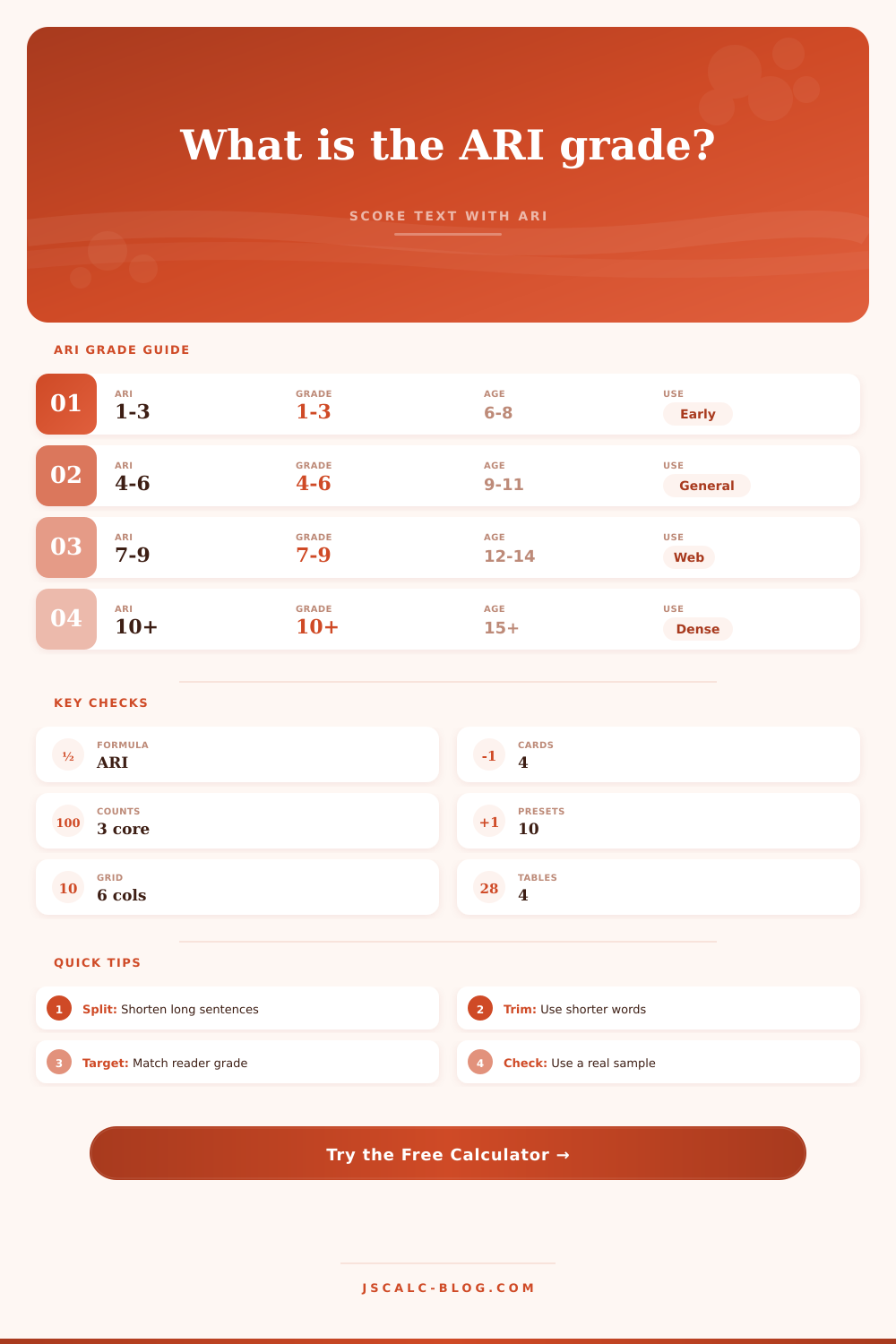
| ARI Score | Estimated Grade | Typical Age | Common Use | Rewrite Signal |
|---|---|---|---|---|
| 1 to 3 | 1st to 3rd grade | 6 to 8 | Simple directions, beginner text | May be too simple for expert tone |
| 4 to 6 | 4th to 6th grade | 9 to 11 | Help pages, notices, classroom text | Good for broad public guidance |
| 7 to 9 | 7th to 9th grade | 12 to 14 | Web articles, newsletters, school handouts | Watch sentence length and stacked clauses |
| 10 to 12 | 10th to 12th grade | 15 to 17 | Business, policy, technical introductions | Define terms and split dense sentences |
| 13 plus | College and above | 18 plus | Academic, legal, research, specialist docs | Check whether the difficulty is necessary |
| Formula Part | Expression | Input Source | Effect on ARI |
|---|---|---|---|
| Characters per word | characters divided by words | Text analysis or manual count | Longer words raise the score through the 4.71 factor. |
| Words per sentence | words divided by sentences | Sentence splitting or manual count | Longer sentences raise the score through the 0.5 factor. |
| Constant adjustment | minus 21.43 | Built into ARI | Centers the formula around school grade levels. |
| Final score | ARI = 4.71*(characters/words)+0.5*(words/sentences)-21.43 | Calculated result | Usually rounded up for conservative grade planning. |
| Reader Target | Planning Grade | Characters Per Word | Words Per Sentence | Best Practice |
|---|---|---|---|---|
| Early readers | 3 | 4.0 to 4.6 | 8 to 10 | Use concrete words and one action per sentence. |
| General web | 7 | 4.4 to 5.0 | 12 to 16 | Keep paragraphs short and define any field terms. |
| Student readers | 9 | 4.8 to 5.4 | 15 to 20 | Use headings to separate explanation from examples. |
| Business readers | 10 | 5.0 to 5.6 | 18 to 24 | Replace nominalizations with direct verbs when possible. |
| Specialist readers | 15 | 5.6 plus | 24 plus | Keep precise terms but remove unnecessary clause chains. |
| Rewrite Move | Count Impact | Score Direction | Use When |
|---|---|---|---|
| Split a long sentence | Lowers words per sentence | ARI decreases | A sentence carries multiple decisions or claims. |
| Use a shorter synonym | Lowers characters per word | ARI decreases | The shorter word is equally accurate. |
| Remove filler phrases | Can lower both ratios | ARI often decreases | Introductory or repeated phrases add bulk. |
| Define a technical term | May add words | ARI may rise slightly | The term is necessary for accuracy. |
| Add examples | Often adds short sentences | ARI may improve | An abstract point needs concrete support. |
💡Practical Tips
This has happened before, I’m sure you’ve witnessed it. Someone writes a useful how-to piece, litters it with jargon, then sees it fall flat. Usually, it’s not the content at fault, it’s the friction needed to decode it.
Enter: the Automated Readability Index, which tries to capture this friction. Think of it as a tool for quantifying the effort we need to expend to understand what you’re saying. That distinction matter, since clarity is often a structural choice, not just a stylistic one.
How to Write Clearly for Your Readers
Here’s the surprisingly simple formula for measuring readability: It has only two inputs: (1) how long your sentences are, and (2) how long your words are. After computing both, it assigns a large multiplier to the former and a small one to the latter. Lastly, it subtracts a constant, which centers the resulting score on normal-grade-level writing.
Once you enter some text into the box above, the calculator do all the heavy lifting for you. No more rounding errors or character counts… You can simply place your trust in this little pair of measurement to represent the majority of what makes something readable or not.
Sentence length is something people are very obsessed with. They’ll aggressively split their clauses so that each sentence has as few words in it as possible. The other half is the number of characters per word. The silent killer is how many long words you use. You might write some really short sentences, chock full of twelve letter synonyms, and your score still won’t budge. Using too many big words kills you on this formula, it presumes that long words take longer to process mentally.
While there are expert arguments about precision requiring longer words, this is generally true for an average audience. So if your average reader is someone surfing the internet, you should try to target a grade level of around seven. This aligns with average reading ability of the broad public.
Using baby talk to try to get into a lower score usually backfires. Your writing starts to feel like it’s trying to talk down to people instead of making itself approachable.
You also provide a target audience profile (this is where it gets interesting). Grade four or five if you’re working on a help center article? Great. Grade ten or eleven if you’re crafting a policy memo for business stakeholders? Probably good there too.
How does this work? Compare your score with your target. How many grades apart are they? That’s how far you should of revise. One or two? No problem, just make some tweaks here and there. Drop a complex noun for a verb, split a compound sentence, and you’ll see the score fall.
Five? Uh oh, something about structure or tone isn’t right here. No amount of trimming will get you back from that. It’s time to rethink things entirely.
The ARI is also important because it’s a blunt instrument. It is context-free. It doesn’t understand whether one word is filler or required for accurate expression of meaning. To it, “the” and “oxygen” gets roughly equal treatment, scaled by their lengths.
The data should be used with your judgement. A high ARI isn’t necessarily bad for scientific prose, for instance; it’s what you expect when you write for scientists. What you want is to align the difficulty level of your text to the reader’s starting capability. That’s when it fades from view and lets the ideas shine through.
Use the presets. They’ll quickly get you in the right ballpark. For example, compare a legal notice to a student email; you can see just how different the metrics is from genre to genre. However, you should always test your own draft. A preset is only a guide; it’s not your voice.
To understand the raw scores in practical terms, use the reference tables included with the calculator. These tell you which band corresponds to which typical age/grade range. Use this to set reasonable expectations. You won’t get a grade one if you’re aiming at a technical subject. Aim for clarity given your constraints.
Ultimately, it’s all about respecting the reader’s time. You should eliminate distractions that gets in the way of delivering your message with impact. And this calculator provides you with a mirror. If something is creating a stumbling block in your writing, that’s what the calculator is going to show you. It might be long sentence structures, complex language, or other things. But when you identify the stumbling blocks, then you can choose to edit them out or not.
The math is simple. And it’s objective.
The writing is subjective. Always.
And that’s where the balance comes into play: Good writing lives there.