Coleman-Liau Index Calculator
Paste text or enter counts to calculate the Coleman-Liau Index from letters per 100 words and sentences per 100 words, then compare the result with grade bands, target gap, and sample quality on JSCalc-Blog.com.
📌Readable Text Presets
Load a realistic passage, then adjust sample handling, sentence counting, target grade, and rounding.
Coleman-Liau result
Calculate to see the grade estimate and sample metrics.
🔢Text And Count Inputs
📊Count Summary Cards
🧭Grade Band Grid
📘Reference Tables
| Index Result | Rounded Grade | Reader Level | Common Fit | Practical Cue |
|---|---|---|---|---|
| Below 4 | 1 to 3 | Early elementary | Very simple instructions | Keep vocabulary concrete and sentence endings frequent. |
| 4 to 5.9 | 4 to 6 | Upper elementary | Introductory public copy | Short words and clear punctuation usually keep this band stable. |
| 6 to 8.9 | 6 to 9 | Middle school | General web or help text | A strong target for broad online audiences and forms. |
| 9 to 12.9 | 9 to 13 | High school to college | Essays, reports, dense notices | Watch long nouns and clauses that push L upward. |
| 13 and above | 13 plus | College or specialist | Technical, legal, academic text | Define key terms and add examples when the audience is mixed. |
| Sample Mode | What It Counts | Best Use | Risk | Recommendation |
|---|---|---|---|---|
| Full pasted text | Every detected word, letter, and sentence | Short pages, notices, and paragraphs | Long mixed documents can hide hard sections | Use when the passage is under about 800 words. |
| First N words | The opening sample only | Introductions, abstracts, and first-page checks | May miss later technical density | Pair with middle or last sample for long text. |
| Middle N words | A centered sample window | Chapters, manuals, and articles | Can cut across sentence boundaries | Use 200 to 400 words for a steadier signal. |
| Last N words | The closing sample only | Conclusions, policy endings, summaries | May overstate complexity if citations cluster there | Compare with full text when endings are unusual. |
| Manual counts | User-entered letters, words, and sentences | Published statistics or controlled tests | Input mistakes directly change the result | Verify words are not zero before trusting the score. |
| Formula Step | Calculation | Inputs Used | Output |
|---|---|---|---|
| Letters per 100 words | L = letters / words x 100 | Alphabetic letters and word count | Higher L raises the index. |
| Sentences per 100 words | S = sentences / words x 100 | Sentence count and word count | Higher S lowers the index. |
| Coleman-Liau formula | 0.0588 x L - 0.296 x S - 15.8 | L and S values | Numeric U.S. grade estimate. |
| Rounded grade | Round the index to the nearest whole grade | Raw index result | Simple grade-level label. |
| Target gap | Index minus target grade | Index result and target input | Shows whether the sample is above or below goal. |
| Readability Formula | Main Inputs | Syllables Needed | Best Signal | Caution |
|---|---|---|---|---|
| Coleman-Liau Index | Letters, words, sentences | No | Fast typed-text scoring | Long names and terms can raise the grade. |
| Flesch-Kincaid Grade | Words, sentences, syllables | Yes | General grade estimates | Syllable heuristics may miss unusual words. |
| Automated Readability Index | Characters, words, sentences | No | Technical or machine-read text | Digits and symbols can affect character counts. |
| Gunning Fog | Sentence length, complex words | Approximate | Business and nonfiction density | Proper nouns can look complex. |
| SMOG Index | Sentences, polysyllabic words | Yes | Instructional and health material | Works best with longer samples. |
🧮Formula Method
💡Scoring Tips
Some people will tell you writing should be simple. What does that look like when written down? You know your text is clear, right? But it feels heavy and hard to read. Fortunately, there’s an easy way to gauge that reading difficulty without guesswork: the Coleman-Liau Index.
This is a metric designed to approximate grade level of schooling required to understand a given passage. How does it work? Instead of making you count syllables (as other measures do), it uses characters. And here’s why that difference matter: deciding if a word has two or three syllables is subjective (and time-consuming). Counting out letters takes less effort and doesn’t rely on anyone’s opinion.
How to Write Clearly
Just use the calculator above, and let it do the math. It’s simple enough: Two primary factors goes into the calculation. One is how many words on average are in each sentence. The other is how many letters on average appear in each word. Shorter sentences generaly indicate less complexity; longer words generaly indicate more. Then it crunches those numbers to get an estimate for what grade level they might be.
Say it comes out to eight? That is about the level of a high school sophomore. Twelve? That’s college stuff. It is not about being dumb or smart; it is just about a heavier or lighter word load. And knowing that help you write better.
Keep an eye on the letter counts. A lot of writers think they sound smarter when they use longer words. But a lot of times it’s really just slowing the reader down. Long words are bad for the index, and the index increase your grade level score based off them. If you’re getting a high number, look for any jargon that can be cut. Use plain language instead, if possible. Don’t worry about dumbing anything down. Just worry about clearing the way for your reader.
This tool will help you identify those areas of difficulty. It’ll show you where things get dense. That lets you focus your editing efforts where they’ll have the greatest effect.
The same goes for sentence structure. Long, meandering clauses will decrease grade level score. Why? More frequent breaks (such as sentences) in a passage make it easier for the reader to digest. In other words, when readers need time to pause and take it all in, they’re more likely to do so at a sentence break.
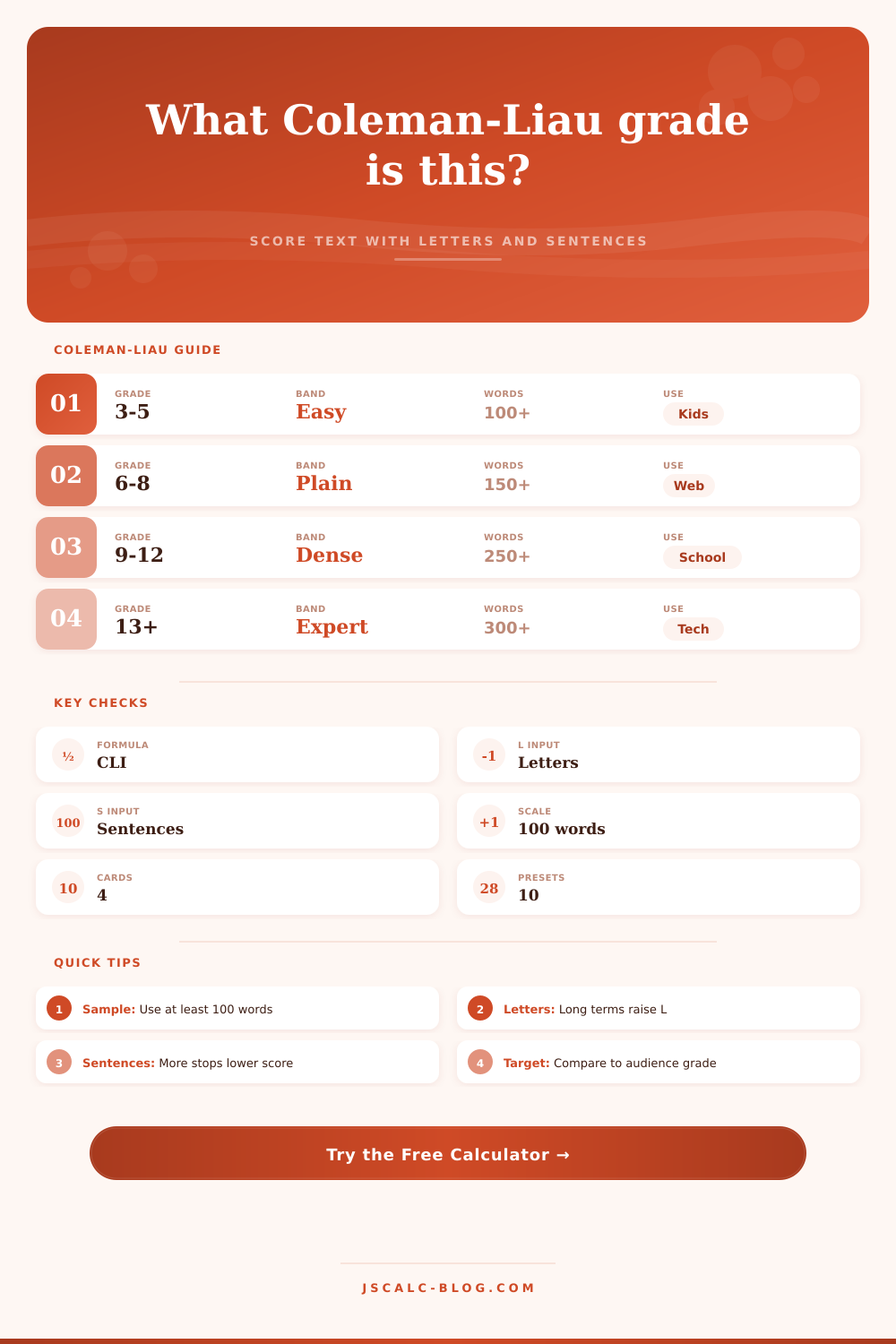
So, if your intended audience is general web readers, keep it toward the lower bands. The reference table on the page spells it out nicely. For mass online reading, grades six through eight tend to strike a good balance between accessibility and depth. Writing below that level may be too simple, and writing above it may cause readers to leave. It’s an art finding that sweet spot. But the metric provide a starting place.
But that doesn’t mean it’s gospel. Far from it. It’s still a rule of thumb. It is not a law. The short excerpts can throw things way off course. One large technical word buried within a paragraph of 50 words can send the grade level up artificialy. This is why sampling needs to be extensive. At minimum, you need one hundred words for a reliable reading. For longer documents, read several area. The intro could be easy. Then the meat and potatoes come with a lot of complex jargon. The conclusion gets back down to earth. Reading through various windows provide more of a complete picture. You want the average experience. Not the high and low spikes.
Less editing for readability = less editing for changes in ideas; more editing for changes in packaging. Lowering your Coleman-Liau score doesn’t mean you’re losing intelligence; it’s about reducing cognitive load. Editing for readability is about reaching more people. It is about making more people able to read what you have written. Make your thoughts easy for others to understand. Make your arguments understood. Make other people take action on your advice.
Writing for third graders isn’t a great aim. You should of write for someone who has learned basic literacy. Now that’s something worth aiming for.
So take a look at what you have in draft. Where does it fall? Trim the fat. Cut the words. Shatter the sentences. Check the score once more. Chances are, you’ll improve the clarity of each go-round.
Your ear tells you. The numbers tell you. And so do the facts. Write simply. Edit brutally. Allow the clarity to speak for itself. What emerges is copy that, though hard to produce, reads like a breeze. That’s the payoff.