Words Per Page Calculator
Estimate how many words fit on a page from page size, margins, font size, font family factor, line spacing, paragraph spacing, average word length, columns, and column gap on JSCalc-Blog.com.
Switching units converts page, margin, and column gap dimensions.
Lower factors are narrower and usually fit more words per line.
Example: 1.0 single, 1.15 compact, 1.5 one-and-half, 2.0 double.
Paragraph spacing reduces usable vertical space before line count is calculated.
Pages needed = document words divided by estimated words per page.
| Page Size | Inches | Millimeters | Common Layout | Typical Margin |
|---|---|---|---|---|
| US Letter | 8.5 x 11 | 216 x 279 | Essays, reports, forms | 0.75-1.0 in |
| US Legal | 8.5 x 14 | 216 x 356 | Legal drafts, contracts | 1.0 in |
| A4 | 8.27 x 11.69 | 210 x 297 | International reports | 20-25 mm |
| A5 | 5.83 x 8.27 | 148 x 210 | Small booklets | 12-18 mm |
| Trade paperback | 6 x 9 | 152 x 229 | Book interiors | 0.5-0.75 in |
| Digest | 5.5 x 8.5 | 140 x 216 | Manuals, handbooks | 0.5-0.7 in |
| Executive | 7.25 x 10.5 | 184 x 267 | Business packets | 0.75-1.0 in |
| Font Family | Factor | Relative Width | Words Per Line Effect | Best Fit |
|---|---|---|---|---|
| Garamond | 0.88x | Narrow | More words | Books, dense reading pages |
| Times New Roman | 0.94x | Compact serif | More words | Academic essays, manuscripts |
| Calibri | 0.96x | Compact sans | Slightly more | Office documents |
| Cambria | 0.98x | Moderate serif | Near baseline | Reports and papers |
| Arial | 1.00x | Baseline sans | Baseline | General documents |
| Georgia | 1.02x | Wide serif | Fewer words | Readable screen drafts |
| Verdana | 1.14x | Wide sans | Fewer words | Accessible handouts |
| Courier New | 1.22x | Monospace | Fewest words | Scripts, code listings |
| Layout | Page | Font | Spacing | Columns | Approx Words |
|---|---|---|---|---|---|
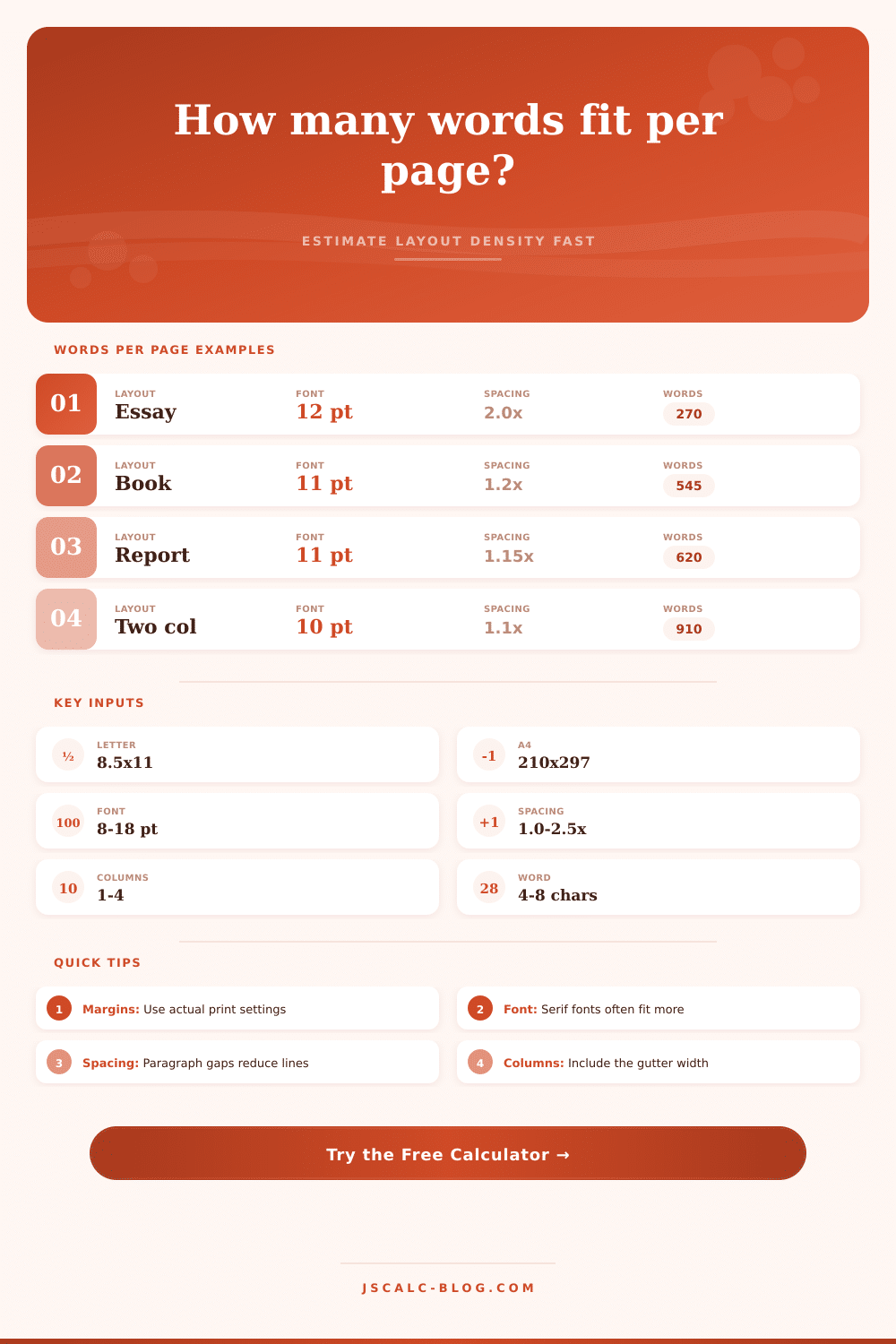
| Double-spaced essay | Letter | 12 pt Times | 2.0x | 1 | 250-300 |
| Single-spaced report | Letter | 11 pt Calibri | 1.15x | 1 | 575-675 |
| Academic journal page | A4 | 10 pt Times | 1.05x | 2 | 850-1050 |
| Novel interior | 6 x 9 | 11 pt Garamond | 1.2x | 1 | 425-575 |
| Legal memo | Legal | 12 pt Times | 1.5x | 1 | 425-525 |
| Newsletter spread | A4 | 10 pt Arial | 1.15x | 3 | 950-1250 |
| Pocket book page | A5 | 10 pt Garamond | 1.15x | 1 | 275-375 |
| Resume page | Letter | 10.5 pt Arial | 1.05x | 1 | 650-800 |
| Document Words | 250/Page | 350/Page | 500/Page | 650/Page | 900/Page |
|---|---|---|---|---|---|
| 500 | 2.0 pages | 1.5 pages | 1.0 page | 0.8 pages | 0.6 pages |
| 750 | 3.0 pages | 2.2 pages | 1.5 pages | 1.2 pages | 0.9 pages |
| 1,000 | 4.0 pages | 2.9 pages | 2.0 pages | 1.6 pages | 1.2 pages |
| 1,500 | 6.0 pages | 4.3 pages | 3.0 pages | 2.4 pages | 1.7 pages |
| 2,500 | 10.0 pages | 7.2 pages | 5.0 pages | 3.9 pages | 2.8 pages |
| 5,000 | 20.0 pages | 14.3 pages | 10.0 pages | 7.7 pages | 5.6 pages |
| 10,000 | 40.0 pages | 28.6 pages | 20.0 pages | 15.4 pages | 11.2 pages |
| 50,000 | 200 pages | 143 pages | 100 pages | 77 pages | 56 pages |
When you write, you don’t know what it will look like when you look at a blank piece of paper with the instruction to “Write 500 words.” How many pages will that be? Will it take up three pages? Will it be half a page? That’s what writers and editors thinks about: the text density, which isn’t only a question of length but of page behavior. What does your text do on the page? The Word Count Calculator gives us the math, translating word count to potential page count. But knowing how the tool works. The variables that influence its results (is key).
Margins are important. Paper size is important, too, but your usable surface shrinks when there’s too much white surrounding it. Without realizing it, you can cut your text space by a quarter or more if you use margins that is too wide. The top and bottom margins also eat into the vertical dimension: you may assume that you’ve got eleven inches of height to work with, but if you add in a two-inch top margin and a half-inch bottom margin, you end up with fewer inches. Often people will estimate paper itself rather than actual text area.
What Changes How Many Words Fit on a Page
On each page, the number of words depends on the font you choose. Fonts with serifs (Times New Roman) has narrower strokes and pack closer together; they hold more words on a line. Fonts without serifs (Arial) are wider; they require additional horizontal room. Swapping to a sans-serif font (e.g., from a serif) will reduce your words per page by ten to fifteen percent. That’s an insignificant-sounding amount, yet it makes the document shorter. This tool takes that into consideration. Twelve points of Garamond isn’t equivalent to twelve points of Verdana.
One big variable is line spacing. If double spaced, there’s plenty of white space for commentary, but fewer lines to read. You gain readability at the cost of volume. Single spaced? You get more words in the same area. But too many lines of single spaced text can be intimidating. It doesn’t breathe visually. Aim for a balance between comfortable reading and efficient packing. Instead of changing line spacing, change paragraph spacing. Give yourself some white space between paragraphs for structure. Do not crush the whole document.
Adding columns makes things even more complex. Two column layouts forces you to move your eyes shorter distances. This increases reading speed, but decreases the number of words on each line. The fewer words on a line, the more lines required for the same amount of text. The trade-off is always between horizontal width and vertical length. More words on a line = wider columns. Fewer words on a line = more narrow columns. Single column is easier, which is why most people do that. Newsletters and other dense reference material works well with multiple columns.
Control the reader’s experience by knowing how much of a page to fill. Want your resume to fit in one page? Want the interior of your novel to feel comfortabley? It’s simple math, but it involves strategic choices. Adjust the margin, frame the content. Adjust the font, set the tone. Adjust the spacing, guide the eye. When you get this, you stop guessing. You start designing. What was once a blank page has become a structured space. And you go back to that five-hundred word prompt. Only this time, you know just how it’ll fit, and how it’ll look.