VAT Calculator
Add VAT to a net amount, remove VAT from a VAT-inclusive total, split receipts into net and tax, and compare alternate VAT rates with invoice-style rounding.
📌VAT Scenario Presets
🧮VAT Inputs
Add mode starts with a net amount; remove and split modes start with a VAT-inclusive amount.
Currency changes symbols only; VAT math is the same.
Use the custom field for a local, reduced, or temporary VAT rate.
Example: enter 20 for a 20% VAT rate.
In add mode this is net. In remove mode this is gross including VAT.
Use quantity for repeated line items with the same VAT rate.
The discount is applied before VAT is calculated or extracted.
Use for taxable handling, service, freight, or surcharge lines.
Added to the invoice total after VAT and excluded from VATable base.
Match the method used by your invoice, POS, or accounting system.
Compares the same taxable net base at another rate.
Used in the result notes so the calculation remains easy to audit.
🔢Current VAT Snapshot
📘VAT Formula Reference
🗂VAT Profile Grid
📋Common VAT Rate Examples
| Profile | Rate | Gross Factor | Net From 120 Gross | VAT From 120 Gross |
|---|---|---|---|---|
| UK standard VAT | 20% | 1.2000 | 100.00 | 20.00 |
| EU common standard | 21% | 1.2100 | 99.17 | 20.83 |
| Germany standard | 19% | 1.1900 | 100.84 | 19.16 |
| New Zealand GST | 15% | 1.1500 | 104.35 | 15.65 |
| Australia GST | 10% | 1.1000 | 109.09 | 10.91 |
| UK reduced VAT | 5% | 1.0500 | 114.29 | 5.71 |
| France reduced VAT | 5.5% | 1.0550 | 113.74 | 6.26 |
| Zero-rated supply | 0% | 1.0000 | 120.00 | 0.00 |
⚖Invoice Treatment Reference
| Line Type | Calculator Field | VAT Treatment | Formula Effect | Audit Note |
|---|---|---|---|---|
| Standard-rated goods | Line amount per unit | Taxable at selected rate | Forms taxable base | Use add mode for net quotes |
| VAT-inclusive receipt | Line amount per unit | Tax already embedded | Net = gross / factor | Use remove or split mode |
| Pre-VAT discount | Line discount percent | Reduces taxable base | Subtotal x discount rate | Apply before VAT |
| Taxable delivery | Taxable adjustment amount | Taxable at same rate | Added before VAT | Common for freight lines |
| Exempt charge | Non-taxable adjustment | Excluded from VAT | Added after VAT | Does not affect VAT amount |
| Zero-rated export | VAT rate profile | 0% taxable supply | VAT amount stays zero | Keep evidence separately |
| Mixed-rate invoice | Run separate lines | Each rate calculated alone | Add totals after each run | Do not average rates blindly |
🔎Preset Calculation Examples
| Preset | Mode | Rate | Input | Qty | Discount | Taxable Adj. | Use Case |
|---|---|---|---|---|---|---|---|
| UK Standard Invoice | Add VAT | 20% | 1250.00 net | 1 | 0% | 0.00 | Business invoice total |
| Inclusive Receipt Split | Remove VAT | 20% | 299.99 gross | 1 | 0% | 0.00 | Receipt reconciliation |
| Reduced Books Order | Add VAT | 5% | 42.50 net | 6 | 0% | 0.00 | Reduced category quote |
| EU Service Quote | Add VAT | 21% | 880.00 net | 1 | 3% | 0.00 | Service invoice review |
| GST Net Invoice | Add VAT | 10% | 310.00 net | 4 | 0% | 35.00 | Taxable delivery included |
| Zero-Rated Export | Add VAT | 0% | 1620.00 net | 1 | 0% | 80.00 | Export invoice check |
| Discounted Equipment | Add VAT | 20% | 540.00 net | 3 | 12% | 25.00 | Pre-VAT trade discount |
| Taxable Shipping | Add VAT | 20% | 76.40 net | 8 | 0% | 18.50 | Shipping taxed with goods |
| Custom 7.7% Rate | Remove VAT | 7.7% | 1088.00 gross | 1 | 0% | 0.00 | Custom local rate |
💡VAT Calculation Tips
The receipt is in front of you. It’s the grand total; that appears correct, but ‘tax’ line item has become hard to understand. Did that twenty per cent get tacked onto the bottom? Or did it get applied to base price? Don’t worry, it’s not a sign of poor arithmetic!
No worries: that’s just what happens when you encounter a Value Added Tax system designed to hide its own logic with a last-digit addition. Once you determine whether your initial figure represent a gross receipt or a net quote, the rest is mathematicaly simple. The calculator up top will demonstrate this so you won’t have to guess to cover most frequent invoice error.
How to Use the VAT Calculator
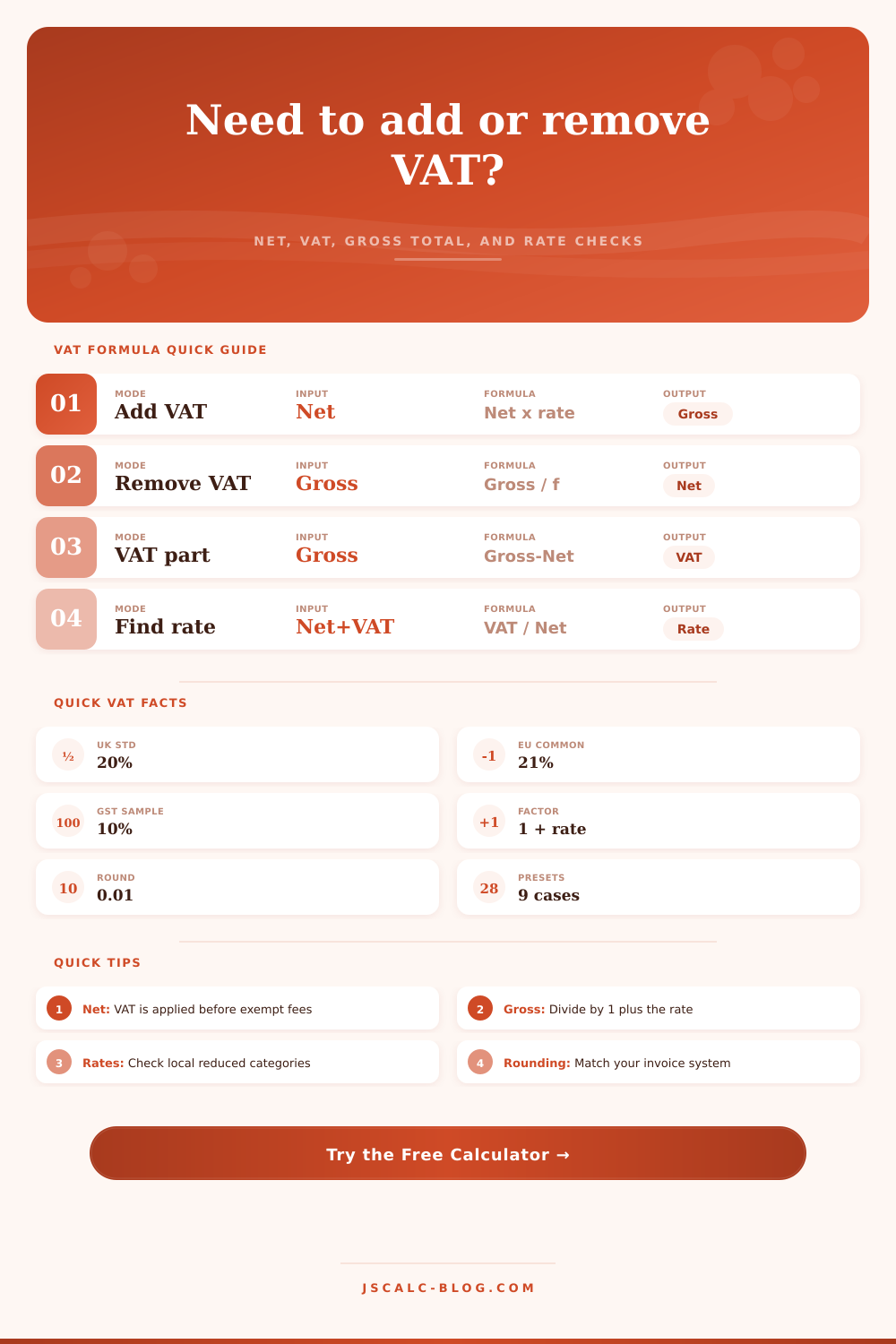
The key misconception for folks is to assume that VAT represents a percentage of something that they’ve already calculated, when in fact, VAT represent a fraction of what they’re about to calculate. To put it another way: removing VAT from an amount isn’t subtracting 20% of something; instead, you’re dividing by 1.2. That’s why it matters, and why Remove Mode do this division for you in seconds so that you don’t accidently strip out part of your real profit margin. Yes, it’s a minor math tweak, but it makes a huge difference at the end of the day.
What about discounts? As in the real world, it’s normal to apply the discount before calculating the tax. For example, if I sell some piece of equipment for a grand and offer a 10% discount, the tax base will reduce to nine hundred pounds. That’s how it works when I use the calculator: it applies the discount to the line amount first; only then does it calculate the tax based off that lower amount. It follows standard accounting practice where VAT are charged on the amount paid by the customer (instead of price originally marked on the item). Deviating from this sequence can result in overcharging the customer (or indeed under-collecting tax); always a headache at a later date.
Another level of complication is shipping and handling. In some jurisdictions delivery fees is taxed; in other cases they aren’t. You’ll be able to separate your adjustments into taxable ones and non-taxable ones. For example, a non-taxable adjustment may include a bank charge or perhaps it’s a fee for an exempted service that increases the cost but isn’t subject to VAT. Isolating this will still ensure an accurate net base.
When you run the output, you’ll see gross total, the VAT amount, and taxable net. This will help you clearly understand how all the components contributes to the final sum.
It covers a huge range of taxes with widely varying rates depending on category and even border. For example, the UK standard tax is twenty percent while some are reduced, such as on energy-saving materials or books (dropping down to five percent). You can test out what another rate would be applied to total by switching it in the comparison feature without having to type everything back in again. When working out quotes in service-based work spanning multiple European countries or trying to estimate prices for importing something into a country that has a different local tax rate then yours, this is really handy.
The page also has reference tables listing popular rates to put things in perspective. You can enter whatever custom percent you’d like, even an odd seven point seven percent (yes, there’s one of those somewhere in the world).
Theoretical math vs real world
When it comes down to invoices, they needs to round to the penny. Does your accounting system round the final total or does it round by line? This affects how you set up the tool because each system do it differently. Making sure you match the way you account for rounding ensures you don’t have the dreaded two-pence discrepancy that should of been manually adjusted at month-end. A small detail, but it saves time when reconciling accounts.
VAT is in the end a pass through number. It’s collected by you for the government and paid out by you on purchases of materials. The end result is that you want your tax numbers correct and your net numbers clean. That’s why the calculator above calculates those formulas for you.
You don’t have to do the math, so you can just make business decisions. Now all you need to know is what’s gross and what’s net and everything else is pluggin in the proper numbers.
Suddenly the receipt makes sense.