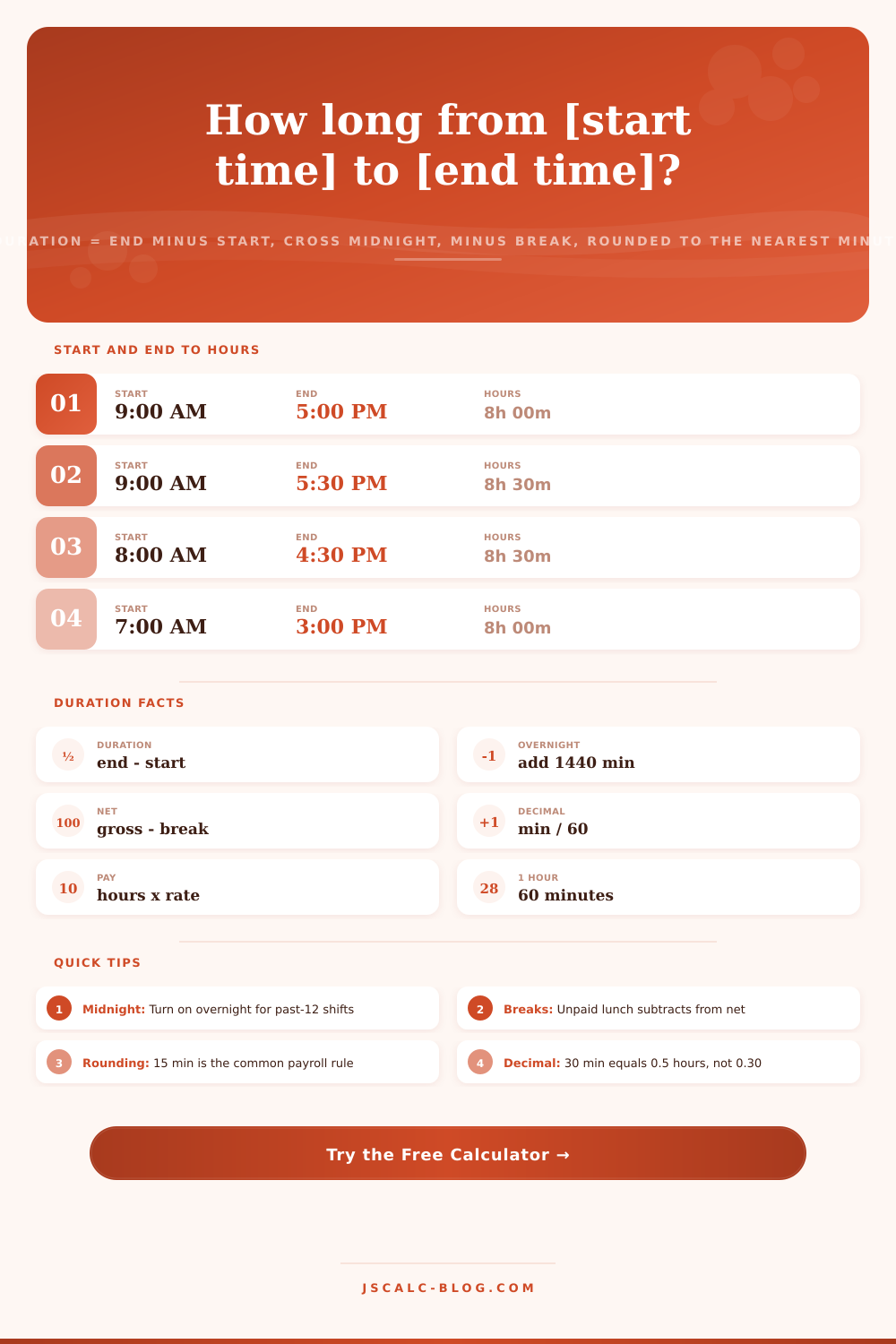
Time Duration Calculator Hours
Find how many hours and minutes fall between a start time and an end time. Toggle 12-hour AM/PM or 24-hour input, flag overnight shifts that cross midnight, subtract an unpaid break, round to the nearest 1, 5, 6, 15, or 30 minutes, and add an hourly rate to see gross pay. Duration = end minus start, plus 1440 minutes if overnight, minus the break.
⏱Time Input Format
💼Common Shift Presets
📝Shift Details
Hour, minute, then AM or PM. When the clock is over the hour goes 0 to 23.
The clock time the shift finishes. Minute box accepts 0 to 59.
Turn on when the shift runs past 12 midnight, such as 11 PM to 7 AM.
Minutes deducted from the gross span, for example a 30 minute lunch.
Applied to the net duration after the break is subtracted.
Leave at 0 to skip pay. Enter a rate to see gross pay for the shift.
🔢Formula Snapshot
📋Minutes to Decimal Hours Conversion
| Minutes | Decimal Hours | Rounded 15 min | Reads As |
|---|---|---|---|
| 0 min | 0.00 | 0.00 | On the hour |
| 6 min | 0.10 | 0.00 | One tenth |
| 10 min | 0.17 | 0.25 | Rounds up |
| 15 min | 0.25 | 0.25 | Quarter hour |
| 20 min | 0.33 | 0.25 | Third of hour |
| 30 min | 0.50 | 0.50 | Half hour |
| 40 min | 0.67 | 0.75 | Two thirds |
| 45 min | 0.75 | 0.75 | Three quarters |
| 50 min | 0.83 | 0.75 | Rounds down |
| 60 min | 1.00 | 1.00 | Full hour |
🕐Common Shift Lengths
| Shift Name | Typical Hours | Gross Span | Usual Break | Net Hours |
|---|---|---|---|---|
| Half day | 9am to 1pm | 4h 00m | 0 min | 4.00 |
| Six hour | 9am to 3pm | 6h 00m | 30 min | 5.50 |
| Standard day | 9am to 5pm | 8h 00m | 30 min | 7.50 |
| Full eight | 8am to 4:30pm | 8h 30m | 30 min | 8.00 |
| Nine hour | 8am to 5pm | 9h 00m | 60 min | 8.00 |
| Ten hour | 7am to 5:30pm | 10h 30m | 30 min | 10.00 |
| Twelve hour | 7am to 7pm | 12h 00m | 30 min | 11.50 |
| Night eight | 11pm to 7am | 8h 00m | 30 min | 7.50 |
📏Payroll Rounding Rules
| Round To | Increment | Breakpoint | Example In | Example Out |
|---|---|---|---|---|
| 1 minute | Exact | None | 8h 23m | 8h 23m |
| 5 minutes | 0.083 h | 2.5 min | 8h 23m | 8h 25m |
| 6 minutes | 0.10 h | 3 min | 8h 23m | 8h 24m |
| 15 minutes | 0.25 h | 7.5 min | 8h 23m | 8h 30m |
| 15 minutes | 0.25 h | 7.5 min | 8h 07m | 8h 00m |
| 30 minutes | 0.50 h | 15 min | 8h 23m | 8h 30m |
| 30 minutes | 0.50 h | 15 min | 8h 12m | 8h 00m |
🗃Start to End Duration Comparison Grid
| Shift | Start | End | Break | Net Hours | Decimal |
|---|---|---|---|---|---|
| 9 to 5 workday | 9:00 AM | 5:00 PM | 30 min | 7h 30m | 7.50 |
| Standard 8am | 8:00 AM | 4:30 PM | 30 min | 8h 00m | 8.00 |
| Early start | 6:00 AM | 2:30 PM | 30 min | 8h 00m | 8.00 |
| Night shift | 11:00 PM | 7:00 AM | 30 min | 7h 30m | 7.50 |
| Evening | 3:00 PM | 11:00 PM | 30 min | 7h 30m | 7.50 |
| 12-hour shift | 7:00 AM | 7:00 PM | 60 min | 11h 00m | 11.00 |
| Half day | 9:00 AM | 1:00 PM | 0 min | 4h 00m | 4.00 |
| Bar close | 6:00 PM | 2:00 AM | 30 min | 7h 30m | 7.50 |
| Double shift | 10:00 AM | 10:00 PM | 60 min | 11h 00m | 11.00 |
| Mid shift | 12:00 PM | 8:30 PM | 30 min | 8h 00m | 8.00 |
⚙Formula Breakdown
💡Time Tracking Tips
It’s a source of anxiety on every Friday afternoon: I don’t know how many hour I’ve worked. There are gaps in my timesheet. My mind races trying to figure it out, wondering whether I’m going to get paid for all those lunch breaks… Or if crossing midnight makes the math tricky.
Mathematically, it seems easy enough: just subtract the start time from the end time. But there is traps: shifts wrapping around midnight, meal breaks shaving off hours, and minutes behaving differently than normal decimals. This tool takes care of all that messily. It adds up your hour in decimal form, calculates your gross pay, and gets you from clock-in to paycheck without questioning math.
How to Calculate Your Hours and Pay
The first step of every calculation is to convert clock times to minutes since midnight. Nine in the morning becomes five hundred forty minutes, while half past five becomes one thousand fifty. Gross span equals end time minus start time. That’s your raw hours before any deductions are made. Next, any unpaid break is subtracted from that, then divided by sixty, producing decimal hours. Working nine to five with a thirty-minute lunch? The net minutes divides evenly for a total of exactly eight hours. That’s why most people expect a clean division like this; but real life seldom provides such tidy numbers.
Shifts spanning midnight create the most common type of timesheet error. If your employee clocks in at eleven PM and then clocks out at seven AM, if you subtract those numbers, you get a negative value. That doesn’t make any sense. To correct it, you have to add enough minutes to get back to zero (exactly 1),440, or the number of minutes in a complete day. It’s an addition of time that gets you from where you were to where you should be: wrapping forward around the calendar date properly. That’s what this calculator do for you by flipping the switch into “overnight” mode. Flip it on whenever you’ve got employee working closing shifts or doing night duty, and the math just works itself out to the next day. No need for you to count up hours manually on the other side of the calendar date line.
The clock face isn’t everything. There are also breaks. Under most labor laws, a meal break is considered unpaid time. That is to say: The clock continues ticking. But the minutes don’t add up against your paycheck. Whatever you input into the dedicated break field gets deducted prior to the decimal conversion. So if you commonly have a half-hour for lunch during an eight-and-a-half hour shift, it’ll net down to a nice, round eight hours of paid work. Your employer provides paid rest breaks on top of an unpaid lunch? Only plug the lunch into that field. The paid time’s already on the books as hours worked.
Most payroll systems don’t even record actual minutes as such; they round up and down to some fixed increment, where your pay will fall into a nice fraction of hour. With this tool, you can round to the nearest one, five, six, fifteen, or thirty minutes. The fifteen-minute rule is common in the U.S. The fifteen-minute rule is dominant in U.S. Payroll practice. However, the six-minute option yields precise tenths of an hour, which is what we all realy want. And it rounds based off actual time spent on duty minus breaks. In other words, if your shift ends at eight hours and twenty-three minutes after breaks are removed, you get credit for working eight hours and thirty minutes. Why? Because 23 is beyond the dividing line between previous and following quarter.
But it’s the decimal hours that trip folks up the most when filling out a timesheet. Not zero point thirty for half an hour, but zero point fifty. That’s because there are sixty minutes in an hour, not one hundred. And so fifteen minutes equals zero point two five, while forty-five minutes is zero point seven five. To avoid the guess work that leads to quiet underpayment, the calculator will print the decimal hours to two places directly on the result card. Getting this conversion right matters the moment a pay rate enters the equation since multiplying by the wrong decimal skews every paycheck slightly. Every time you multiply by the incorrect decimal you skew all your paychecks just a little bit.
To connect money and time, there’s an option for entering an hourly rate. Leave this blank and the thing works like a plain old duration timer. Enter a rate and it multiplies it by your decimal hours. That’s the gross pay of the shift. Twenty bucks for eight becomes one hundred sixty, shown clearly so you can trace logic. This is useful if you work on an hourly rate (check verifiers) or want to estimate how much a project will cost (freelancers).
The calculator uses presets taken from actual schedules that other people have worked for convenience sake. Presets include a classic nine-to-five, a starting at six AM early bird special, a midnight wrapping night shift, and even a block of twelve hours. Each button fills out the form and updates it immediately. From there, tweak away minutes or add breaks.
Payroll disputes are nobody’s friend. Time math seems easy until someone makes a mistake reading a decimal or forgets about their lunch. This calculator eliminates all the guesswork. Midnight wrap, clock conversion, deducting breaks, calculating pay: It all happens in one convenient spot. Enter your own times or choose a preset, set your rules and read the results. Planning a schedule? Logging your own hours? Dependable numbers in seconds trump mental math every time.