Split Duration Calculator
Divide a total duration into equal or weighted segments, subtract rest and buffer time first, calculate pace per split, and turn the result into a start-to-finish schedule.
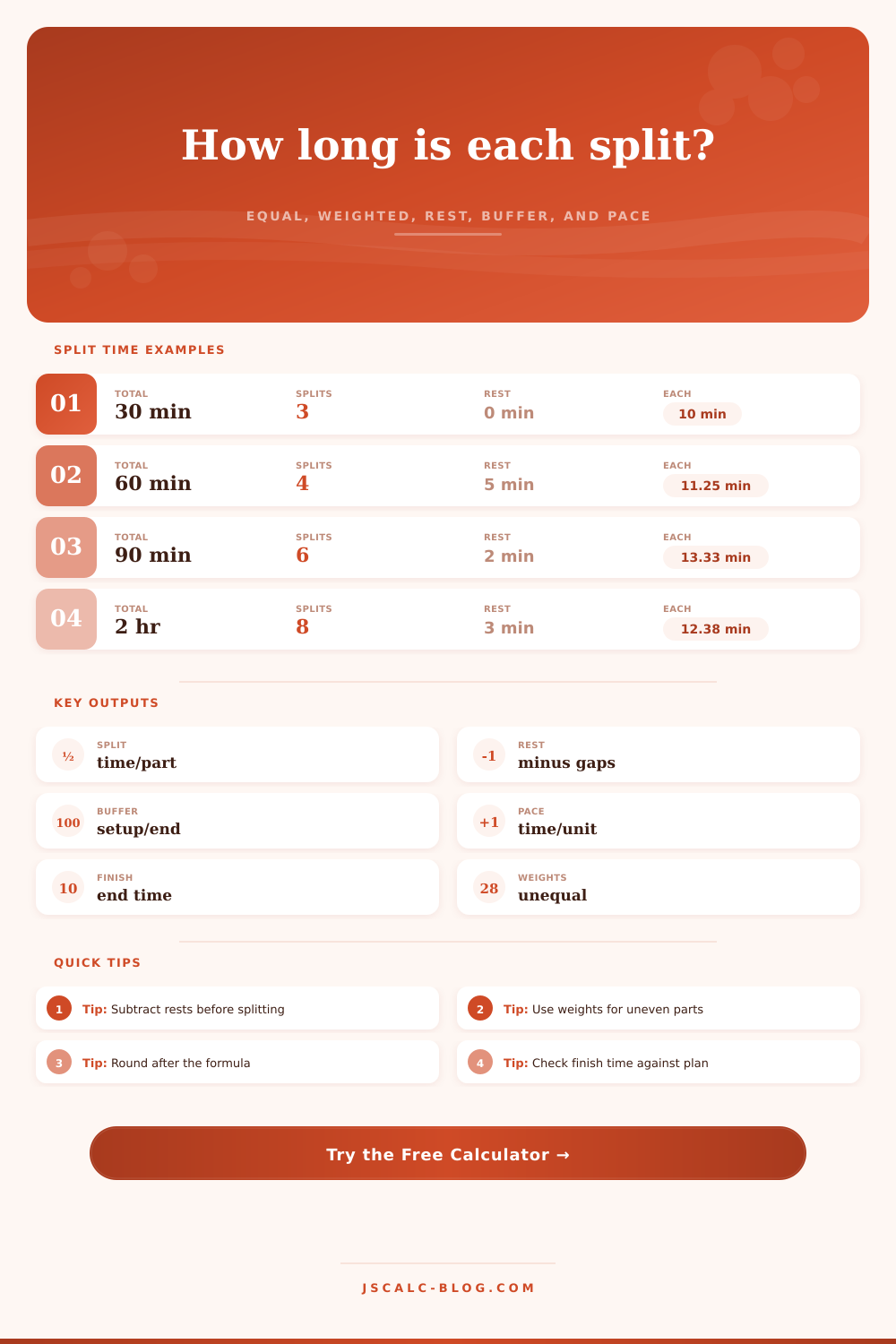
Enter hours, minutes, and seconds. The base formula is split length = total duration / number of segments.
Applied between segments only, so 6 segments have 5 rest gaps.
Distance, chapters, topics, tasks, laps, or any work amount that needs pacing.
For unequal weighted splits, each split duration = active duration x segment weight / total weights. Extra or missing weights are normalized automatically.
Uses active duration divided by segments.
Reflects equal or weighted settings.
Raw total duration divided by segments.
Same active duration split into one more part.
| Segment | Weight | Duration | Start | End | Rest after | Work target |
|---|---|---|---|---|---|---|
| 1 | 1 | 0:00 | 09:00 | 09:00 | 0:00 | 0 |
| Scenario | Segments | Subtracted Time | First Split | Last Split | Finish |
|---|---|---|---|---|---|
| Current inputs | 0 | 0:00 | 0:00 | 0:00 | 09:00 |
| Total Duration | Segments | Rest Rule | Active Duration | Equal Split |
|---|---|---|---|---|
| 30 minutes | 3 | none | 30:00 | 10:00 |
| 45 minutes | 5 | 1 min between | 41:00 | 8:12 |
| 60 minutes | 4 | 5 min between | 45:00 | 11:15 |
| 90 minutes | 6 | 2 min between | 80:00 | 13:20 |
| 2 hours | 8 | 3 min between | 99:00 | 12:23 |
| 3 hours | 9 | 5 min between | 140:00 | 15:33 |
| Step | Formula | Output | Why It Matters |
|---|---|---|---|
| Raw equal split | total duration / segments | baseline split | required base formula |
| Rest subtraction | rest per gap x gaps | rest total | keeps breaks out of active work |
| Buffer subtraction | start buffer + end buffer | buffer total | reserves setup and wrap time |
| Active duration | total - rest - buffers | splittable time | used for real split length |
| Weighted split | active x weight / sum weights | unequal split | handles larger or smaller sections |
| Pace | active duration / work amount | time per unit | turns schedule into output rate |
| Preset | Typical Total | Segments | Common Rest | Useful Split Style |
|---|---|---|---|---|
| Workout intervals | 30 to 60 min | 6 to 12 | 30 to 90 sec | alternating or equal |
| Pomodoro block | 2 to 4 hr | 4 to 8 | 5 min | equal |
| Presentation timing | 15 to 60 min | 3 to 10 | 0 to 1 min | weighted |
| Study chapters | 1 to 3 hr | 4 to 8 | 3 to 10 min | front-loaded |
| Podcast chapters | 30 to 90 min | 5 to 12 | 0 min | weighted |
| Exam pacing | 45 to 180 min | 20 to 40 | 0 min | equal |
This is the story of planning to do some high-intensity training or some deep work, blocking off an hour for it, and then vowing to make every second count. But then reality hits. You want to take a few breaths of fresh air. You have to spend five minutes transitioning from one topic to another. You also has to set up your equipment which takes three minutes. And those little margins add up, you’re exhausted at the end of your time … but you haven’t really done anything.
The math isn’t the problem. The problem is never the effort. The problem is the math. That’s where the magic happens: The calculator (above) figures all this for you, splitting tasks based off the time required to complete them actively, and not just the time they take away from other things.
The Problem with Bad Planning
Remember that when you’re setting aside time for “breaks” or equipment prep, you’re building non-negotiable overhead. When you have six segments to perform in an hour, the temptation is to parcel off 10 minutes apiece. But what if you need a two-minute break after every segment, plus three minutes at the start to settle in and two at the end to wrap up? And let’s say you want three minutes at the start to settle in, plus two at the end to wrap up. Those 10-minute units don’t exist; you’ve got 45 minutes of uninterrupted attention time to play with.
Before it divide these remaining minutes, the tool removes the breaks between. This makes all the difference, transforming a hectic plan full of stress into a realistic timetable that accommodates the clock.
For example: Imagine you’re a podcaster with a forty-five minute episode to break down. There’s a punchy intro, a deep interview section, and then a call to action for the outro. If it’s split equally, it bores your listener. Weighted splits are where you shine. Give more weight to the interview, less to the bookends. Those weights will adjust and sum up to the active time you have to work with. Since you planned organicly, you end up with a schedule that honors natural rhythms of your content. It doesn’t force the content into a rigid grid.
In many ways, this is the same problem facing athletes when they train for a race like a relay or one that includes multiple events (like circuit training). Event rules dictates the overall length, but different legs will require more/less energy. Perhaps one leg has a longer cool down period than another. This means you spend more time on the warm up part of the workout compared to the cool down. The goal is to adjust how much time you spend on each part based on its mental or physical demand.
For instance, most people find they retain the most during the first hour of studying, followed by the second hour and then there’s a sharp drop-off into the third hour (hence the benefit of front-loading your study blocks). You don’t have to be a math wiz to model these differences, the calculator allow you to do just that.
The other error people make is rounding too soon. They look at a split time of 12 minutes and 12 seconds and think “That’s easy, I’ll just call it twelve minutes.” They repeat this process five times and now they’ve tacked on an entire minute that doesn’t exist. Or they round up and end up running over their schedule by going slow. It sounds small but it matters. Let the math remain exact until you build out the schedule. Then check the ending time. Now if your hard stop comes before what the math says you should of end, then you know right away. You can either slow down, trim a segment, shrink your rest times, or accept the fact that you’re going to be late.
Another layer that takes this thing from a “division problem” to a productivity tool is pacing. You enter how much you have to do in total (read X number of chapters, present Y number of slides, run Z miles), and it tells you how fast you should be going through each section. It provides a target. Guessing? No. Adjusting your effort in real-time? Yes. See, if I’m lagging in the second segment, I’ll know right away how much ground to make up on the third.
Finally, there’s nothing but honesty in good scheduling. You must admit that there is a cost to transition time. Protect your work blocks from being invaded by setup and cleanup. Distribute the rest with intention once you’ve stripped off all those non-active minutes. Stop fighting the clock. Start working with it. Often it’s only a few minutes of accounted-for dead time that makes the difference between a focused hour and a chaotic one. Take them back and you’ll know right where to find ’em.