Seconds to HH:MM:SS Converter
Convert raw seconds into clock time, day-plus-time notation, fractional seconds, frame counts, and signed durations.
Use decimals for milliseconds or sub-second media timing.
Signed mode formats -3661 as -01:01:01.
Enter one seconds value per line to preview multiple conversions with the same options.
Converted Duration
Batch Preview
| Seconds | Total HH:MM:SS | Days + Time | Decimal Hours | Typical Use |
|---|---|---|---|---|
| 30 | 00:00:30 | 0 d 00:00:30 | 0.0083 | Short interval |
| 90 | 00:01:30 | 0 d 00:01:30 | 0.0250 | Exercise or ad spot |
| 3,600 | 01:00:00 | 0 d 01:00:00 | 1.0000 | One hour |
| 7,200 | 02:00:00 | 0 d 02:00:00 | 2.0000 | Movie block |
| 28,800 | 08:00:00 | 0 d 08:00:00 | 8.0000 | Workday timer |
| 86,400 | 24:00:00 | 1 d 00:00:00 | 24.0000 | One full day |
| 172,800 | 48:00:00 | 2 d 00:00:00 | 48.0000 | Two-day uptime |
| 604,800 | 168:00:00 | 7 d 00:00:00 | 168.0000 | One week |
| Frame Rate | Frames in 1 Minute | Frames in 1 Hour | Common Timeline | Rounding Note |
|---|---|---|---|---|
| 23.976 fps | 1,438.56 | 86,313.6 | Film-style video | Often rounded by timecode tools |
| 24 fps | 1,440 | 86,400 | Cinema | Integer frame math |
| 25 fps | 1,500 | 90,000 | PAL broadcast | Integer frame math |
| 29.97 fps | 1,798.2 | 107,892 | NTSC video | May use drop-frame timecode |
| 30 fps | 1,800 | 108,000 | General video | Simple integer rate |
| 59.94 fps | 3,596.4 | 215,784 | Smooth NTSC video | May use broadcast conventions |
| 60 fps | 3,600 | 216,000 | Gameplay and web video | Simple integer rate |
| Option | Input Example | Displayed Result | Best For | Watch Point |
|---|---|---|---|---|
| Round | 65.678, 2 decimals | 00:01:05.68 | Human-readable timing | Can round up to next second |
| Floor | 65.678, 0 decimals | 00:01:05 | Completed elapsed time | Drops partial seconds |
| Ceil | 65.001, 0 decimals | 00:01:06 | Minimum required window | Can overstate elapsed time |
| Truncate | -65.678, 1 decimal | -00:01:05.6 | Raw log cleanup | Does not round decimals |
| Signed negative | -3661 | -01:01:01 | Offsets and countdowns | Sign applies to whole duration |
| Absolute negative | -3661 | 01:01:01 | Magnitude-only reports | Loses before/after direction |
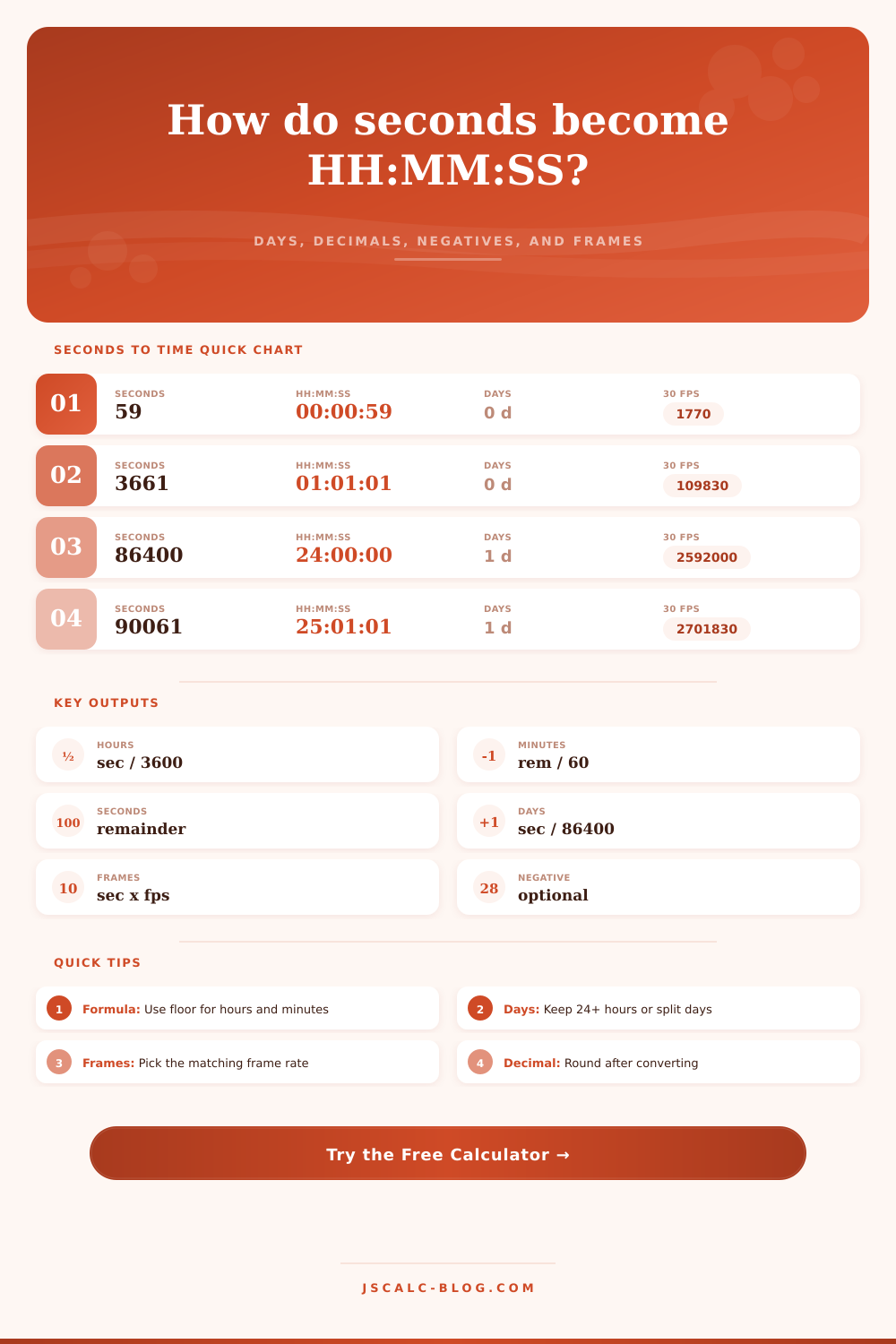
The converter first applies the selected negative-duration rule, then converts the magnitude of seconds into whole hours, whole minutes, and the remaining seconds.
hours = floor(seconds / 3600)
remainder = seconds - hours x 3600
minutes = floor(remainder / 60)
seconds = remainder - minutes x 60
For day mode, days are computed with floor(seconds / 86400), and the remaining seconds are formatted as HH:MM:SS within that day. Frames are calculated separately as seconds x frame rate.
Computers speak in raw seconds. They are precise. They is indifferent to the way we as humans experience time.
To the untrained eye, a video timeline duration or server log timestamp appear as a random sequence of numbers. Turning those numbers into minutes, hours, and seconds isn’t about making something look pretty. It’s about turning machinespeak into humannspeak. This means turning machine data into something human can easily understand.
Why We Convert Seconds for Humans
Simply plug in your values into the calculator. Let it do the math for you. No need for mental arithmetic when you’re looking at a spreadsheet.
So what’s the essence of the conversion? “Divide by thirty-six hundred to convert to hours, or divide by sixty to convert to minutes.” That’s doable for anyone, at least for brief periods.
But things becomes problematic once you’re dealing with large values. For example, if your server has been up for eight days, then the raw number is one hundred seventy-two thousand eight hundred seconds. Almost no human brain could of ever try to visualize this as an integer, a single number. Instead, breaking that figure into something more manageable (days and leftover hours) make it easier to understand how long that amount represents.
This is where page’s reference table comes in handy. It simply displays the same raw value in ways that highlight significance of either continuous elapsed hours, or calendar days. That sounds like a small difference, but it’s actualy not.
For IT operations, uptime is typically measured as a running number. Forty-eight hours look better than two days, which shows its uninterruptedness. By comparison, for project management, we use calendar days quite frequently. A task that takes two days and one hour is going to be viewed different than one that takes forty-nine hours. You can switch between those perspectives in this tool, pick the story that matches what you want to say. It is a small toggle, but it changes how data is told.
This is slightly more problematic for video editors. Not only are they concerned with clock time, they’re concerned with frames as well. At thirty frames per second, a second of video is thirty individual images. At twenty-four frames per second, it’s twenty-four. Until you have to cut a long film, or sync up audio, that might seem insignificant, but over time, that drift add up.
That’s why the converter has frame rate options. Input your seconds and then pick your desired frame rate and you’ll have an exact frame count. Don’t make the frequent error of assuming every second contain the same amount of visual events. It does not.
Another place that traditional calculators will let you down is with negative numbers. They’re not wrong. A minus value like -1000 seconds just shows the direction: a second in the past, or a second into the future. Negative time is common in fields such as signal processing and physics, where it can signify a lead or delay. Because the minus sign is retained by the duration, the calculator handles signed values. This is important when using logs that record events in relation to some central point in time. Stripping off the sign then removes all context around whether something happened before or after the event in question. It keeps information intact.
The last barrier is whether to round up. Down? Should it be truncated? Round up, and you’ll be crediting a runner with a hundredth-of-a-second he didn’t earn in a race. Round down, and you won’t go over your time limit in software. It’s all about how strictly or generously you want to measure things. Again, there isn’t one correct answer, just one consistent one.
Translation, then, is what all of this comes down to, translating the rigid, atomic units of computation into the flexible, perceptual units of human experience. This is why you’re here, whether it’s for a schedule, a documentary edit, or a script debug. Numbers need to mean something to you. That’s the power of the tool, to strip away the noise and leave you with only the time that matters.