Days to Hours Converter
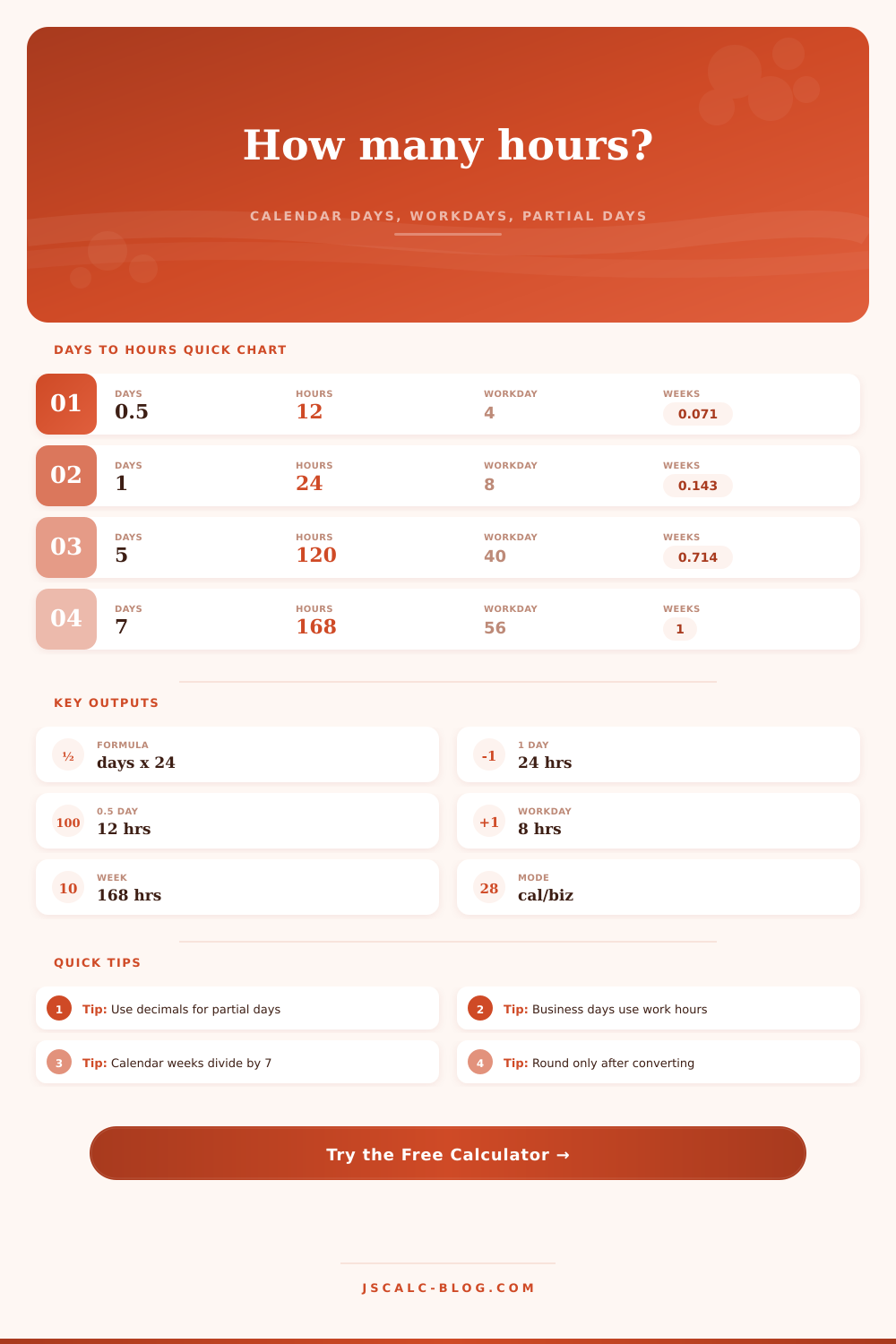
Convert days to hours with the core formula hours = days x 24, then compare calendar time, business-day hours, partial days, rounding, and week equivalents.
Calendar mode always treats one day as 24 hours.
Decimals are allowed, such as 1.5 days.
25% adds 0.25 day before converting.
Use this for leftover hours after the day count.
Common values are 7.5, 8, 10, and 12.
Subtracts only from business-day hours.
Used for workweek and week equivalents.
Rounding is applied after conversion.
Converted time
| Days | Formula | Hours | Calendar weeks |
|---|---|---|---|
| 0.25 day | 0.25 x 24 | 6 hours | 0.0357 weeks |
| 0.5 day | 0.5 x 24 | 12 hours | 0.0714 weeks |
| 1 day | 1 x 24 | 24 hours | 0.1429 weeks |
| 2 days | 2 x 24 | 48 hours | 0.2857 weeks |
| 3 days | 3 x 24 | 72 hours | 0.4286 weeks |
| 5 days | 5 x 24 | 120 hours | 0.7143 weeks |
| 7 days | 7 x 24 | 168 hours | 1 week |
| 30 days | 30 x 24 | 720 hours | 4.2857 weeks |
| Business days | 7.5-hour days | 8-hour days | 10-hour days | Calendar hours |
|---|---|---|---|---|
| 1 | 7.5 hours | 8 hours | 10 hours | 24 hours |
| 2 | 15 hours | 16 hours | 20 hours | 48 hours |
| 3 | 22.5 hours | 24 hours | 30 hours | 72 hours |
| 4 | 30 hours | 32 hours | 40 hours | 96 hours |
| 5 | 37.5 hours | 40 hours | 50 hours | 120 hours |
| 10 | 75 hours | 80 hours | 100 hours | 240 hours |
| Partial day | Decimal day | Calendar hours | 8-hour workday |
|---|---|---|---|
| 10% | 0.10 day | 2.4 hours | 0.8 hour |
| 25% | 0.25 day | 6 hours | 2 hours |
| 33.33% | 0.333 day | 8 hours | 2.67 hours |
| 50% | 0.5 day | 12 hours | 4 hours |
| 66.67% | 0.667 day | 16 hours | 5.33 hours |
| 75% | 0.75 day | 18 hours | 6 hours |
| Mode | Formula used | Best for | Example for 5 days |
|---|---|---|---|
| Calendar | days x 24 | Elapsed time and deadlines | 120 hours |
| Business | days x net workday hours | Timesheets and staffing | 40 hours at 8/day |
| Compare both | both formulas side by side | Planning across clock time and work time | 120 vs 40 hours |
| Partial days | (days + percent) x basis | Half days and fractional leave | 5.5 days = 132 hours |
Calendar formula: hours = days x 24. If you enter a partial day percentage, the calculator adds it to the day count first.
Business day formula: business hours = days x (workday hours - break hours). Extra clock hours are added after the day calculation.
Weeks equivalent: calendar weeks divide total calendar days by 7, while business-week equivalents divide business hours by the current weekly work-hour basis.
That’s why when you draw up a plan that appears reasonable on paper, like “I’ll get this thing done in five days”, the ticking clock tell another tale. In fact, most plans goes off the rails at the intersection of calendar time and actual working hours. You live in days; you work in hours. And the distance between them; that’s where things break down. It’s not rocket science math-wise, but it is something that catches people again and again.
Enter The Calculator: It helps to plug the gap between the two kinds of time by doing the math for you while you do the planning. It’s as simple a formula as you could scribble onto a napkin: To find out how many hours has passed in a given period of time, simply multiply the total number of days by 24. A single day always equals 24 hours. Seven days equal 168 hours. That’s just the way the calendar works. It doesn’t give a damn about how productive you are. That’s the raw amount of time that ticks away, regardless if it’s while you’re sleeping, eating or driving home from work. That’s the raw amount of time you’ll use to set a server maintenance window or plan length of an upcoming road trip. That’s the kind of time that you want to know. It is absolute time span. It is not just the time you spend awake.
Why Calculating Hours Helps Your Planning
Nights and weekends are not working hours. They do not exist in business. This is where it starts getting interesting. A normal day of work may be eight hours, five days of work then adds up to forty hours. But those same five days also contains a hundred and sixty-eight hours. Forty business hours is only about a third of total hours in a five-day calendar block. Keep that number in mind when planning realisticly.
You can’t simply snatch a week on the calendar and think “I’m going to get my forty hours here”. You must consider downtime. You can toggle back and forth in this mode to see the calendar span and net work hours side by side. Precision also applies with partial days. Maybe you have a half-day meeting. That’s 12 hours in calendar terms, but maybe four hour of work in business terms (if you have a long lunch break). To reflect those parts accuratley, the calculator supports entering percentages and/or decimals.
For example: If you estimate a task won’t take up an entire shift, this will help you estimate more precisely, so it doesn’t blow out your timeline by always rounding-up to a whole day. This also applies when taking partial leave. The last thing I want to mention when it comes to accuracy is rounding. Usually, this is best done at the end once all values are in one unit. Rounding each day first then adding them together will result in small inaccuracies piling on top of each other. The calculator keeps all its internal calculations precise and rounds at the very end. That little bit makes sure the final number you get back truly represents total time required for a task.
Next time you plan a family vacation or estimate a team sprint for work, don’t let scope creep happen because you got the units wrong. You should of seen exactly how much time you need and have available so there’s no confusion from inaccurate estimates.
So, in a nutshell, turning days into hours is all about clarity, forcing yourself to differentiate between time used and time passed. And differentiation are at the core of good planning. When you can see it clearly on paper, everything else clicks into place in terms of logistics. No more guesswork. Just confident scheduling. Yes, the clock is always ticking, but you know precisely how many ticks you have to work with.