Minutes to Seconds Converter
Convert decimal minutes to seconds with seconds = minutes × 60, parse mm:ss or hh:mm:ss clock values, total repeated intervals with optional rests, count video frames at a selected FPS, and round results for timing sheets, workouts, clips, meetings, and experiments.
⏱Conversion Presets
🔢Time Inputs
Choose whether the base duration comes from decimal minutes, a clock string, or an interval repeated several times.
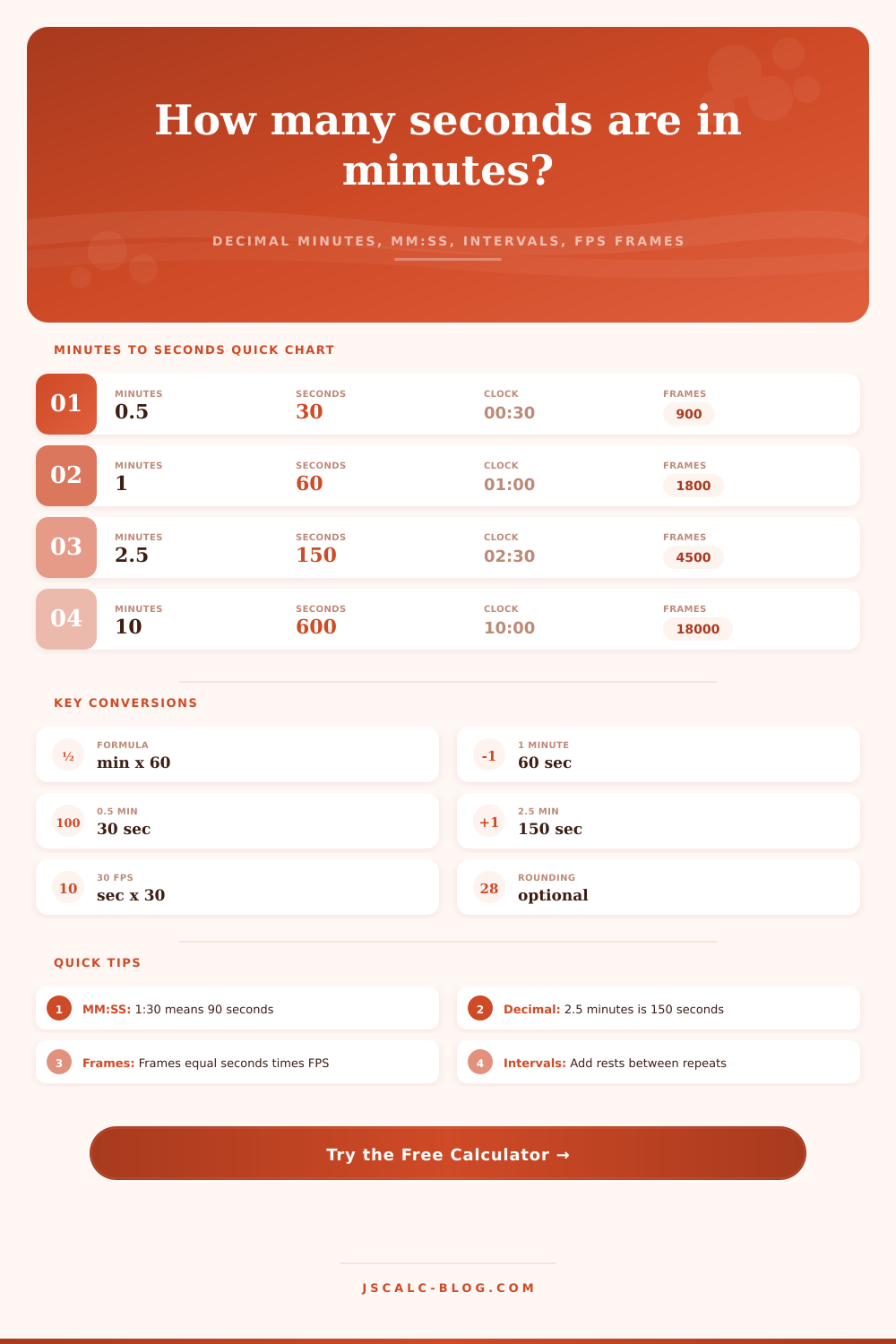
Example: 2.5 minutes equals 150 seconds.
Accepts 1:30, 02:30, 1:02:03, or seconds-only values.
Enter one work interval as seconds, mm:ss, or hh:mm:ss.
How many times the interval runs.
Rest is added between repetitions, not after the final one.
Turn rests off when you only need active time.
Frames are total seconds multiplied by frames per second.
Frame-boundary rounding snaps seconds to the nearest frame at the chosen FPS.
Controls number formatting without changing the underlying formula.
📐Formula Snapshot
📊Quick Minutes to Seconds Table
| Minutes | Formula | Seconds | Clock Format | Use Case |
|---|---|---|---|---|
| 0.25 min | 0.25 × 60 | 15 sec | 00:15 | short hold |
| 0.5 min | 0.5 × 60 | 30 sec | 00:30 | quick timer |
| 1 min | 1 × 60 | 60 sec | 01:00 | standard minute |
| 1.5 min | 1.5 × 60 | 90 sec | 01:30 | drill block |
| 2 min | 2 × 60 | 120 sec | 02:00 | break timer |
| 2.5 min | 2.5 × 60 | 150 sec | 02:30 | media clip |
| 5 min | 5 × 60 | 300 sec | 05:00 | countdown |
| 10 min | 10 × 60 | 600 sec | 10:00 | meeting segment |
| 25 min | 25 × 60 | 1,500 sec | 25:00 | focus block |
🕑MM:SS Parsing Examples
| Input String | How It Is Read | Seconds | Decimal Minutes | Common Context |
|---|---|---|---|---|
| 0:30 | 0 min + 30 sec | 30 | 0.5 | short rest |
| 1:05 | 1 min + 5 sec | 65 | 1.0833 | countdown |
| 2:45 | 2 min + 45 sec | 165 | 2.75 | song trim |
| 12:30 | 12 min + 30 sec | 750 | 12.5 | meeting slot |
| 45:00 | 45 min + 0 sec | 2,700 | 45 | class period |
| 1:05:30 | 1 hr + 5 min + 30 sec | 3,930 | 65.5 | long timer |
🎬Frame Count at Common FPS Values
| Duration | Seconds | 24 FPS | 30 FPS | 60 FPS |
|---|---|---|---|---|
| 30 sec | 30 | 720 frames | 900 frames | 1,800 frames |
| 1 min | 60 | 1,440 frames | 1,800 frames | 3,600 frames |
| 2.5 min | 150 | 3,600 frames | 4,500 frames | 9,000 frames |
| 5 min | 300 | 7,200 frames | 9,000 frames | 18,000 frames |
| 10 min | 600 | 14,400 frames | 18,000 frames | 36,000 frames |
| 25 min | 1,500 | 36,000 frames | 45,000 frames | 90,000 frames |
🔁Interval and Repetition Totals
| Interval Plan | Work Seconds | Rest Seconds | Total Formula | Total Time |
|---|---|---|---|---|
| 8 x 45 sec, 15 sec rest | 360 | 105 | (45 x 8) + (15 x 7) | 465 sec / 07:45 |
| 10 x 30 sec, 30 sec rest | 300 | 270 | (30 x 10) + (30 x 9) | 570 sec / 09:30 |
| 4 x 2:00, no rest | 480 | 0 | 120 x 4 | 480 sec / 08:00 |
| 6 x 1:30, 20 sec rest | 540 | 100 | (90 x 6) + (20 x 5) | 640 sec / 10:40 |
| 3 x 5:00, 60 sec rest | 900 | 120 | (300 x 3) + (60 x 2) | 1,020 sec / 17:00 |
🗄Conversion Mode Comparison Grid
⚙Formula and Method Breakdown
💡Conversion Tips
The world’s spreadsheet is filled with rigid time. In your head, it’s all fluid.
A video clip is three frames too long. A meeting ran fifteen minutes past its scheduled end. You think in terms of minutes. It’s what you schedule your life around. The rest of the world most often speaks in seconds, like machines and timers.
Stop Guessing and Start Measuring
Simple arithmetic bridge these two worlds. Or at least it should have. It’s where so many small mistakes come from. One minute equal exactly sixty seconds. It’s the universal constant. To convert from decimal minutes into something real, you multiply by sixty. Basic math.
Yet somehow people screw this one up on a regular basis, mistaking decimal time for clock time. Two point five minutes… Two minutes and thirty seconds. Two point five minutes and two minutes thirty seconds. To the naked eye, those values looks exactly alike. To the calculator, they’re interchangeable.
But two minutes and twenty-five seconds vs. Two point two-five minutes. One of these durations last one-hundred-thirty-five seconds; the other lasts one-hundred-and-forty-five seconds. A difference of ten seconds can be enough time to send your project spiraling out of control.
This tool parses it all out for you. There’s no mental struggle midway through a deadline. Just enter in what format you’re working with beforehand.
That’s particularly relevant when talking about repeating intervals. When doing a high intensity workout, or a timed experiment, you don’t typically do it just one time. No, you repeat the interval. And yes, you often has some sort of rest between each repetition.
One element of that loop that most folks forget to include: there are only as many rests as you’ve got reps minus one. So if you’re doing eight rounds of something with a rest in between, there’s only seven rests. The last round stops when you stop working. The next rest period won’t be until you decide to cool down.
The calculator take that into account, and when you add in rest time, it subtracts one from your repetition count so that the overall duration remains correct. It doesn’t pad out the time with fake rest periods.
Animation and video live in another world. They don’t work at the same time. Their time isn’t continuous. It’s separate. Frames make up time. Seconds aren’t a smooth flow of time, they’re a stack of images.
If you edit at 30 frames per second, then every second have thirty distinct moments. To sync audio, you need to know your frame rate. Or cut precisely. Or understand file size. Frame rate makes all the difference.
With the converter, you choose frame rate. Instantly it translates seconds into frame counts. It converts abstract duration into tangible units. You see the exact footage to work with right before your eyes.
There’s also the layer of nuance called rounding that gets overlooked until you have a problem. For example, your rounding might change the result of a reaction if you are working in a science lab. Or maybe you want to round to the nearest whole number because it’s okay for this casual meeting.
There is multiple rounding options here. One snaps to the nearest frame boundary, which can be handy if you want something to begin and end cleanly on your video timeline. In other words, it makes the seconds line up with the grid.
Efficiency is our cultural obsession. But it’s an obsession with measuring the wrong things. You can plan out how to do something in five minutes and spend an hour doing so. You might wait five seconds for a single frame to render.
Learning the conversion lets you get detailed about the way you spend your time. It turns a guess into a fact. Whether you’re attempting to get out of the office on time, edit a reel, or run a sprint, the math never changes. A minute is sixty seconds. Getting there is more about knowing what you’re measuring than anything else. Once you lock that down, the rest is just arithmetic.