Military Time Converter
Convert standard AM/PM time to 24-hour HHMM military time, convert HHMM back to standard time, validate entries, and preview a fixed timezone offset shift.
Use 1 through 12. The AM/PM selector decides the 24-hour hour.
Minutes must be 0 through 59.
Accepts 0000-2359, plus optional colon like 15:15.
Enter one time per line. Use either HHMM, HH:MM, or standard time like 7:05 PM.
Military Time Result
Parsed rows
| Standard Time | Military Time | Rule Used | Minutes After Midnight | Watch Point |
|---|---|---|---|---|
| 12:00 AM | 0000 | 12 AM becomes 00 | 0 | Midnight starts the day |
| 12:01 AM | 0001 | 12 AM becomes 00 | 1 | Keep leading zeroes |
| 7:05 AM | 0705 | AM hour stays same | 425 | Pad hour and minute |
| 11:59 AM | 1159 | AM hour stays same | 719 | Still before noon |
| 12:00 PM | 1200 | 12 PM stays 12 | 720 | Noon is not 0000 |
| 1:00 PM | 1300 | Add 12 to PM hour | 780 | PM starts 1300 after noon |
| 3:15 PM | 1515 | Add 12 to PM hour | 915 | Common schedule entry |
| 11:59 PM | 2359 | Add 12 to PM hour | 1439 | Last valid minute |
| Input | Valid? | Reason | Corrected Example | Best Use |
|---|---|---|---|---|
| 0000 | Yes | Hour 00 and minute 00 | 12:00 AM | Midnight logs |
| 0759 | Yes | Hour below 24, minute below 60 | 7:59 AM | Morning schedules |
| 1260 | No | Minute 60 is outside 00-59 | 1300 | Carry the hour |
| 2400 | No | HHMM range ends at 2359 | 0000 next day | Rollover notes |
| 2361 | No | Minute 61 is outside 00-59 | 2359 or 0001 | Error checking |
| 9:30 | Depends | Allowed outside strict HHMM mode | 0930 | Human entry cleanup |
| Source Time | Source Offset | Target Offset | Target Time | Rollover |
|---|---|---|---|---|
| 0900 | UTC-05:00 | UTC+00:00 | 1400 | Same day |
| 1515 | UTC-05:00 | UTC+08:00 | 0415 | Next day |
| 2330 | UTC+09:00 | UTC-08:00 | 0630 | Same day |
| 0030 | UTC+08:00 | UTC-05:00 | 1130 | Previous day |
| 1200 | UTC+00:00 | UTC+05:30 | 1730 | Same day |
| 2345 | UTC-04:00 | UTC+01:00 | 0445 | Next day |
For 12-hour to military time, the converter normalizes the hour first, then combines the hour and minute into four-digit HHMM.
if AM and hour = 12, military hour = 00
if PM and hour < 12, military hour = hour + 12
HHMM = twoDigit(military hour) + twoDigit(minutes)
For HHMM to 12-hour time, the converter validates that the hour is 00 through 23 and the minute is 00 through 59, then derives AM/PM from the hour.
minutes after midnight = hour x 60 + minute
12-hour hour = hour % 12; if result is 0, show 12
offset minutes = source minutes + (target offset - source offset)
If you’ve ever read a hospital chart or checked the manifest of a plane, you’re familiar with military time. It’s a series of four digits that look like bank routing number instead of regular old time. Why? Because they does away with AM/PM confusion. They count by hours from beginning of day to twenty-three hours later, which is technically the next morning but we don’t worry about that.
If you aren’t used to counting like this, the switch-over in your brain causes problems. Use the converter tool above to get the math done for you. Understand why the numbers work the way they do. This will save you from setting meetings three hours too early or three hours later.
Why We Use Military Time
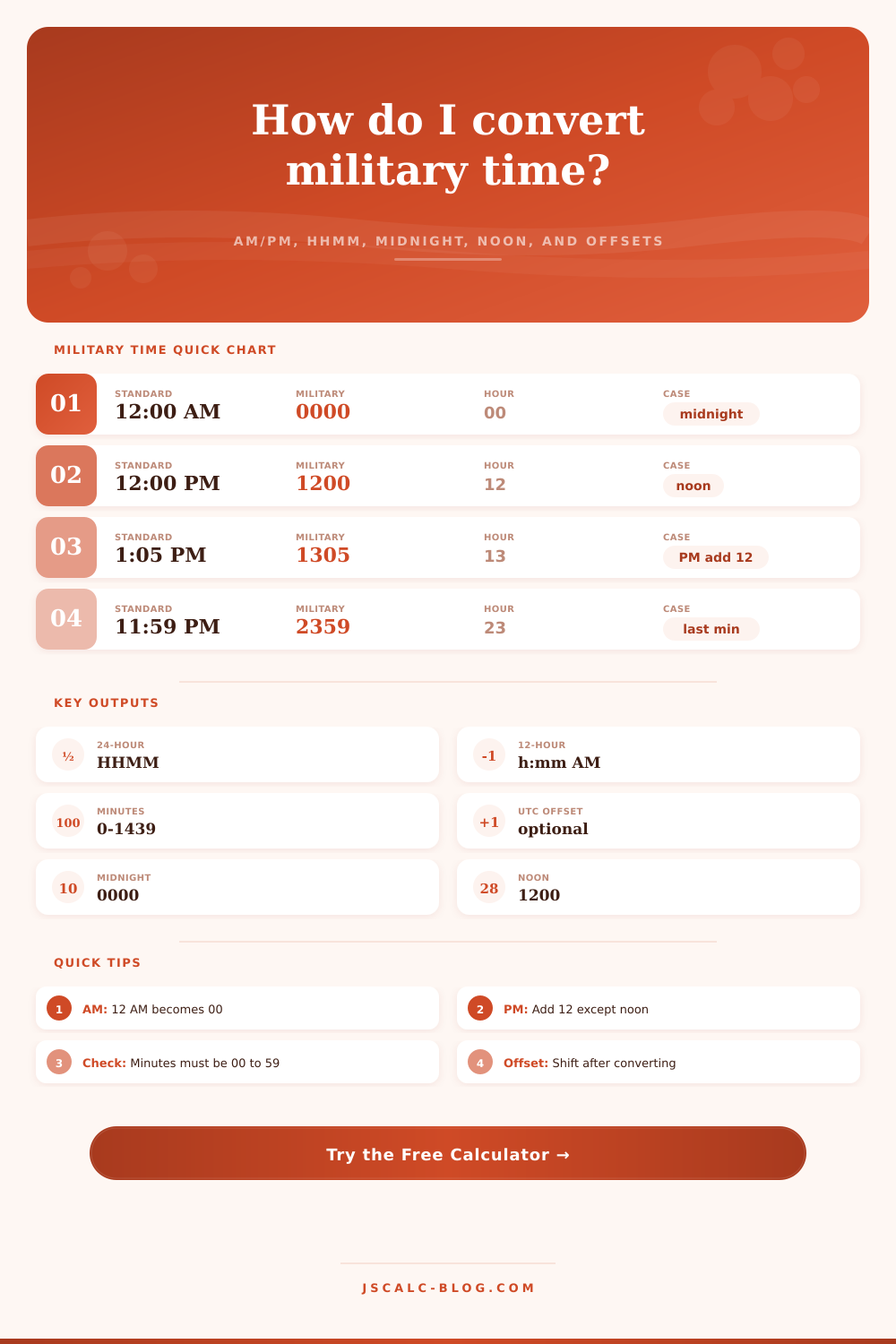
It is midnight. Most of us has trouble with that one. Our brains are wired to think of twelve as top of hour. So when we see twelve midnight, we think it’s twelve hundred. No. That would be noon.
Military time starts counting at zero. Zero zero zero zero is midnight. Twelve is only twelve at noon. Why? It’s a safety precaution more than anything else. In medicine or aviation, mistaking zero zero zero zero for twelve hundred could result in a costly mistake.
The calculator does not check entries loosely. Minutes must remains within the range of zero to fifty-nine. That prevents someone from entering twelve sixty as opposed to thirteen zero zero.
To add twelve to the hour in the afternoon, you essentially carry the twelve over into the tens digit. If it’s one o’clock in the afternoon, then it’s thirteen hundred. If it’s two o’clock, it’s fourteen hundred. It sounds backwards at first but that’s because you’re carrying the twelve over into the tens digit.
With this tool, you can switch back and forth from the spaced format (fifteen colon fifteen) to the more compact form (fifteen fifteen). Each works. When there isn’t room as in schedules and logs, the compact form is what gets used. Eliminating any confusion about whether the colon is part of the number or merely a typo in a crowded document.
The regular clock obscures something else: time zones make things complicated. Consider the twenty-four hour clock as a universal language. With an offset, you can apply it anywhere. Enter your offsets into source and target timezone fields. (This is vital if you work remotely.)
It’s two thousand hours in London (UTC plus zero) but only nine hundred in New York (UTC minus five). Adjust accordingly. Depending on the difference between the offsets, you might roll over into next day or shift backward into yesterday. The tool will tell you. This is useful if you need to coordinate with someone in Sydney or Tokyo.
The batch feature really helps though. Instead of having to convert them all individually you can copy and paste a list into the thing. If you need to check a bunch of things against your schedule or log, this comes in handy. Then it goes through each line and marks ones that aren’t valid, such as twenty-four hundred. That doesn’t exist in the twenty-four hour system.
At twenty-three fifty nine its over. It’s now zero zero zero zero. Cycle. It is not a line.
After getting over the initial confusion, I think that it’s elegant. It gets rid of those random AM/PM designations. It establishes a standard reference point… A number between zero and twenty-three that runs continuously. And it applies universal. It gives everyone a common reference point that we understand.
The rest is left up to the calculator. The meat is in the mental shift. It trains you to think of time as a constant thing instead of a divided day. So when you see zero seven hundred, don’t ask yourself whether that’s morning or evening. That’s seven o’clock in the morning. See? The fact that there’s a zero means it comes before noon.
The structure is simple but the execution is slightly awkward. But all you should of do is memorize: the day begins at zero, not twelve. It is a little change, but it makes a world of difference to entire clock.