Logarithm Inverse Calculator (Antilog)
Find the inverse logarithm, or antilog, of any value. Enter a logarithm y and pick a base b, and this tool computes x = b^y in base 10, natural e, base 2, or a custom base. It shows the answer in plain and scientific notation and verifies the result by evaluating log_b(x) to confirm it returns your original y.
🎯Real Antilog Presets
📝Antilog Inputs
The known log; the antilog raises the base to this power.
Match this to the kind of logarithm you started with.
Used only when the base selector is set to Custom. Must be above 0 and not 1.
Controls rounding on the plain antilog and the check.
Handy for pH work where concentration = 10^(-pH).
Sets how the mantissa of the scientific result is shown.
🔢Formula Snapshot
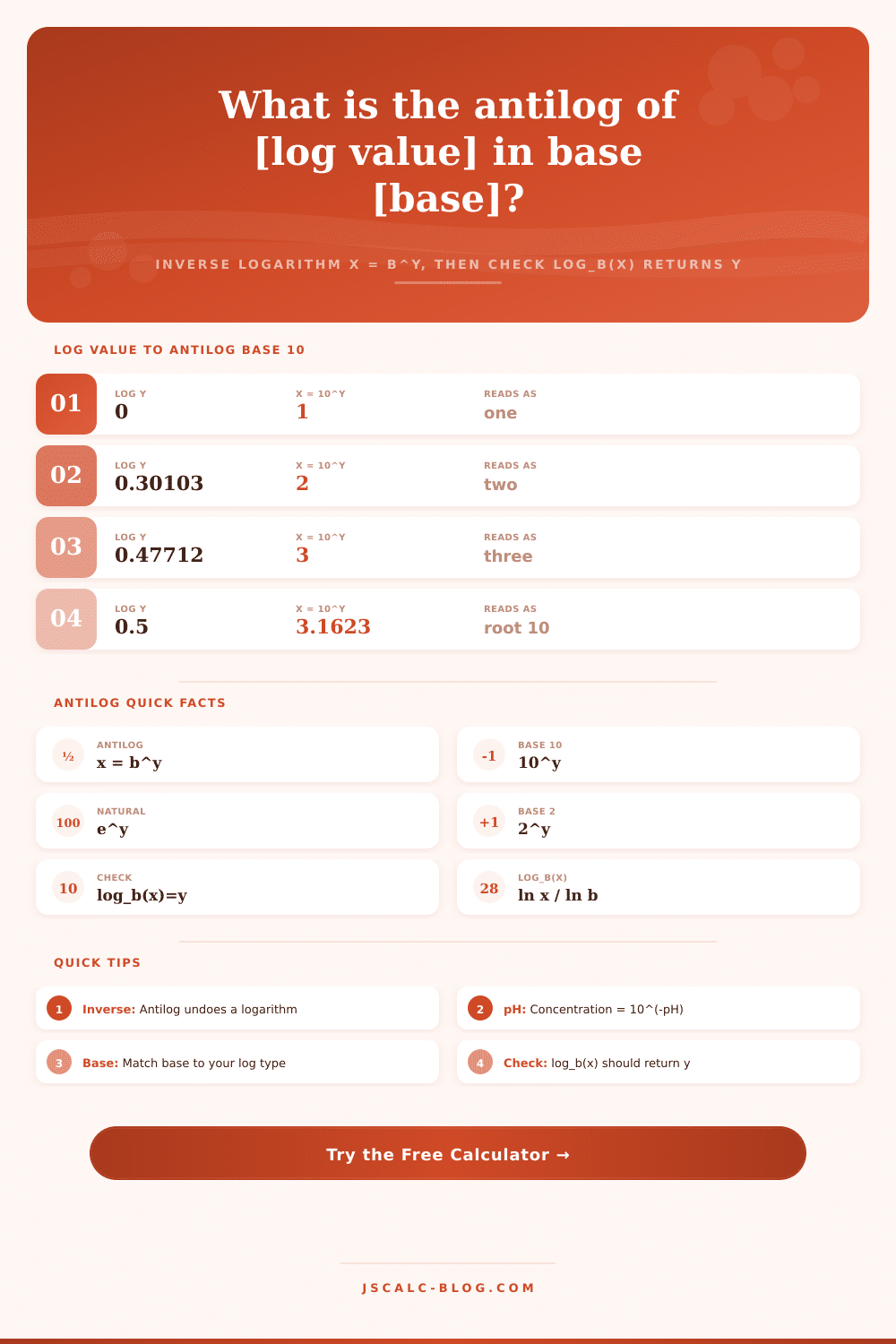
📋Common Base 10 Antilog Values
| Log Value y | Antilog x = 10^y | Scientific | Reads As |
|---|---|---|---|
| 0 | 1 | 1.000 x 10^0 | One |
| 0.30103 | 2.0000 | 2.000 x 10^0 | Two |
| 0.47712 | 3.0000 | 3.000 x 10^0 | Three |
| 0.5 | 3.1623 | 3.162 x 10^0 | Root ten |
| 0.69897 | 5.0000 | 5.000 x 10^0 | Five |
| 1 | 10 | 1.000 x 10^1 | Ten |
| 1.5 | 31.623 | 3.162 x 10^1 | About 31.6 |
| 2 | 100 | 1.000 x 10^2 | Hundred |
| 3 | 1000 | 1.000 x 10^3 | Thousand |
| -3 | 0.001 | 1.000 x 10^-3 | Milli |
🔄Logarithm and Antilogarithm Relationship
| Operation | Formula | Example In | Example Out |
|---|---|---|---|
| Logarithm | y = log_b(x) | log10(100) | 2 |
| Antilogarithm | x = b^y | antilog10(2) | 100 |
| Natural log | y = ln(x) | ln(2.71828) | 1 |
| Natural antilog | x = e^y | e^1 | 2.71828 |
| Binary log | y = log2(x) | log2(1024) | 10 |
| Binary antilog | x = 2^y | 2^10 | 1024 |
| Round trip | b^(log_b(x)) = x | 10^(log10(50)) | 50 |
📊Base 10 vs Natural e vs Base 2
| Base b | Antilog Formula | y = 1 gives | Typical Use |
|---|---|---|---|
| 10 | 10^y | 10 | pH, decibels, orders of magnitude |
| e (2.71828) | e^y | 2.71828 | Growth, decay, calculus |
| 2 | 2^y | 2 | Computing, information, octaves |
| 5 | 5^y | 5 | Custom base example |
| 3 | 3^y | 3 | Ternary systems |
| 16 | 16^y | 16 | Hexadecimal scaling |
🗃Antilog Across Bases Comparison Grid
| Log y | 10^y (base 10) | e^y (natural) | 2^y (base 2) | 5^y (custom) | Notes |
|---|---|---|---|---|---|
| 0 | 1 | 1 | 1 | 1 | Any base to 0 is 1 |
| 0.5 | 3.1623 | 1.6487 | 1.4142 | 2.2361 | Square root of the base |
| 1 | 10 | 2.7183 | 2 | 5 | Antilog equals the base |
| 1.5 | 31.623 | 4.4817 | 2.8284 | 11.180 | Base times its root |
| 2 | 100 | 7.3891 | 4 | 25 | Base squared |
| 3 | 1000 | 20.086 | 8 | 125 | Base cubed |
| 5 | 100000 | 148.41 | 32 | 3125 | Fifth power |
| -1 | 0.1 | 0.3679 | 0.5 | 0.2 | Reciprocal of the base |
| -2 | 0.01 | 0.1353 | 0.25 | 0.04 | Reciprocal squared |
| 10 | 1.0e10 | 22026 | 1024 | 9.77e6 | Large exponent growth |
⚙Formula Breakdown
💡Antilog Tips and Pitfalls
This is the antilogarithm. Now you have a number in your hand from either lab reading or a textbook, and it’s a logarithm value. You want the original number back. That’s the reverse journey of the antilogarithm. Basically, it’s raising the base to a power. It reverses the logarithm. If the logarithm are telling you the exponent that yields a particular result, then the antilogarithm will take that exponent and yield the result for you. This is because x = b to the y.
After selecting a base and entering your log value, the calculator does the rest. No more guessing your way around a hand-held device’s keys no need to memorize odd identities. It is also important to know what these numbers represent. Here, the most significant decision is which base to choose. Science usually assumes a bare log indicates base 10 (hence decibel and pH scales), while computer programming/coding tend to assume natural log with base e. One way or another, they’ll both give you something wrong if you mix them. The tool lets you make this decision explicitly; you’ll never be gambling on convention.
What Is Antilogarithm?
Computing e to the power of 1 gives approximately 2.718. Computing 10 to the power of 2 gives 100. Those aren’t meaningless digits. They are concentrations, growth factors, and signal gains. They is displayed as plain decimals and in scientific notation. Scientific notation is necessary for thinking about astronomical distances or extremely small concentrations. In those situations, standard decimals turn into long strings of zeros that is impossible to read. You can also set the precision to whatever suits your need ranging from high-precision chemistry calculations to rough engineering estimates.
It’s a round-trip test. That makes it easy. You start with y = 2, and wind up at x = 100. Now take the log (base 10) of 100. Did that get you back to 2? If not, then odds are you forgot a negative somewhere or you chose the wrong base for the log. This self-check feature make an otherwise static result a valid answer. It prevents you from making expensive mistakes in the real world.
In chemistry think about pH. It represents a logarithm of the hydrogen ion concentration on an acidity scale. So if you want the actual concentration, you have to raise 10 to the negative pH. A solution with a pH of 4.5 isn’t four and a half times as acidic. It’s 10 to the minus 4.5. This is roughly 3.16 times 10 to the minus 5 moles per liter. The calculator has that conversion already set. If you want to do it yourself, you’ll make a sign error calculating negative exponents by hand. You type in your pH, hit the negate button, and then there’s your concentration. This connects intangible math to something real in the world.
Base 2 reigns supreme in computing. Data transmission rates, memory sizes, and even algorithmic complexity relies on powers of two. In base 2, 10 becomes 1024, which is the antilog. For those who code, it’s the familiar kilobyte boundary. Understanding how 2 to the power of y reverses log2 make binary scaling easier to grasp. It converts exponents into real quantities and bit counts into file sizes. Best of all, it accommodates custom bases. If you’re dealing with base 16 scaled numbers or ternary systems, just type in base 16 or 3 and go. Not every assumption fits your model; flexibility comes into play there.
Antilog and log relate to each other symmetrically. They are two sides of the same coin. One squashes big ranges down to something more manageable while the other blows it out again to its real world scale. Sound is measured logarithmically because our ears perceive things as ratios rather than absolutes. But when you want to build an amplifier or a dam, then you have to know the actual voltage or force involved. For that, you have to take the inverse. And there is where the calculator comes into play efficienty.
Presets speed up the learning curve. Enter antilog of 0.30103 in base 10 and voila, it solves out to 2, no question about it. Here’s an example of what logarithm does in practice. After that, trust that the mechanism works, and then use it on other information without worry. The concept is simple (exponentiation), and that makes for a clean interface. This isn’t some complex algorithm; you’re simply reversing the operation. Properly choosing the base is important, as is proper attention to signs.
To conclude. The antilog calculator removes the friction from switching back and forth with log transforms. It lets you get past the math and concentrate on what the answer means. Whether it’s checking a signal gain in audio engineering or calculating a concentration in the lab, the process is the same: Take an exponent; get your magnitude back. With this tool, you know you got it right. It has been checked and it makes sense straight away. You should of had the log? Then have the number too.