Julian Date Converter
Convert Gregorian dates to ordinal Julian dates, reverse YYYY-DDD back to a calendar date, and calculate astronomical Julian Day Number and decimal Julian Day.
| Month | Days | Ordinal Start | Ordinal End | Selected Status |
|---|
| Offset | Gregorian Date | Ordinal | JD at 00:00 UTC | Julian Calendar |
|---|
| Conversion | Formula Core | Use It For | Watch Point |
|---|---|---|---|
| Gregorian to day-of-year | ordinal = days since Jan 1 + 1 | YYYY-DDD file labels | Leap years add day 060 |
| Day-of-year to Gregorian | date = Jan 1 + DDD - 1 | Reverse Julian date lookup | DDD must be 1 to 365/366 |
| Gregorian to JDN | D + floor((153m+2)/5) + 365y + floor(y/4) - floor(y/100) + floor(y/400) - 32045 | Astronomy day labels | JDN is tied to noon UTC |
| Gregorian to JD | JD = JDN - 0.5 + UTC fraction | Exact time stamps | Use UTC, not local time |
| Julian calendar date | Same month shift, no century leap correction | Old-style calendar comparison | Not the same as YYYY-DDD |
| Preset | Gregorian Input | Why It Is Useful | Expected Julian Clue |
|---|---|---|---|
| Today 2026 | 2026-07-28 00:00 UTC | Current working example | 2026-209 |
| Leap Day | 2024-02-29 00:00 UTC | Checks day 060 handling | 2024-060 |
| Day 001 | 2026-001 | Reverse ordinal boundary | Jan 1 |
| Day 366 | 2024-366 | Leap-year final day | Dec 31 |
| J2000 Epoch | 2000-01-01 12:00 UTC | Astronomy reference epoch | JD 2451545.0 |
| Unix Epoch | 1970-01-01 00:00 UTC | Computing timestamp anchor | JD 2440587.5 |
| GPS Epoch | 1980-01-06 00:00 UTC | Navigation time anchor | 1980-006 |
| Apollo 11 | 1969-07-20 20:17:40 UTC | Time fraction sanity check | 1969-201 |
| Gregorian Reform | 1582-10-15 00:00 UTC | Calendar-system comparison | JDN 2299161 |
There is confusion about Julian dates because in each field the term refer to something different. To a warehouse, it’s a serial number used to track when items expire. To an observatory, it’s a daily count of how many day have elapsed since ancient times.
When attempting to match a record from one system (an astronomical event) to another (a supply chain manifest), the result will probably be error. Everyone calls their system by the same name but they mean entirely distinct things. Their Julian date is your calendar date, and that discrepancy mean money and time lost.
How to Know Which Julian Date to Use
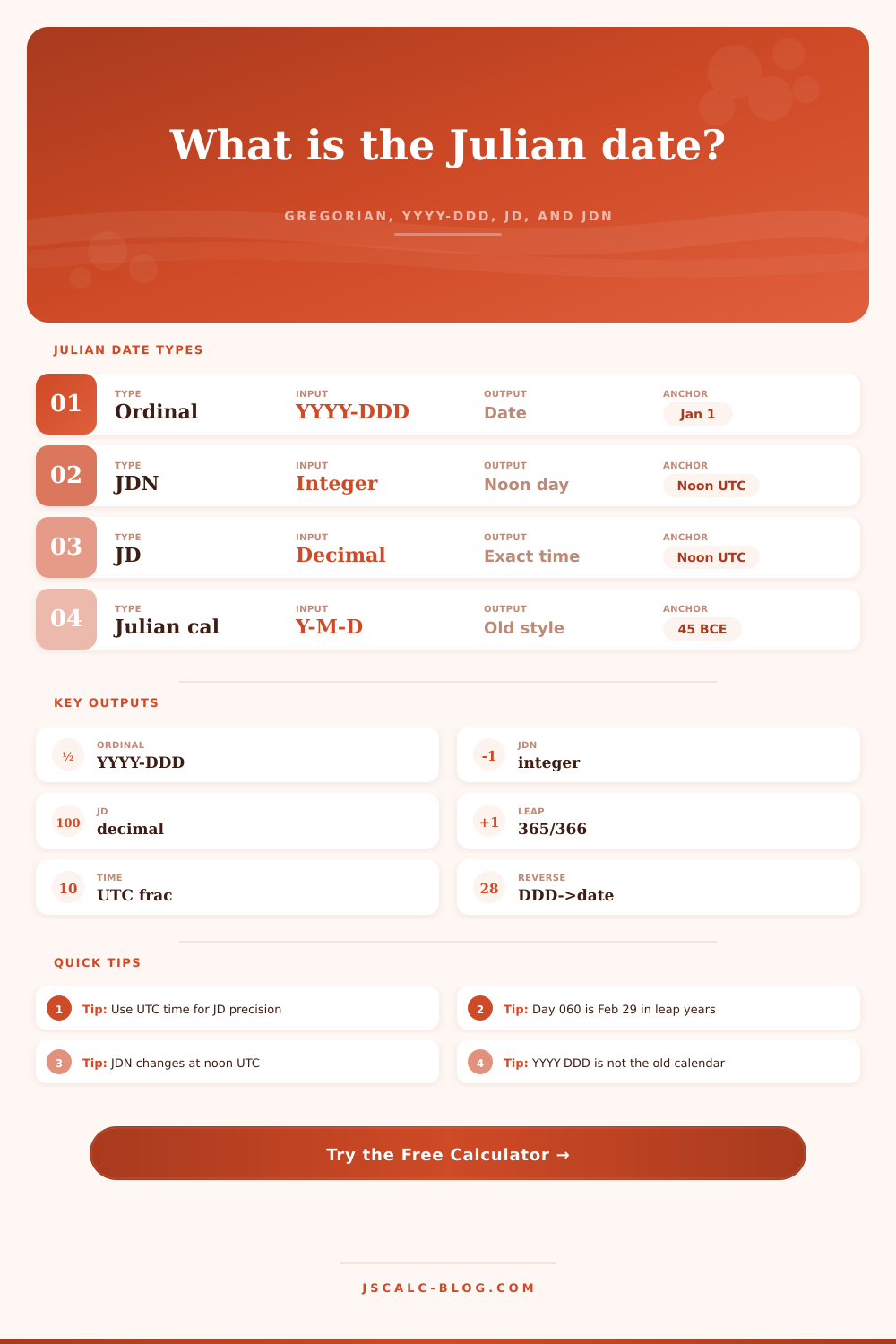
Before you convert, there are three primary idea to understand. The ordinal date is also known as YYYY-DDD, and it is just the day of the year (beginning with 001 on January 1). It is linear, clean, and ideal to use in logistics software or for filename purposes.
The Julian Day Number is also called JDN. Astronomers uses this integer to measure time unimpeded by years or months. The decimal Julian Day adds fractional accuracy to that integer tally.
Once you know what date and time to calculate, you don’t really need to remember the offset constants for each calendar reform throughout human history; the calculator do all the math for you.
Noon is the most obvious one. Astronomical Julian Days start at noon rather than midnight. This is an oddity because when astronomers established it, they decided to have the day begin midway between two observation during the night. Therefore, civil midnight has a decimal fraction of point five. If you use local time different than UTC when converting a timestamp for a scientific experiment, you’ll be off by hours. Use the tool on this page to apply that fraction, which makes your decimal JD accurate down to the second.
There’s also that leap year issue. In an ordinal system, assuming each year has 365 days doesn’t work. Day 060 isn’t in February unless the year is divisible by four, except for century years. If your software simply adds one to the day number then February 28 become March 1, and the whole sequence skip forward. The converter checks those bounds for you. You can enter “2024-060” and be assured you have entered February 29, or enter “2025-060” and discover there is no such day. It is a little thing but it is important when you are doing this on autopilot from ingesting other people’s data.
Why do we mess around with all of this? Because, as I said, regular calendars suck. They has weird months, with some being shorter and some longer. There is a special rule about leap years. There are also little history quirks where they jumped forward or backward, like in the Gregorian calendar reform. Julian calendars fix that. They make it so that what was once an uneven timeline becomes a straight line.
It’s much simpler for astronomers to look at two big numbers and subtract them to compare two dates hundreds of years apart. And if you’re a warehouse manager looking at inventory until 209, it’s quicker to scan “2026. 209” then to figure out which abbreviation each month is.
In the end, it comes down to who you’re communicating with. If it’s a computer, say JD. If it’s a human being who only cares about whether something will expire before they go grocery shopping, say the ordinal.
Some of the preset buttons are useful as anchors, too. For instance, you can check the epoch of the Unix date, which shows how computer time lines up with astronomy. You can examine what they call the J2000 epoch, to learn more about the basis for today’s solar system ephemerides. Those reference points serve as a reminder that all this time we keep is arbitrary. We set a zero somewhere and go from there. The calculator translates your zeros back and forth for you.
In conclusion, it is clearer. Get clear about what date format you’re writing. If you write a day of year then label it as such. Use ordinals for the day of the year. Use astronomical counts as JD. Don’t mix and match in the same sentence. This rule should of not apply if you are writing this article.
There are tools out there to help close the gap, but it’s up to you to define what you mean by your dates. Then once you know which one, it’s simple math to convert. And now that you have everything lined up numerically, maybe you’ll stop asking yourself why your logs don’t match.