Invoice Date Calculator
Enter an invoice date and payment terms to find the exact due date, days until due, early-payment discount deadline, discount amount, and whether the invoice is overdue against your reference date.
📌Real Payment-Term Presets
📝Invoice Inputs
Used only when payment terms is set to Custom net days.
Days until due and overdue status are measured from this date.
When on, any net-day due date rolls forward to the last day of that month.
🔢How The Date Math Works
🗂Common Payment Terms
| Term | Net Days | Discount | Discount Window | Typical Use |
|---|---|---|---|---|
| Due on Receipt | 0 days | None | N/A | Small jobs, deposits |
| Net 15 | 15 days | None | N/A | Freelance, small vendors |
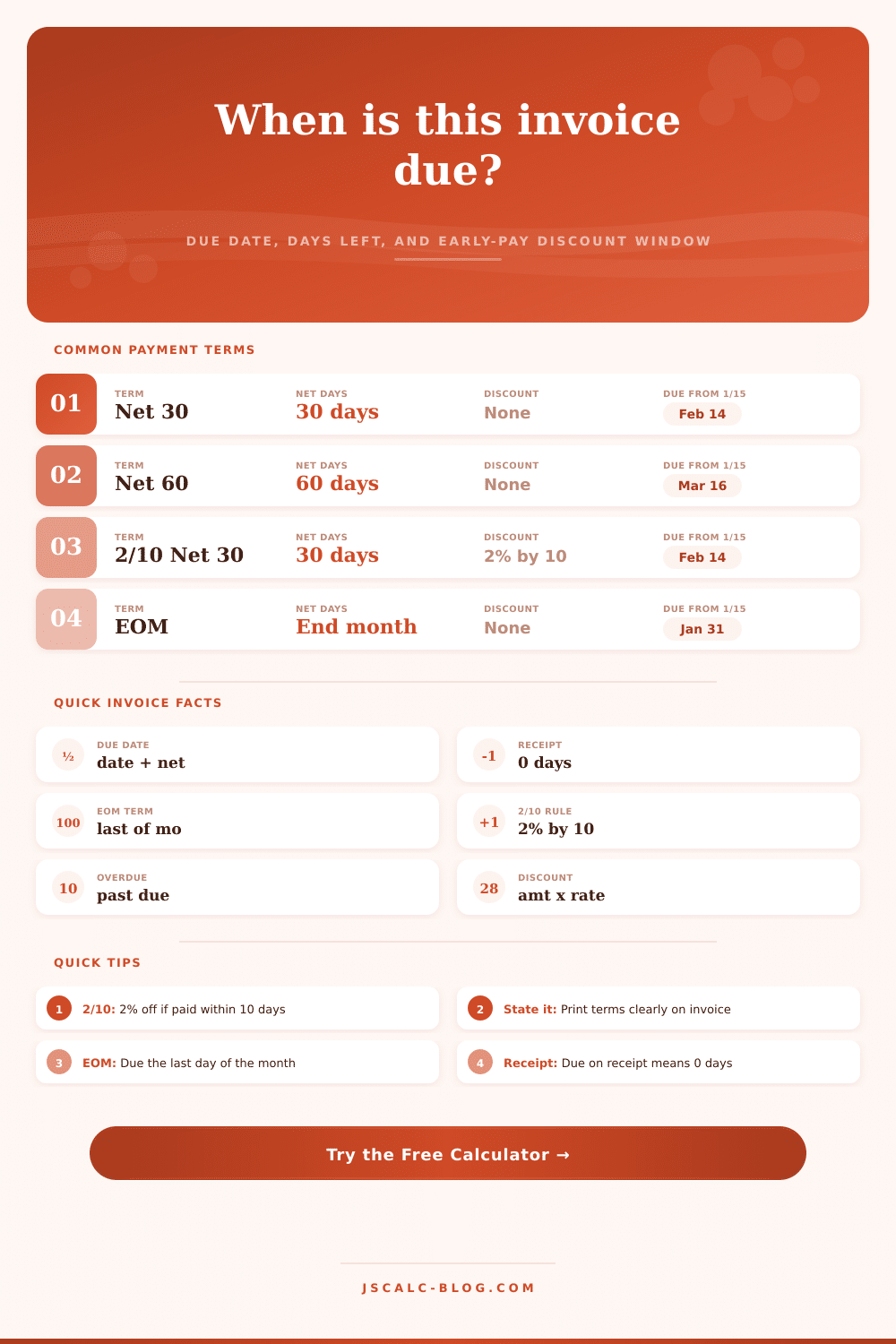
| Net 30 | 30 days | None | N/A | Standard B2B invoicing |
| Net 45 | 45 days | None | N/A | Wholesale, distribution |
| Net 60 | 60 days | None | N/A | Corporate accounts |
| Net 90 | 90 days | None | N/A | Enterprise, government |
| EOM | End of month | None | N/A | Consolidated billing |
| 2/10 Net 30 | 30 days | 2% | Within 10 days | Strong early-pay push |
| 1/10 Net 30 | 30 days | 1% | Within 10 days | Modest early-pay push |
| 1/10 Net 45 | 45 days | 1% | Within 10 days | Longer terms w/ discount |
📖What Discount Notation Means
| Notation | Discount % | Pay Within | Otherwise Net | Reading It Aloud |
|---|---|---|---|---|
| 2/10 Net 30 | 2% | 10 days | 30 days | Two ten, net thirty |
| 1/10 Net 30 | 1% | 10 days | 30 days | One ten, net thirty |
| 1/10 Net 45 | 1% | 10 days | 45 days | One ten, net forty-five |
| 2/15 Net 45 | 2% | 15 days | 45 days | Two fifteen, net forty-five |
| 3/10 Net 60 | 3% | 10 days | 60 days | Three ten, net sixty |
📆Due Date From A Sample Invoice
| Term | Net Days | Invoice Date | Due Date | Discount Date | Discount % |
|---|---|---|---|---|---|
| Due on Receipt | 0 | Jan 15, 2025 | Jan 15, 2025 | – | 0% |
| Net 15 | 15 | Jan 15, 2025 | Jan 30, 2025 | – | 0% |
| Net 30 | 30 | Jan 15, 2025 | Feb 14, 2025 | – | 0% |
| Net 45 | 45 | Jan 15, 2025 | Mar 1, 2025 | – | 0% |
| Net 60 | 60 | Jan 15, 2025 | Mar 16, 2025 | – | 0% |
| Net 90 | 90 | Jan 15, 2025 | Apr 15, 2025 | – | 0% |
| EOM | End | Jan 15, 2025 | Jan 31, 2025 | – | 0% |
| 2/10 Net 30 | 30 | Jan 15, 2025 | Feb 14, 2025 | Jan 25, 2025 | 2% |
| 1/10 Net 30 | 30 | Jan 15, 2025 | Feb 14, 2025 | Jan 25, 2025 | 1% |
| 1/10 Net 45 | 45 | Jan 15, 2025 | Mar 1, 2025 | Jan 25, 2025 | 1% |
⚙Full Formula Breakdown
📋Business Calendar Notes
| Situation | How This Tool Handles It | Practical Effect | Watch For |
|---|---|---|---|
| Month rollover | Date object carries extra days forward | Jan 15 + 30 = Feb 14 | Short months shift the day |
| Leap year | Native Date knows Feb has 29 days | 2028 handled automatically | Confirm the invoice year |
| EOM billing | Rolls to last calendar day of month | Feb EOM = Feb 28 or 29 | Not the 30th every month |
| Weekends and holidays | Calendar days only, not business days | Due date may land on Sunday | Some firms shift to Monday |
| Discount lapse | Reference date past deadline | Full net amount is owed | Missing the window by a day |
💡Practical Invoicing Tips
With Net 30 terms, you send an invoice on Jan 15th. Payment is due a month later, right? But what’s the first day of the clock? Does it run for 30 calendar days after you press “send,” or does it restart at the beginning of the following month? The difference will shift your cash flow estimate by weeks.
Here’s the invoice date calculator to make the math easier. Input any start date and term structure, and this tool spits out exact due date. It also shows the number of remaining days before money hits or when to remind them.
How to Use Net 30 Invoice Terms
The actual misunderstanding typically occurs with what the word “net” means. Net days is applied to the invoice date. So if you send out an invoice January 15th, and it’s due Net 30, then it will be due on February 14th. Since January has 31 days, adding thirty more days mean it falls two days into the following month. Most folks would of guessed it would be due February 1st…or maybe February 15th…but they’re mistaken.
You don’t have to do the math yourself on a spreadsheet because the calculator figures it all out for you in seconds. It also adjusts for leap years and months of different length. When your terms fall in February, that makes a big difference; a 30-day term issued in late January will behave quite differently than one issued in late June.
There’s one more wrinkle that most business owners don’t consider: Discount terms. For example, “Net 30 / 2% 10” means that you’re giving a two percent discount if they pay within ten days, or else they owe the full amount in thirty. That helps give your cashflow a boost by encouraging client to pay up earlier.
The tool finds when that discount cutoff date falls on the calendar. Let’s say your invoice was dated January 15th. Today is January 20th. You missed the ten-day mark. The calculator lets you know that the discount period has expired. And it figures out exactly how much money you save by paying early, or how much you’ll cost yourself by waiting until day 30.
Another source of billing disagreements is the end of the month. Invoicing as “EOM” means that payment are required at the end of the month when the invoice is created. For example, if you send an invoice on Jan 10th, then it’s due on Jan 31st. Not Feb 28th. It could even be Feb 29th, which only happens during a leap year.
You don’t want to explain this to confused customers who think their bills will be covered by an extended grace period. The page lists all these conventions, and explains them in detail in the reference tables. It shows what happens to the due date for various preset terms such as Net 90 or Net 60. Depending on whether you’re a freelancer needing to get cash flowing fast, or working with corporate accounts demanding longer terms, you’ll know which makes sense for your industry, and set reasonable expectations upfront.
The other key factor here is reference date. That lets you verify status as of any given date, not only now. For example, if you are looking through an archive of invoice files, you can enter last week’s date to see if someone had paid by then. It treats the reference date as a starting point; it will flag anything that’s overdue by comparing the selected reference date with each item’s due date.
It is good for audit purposes (reviewing historical payments) or planning ahead (how long until something’s due?). Tells you how far away a pay-by date is so you know what items to focus on first.
At its core, though, invoicing boils down to one thing: clarity. Clarity eliminates excuses. If clients can’t say “I didn’t understand” then they has no reason not to pay on time. Make the numbers add up correctly and state your terms plainly. They’ll thank you for the transparency, they’ll know precisely what they owe when, and how much they’re saving by paying early.
Your books will reflect what you’ve told them. Vague promises becomes hard deadlines. You stop second guessing whether someone’s been paid or not; you know, and you get back to doing the work. Knowing when you’ll be paid in full lets you plan your cashflow comfortabley. Boring work becomes strategy.