Internet Speed Converter
Convert a data rate between bits per second and bytes per second across bps, kbps, Mbps, Gbps and KB/s, MB/s, GB/s, then estimate real download time for any file using the bits divided by speed method.
⚡Real Speed Presets
📝Speed & File Inputs
Bit units are lowercase b, byte units are uppercase B.
Use 100 for ideal, or lower (85–95) for overhead.
🔢Conversion Snapshot
📊Mbps to MB/s Chart
| Speed (Mbps) | MB/s (bytes) | KB/s | Gbps | Typical Tier |
|---|---|---|---|---|
| 5 Mbps | 0.63 MB/s | 625 KB/s | 0.005 | Basic DSL |
| 25 Mbps | 3.13 MB/s | 3,125 KB/s | 0.025 | 4K streaming |
| 50 Mbps | 6.25 MB/s | 6,250 KB/s | 0.05 | Small household |
| 100 Mbps | 12.5 MB/s | 12,500 KB/s | 0.1 | Common cable |
| 300 Mbps | 37.5 MB/s | 37,500 KB/s | 0.3 | Fast cable |
| 500 Mbps | 62.5 MB/s | 62,500 KB/s | 0.5 | Cable/fiber |
| 1,000 Mbps | 125 MB/s | 125,000 KB/s | 1.0 | Gigabit fiber |
| 2,500 Mbps | 312.5 MB/s | 312,500 KB/s | 2.5 | Multi-gig fiber |
| 10,000 Mbps | 1,250 MB/s | 1,250,000 KB/s | 10.0 | Backbone link |
⏱Download Time By Speed
| File Size | 10 Mbps | 50 Mbps | 100 Mbps | 500 Mbps | 1 Gbps |
|---|---|---|---|---|---|
| 10 MB photo set | 8s | 1.6s | 0.8s | 0.16s | 0.08s |
| 100 MB app | 1m 20s | 16s | 8s | 1.6s | 0.8s |
| 700 MB video | 9m 20s | 1m 52s | 56s | 11.2s | 5.6s |
| 1 GB (1000 MB) | 13m 20s | 2m 40s | 1m 20s | 16s | 8s |
| 5 GB HD movie | 1h 6m | 13m 20s | 6m 40s | 1m 20s | 40s |
| 25 GB Blu-ray | 5h 33m | 1h 6m | 33m 20s | 6m 40s | 3m 20s |
| 60 GB game | 13h 20m | 2h 40m | 1h 20m | 16m | 8m |
Times assume a decimal GB (1000 MB) file, ideal 100% link efficiency, and no server or disk limits.
📺Streaming Bandwidth Needs
| Activity | Bit Rate | Byte Rate | Per Hour Data |
|---|---|---|---|
| Music streaming | 0.32 Mbps | 0.04 MB/s | ~144 MB |
| SD video (480p) | 3 Mbps | 0.38 MB/s | ~1.35 GB |
| HD video (1080p) | 5 Mbps | 0.63 MB/s | ~2.25 GB |
| 4K UHD video | 25 Mbps | 3.13 MB/s | ~11.25 GB |
| Video call HD | 3.5 Mbps | 0.44 MB/s | ~1.58 GB |
| Cloud game stream | 35 Mbps | 4.38 MB/s | ~15.75 GB |
📘Bits vs Bytes Unit Definitions
| Unit | Symbol | Type | Equals | In bits/s |
|---|---|---|---|---|
| Bit per second | bps | Bit | 1 bit/s | 1 |
| Kilobit per second | kbps | Bit | 1,000 bps | 1,000 |
| Megabit per second | Mbps | Bit | 1,000 kbps | 1,000,000 |
| Gigabit per second | Gbps | Bit | 1,000 Mbps | 1,000,000,000 |
| Kilobyte per second | KB/s | Byte | 8 kbps | 8,000 |
| Megabyte per second | MB/s | Byte | 8 Mbps | 8,000,000 |
| Gigabyte per second | GB/s | Byte | 8 Gbps | 8,000,000,000 |
⚙Full Conversion Breakdown
🗂Speed Comparison Grid
| Connection | Mbps | MB/s | Gbps | 1GB Download | Best Use Case |
|---|---|---|---|---|---|
| Basic DSL | 5 | 0.63 | 0.005 | 26m 40s | Email, browsing |
| Entry broadband | 25 | 3.13 | 0.025 | 5m 20s | Single 4K stream |
| Small household | 50 | 6.25 | 0.05 | 2m 40s | Few devices |
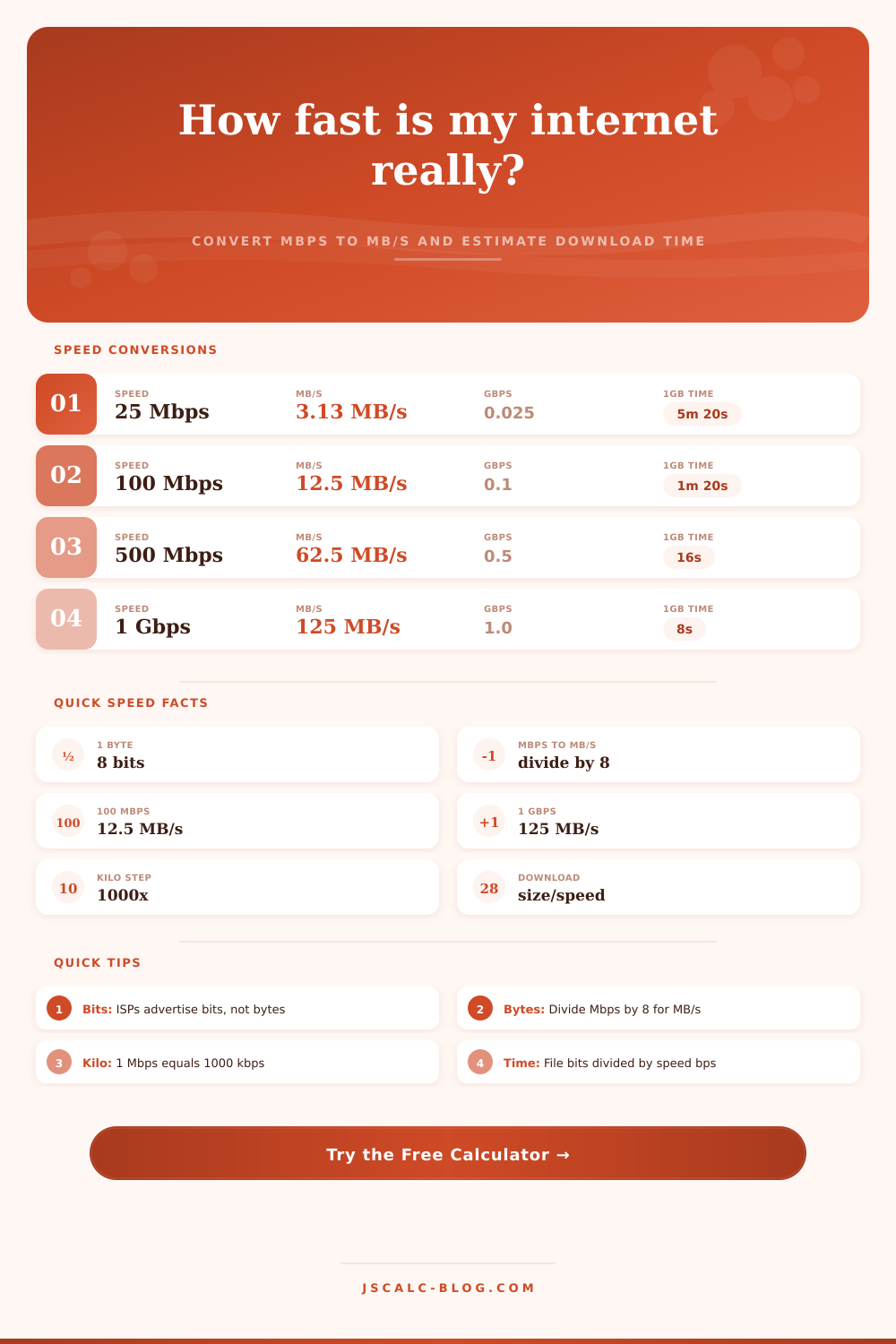
| Common cable | 100 | 12.5 | 0.1 | 1m 20s | Family streaming |
| Fast cable | 300 | 37.5 | 0.3 | 26.7s | Heavy downloads |
| Cable or fiber | 500 | 62.5 | 0.5 | 16s | Large households |
| Gigabit fiber | 1000 | 125 | 1.0 | 8s | Power users |
| Multi-gig fiber | 2500 | 312.5 | 2.5 | 3.2s | Prosumer, NAS |
| Data center | 10000 | 1250 | 10.0 | 0.8s | Backbone, servers |
💡Practical Speed Tips
The speed you see advertised on your Internet bill is likely printed out in big bold letters. But the speed you notice as you try to stream a movie or download a big file probably isn’t quite so fast. Most of the confusion over bandwidth stems from gap between what your computer displays and what provider advertises. And the reason for the confusion? It’s almost always just one letter away.
When Internet Service Providers market to you about their speed, they’re talking in terms of megabits per second, represented by Mbps with a lowercase b. When your computer tell you how fast it’s transferring data, it use megabytes per second, which is an uppercase B. That’s not some kind of mistake on the part of tech companies, it’s a unit conversion that impacts almost anyone who has ever asked themselves why their internet seems so damn slow.
Bits vs Bytes: Why Your Internet Speed Is Slower Than You Think
Plug your speed into the calculator and it’ll do the number crunching for you. One byte = eight bits. The provider advertises in megabits, so you need to divide by eight to get your actual file transfer speed. If it says “one hundred” Mbps, then you aren’t getting one hundred MB/s. Under perfect conditions you’re getting twelve and a half MB/s.
Most people make this mistake. They think the numbers should of matched. But they’re measuring two different things. Bits are raw capacity of wire, while bytes measure actual data payload being moved across that channel. Bits is the raw capacity of the wire. That’s important if you want to estimate time it will take to download something.
Is it a sixty gigabyte game? Then you’re going to want to know the byte speed. Assuming a constant connection, a 60GB file would download in about forty minutes with a byte rate of twelve and a half MB/s. One hundred Mbps may sound fast, but you could be feeling sluggish.
Jump up to a gigabit fiber line. That provide 8,000 Mbps. The byte rate becomes one hundred twenty-five MB/s. The file download in less than four minutes. A ten-fold improvement in raw bits sounds great, but knowing that you can get those bytes onto your hard drive so fast is what realy makes the difference.
These are also real world efficiency numbers as well. Not every connection is running at its theoretical max 100% of the time. Network congestion and protocol overhead will cuts into that theoretical number. Generally speaking you can expect about 85-95% of your advertised speed. The tool allows you to account for that, providing a more realistic picture of what you’re getting in peak usage periods.
Keep this in mind when deciding whether to upgrade. A 50 Mbps plan should suffice for web surfing, since that’s more than enough bytes-per-second throughput. If you do lots of large downloads and/or want to edit video files, you’re going to start find higher tiers worthwhile. The reference table shows this across different kinds of connection. That will help orient yourself as to what tier is where within the larger picture.
Money isn’t the only thing. Bandwidth has an exchange rate too. Know it before spending it. And here’s how: Your PC speaks bytes, while your ISP speaks bits. Knowing this helps you read performance clearly. No longer will lower download speeds surprise you. Marketing numbers aside, bandwidth starts looking predictable and easy to understand.