Gigabytes to Terabytes Converter
Convert a gigabyte figure into terabytes on the decimal SI scale where 1 TB = 1000 GB, and into tebibytes on the binary scale where 1 TiB = 1024 GiB. Choose the direction, pick the standard, add a drive count, and see the total capacity of a whole array in TB, TiB, and even petabytes side by side.
💾Real Drive Presets
🔧Conversion Inputs
Enter the number that appears on the label or in the OS.
GB to TB divides by 1000; TB to GB multiplies by 1000.
Drive boxes use decimal; operating systems often use binary.
Labels the value as decimal GB or binary GiB for the byte math.
How many identical drives are in the pool or array.
Controls rounding on every result card and table.
🔢Scale Snapshot
📊Gigabytes to Terabytes Table
| Gigabytes (GB) | TB Decimal (GB / 1000) | TiB Binary (GiB / 1024) | Reads As |
|---|---|---|---|
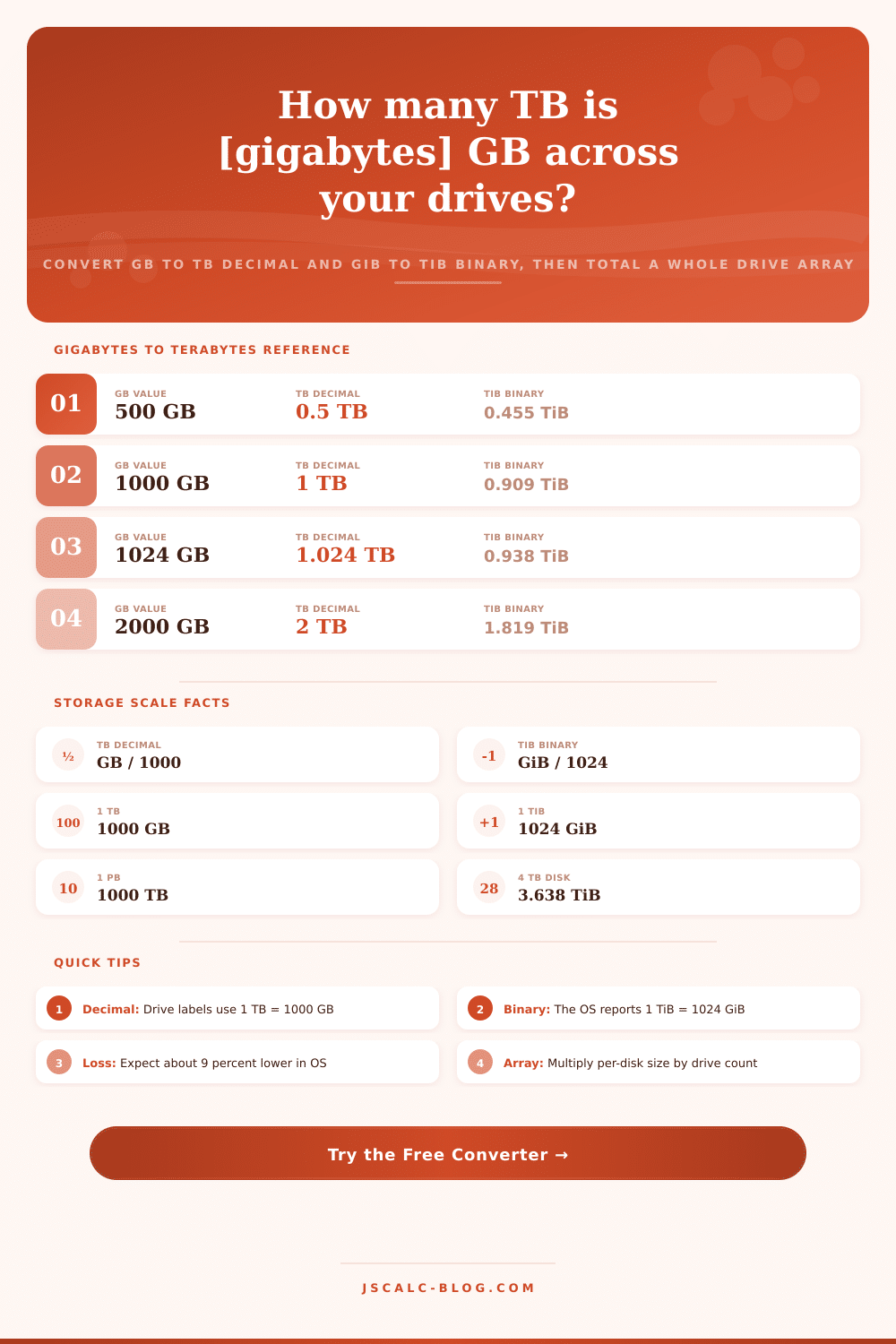
| 500 GB | 0.5 TB | 0.455 TiB | Half a terabyte |
| 1000 GB | 1 TB | 0.909 TiB | One terabyte |
| 2000 GB | 2 TB | 1.819 TiB | Two terabytes |
| 4000 GB | 4 TB | 3.638 TiB | Common 4 TB disk |
| 6000 GB | 6 TB | 5.457 TiB | Six terabytes |
| 8000 GB | 8 TB | 7.276 TiB | Eight terabytes |
| 10000 GB | 10 TB | 9.095 TiB | Ten terabytes |
| 16000 GB | 16 TB | 14.552 TiB | Large NAS disk |
🔑Reverse: Terabytes to Gigabytes
| Terabytes (TB) | GB Decimal (TB x 1000) | GiB Binary (TiB x 1024) | Bytes (decimal) |
|---|---|---|---|
| 0.5 TB | 500 GB | 512 GiB | 500 billion |
| 1 TB | 1000 GB | 1024 GiB | 1 trillion |
| 2 TB | 2000 GB | 2048 GiB | 2 trillion |
| 4 TB | 4000 GB | 4096 GiB | 4 trillion |
| 8 TB | 8000 GB | 8192 GiB | 8 trillion |
| 10 TB | 10000 GB | 10240 GiB | 10 trillion |
| 18 TB | 18000 GB | 18432 GiB | 18 trillion |
🗃Drive Array Total Comparison Grid
| Per Drive GB | Drive Count | Array TB Decimal | Array TiB Binary | Array PB | Note |
|---|---|---|---|---|---|
| 2000 GB | 2 | 4 TB | 3.638 TiB | 0.004 PB | Mirror pair |
| 4000 GB | 4 | 16 TB | 14.552 TiB | 0.016 PB | Home NAS |
| 8000 GB | 6 | 48 TB | 43.655 TiB | 0.048 PB | Small server |
| 12000 GB | 8 | 96 TB | 87.311 TiB | 0.096 PB | Rack unit |
| 16000 GB | 12 | 192 TB | 174.623 TiB | 0.192 PB | Media pool |
| 18000 GB | 24 | 432 TB | 392.902 TiB | 0.432 PB | Storage shelf |
| 20000 GB | 36 | 720 TB | 654.836 TiB | 0.72 PB | Dense chassis |
| 22000 GB | 60 | 1320 TB | 1200.533 TiB | 1.32 PB | Petabyte rack |
⚙Formula Breakdown
📏Storage Unit Conversion Chain
| Unit | Decimal Equals | Binary Equals | Note |
|---|---|---|---|
| 1 GB | 1000 MB | 0.931 GiB | Gigabyte |
| 1 TB | 1000 GB | 0.909 TiB | Terabyte |
| 1 TiB | 1099.5 GB | 1024 GiB | Tebibyte |
| 1 PB | 1000 TB | 909.5 TiB | Petabyte |
| 1 PiB | 1125.9 TB | 1024 TiB | Pebibyte |
| 1000 GB | 1 TB | 0.909 TiB | One-terabyte disk |
💡Storage Capacity Tips
Hard disks don’t agree on storage amounts. You purchase one marked “four terabytes,” stick it into your computer, and your operating system says it contain “three point six terabytes.” They’re both telling the truth! Neither the marketing number nor the machine number is a lie; they’re just measuring exactly the same set of physical bytes using entirely different rulers. One ruler measure in the decimal (thousands) system used by business; the other measures in binary (powers-of-two) system used by computers’ logical guts. Knowing about this disconnect will save you from getting frustated whenever your new hard disk dissapears into thin air before you’ve copied a single file.
For convenience, storage industry uses the decimal (or SI) system for selling capacity. Under this scheme, each of these prefixes increases by factor of a thousand. A byte is one, a kilobyte is one-thousand bytes, a megabyte is one-thousand kilobytes, etc. Up to a terabyte. So if we want to convert from gigabytes to terabytes, all we have to do is divide by a thousand. It results in nice neat round numbers that look great in ads and spec sheets. That’s also why you’ll see some drives advertised at one, two, four, eight, or whatever terabytes. These numbers doesn’t match how memory addresses are actualy handled internally, but they look good.
Why Your Hard Drive Seems Smaller Than It Is
But computers don’t think in those terms; they’re binary. And instead of stepping up by 1000 as we do with our prefixes, the industry standard binary prefix steps up by 1024. So 1024 mebibytes is a gibibyte, and 1024 gibibytes is a tebibyte. But because the binary unit is bigger, that means there are fewer of them to fill out same amount of raw data. Your operating system will usually count capacity in these larger units because it’s binary, but it will label them with more familiar decimal symbols. That leads to a consistent mismatch between what you buy and what your software think is there.
The calculator above do the math for you once you plug in your drive size, no more guesswork when it comes time to estimate how much usable space is left after formatting. Take a typical four terabyte hard drive as an example. By definition, that’s four trillion bytes, in decimal terms. If you want to know how much of that is in tebibytes, then you has to divide by 1024 four times. That results in about 3.64 tebibytes. That’s not a bunch of data that was previousely set aside for secret partitions or something. It’s just looking at the same physical platters with larger units on your viewfinder. And this hold true for all drives, no matter their capacity. This rounding error works out to approximately a nine percent difference. It is a tiny bit of math trivia, but it is worth keeping in mind if you’re planning to back things up or fill a server rack.
While most people don’t care about how those figures translate when used with several drives (they just want their individual drive to work), system builders do. Increasing the number of disks multiplies the binary and decimal values, but in absolute terms this also increases the distance between them. Six drives each holding eight terabytes may be advertised as having forty-eight terabytes of combined capacity, but the OS is going to tell you it’s actualy around forty-three point seven tebibytes. Plan your disk usage without taking that conversion into account and suddenly you’re out of room at exactly the wrong moment.
You can use the tool to specify number of drives and get the total figure back in all three useful scales at once. If instead you begin with a terabyte measurement and want to know how many gigabytes an invoice or spreadsheet occupies, just flip it around: the same rules apply. If you multiply by a thousand, that’s the decimal value; if you multiply by 1024, that’s the binary gibibyte number. Simply put: remember the unit used for your starting point. Product pages almost always use decimal measurements, but system diagnostics usually assume binary. Getting this wrong causes all sorts of headaches when trying to plan and budget. Switching between standard (decimal) and binary ensures that your results match the context of your query, instead of trying to force a square peg into a round hole.
Now that you know this difference, it changes how you decide what to buy. When you buy a “forty terabyte” decimal drive, you are not going to get forty tebibytes of useful storage. You should of accounted for the loss in conversion. You also has to account for the overhead of your file system metadata and/or redundancy scheme. As a rough guide, buy at least ten percent more raw capacity than your application needs in binary form. That way you have some leeway between your on-paper plan and operating system’s view of reality. It doesn’t matter if the math is wrong. All that matters is getting it right every time.