Bytes to Gigabytes Converter
Enter a raw byte count and get both readings that matter: decimal GB where 1 GB is 1,000,000,000 bytes, and binary GiB where 1 GiB is 1,073,741,824 bytes. See the roughly 7.37 percent gap that explains why a drive sold as a certain GB size shows fewer units inside your operating system, with MB and TB context alongside.
🎯Real Byte Size Presets
🔢Byte Conversion Inputs
The raw amount to convert, read in the unit you pick next.
The value is converted to raw bytes using this unit first.
Chooses which reading leads on the headline card.
Controls rounding shown on every result card.
Force a bits reading and the tool divides by 8 to get bytes.
Adds commas to the large raw byte figures in the output.
📏Formula Snapshot
🗄Unit Comparison Grid
| Unit | Decimal Bytes | Binary Bytes | Symbol | Example |
|---|---|---|---|---|
| Kilobyte / Kibibyte | 1,000 | 1,024 | KB / KiB | Short email |
| Megabyte / Mebibyte | 1,000,000 | 1,048,576 | MB / MiB | 1 min MP3 |
| Gigabyte / Gibibyte | 1,000,000,000 | 1,073,741,824 | GB / GiB | HD movie |
| Terabyte / Tebibyte | 1e12 | 1,099,511,627,776 | TB / TiB | Backup drive |
| Petabyte / Pebibyte | 1e15 | 2^50 | PB / PiB | Data center |
| 4 GB label | 4,000,000,000 | 3.725 GiB | GB | SD card |
| 4 GiB exact | 4.295 GB | 4,294,967,296 | GiB | RAM row |
📊Bytes to GB and GiB Reference
| Raw Bytes | Decimal GB | Binary GiB | Reads As |
|---|---|---|---|
| 250,000,000 | 0.25 GB | 0.2328 GiB | Quarter GB |
| 500,000,000 | 0.5 GB | 0.4657 GiB | Half GB |
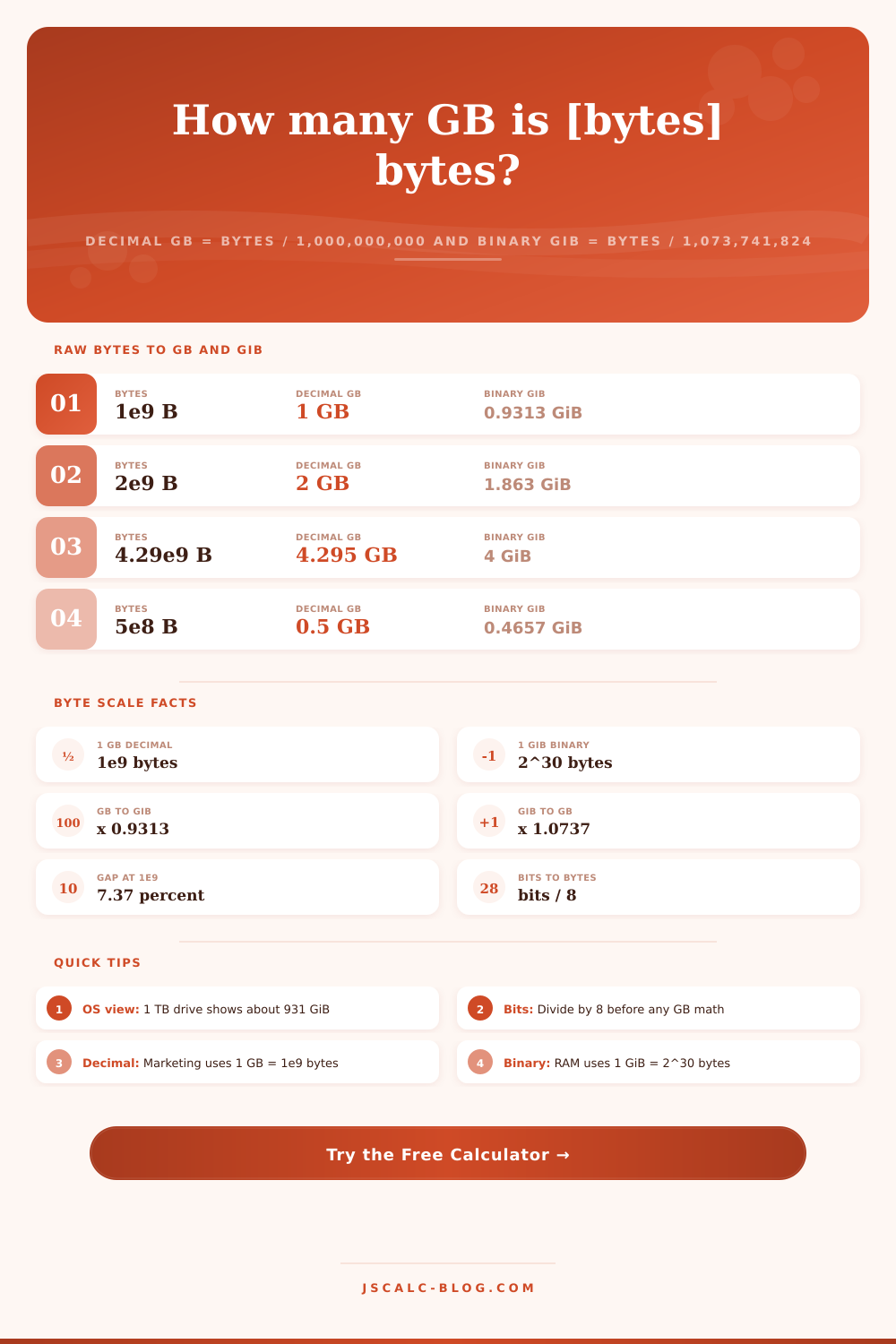
| 1,000,000,000 | 1 GB | 0.9313 GiB | One GB |
| 2,000,000,000 | 2 GB | 1.863 GiB | Two GB |
| 4,294,967,296 | 4.295 GB | 4 GiB | Exact 4 GiB |
| 8,000,000,000 | 8 GB | 7.451 GiB | Eight GB |
| 16,000,000,000 | 16 GB | 14.90 GiB | Sixteen GB |
| 32,000,000,000 | 32 GB | 29.80 GiB | USB stick |
| 1,000,000,000,000 | 1000 GB | 931.3 GiB | 1 TB drive |
🔗Input Unit to Raw Bytes
| Input Unit | Raw Bytes Each | System | Note |
|---|---|---|---|
| 1 bit | 0.125 | Base | One eighth of a byte |
| 1 byte (B) | 1 | Base | Single character |
| 1 KB | 1,000 | Decimal SI | Kilobyte |
| 1 KiB | 1,024 | Binary IEC | Kibibyte |
| 1 MB | 1,000,000 | Decimal SI | Megabyte |
| 1 MiB | 1,048,576 | Binary IEC | Mebibyte |
⚙Formula Breakdown
💡Byte Sizing Tips
That’s the kind of question you think you could answer easily… Until you get down to trying it: How many GB is my pile of raw bytes?
The answer depends on who you ask, and they will all tell you the right answer. These answers are all different from each other, always by some fixed amount.
What is a Gigabyte?
On the one hand, decimal gigabytes equal the number of bytes divided by exactly one billion. That’s what marketing teams use. That’s what drive makers report.
On the other hand, binary gibibytes divide up by 1,073,741,824 (the number your operating system uses). If you give it a number of bytes, it gives you both results at once. And it tells you how far apart they are. It even puts it in MB and TB terms so you can see if software/hardware is reporting back using those same units.
Bytes count everything digital. And it counts in byte. One byte = 8 bits. One byte = one character of plain text. Then the units grow, but they break off into two groups of units.
There’s the SI (or decimal) family that grows by factors of one thousand. So there’s a kilobyte (one thousand bytes), a megabyte (a million bytes), and a gigabyte (a billion bytes). That last number is ten to the ninth.
And then there’s the IEC (binary) family that grows by factors of 1,024: a kibibyte (1,024 bytes); a mebibyte (1,048,576 bytes); a gibibyte (1,073,741,824 bytes). That last number is two to the thirtieth.
They both count as valid. And they’re both confusing because each responds to a different set of rules. It’s the most common mix-up with storage.
Converting from bytes to decimal gigabytes is simple math. Divide your raw number of bytes by 1,000,000,000. If you have one billion bytes, it’s simply 1.000 GB. If you have two billion, that’s 2.000 GB. That’s what is printed on the box of nearly every hard drive, solid-state drive, USB flash drive, and memory card sold today: a definition of a gigabyte as a decimal value.
The industry standardized on the decimal gigabyte decades ago. Under the decimal rule, when a drive labels itself as 500 GB, it contains 500,000,000,000 bytes of storage that you can use. The calculator does this division first, then prints the clean decimal number on its headline card.
For most operating systems, decimal gigabytes are uncommon. When you see one billion bytes displayed as just 0.9313 GiB, that’s because Windows divides by 1,073,741,824 and labels the result GB even though it is technicaly a gibibyte or GiB.
Why? Because memory is naturaly binary, the addressable memory of a stick of RAM comes in actual binary amounts. A 4 GiB memory stick is really 4,294,967,296 bytes. It exists because memory addressing is inherently binary.
This converter does both decimal and binary divisions at once. The binary version yields what you’re probably used to seeing when you check a folder size in your file manager: the GiB number.
One ratio is at the center of all this mess. While there are 1,000,000,000 bytes in a gigabyte, there are 1,073,741,824 bytes in a gibibyte. Dividing those two numbers gives you 1.0737. So a GiB is approximately 7.37 percent larger than a GB. For any given amount of data, a decimal GB number will be ~7.37 percent larger then the corresponding binary GiB number.
This is not lost space, nor an error or a rounding artifact. It’s baked into those definitions, and it increases over time as those numbers increase. A 1 TB hard drive contains 1,000,000,000,000 bytes. When it appear in your operating system, you’ll see that it has only around 931 GiB on it. This is the same 7.37 percent as above, but it is much more noticeable at the terabyte scale.
Data doesn’t typically come down to us in nice round bytes. Bits flow over our networks. MB and MiB are how we measure file size. Some lower-level utilities will tell us in KB and KiB. This converter handles them all.
First you choose which one is being used. Whether that’s an input unit like kilobytes, megabytes, mebibytes, kibibytes, etc. The tool then converts this to raw bytes, multiplying by 1,000 if it is KB, for example. It then runs the gigabyte calculation once it reaches pure bytes.
There’s also a special bit toggle here so you can specify any number must be treated as bits, forcing the tool to divide by eight instead. That’s useful when your download meter tells you it’s measuring gigabits but not gigabytes.
With that in mind, it uses four cards to produce the results so you don’t have to work out the numbers yourself. On the left, we have the decimal gigabyte (bytes divided by a billion), then binary gibibyte (bytes divided by 1,073,741,824). On the right, we have the gap isolated for you, both the amount of bytes over or under (GB minus GiB) as well as the percentage difference between decimal and binary values. Finally, we have some context using megabytes and terabytes to quickly check where things are.
There’s a switch to use the thousands separator to make the long byte numbers more readable with commas. And finally there’s a panel below the cards that lists every substituted number.
The speed comes from shipping with presets for real-world sizes that is close to what people encounter on a regular basis. The included ones are: 32 GB USB stick; 1,000,000,000 (flat) bytes; 8,000,000,000 bits (transfer); 500 MB file; 1 TB (raw bytes) drive; 50 GB Blu-ray disc; 16,000,000,000 bytes; 4 GB (exact GiB) RAM stick. Each one completes the fields and then recalculates instantly.
A single tap converts between the abstract number of bytes into its equivalent in both GiB and GB. And they help show the difference between decimal and binary. A marketed 4 GB SD card will drop down to just 3.725 GiB right away once you measure it in binary.
Sizing a backup? Translating that internet speed into gigabytes rather than gigabits? Trying to figure out why a brand new drive has fewer spaces than advertised? It’s all the same question: how do I make sure I’m converting my raw bytes correctly and what’s a gigabyte anyway?
The solution: make sure you understand if you’re talking about a gigabyte or a gibibyte… And then convert those raw bytes appropriately. Simply enter whatever number of bytes you want to convert (start from one of our presets, or add it manually), select an input unit, and read the result confidently, displayed for both decimal gigabytes and binary gibibytes. No more wondering why there’s a 7.37% gap between them.
The gigabytes to bytes converter lets you turn an unclear definition into two solid, reliabel numbers at once.