Keyspace Size Calculator
Find the keyspace K = R^L, the total number of possible keys or passwords, from an alphabet size R and a length L. See the equivalent bit strength log2(K), the exact number of decimal digits in K, and how that number stacks up against tangible magnitudes like grains of sand and atoms in the universe.
🔑Real Key Configuration Presets
📝Keyspace Inputs
R is how many distinct symbols each position can hold.
Used only when the dropdown above is set to Custom.
Number of characters, digits, or bits in the key.
Controls the mantissa shown in scientific notation.
Turn on to see how many times larger one keyspace is.
Second configuration, only used in compare mode.
Length of the second key for the side-by-side ratio.
Tool reports the length L config A needs to hit this.
🔢Formula Snapshot
🔑Character Set Sizes Reference
| Character Set | Alphabet R | Bits per Symbol | Example Symbols |
|---|---|---|---|
| Binary | 2 | 1.00 | 0 1 |
| Octal | 8 | 3.00 | 0-7 |
| Decimal digits | 10 | 3.32 | 0-9 |
| Hexadecimal | 16 | 4.00 | 0-9 a-f |
| Lowercase letters | 26 | 4.70 | a-z |
| Base32 | 32 | 5.00 | A-Z 2-7 |
| Mixed-case letters | 52 | 5.70 | a-z A-Z |
| Alphanumeric | 62 | 5.95 | a-z A-Z 0-9 |
| Base64 | 64 | 6.00 | letters + / = |
| Full ASCII printable | 95 | 6.57 | all keyboard |
| Extended byte | 256 | 8.00 | full byte |
🌐Real-World Magnitude Reference
| Reference Quantity | Approx Count | Approx Bits | Comparable Key |
|---|---|---|---|
| Seconds since Big Bang | 4.4e17 | 58 bits | DES 56-bit |
| Grains of sand on Earth | 7.5e18 | 63 bits | 11 alnum chars |
| Stars in the universe | 1e24 | 80 bits | Hex 20 chars |
| Atoms in a human body | 7e27 | 93 bits | 16 alnum chars |
| Atoms in planet Earth | 1.3e50 | 166 bits | ASCII 26 chars |
| Atoms in the Sun | 1.2e57 | 190 bits | Hex 48 chars |
| Atoms in the Milky Way | 1e69 | 229 bits | ASCII 36 chars |
| Atoms in the universe | 1e80 | 266 bits | AES-256 key |
📊Keyspace by Length and Alphabet Comparison Grid
| Length L | Binary R=2 | Digits R=10 | Hex R=16 | Lower R=26 | Alnum R=62 | ASCII R=95 |
|---|---|---|---|---|---|---|
| 4 | 4 bits | 13.3 bits | 16 bits | 18.8 bits | 23.8 bits | 26.3 bits |
| 6 | 6 bits | 19.9 bits | 24 bits | 28.2 bits | 35.7 bits | 39.4 bits |
| 8 | 8 bits | 26.6 bits | 32 bits | 37.6 bits | 47.6 bits | 52.6 bits |
| 10 | 10 bits | 33.2 bits | 40 bits | 47.0 bits | 59.5 bits | 65.7 bits |
| 12 | 12 bits | 39.9 bits | 48 bits | 56.4 bits | 71.5 bits | 78.8 bits |
| 16 | 16 bits | 53.2 bits | 64 bits | 75.2 bits | 95.3 bits | 105 bits |
| 20 | 20 bits | 66.4 bits | 80 bits | 94.0 bits | 119 bits | 131 bits |
| 24 | 24 bits | 79.7 bits | 96 bits | 113 bits | 143 bits | 158 bits |
| 32 | 32 bits | 106 bits | 128 bits | 150 bits | 190 bits | 210 bits |
🔑Common Key Configurations
| Configuration | R x L | Keyspace K | Bits | Digits |
|---|---|---|---|---|
| 4-digit PIN | 10^4 | 1.0e4 | 13.3 | 5 |
| 6-digit OTP | 10^6 | 1.0e6 | 19.9 | 7 |
| 8 lowercase | 26^8 | 2.1e11 | 37.6 | 12 |
| DES 56-bit | 2^56 | 7.2e16 | 56 | 17 |
| 12-char alnum | 62^12 | 3.2e21 | 71.5 | 22 |
| 16-char alnum | 62^16 | 4.8e28 | 95.3 | 29 |
| AES-128 / Hex 32 | 2^128 | 3.4e38 | 128 | 39 |
| Full ASCII 20 | 95^20 | 3.6e39 | 131 | 40 |
| AES-256 / Hex 64 | 2^256 | 1.2e77 | 256 | 78 |
⚙Formula Breakdown
💡Keyspace Sizing Tips
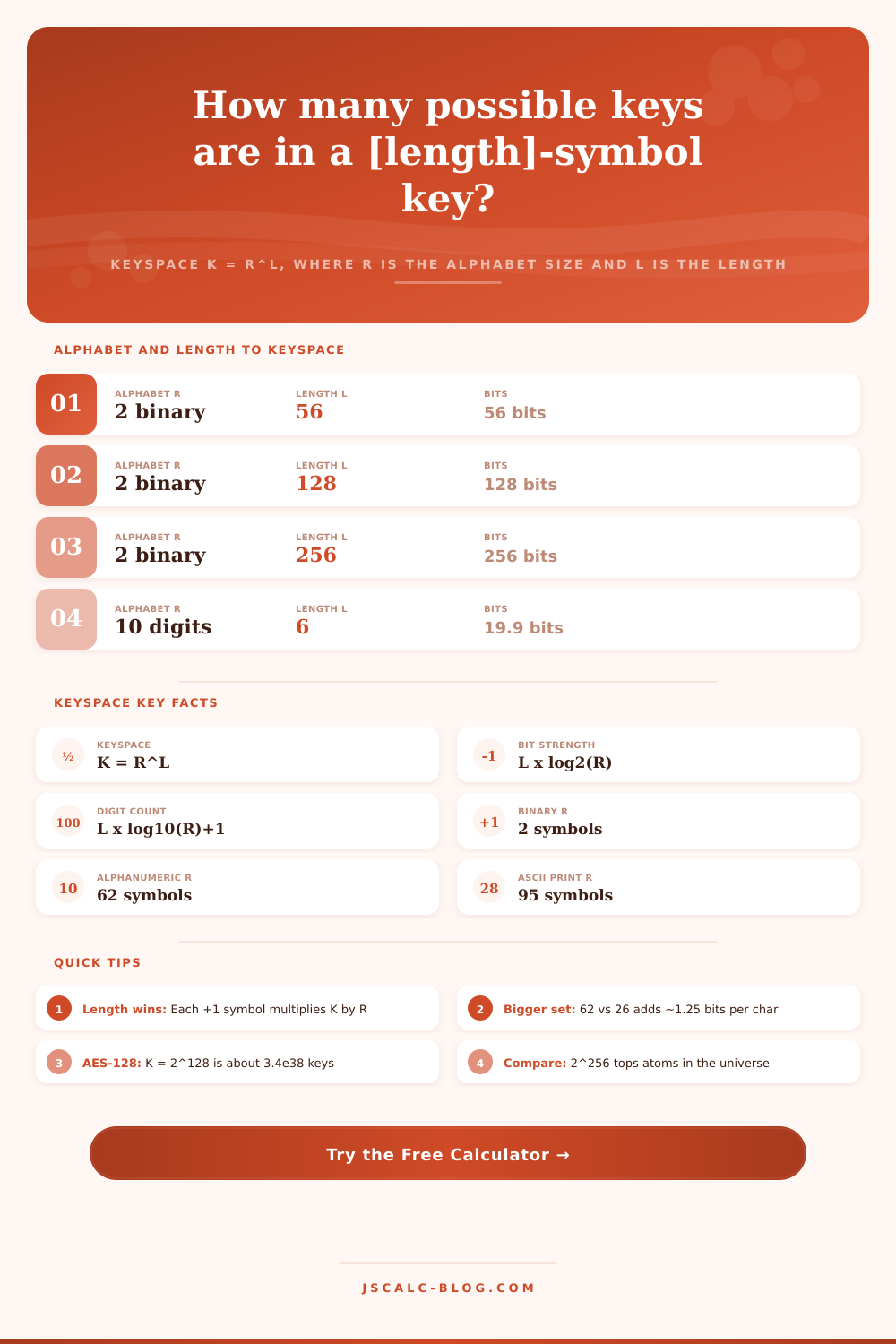
It’s a single clean question: How many unique passwords or keys are possible using a certain design? That’s the keyspace, the answer to that question, and it’s the base for all talk about cryptographic strength. The equation is precise and straightforward: K = R^L, where K is the keyspace (the number of unique combinations), R is the size of alphabet (the number of unique symbols each character can contain) and L is length (how many characters).
With this, it calculates that number and its equivalent in bits. It also finds the number of decimal digits it will contain and how big that huge number realy is compared to something we can understand, like atoms and grains of sand. It takes mathematical abstraction and makes it concrete.
How to Calculate Your Keyspace Size
Think about creating that key position by position: For example, suppose it has L positions, where each can be one of R different symbols. Then the first position can be any of those R symbols; the second can be any of those R symbols; etc., right? And they’re all independent choices, so you just multiply them together. You get R times R times … times R (L times).
Ten possible digits in a four-position PIN gives us ten times ten times ten times ten, a ten-thousand-combo keyspace. Six digits in a one-time code gives you one million. Keyspace means the full set of possible keys, and it is simply the size of the space you have to search.
Cryptographers don’t work with raw keyspaces; those become astronomically large very quickly, and we measure them in bits instead. K = R^L. Taking the base-two logarithm of this number gives you its bit strength, which factors out nicely: the bit strength = L * log2(R).
How many bits does each symbol provide? It provides one bit per binary digit, 3.32 bits per decimal digit, four bits per hex character, and approximately 6.57 bits per full-ASCII character. Bits are handy in that they (1) double the keyspace for each additional bit, and (2) add up linearly.
Thus when someone says “128-bit” key, they’re referring to something that might be literal 128 binary digits long, or maybe only about 20 full-ASCII characters long; but either way its keyspace is 2^128. Why do people speak in terms of bits? Because bits are handy.
The calculator will show four numbers about your setup. Because it’s impractical to spell out a keyspace that has dozens of digits, the first card displays the entire count as a number in scientific notation. The second card converts that to bits and shows you its equivalent bit strength… The number quoted most often in security circles.
The third card breaks down how many decimal digits are part of that count: it’s floor(log10()) plus one. If you wanted to write out every digit in the whole number, you’d know exactly how long that is. The fourth card takes that keyspace and turns it into a real world measure, assigning a name to the next-larger physical quantity so you can visualize this abstract exponent.
Hit compare mode and you can put them side-by-side. Now comes the important lesson: The keyspace increases much faster with length than with width. An eight character alphanumeric key gains around 23.8 bits if we expand it to twelve characters, multiplying its keyspace by approximately fifteen-million. That’s almost double the length of the key!
Compare that with converting the exact same eight character key from lower case to all ASCII, which only adds ~15 bits. Length is the big winner; that’s why long passphrases trump short but complex passwords. Most people think to tack in symbols. They should of been thinking to tack in length.
These numbers get incredibly large very quickly, but it’s hard to see that as an exponent. This calculator ties the size of bits to physical references for scale. There are approximately 63 bits worth of grains of sand on earth. There are approximately 80 bits worth of stars in the universe. There are about 166 bits worth of atoms on planet Earth. About 266 bits (on the order of) worth of atoms in the observable universe.
These markers illustrate how far short you’ll fall before getting to the size of even moddern ciphers, there is no hope of trying all possible keys on a laptop because it would be physically impossible. Brute forcing a universe sized keyspace? Not gonna happen.
Its preset settings reflect actual crypto history. A 56-bit key for DES could be searched by current computing machines and was eventually retired. A 128-bit keyspace (AES-128) is equal to around 3.4e38 keys; a 39 digit number beyond the reach of any imaginable computer. With 256 bits (AES-256), we’re at around 1.2e77, or 78 digits, still dwarfed by the amount of atoms in the observable universe (and just below).
For anyone interested, a string of 32 characters in hex format is equal to same 128-bit keyspace of AES-128: 16^32 = 2^128. This tool demonstrates this nice coincidence well. And that’s it! That is where knowing your keyspace begins; it doesn’t end there.
The goal here is to force you to see the plain raw size of your keyspace first, before adding in crack times or attacker speeds or anything else. If you’re going to have security based off keys, a large keyspace is necessary, but it’s only meaningful if keys are picked from that space uniformly at random.
Use these as reference tables to know your token sizes and API key sizes with confidence. Also, remember how huge a good keyspace should feel from the magnitude comparisons alone.