Field of View Calculator
Work out the horizontal, vertical, and diagonal field of view in degrees. Use Physical mode to turn screen size and viewing distance into real viewing angles with hFOV = 2 x atan(width / 2 / distance), or use Game mode to convert a base FOV between aspect ratios with Hor+ and Vert- scaling.
🎯Choose a Mode
🕹Real Display and Game Presets
📐Field of View Inputs
Advertised panel size in inches, corner to corner.
Sets how the diagonal splits into width and height.
Straight-line distance from your eyes to the panel.
Diagonal stays in inches; distance uses this unit.
The FOV number set in your game options.
Most PC shooters quote horizontal FOV.
The aspect the base FOV was designed for.
Hor+ keeps vertical and widens the horizontal view.
Controls rounding on every angle shown.
🔢Formula Snapshot
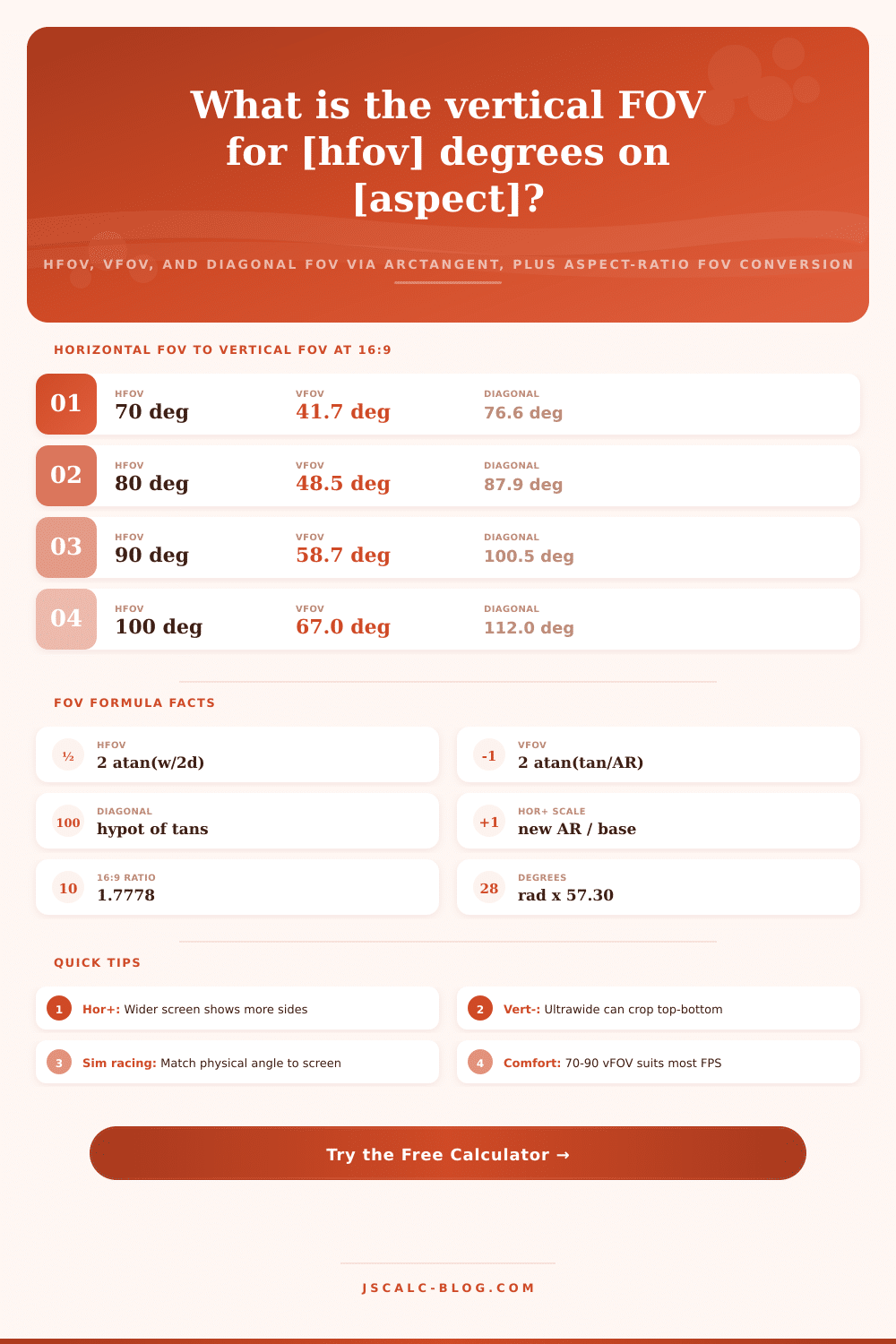
📋Horizontal FOV to Vertical FOV at 16:9
| Horizontal FOV | Vertical FOV | Diagonal FOV | Feels Like |
|---|---|---|---|
| 70° | 41.7° | 76.6° | Console default |
| 80° | 48.5° | 87.9° | Relaxed FPS |
| 90° | 58.7° | 100.5° | Classic PC |
| 100° | 67.0° | 112.0° | Wide FPS |
| 103° | 70.5° | 116.9° | Popular esports |
| 106° | 74.2° | 122.1° | Very wide |
| 110° | 79.5° | 129.4° | Arena shooter |
| 120° | 95.5° | 150.1° | Fisheye edge |
🖥Screen Size and Distance to Horizontal FOV
| Screen (16:9) | Distance | Screen Width | Horizontal FOV | Immersion |
|---|---|---|---|---|
| 24 inch | 60 cm | 53.1 cm | 47.6° | Focused |
| 27 inch | 60 cm | 59.8 cm | 53.0° | Balanced |
| 32 inch | 70 cm | 70.8 cm | 53.7° | Balanced |
| 34 inch UW | 65 cm | 79.9 cm | 62.6° | Wide |
| 48 inch | 120 cm | 106.3 cm | 47.9° | Focused |
| 55 inch | 250 cm | 121.8 cm | 27.4° | Cinema |
| 65 inch | 250 cm | 143.9 cm | 32.2° | Cinema |
🎮Common Game FOV Types by Platform
| Game Style | Typical Value | Measured As | Aspect | Scaling |
|---|---|---|---|---|
| Console shooter | 70 to 80 | Vertical or Hor | 16:9 | Fixed vFOV |
| PC shooter | 90 to 106 | Horizontal | 16:9 | Hor+ |
| Esports FPS | 103 | Horizontal | 16:9 | Hor+ |
| Arena shooter | 110 to 120 | Horizontal | 16:9 | Hor+ |
| Third person | 60 to 75 | Vertical | 16:9 | Vert- |
| Racing sim | Angle based | Horizontal | 16:9 to 48:9 | Hor+ |
| Flight sim | Wide | Horizontal | Triple wide | Hor+ |
🗃Aspect Ratio FOV Comparison Grid
| Aspect Ratio | 90 hFOV to vFOV | 103 hFOV to vFOV | Diagonal at 103 | Immersion | Notes |
|---|---|---|---|---|---|
| 4:3 (1.33) | 73.7° | 86.9° | 124.4° | Boxy | Retro CRT feel |
| 16:10 (1.60) | 64.8° | 77.3° | 120.2° | Tall wide | Productivity panels |
| 16:9 (1.78) | 58.7° | 70.5° | 116.9° | Standard | Mainstream default |
| 21:9 (2.33) | 46.8° | 57.0° | 110.8° | Immersive | Cinematic ultrawide |
| 32:9 (3.56) | 31.9° | 39.4° | 104.9° | Very immersive | Dual 16:9 span |
| 48:9 triple (5.33) | 21.6° | 26.9° | 103.6° | Wraparound | Sim triple monitor |
⚙Formula Breakdown
💡FOV Tuning Tips
The point of buying an ultrawide monitor is to see more. But then you play it and it doesn’t look right. The center looks stretched thin while the edges warp. Is someone coming? Are they already standing there?
Usually the issue isn’t with your hardware. Most often, people fail to understand how field of view work differently on various monitors. People think a higher number for this setting mean the same thing across all screens, but it does not.
How to Choose the Right Field of View
Field of view isn’t fixed in size; it’s an angle. This is what you can see from side-to-side (horizontal) and what you can see from top to bottom (vertical). Both angles is determined by aspect ratio of your screen. Setting 100 degrees horizontal on a wide screen gives you a different vertical view different than on a narrow screen.
This is why people get confused about this. They want to find a number, but they don’t understand how changing the shape of their screen change what their chosen number mean visually. To avoid guessing, the calculator tool handles math for you.
There are two ways to go about it. One method involves real-world physical measurements. How far away are you from the monitor? What’s its width? Based off those answers, it performs some trigonometry that calculate how much of your vision the screen take up.
Sitting close to a twenty-seven inch screen means it only covers fifty degrees of horizontal view. And if your in-game field of view is set to ninety degrees, then you’re viewing more area than is actualy available on the glass. That makes it feel less tight and more open.
These are digital settings. Games typically use horizontal-plus scaling. As you shift between sixteen-by-nine and twenty-one-by-nine, they maintains the vertical FOV as-is and expand only the horizontal angle.
That’s a healthy compromise: it reveals more of the sides without making things seem distorted in the middle. The chart on the page illustrate why. Here, it shows what happens when you set your FOV at one-hundred three degrees and then shift through various ratios. See? The horizontal number increase, but the vertical angle remain constant, allowing your brain to accurately gauge space.
In the end, vertical FOV selection is personal preference… It’s about finding the slice that suits your comfort. For most competitive gamer, a vertical FOV of 70-90 degrees works well. It provides adequate visibility to the sides while maintaining the center unobstructed.
On a regular monitor, setting your horizontal value too high decrease the vertical FOV. Objects appear wide and things look short. But with an ultrawide display, keeping the vertical FOV keep object and character proportions naturaly.
This is what’s called diagonal FOV, which many people forget about but is great to see because it represent the full view from one corner of your screen to another. This way if you are using a really wide screen or multiple monitor you will have an idea of how immersive it could of been. Diagonal FOV is based off the combination of both horizontal and vertical angles.
No need to remember any formulas or switch units by hand. The UI present all three important angles instantly. Simply change size of your monitor or sitting distance till they “feel” correct to your eyes.
Comfortable vs information: Your display is only as good as the balance between those two things. A wider horizontal view let you spot enemies earlier, but too wide and distortion slow down aiming. A higher vertical view lets you better track targets up and down, but too low a screen makes it feel like tunnel vision.
Start with one of the presets and you’ve got a known good starting point for your hardware. Then tweak it just a little bit from there depending on what you prefer to see in the center. Do you want it crisp? Do you want more of the map?
It’s not that any single number is best. It’s that each of us has an angle where the game “feels” right, like our vision naturaly extends into the game instead of seeing a twisted version of reality.