Epoch Time Difference Calculator
Compare two Unix epoch timestamps or convert local date-times to epoch values, then see absolute seconds, signed direction, and a days-hours-minutes-seconds breakdown.
Start timestamp
Unix epoch starts at 1970-01-01 00:00:00 UTC.
End timestamp
Use the unit your log, database, or API actually stores.
| Stored unit | Convert to seconds | Typical source | Quick check |
|---|---|---|---|
| Milliseconds | epoch / 1000 | JavaScript Date.now() | Usually 13 digits |
| Seconds | epoch | Unix logs, APIs | Usually 10 digits |
| Minutes | epoch x 60 | Coarse schedules | Small integer |
| Hours | epoch x 3600 | Retention windows | Very coarse stamp |
| Difference | Seconds | Minutes | Hours | Days |
|---|---|---|---|---|
| 1 minute | 60 | 1 | 0.016667 | 0.000694 |
| 1 hour | 3,600 | 60 | 1 | 0.041667 |
| 1 day | 86,400 | 1,440 | 24 | 1 |
| 1 week | 604,800 | 10,080 | 168 | 7 |
| 30 days | 2,592,000 | 43,200 | 720 | 30 |
| UTC date-time | Epoch seconds | Epoch ms | Use as check |
|---|---|---|---|
| 1970-01-01 00:00:00 | 0 | 0 | Epoch origin |
| 2000-01-01 00:00:00 | 946684800 | 946684800000 | Y2K baseline |
| 2024-01-01 00:00:00 | 1704067200 | 1704067200000 | Recent year |
| 2038-01-19 03:14:07 | 2147483647 | 2147483647000 | 32-bit max |
| Use case | Best input | Output to inspect | Watch for |
|---|---|---|---|
| API latency window | Milliseconds | Seconds and ms | Mixed units |
| Token lifetime | Seconds | Minutes or hours | Signed expiry |
| Local meeting times | Date-time | Signed difference | UTC offsets |
| Retention period | Seconds | Days | Rounding too early |
| Import validation | Seconds or ms | Breakdown rows | 10 vs 13 digits |
When you look at it, it probably seems like gibberish. A long string of numbers representing, what? But its not gibberish at all; it’s a specific point in time expressed as coordinate.
Unix epoch timestamps collapse any time after January 1st, 1970 down to just seconds (or even milliseconds). And this is everywhere: from database logging to API rate limiting. The beauty of Unix epoch timestamps are their simplicity.
What is a Unix Timestamp?
But here’s where things gets tricky: how do you compute the difference between two of those point? Manually subtracting large integers is hard and error-prone. Worse yet, it’s easy to mistakenly interpret milliseconds as seconds, inflating your result by a factor of a thousand. Six hours instead of minutes.
That’s where the calculator (above) come into play: It removes the guesswork about converting units, since it do all the math for you after you enter your starting and ending values.
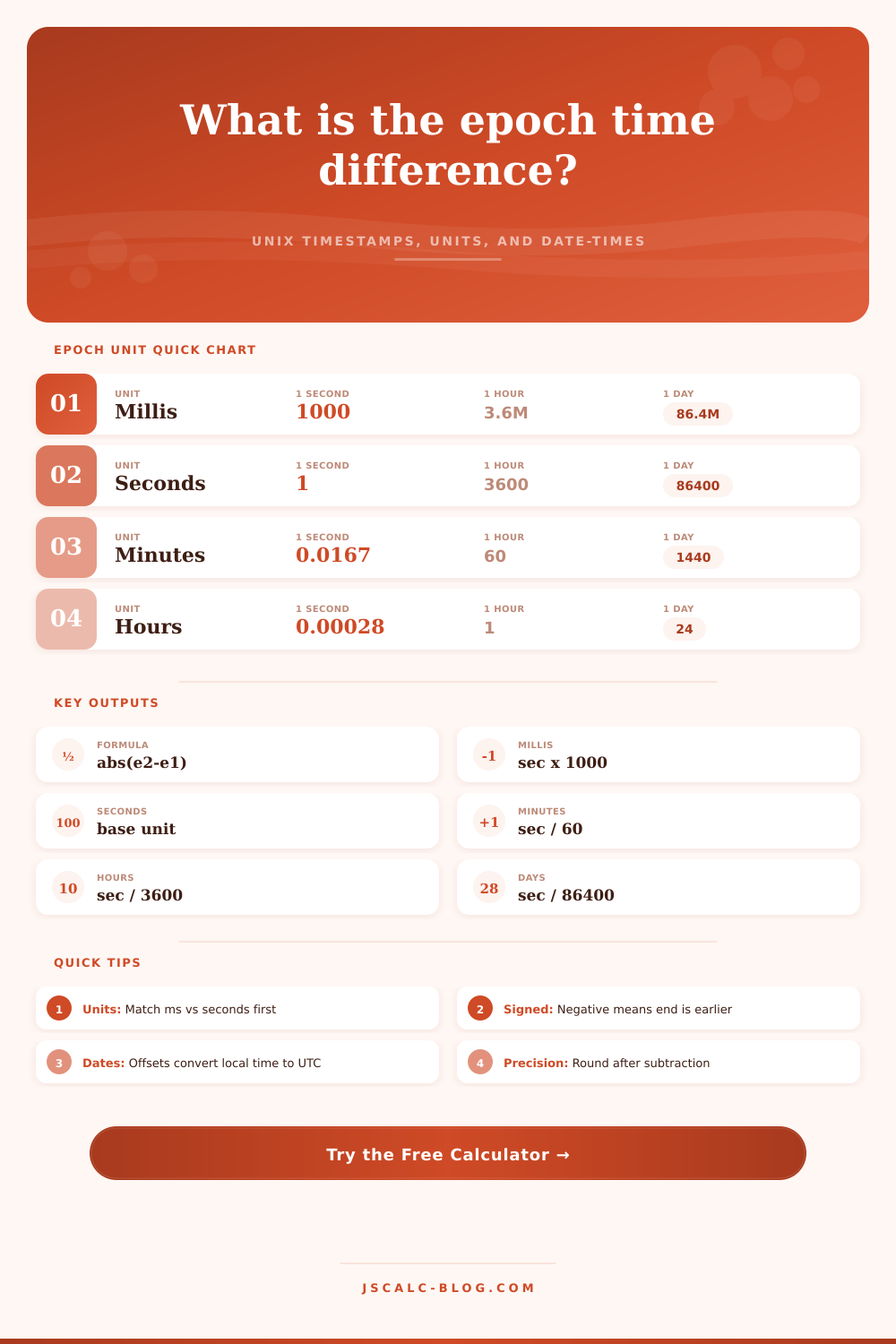
First, you’ll want to figure out what unit your data is in. If it has ten digits in its timestamp, that’s probably seconds. Thirteen? That’s milliseconds. Why does it matter? Usually, system logs and python will default to using seconds; JavaScript tends to use millisecond. And if you mix those two up, you are probably the reason for wrong calculations.
Enter as many different units as you like for each input, and tool will normalize both values before subtracting.
The real value of raw seconds, more than just the numbers themselves, is turning them into a human-readable amount of time. How long did it take? Did one thing happen after another? That’s what an absolute difference conveys. Or was one thing first then the other? Directionality can be helpful when debugging a race condition or confirming that a webhook was recieve within its window.
A negative number mean your end timestamp is actualy sooner than your start timestamp. Perhaps there’s a clock skew problem but maybe you just got the input values backwards.
The breakdown of the duration into seconds, minutes, hours and days make scanning through the results easier different than a raw number. Can you tell at a glance whether this delay is significant or not?
It also gets complicated with timezones. Local offsets don’t matter, since epoch time is always UTC (no matter daylight savings). So if you’re entering a local time and date, you has to consider the timezone’s offset from UTC. For example, 9AM in a UTC minus five timezone isn’t the same as 9AM in a UTC plus eight timezone.
To make sure all local times is accurate regardless of where they happened, the tool turns them all to UTC first. That way, there’s no room for the subtle bugs that creep in if systems assumes everyone uses local time as universal.
There’s also precision. If you’re logging high frequency trades, do you require millisecond detail? Or will rounding up/down to the nearest second suffice when backing up on a daily basis? You can specify the precision at which the tool displays things for you.
The more time that passes with rounding applied, the greater the potential for error. To protect against this, work with the lowest possible unit of difference and round only after calculating the difference. That maintains the accuracy of calculation all the way through.
There’s not much to remember here in terms of conversion factors, it’s more important to appreciate how digital time works. We all refer to the same starting point, the Unix epoch. This lets different systems aligns on when an event occurred. If you think of these numbers as coordinates on a timeline, the math makes sense. All you’re doing is measuring one coordinate against another.
The calculator above handle the heavy lifting for you. Knowing what those numbers represent will help you understand your findings and flag anything out-of-place. Ultimately, though, it is all just a series of events happening over time. The periods provide us with a shared vocabulary for talking about that time.
Whether you’re auditing a log on a server or measuring the amount of time between API calls, you’re after the same thing: How long did this take? And in which direction? If you have the proper tools, those obscure numbers turns into clear signals. They turn noise into something actionable.
You should of used it more often.