Daylight Saving Adjustment Calculator
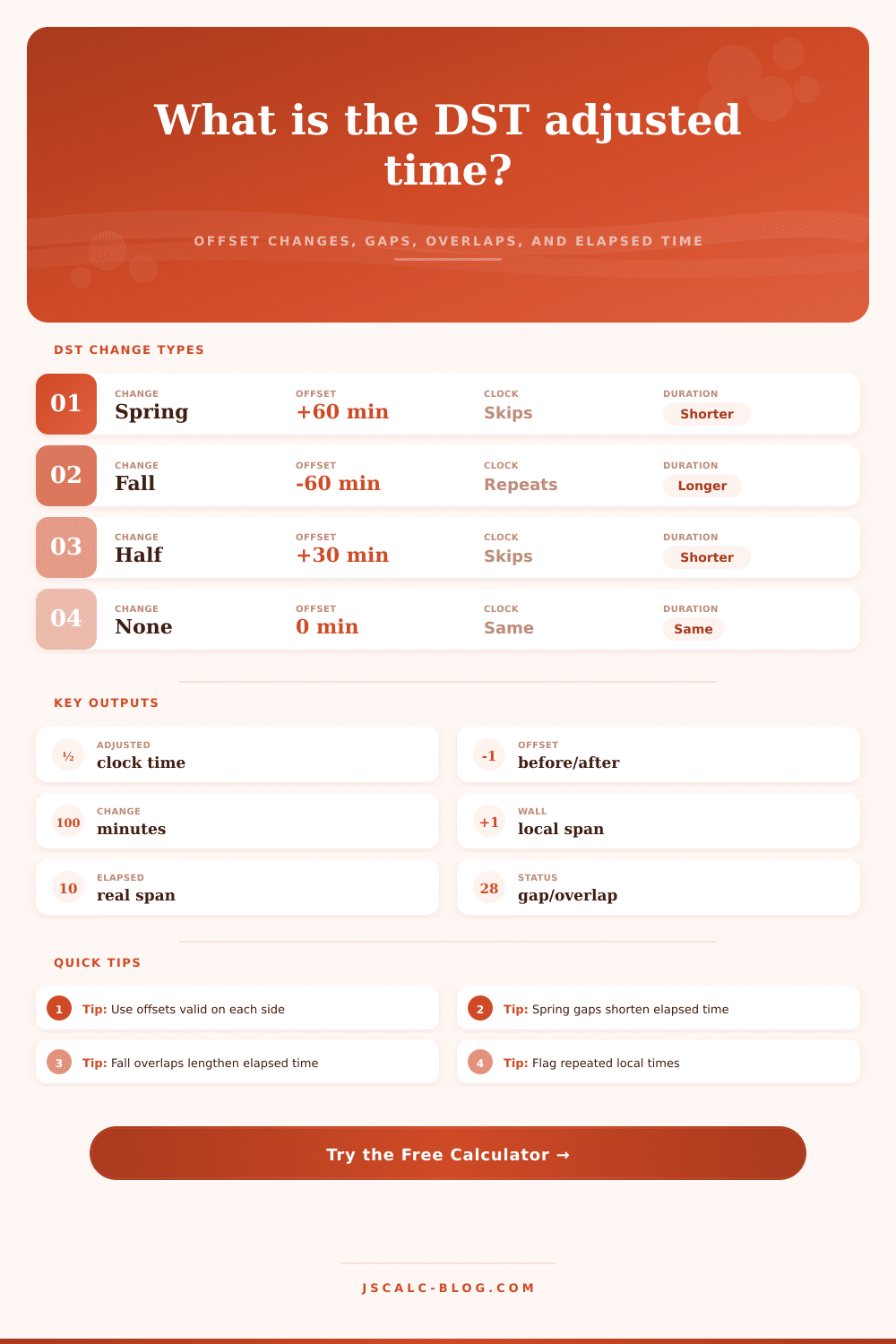
Shift a local clock time by the DST offset change and compare wall-clock duration with real elapsed duration across spring-forward gaps and fall-back overlaps.
| Scenario | Before offset | After offset | Clock effect | Elapsed effect |
|---|---|---|---|---|
| Spring forward, common 1 hour | UTC-05:00 | UTC-04:00 | 02:00 becomes 03:00 | Interval is 60 minutes shorter |
| Fall back, common 1 hour | UTC-04:00 | UTC-05:00 | 02:00 becomes 01:00 | Interval is 60 minutes longer |
| Half-hour DST start | UTC+10:30 | UTC+11:00 | 30 minutes skipped | Interval is 30 minutes shorter |
| Half-hour DST end | UTC+11:00 | UTC+10:30 | 30 minutes repeated | Interval is 30 minutes longer |
| Meeting offset update | Any old offset | Any new offset | Add after-minus-before | Only ranges crossing the change differ |
| No daylight change | Same offset | Same offset | No clock shift | Elapsed equals wall-clock time |
| Local time condition | How to detect it | Default handling | Alternative handling |
|---|---|---|---|
| Normal time | Outside the skipped or repeated window | Use the offset valid before or after the transition | None needed |
| Spring nonexistent time | Local label is inside the skipped window | Move forward to the first valid local time | Flag it or keep the old offset for audit work |
| Fall ambiguous time | Local label is inside the repeated window | Use the first occurrence unless selected otherwise | Use the second occurrence or show both UTC instants |
| Range crosses spring | Transition is between start and end | Subtract the positive offset change from wall time | Split the range if endpoint policy matters |
| Range crosses fall | Transition is between start and end | Subtract the negative offset change from wall time | Show the repeated segment separately |
| Formula part | Expression | Example | Meaning |
|---|---|---|---|
| Offset change | After offset - before offset | -240 - -300 = +60 | Clock moves forward 60 minutes |
| Adjusted clock | Original local + offset change | 01:30 + 60 = 03:30 | Equivalent label after the DST change |
| Wall duration | Range end - range start | 04:00 - 01:00 = 3 hr | What the clock labels appear to show |
| Actual elapsed | Wall duration - crossed change | 3 hr - 1 hr = 2 hr | Real time on a continuous timeline |
| UTC estimate | Local time - selected offset | 01:30 - UTC-05:00 | Approximate instant from supplied offset |
| Preset | Offset change | Transition label | Gap or overlap | Best use |
|---|---|---|---|---|
| US spring forward | +60 minutes | 02:00 | 02:00-02:59 skipped | Scheduling after clocks advance |
| US fall back | -60 minutes | 02:00 | 01:00-01:59 repeated | Payroll or overnight logging |
| Europe spring change | +60 minutes | 01:00 or 02:00 by zone | One hour skipped | International meeting checks |
| Australia fall change | -60 minutes | 03:00 | 02:00-02:59 repeated | Southern Hemisphere examples |
| 30-minute DST | +30 or -30 minutes | Usually near 02:00 | Half-hour gap or overlap | Nonstandard offset testing |
| No offset change | 0 minutes | Any time | No special hour | Control check for normal days |
The first is an annoying error; you forgot about daylight saving time change and set your next meeting for 2:00 PM. Then there’s the second type of error. You set your payroll system to accept hours on day of the fall back change but didn’t realize that this meant it’d count the repeated hour. Now you’re paying people for hours they never worked. That’s an expensive error.
The distinction between these types of errors isn’t just one of attentiveness. It’s one of structure; more specifically, it’s about how we understand way time works. Well, actualy, it’s about how we imagine time while adjusting our clocks. Time flows like a river and we move along with it. Daylight saving time makes it a jumble of jagged steps. When clocks spring forward, an hour dissapears. When they fall back, an hour repeats. Most people guess. They look at new schedule and guess.
Why Clock Changes Cause Mistakes
The calculator above does the math for you. It takes the guesswork out of it by making you draw a line: exactly where does the transition occur? And it defines exactly what the offset was before and after that. Wall-clock time isn’t the same as elapsed time, and this little thing matter.
Consider the case of the spring transition. In that scenario, there is no such thing as 2:00 AM to 2:59 AM because that period doesn’t occur. There’s no such time. No such meeting exist. And so you cannot arrive at that time. It has no duration in time. The tool addresses this by allowing you to select a policy. One option is to snap the nonexistent time to the next available one. Another is to treat it as an error. Depending on what you’re doing with the data, either might be appropriate. For example, if you’re tracking server uptime, flagging the time is the right move to avoid any false positives. On the other hand, if you’re rescheduling a doctor’s appointment to an earlier time, it ensures patient is still happy.
It’s more complicated with the fall transition because the time happen twice. There’s one 1:00 AM in daylight time, then another 1:00 AM in standard time. It’s ambiguous; how does the computer know whether you want the first 1:00 or the second? And it’s confusing to us humans as well. Did I mean the first 1:00, or the second 1:00? The calculator allows you to specify which of these events you’re counting for your duration calculations.
That matters, especially when we’re talking about payroll. During a fall-back weekend, an employee could punch in at 1:15 AM and out at 2:15 AM. On the clock, they appear to have worked one hour, but in reality, theyve worked two. Unless the system accounts for the change of the offset, you’ll underpay them. If it does account for it, you’ll pay them correctly.
This is made clear by the reference table on the page. In it we see that a positive offset change make an interval shorter (by shortening its elapsed duration). Likewise, a negative one increases it (by making its elapsed duration longer). This odd relationship is what gets us into trouble. The seconds below may have moved, even though the clock face shows the same numbers. Two hours is what we know a span from 1:00 to 4:00 means on a spring day. Four hours is what it means on a fall day. They’re labeled the same way. Reality isn’t.
Scheduling software attempts to obscure all this detail. It fails when there is a transition. Our brains aren’t built for manual adjustment, we’re linear thinkers. We assume an hour is always sixty minutes. But it’s rarely true. Usually its true. Sometimes it isn’t.
The tool forces you to think about the mechanics of what you’re doing. The inputs force you to enter the UTC offset before the transition, and the offset after. You don’t get away with saying “it’s DST.” You must state exactly how many minutes the offset changes. That level of precision blocks the common source of off-by-one-hour errors which lead to people missing flights, or booking multiple times into the same room.
And then there’s the half-hour shift. That’s what you’ll find at Indian and Australian offices. Same idea, different numbers. The math feels less familiar. And yet this is how the tool does it: with no favoritism. To it, a half-hour hop is identical to a full hour. Is it useful for playing around with edge-cases? Absolutely. Useful for exploring that international collaboration? You betcha.
In the end, daylight saving adjustment is about changing our labels to match reality. To save light or boost the summer economy, we force an artificial change on the day. But the price? Confusion. The worst mistakes are made when you separate the actual elapsed time from the label given by your wall clock. You stop guessing and calculate instead. The time is what it is. Your job should of merely be to measure it correctly.