Day Countdown Calculator
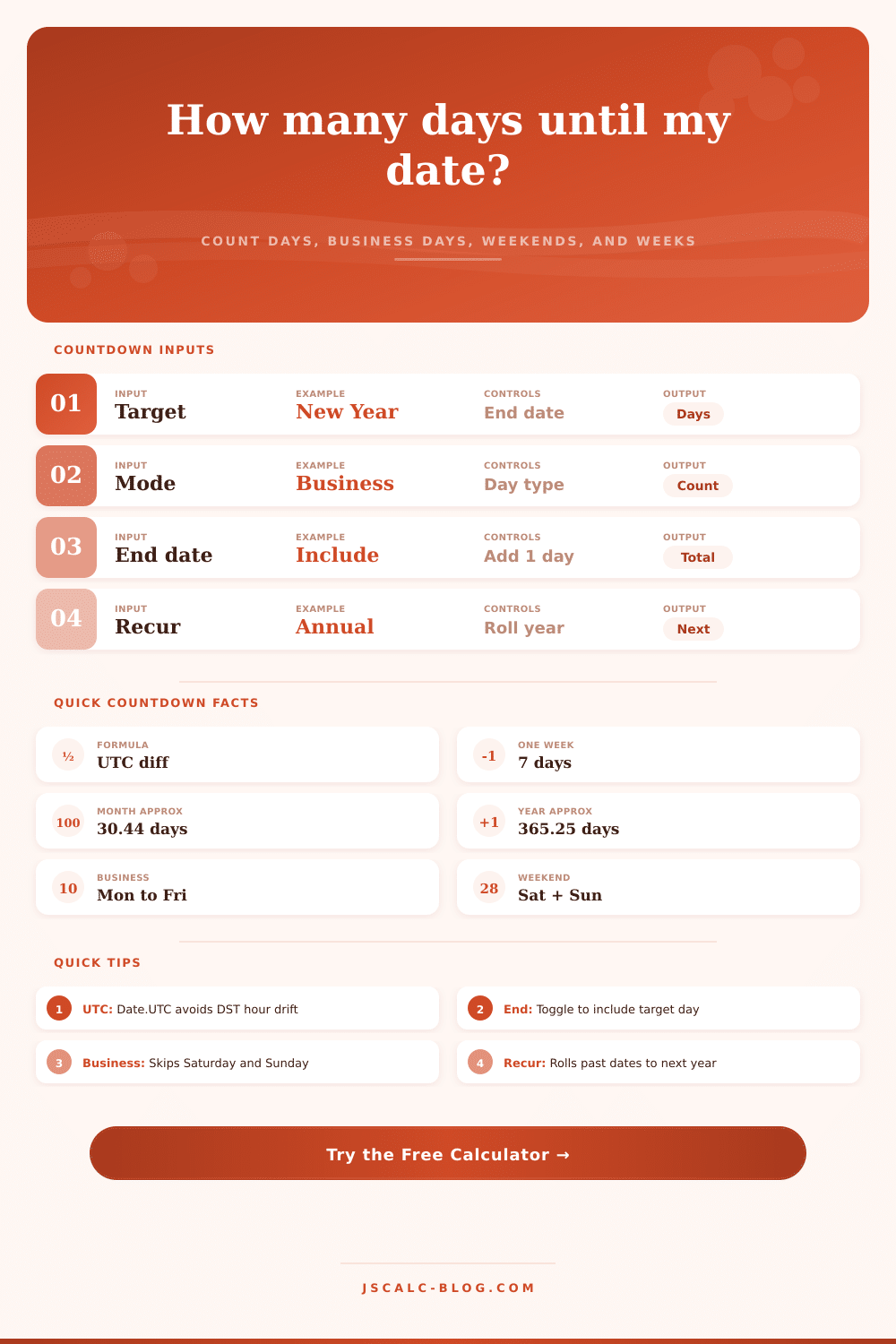
Count the days until any future date and see the business days, weekend days, weeks, months, and the exact weekday your event lands on. Pick a preset, choose a counting mode, and read the full method breakdown below.
🎯Popular Countdown Presets
📝Countdown Inputs
Shown on the results card and status line.
Defaults to today. Change it to count from any start day.
Used only for the waking-hours estimate in the breakdown.
🔢Time Equivalents
📊Upcoming Common Dates
| Event | Date | Weekday | Days Away | Weeks Away |
|---|---|---|---|---|
| Enter a from date above to list the days away for common events. | ||||
🗂Countdown Comparison Grid
| Event | Date | Days Away | Weeks | Business Days |
|---|---|---|---|---|
| The comparison grid fills in after calculation. | ||||
📆Days In Each Month Reference
| Month | Days (Common) | Days (Leap) | Quarter | Notes |
|---|---|---|---|---|
| January | 31 | 31 | Q1 | Starts the calendar year |
| February | 28 | 29 | Q1 | Leap year adds Feb 29 |
| March | 31 | 31 | Q1 | Spring equinox month |
| April | 30 | 30 | Q2 | 30-day month |
| May | 31 | 31 | Q2 | 31-day month |
| June | 30 | 30 | Q2 | Summer solstice month |
| July | 31 | 31 | Q3 | 31-day month |
| August | 31 | 31 | Q3 | 31-day month |
| September | 30 | 30 | Q3 | Autumn equinox month |
| October | 31 | 31 | Q4 | 31-day month |
| November | 30 | 30 | Q4 | 30-day month |
| December | 31 | 31 | Q4 | Ends the calendar year |
📏Unit Equivalents Reference
| Unit | Equals In Days | How It Is Used | Rounding Note |
|---|---|---|---|
| 1 week | 7 days exactly | days / 7 | Remainder shown as extra days |
| 1 average month | 30.44 days | days / 30.44 | Approximation, not calendar month |
| 1 average year | 365.25 days | days / 365.25 | Accounts for leap years |
| 1 day | 24 hours | days × 24 | Full clock hours |
| 1 fortnight | 14 days | days / 14 | Two-week block |
| 1 quarter | 91.31 days | days / 91.31 | One quarter of a year |
⚙Full Method Breakdown
💡Practical Countdown Tips
I’m starting to feel weirdly pressured about things I don’t really have yet. It’s because I know they’re going to arrive eventualy, but I can’t quite feel them right now. Maybe there’s a wedding or a deadline on my calendar months from now. Because it’s far off, it feels far off, and then week after week go by, until the line shortens and the timeline shrink itself in surprising ways.
That’s why we count down the days. It connects an abstract concept (“the wedding”) with a concrete measurement (“x amount of days”). It transforms a loose idea of a future date into a tangible unit of time that you can control. The day countdown calculator up there does the work for you, translating calendar dates into plain old numbers (weeks, weekends, business days, even hours). Then you can see the time not just as a number on a screen, but as something you can actualy spend.
Why Counting Down Days Helps You Plan Better
So there’s that: do you want to account for every calendar day? Or just the working ones? This distinction matter more than most people realize. Counting all days on the calendar gets you the truest deadline. The one where you’re accounting for strict dependencies in your project plan. But if you want to know how many hours of real work you’ve got, then switch to business days (and remove the weekends), because now you can see your actual capacity.
Now, the tool separates out Saturdays and Sundays as distinct from the rest of the working week, and it doesn’t let those non-working hours dilue your perception of how much time you actually have. It is a tiny toggle, but it is an altogether different strategy. It changes from “how long ’til then?” to “how much can I do before then?
Secondly: it’s inclusive! Which means do you also include the target day? And the answer, often times, is yes. When you ship a package, the day it arrives are included. When you prepare for an event, the set up occurs on the day-of. You can add the last day as part of your overall tally, so now you have one more unit in your headcount. This feels trivial and yet across time frames it leads to scheduling confusion if you’re not careful about how you account for these boundary days. Get this setting out of the way upfront so that your mental model matches what you need.
However, there’s another issue with recurring events. Events like birthdays, anniversaries, and annual reviews all occur yearly. If you type in something that has occurred this year (e.g., January 1), your plain calculator will display -x days remaining, which isn’t particularly useful. Instead, the repeat function rolls over to the next instance of the date, giving you a positive number of days until the event, so it is always counting forward. It reflects our thought process on things that happen every year. We don’t count down to last Christmas; we count down to the next one. Your calendar tool now does this for you, saving you from having to make adjustments by hand each year.
To make this more concrete, think about how many days there are in a week versus a month. It’s seven days for a week; on average, it’s around thirty point four four days for a month. Why the fraction? Well, because different months has either twenty eight or thirty one days. The calculator is trying to show a sense of proportion by using those averages when converting your interval to months or years. Two hundred days does feel like half a year, until you realize what half a year really mean when broken down by weeks. Chunks of time are much easier to visualize, which makes planning milestones simpler. Instead of looking at a huge number of days all at once and feeling overwhelmed, set checkpoints at each week interval.
Then there’s the complication of leap years, which even many casual counts fails to consider. For one thing, February jumps back and forth between twenty eight and twenty nine days, throwing the whole calendar rhythm off just a little. To deal with this, the calculator uses the exact timestamps in UTC provided for each date. That way it doesn’t matter what your computer or phone does when they switch to daylight saving time; a single misplaced hour will throw your day count off if you’re not careful. But because it uses universal time, the number of days between any two dates will be the number of times the clock has passed exactly twenty four hours. No guesswork about shifting clocks, no uncertainty: a firm foundation upon which to plan.
So at its core, countdowns are really about building up (and tamping down) anticipation… whether it’s for a big work deadline or a vacation. When you know exactly how much time remains in days, it enables you to more effectively focus your efforts. You’ll know what day it lands on, such as whether it is a weekday. You will know if it lands on a weekday or a weekend, how many weeks are left, how many weekends there are, and how many waking hours remain, so you can prepare to match. It’s less about staring at the digits ticking downward and more about using that visibility to make the most of the time you do have.