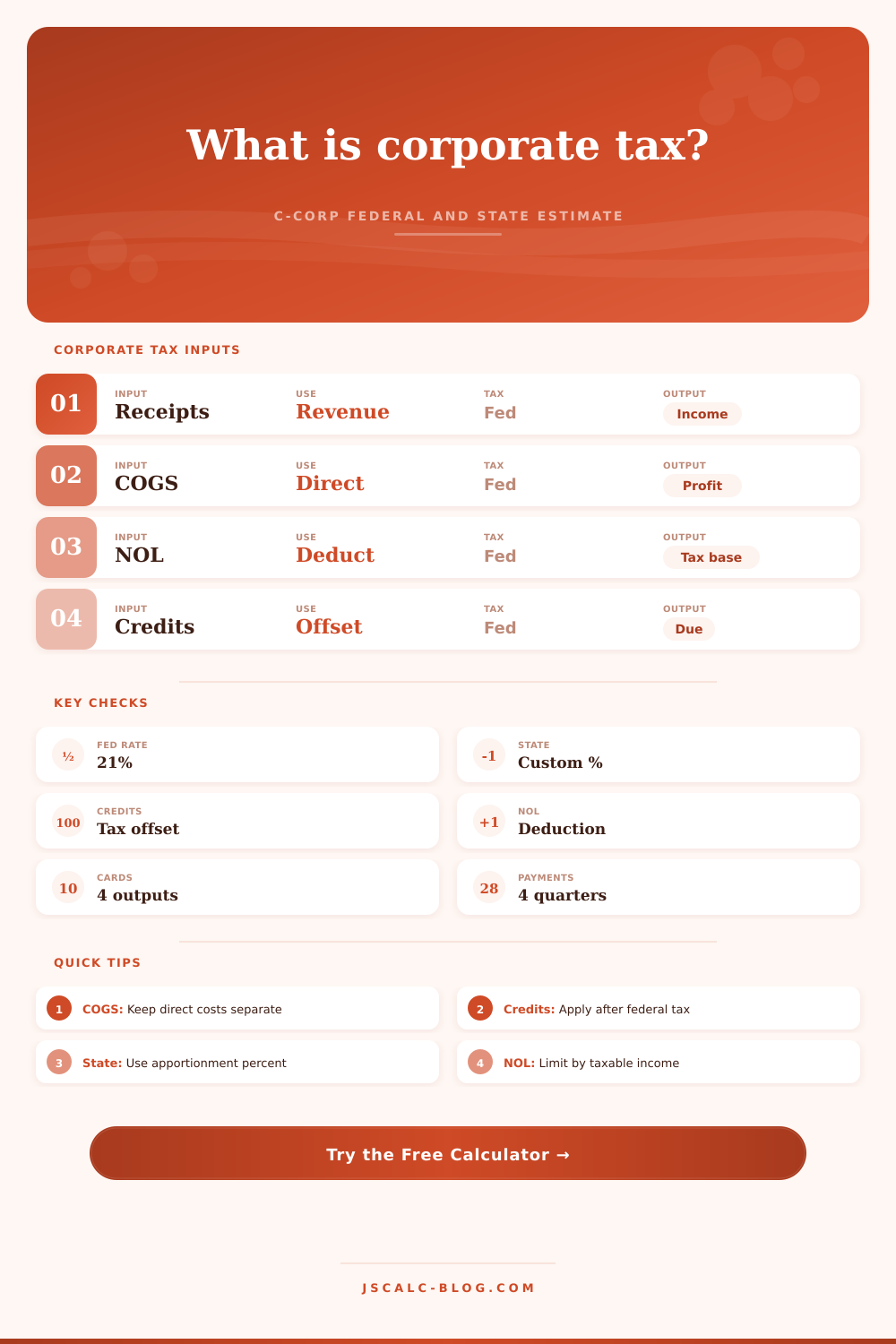
Corporate Tax Calculator
Estimate U.S. C-corporation federal income tax at 21%, state corporate tax, federal credits, NOL use, effective tax rate, and estimated payment needs from one planning worksheet.
Each preset loads a complete C-corp scenario. Edit any amount, rate, payment, or credit input to model your own estimate.
| Scenario | Taxable income | Federal tax | State tax | Total tax | Effective rate | Due/refund |
|---|---|---|---|---|---|---|
| Run the calculator to compare scenarios. | ||||||
| Component | Calculator treatment | Formula role | Result affected | Common check |
|---|---|---|---|---|
| Gross receipts | Positive income input | Starting revenue | Taxable income | Match sales ledger |
| COGS | Subtracted before gross profit | Direct cost deduction | Gross profit and margin | Separate from overhead |
| Operating expenses | Subtracted after COGS | Ordinary deduction | Pre-NOL profit | Exclude owner draws |
| Depreciation | Subtracted as a tax deduction | Capital cost recovery | Taxable income | Use tax schedule |
| NOL deduction | Capped at available income | Reduces tax base | Federal and state base | Track carryforward |
| Tax credits | Applied after gross tax | Reduces tax liability | Net tax due | Check limits and carryover |
| Step | Expression | Default rate | What it means | Calculator output |
|---|---|---|---|---|
| Gross profit | Receipts - COGS | None | Sales left after direct cost | Metric and breakdown |
| Pre-NOL profit | Gross profit - deductions | None | Income before NOL and credits | Effective rate base |
| Taxable income | Pre-NOL profit - NOL | None | Federal C-corp tax base | Card and grid |
| Federal gross tax | Taxable income × 21% | 21% | Estimated federal tax before credits | Breakdown row |
| Federal net tax | Gross tax - credits | Credit cap | Estimated federal tax after credits | Federal card |
| Total tax | Federal net + state net | Custom | Combined corporate income tax estimate | Total card |
| State case | Rate input | Apportionment | Adjustment input | When to use |
|---|---|---|---|---|
| No income tax state | 0% | 100% | 0 | Only federal tax is modeled |
| Single-state filer | Actual state rate | 100% | Known addbacks | All income assigned to one state |
| Multi-state sales factor | Blended or home rate | State sales share | State differences | Part of income assigned to state |
| Credit-heavy state | Actual state rate | Assigned share | State addbacks | State credits reduce state tax |
| Loss state base | Actual state rate | Assigned share | Negative or positive | State taxable income may be zero |
| Rough planning blend | Blended rate | 100% | 0 | Use when details are not ready |
gross profit = gross receipts - COGS
pre-NOL profit = gross receipts - COGS - operating expenses - depreciation - amortization - interest - other deductions
taxable income = gross receipts - COGS - operating expenses - depreciation - NOL/credit adjustments
U.S. C-corp federal tax estimate = taxable income × 21%
state tax estimate = max(0, taxable income + state adjustments) × apportionment × state corporate tax rate - state credits
effective tax rate = total corporate tax / pre-NOL profit
Federal corporate taxes are a flat 21%. On paper this sounds easy, in reality it’s hard to determine what that percentage gets applied against. For example, taxable income is not same as revenue. First, you must reduce your revenue by the cost of getting there. The calculator will do the math for you so you can concentrate on why.
These are your gross receipts. (Your top line.) These are the costs of goods sold. Separate overhead from direct production costs. Don’t mix rent in with manufacturing expenses, your gross profit margin will look incorrect. And when your margin looks incorrect, your tax planning is off.
How to Use the Corporate Tax Calculator
These are operating expenses. Payroll. Software subscriptions. Marketing. There is legal fees. There is friction in doing business. Reduce your income before you even consider the tax rate.
Silent deductions include amortization and depreciation. Got a machine? You bought it three years ago. Don’t deduct its full price in year one. Spread it out. With this tool, enter those capital cost recoveries by hand. Why’s this important? Because some tax law let you claim accelerated depreciation on some assets, ignoring it means you’re bloating your taxable base.
Another deduction: interest expense. Borrowed money to buy inventory? That expense lower your income as well.
Next is the net operating loss field. Ouch! This one’s a power move. If you lost money in previous years, you get to apply those losses against today’s earnings. And the calculator limit this deduction to today’s taxable income. No negative tax base here. It is a good way to prevent results that make no sense.
Also, you may get tax credits. Tax credits differ than deductions. Deductions reduce your taxable income. Credits reduce your actual tax bill. A credit reduces your tax bill by the exact amount of the credit. This applies after 21%.
It gets complicated with state tax. Every state has its own rate. Some states has no income tax whatsoever. Other states use either payroll or sales to divide income. You can modify both the apportionment % and the state rate. For instance, if 50% of your income are earned in a high-income tax state, you shouldn’t be paying that entire amount of state tax. Modify it so you get a more realistic view of your overall liability.
The last number is the one you care about most: effective tax rate. What is your total tax as a percentage of your pre-tax profit? What is the true price paid for making that dollar? Your effective rate will not be 21% if you have significant NOL carryforwards or other big credits. Planning is why they exist.
The goal is to observe the gap between statutory rate vs actual rate. Run the numbers against scenarios. Perhaps you’re thinking about purchasing new equipment. Plug in the depreciation. Note the impact on your tax bill. Perhaps you’re in a loss situation for this year. Select the startup loss preset. Note the carryforward of the NOL.
Each part are broken out in the reference table on the page. It explains the order of entries (e.g., COGS precedes operating expenses), and it explains the role of credits as the last item in the calculation.
The edges are where most of error occur. Have you forgotten about dividing it up for the state? Are your credits and your deductions mixed up? Did you overstate your depreciation? Spend some time on the inputs. Check that the numbers match against your ledgers. Tweak them if they don’t feel right. Don’t expect perfection. Expect direction.
Before the deadline, you should of have a pretty good idea of how much you owe. The numbers matter. But so do the stories behind them.
Headline: The 21% rate. Story: The details. How does it work? What’s deductible? What’s a credit? How do they interact with this moddern rate? Keep more cash by understanding all that.
The effective rate is what matters. That’s your actual tax load. It is not a one-size-fits-all story, but one that fits you. Plan for that. Tweak assumptions in the tool. See if different moves change things.
Then meet with your accountant. They’ll refine the guess. But you go into that meeting armed with a reasonable number.