Capacitor Discharge Time Calculator
Work out how a charged capacitor bleeds down through a resistor. Enter R, C and the starting voltage to get the time constant tau = R x C, the time to fall to any target voltage using t = RC x ln(V0/Vc), the voltage left after a set time from V0 x e^-t/RC, plus the safe-drain time to reach 50 V and the energy stored as 0.5 x C x V0 squared.
⚡Real Discharge Presets
🔌Discharge Inputs
Time mode uses t = RC ln(V0/Vc); voltage mode uses V0 e^-t/RC.
The path the charge flows through as it drains.
Value of the capacitor being discharged.
Applies to the capacitance field above.
The voltage the capacitor starts charged to.
Time mode only. Must be below V0 for a valid solve.
Voltage mode only. How long the cap has been draining.
Unit for the elapsed time entered above.
Level treated as safe to handle, often 50 V.
Controls rounding on every result card.
🔢Formula Snapshot
📊Time Constant Multiples and Voltage Remaining
| Elapsed Time | Percent of V0 Left | Percent Discharged | Reads As |
|---|---|---|---|
| 0 tau | 100% | 0% | Fully charged |
| 0.5 tau | 60.7% | 39.3% | Just started |
| 1 tau | 36.8% | 63.2% | One time constant |
| 2 tau | 13.5% | 86.5% | Well down |
| 3 tau | 5.0% | 95.0% | Mostly drained |
| 4 tau | 1.8% | 98.2% | Nearly empty |
| 5 tau | 0.7% | 99.3% | Treated as empty |
| 6 tau | 0.25% | 99.75% | Trace charge |
| 7 tau | 0.09% | 99.91% | Negligible |
📌Bleeder Resistor Sizing Examples
| Capacitor | Bleeder R | tau = R C | 5 tau Drain | Bleeder Power at 325 V |
|---|---|---|---|---|
| 470 uF | 100 k | 47 s | 235 s | 1.06 W |
| 220 uF | 220 k | 48.4 s | 242 s | 0.48 W |
| 1000 uF | 47 k | 47 s | 235 s | 2.25 W |
| 100 uF | 150 k | 15 s | 75 s | 0.70 W |
| 2200 uF | 22 k | 48.4 s | 242 s | 4.80 W |
| 47 uF | 470 k | 22.1 s | 110 s | 0.22 W |
| 680 uF | 68 k | 46.2 s | 231 s | 1.55 W |
📏Capacitance and Time Unit Conversions
| Unit | Equals | In Base Unit | Typical Use |
|---|---|---|---|
| 1 F | 1 farad | 1 F | Supercaps, backup |
| 1 mF | 0.001 F | 0.001 F | Large bulk caps |
| 1 uF | 0.000001 F | 1e-6 F | Electrolytic, film |
| 1 nF | 0.001 uF | 1e-9 F | Snubbers, timing |
| 1 s | 1000 ms | 1 s | Slow bleed-down |
| 1 ms | 0.001 s | 0.001 s | Fast RC decay |
🗃R x C Discharge Comparison Grid
| R | C | tau = R C | Time to 50 V (from 325 V) | Time to Safe (5 tau) | 5 tau |
|---|---|---|---|---|---|
| 100 k | 470 uF | 47 s | 88.0 s | 235 s | 235 s |
| 220 k | 220 uF | 48.4 s | 90.6 s | 242 s | 242 s |
| 47 k | 1000 uF | 47 s | 88.0 s | 235 s | 235 s |
| 1 M | 100 nF | 0.1 s | 0.187 s | 0.5 s | 0.5 s |
| 10 k | 10 uF | 0.1 s | 0.187 s | 0.5 s | 0.5 s |
| 470 k | 47 uF | 22.1 s | 41.3 s | 110 s | 110 s |
| 22 k | 2200 uF | 48.4 s | 90.6 s | 242 s | 242 s |
| 1 M | 1 F | 1e6 s | 1.87e6 s | 5e6 s | 5e6 s |
| 150 k | 100 uF | 15 s | 28.1 s | 75 s | 75 s |
| 68 k | 680 uF | 46.2 s | 86.5 s | 231 s | 231 s |
⚙Formula Breakdown
💡Discharge Safety Tips
When you switch off a power supply, every technician wonders: How long do I wait before touching it? That’s what the capacitor discharge time calculator addresses. With a power supply off, the capacitor discharges through a resistor in an exponentially decaying way. This means its rate depend entirely on the capacitance multiplied by the resistance. The tool here compute that time constant for you. It figures out when the capacitor will reach whatever target voltage you pick. Or it can compute the remaining voltage after some delay. Or it can compute when the bus falls below some safe handling threshold. And it reveals how much energy was stored in the capacitor. Those numbers translate a guess into something you can defend as a waiting time.
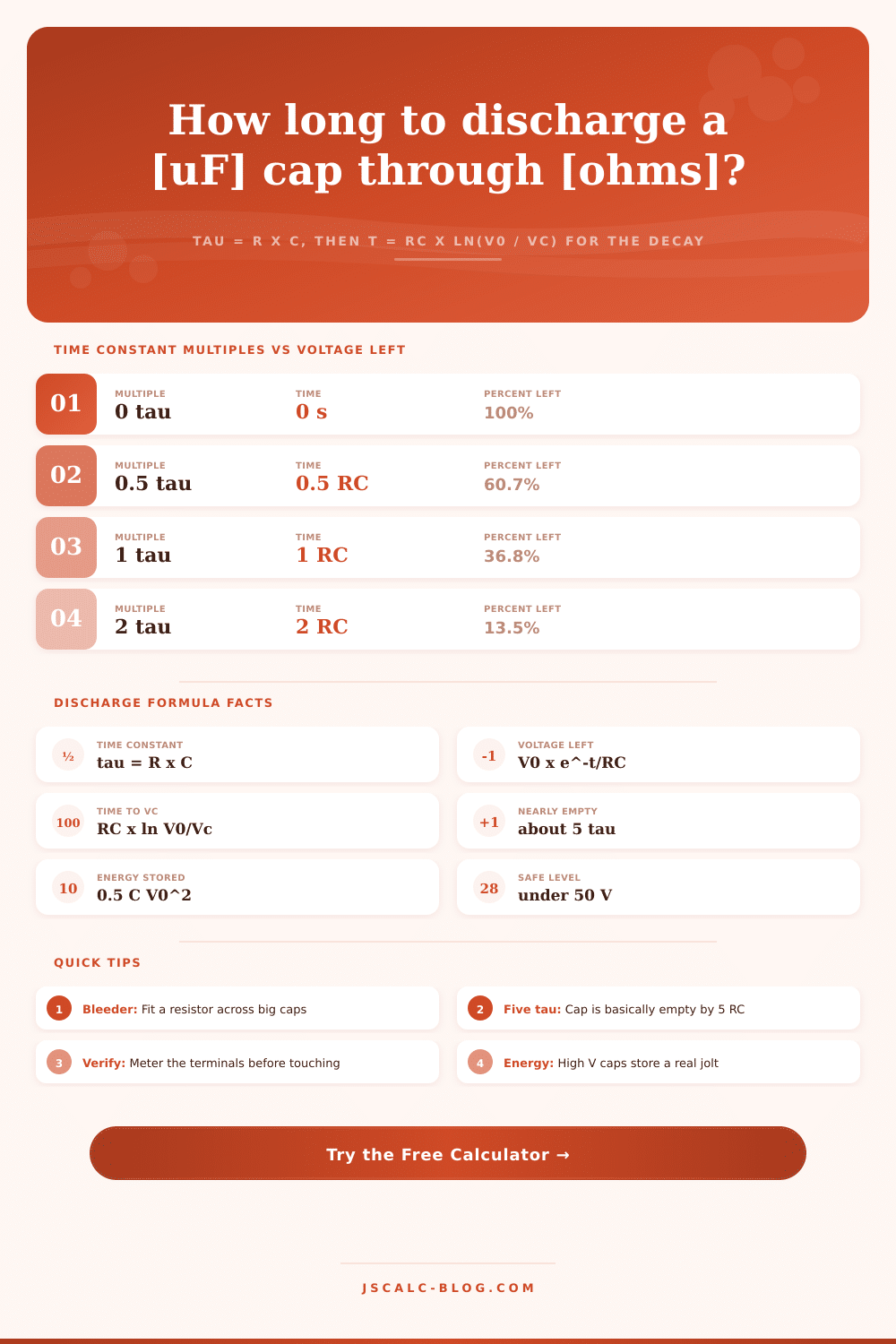
If you connect a charged capacitor to a resistor, it doesn’t dump the charge all at once. That’s because the resistor resists this current, whether it is the natural load or a purposefully added bleeder. The voltage decreases smoothly, it happens quickly at first. Then more slowly. It traces the curve Vc(t) = V0 x e^-t/RC. V0 is the initial voltage, R is the resistance that charge passes through, C is the capacitance, and t is how much time has elapsed. Because the shape is exponential, every equal slice of time causes the capacitor to lose a fixed fraction of whatever voltage remains. It eventually gets down to zero (but theoretically it never actualy does). In practice, picking a suitable cutoff makes the remaining charge unimportant.
How to Calculate Capacitor Discharge Time
The single most useful number in any RC discharge is called the time constant. Tau (that’s “tau” with no accent mark) equals R x C. Resistance is in ohms, capacitance is in farads, and tau are in seconds. It represents how long it takes for the voltage to decrease to 36.8 percent of what was originally there. If you have a 470 microfarad cap with a 100 kilohm resistor across it, then tau = 47 seconds. One tau, and the voltage has dropped to just over a third. Two tau, and it’s down to 13.5 percent. At three tau, it’s roughly 5 percent. This is the number upon which all the rest scales, so this is why the calculator prints it first. It’s the anchor point around which whole process decays.
There are two modes for this tool. In Time mode, you provide a target voltage Vc and it solves for the time t by first inverting the equation for decay: t = RC x ln(V0/Vc). For example, with a 325 volt bus dropped down to 50 volts via a 47 second time constant, it takes roughly 88 seconds. In voltage mode, you input an elapsed time and it spits back out the voltage that remains after that much time has passed. This is only sensible if the elapsed time results in a voltage that is lower than the starting voltage, a true discharge. If you input a Vc that is greater than or equal to V0, then the time solve reject it. It’s a tiny little guardrail but it keeps you from putting in silly things and getting nonsensical results.
It is cool because the calculator includes some safety that is missing from generic RC calculators. It will compute how long it would of taken for the voltage to drop below your specified safe-handling voltage. (The default is 50 volts.) That’s considered the line between unsafe and safe voltage by most. It’ll also tell you what energy it initially holds. How do you know? Well, E = 0.5 x C x V0 squared. And yes, even if it’s a small capacitor, it can still pack quite a wallop at high voltage when it lets loose. Having that energy value spelled out in joules is a reminder that waiting isn’t an option. Just because a voltage is low on paper doesn’t mean you aren’t still at risk for getting shocked.
Farads aren’t normally used in capacitor values. The calculator accepts microfarads and nanofarads and converts them internally. It formats time results sensibly, too. Fast snubber networks it switches to milliseconds. Slow, high-value bleeders it adds their equivalent in minutes. Bench scenarios are loaded via the preset buttons. They cover all the bases from a camera flash safe-down, through to a supply bleeder. Filling out the form instantly recalculates so you can see how they go together before typing in your own values. Having a few cases to compare side by side is better than just remembering them.
Rule of thumb for discharge: Five Tau Engineers nearly universally accept that after five time constants, they can assume the capacitor is discharged. Only 0.7 percent of the initial charge still stays on it at 5 tau. It’s negligible for practical purposes. This is why we’re given the old standby advice for sizing the bleeder to drop the bus safely down in one minute or less after turning off the power. A minute is just an estimate, though, and a bad bleeder will leave the cap fully charged until it suddenly discharges. Always measure the caps’ terminals before touching them, and make sure the meter shows the voltage has dropped. The math says so, but let reality be your guide.
First, load a preset close to your circuit. Adjust the starting voltage, resistance and capacitance to match your hardware. If you need a waiting time, switch into time mode. Otherwise, go for voltage. Review the breakdown panel (along with the result cards) to see all values checked. Use this tool when you’re making a discharge network design, checking a service procedure, or even determining how long to let something sit. It provides reliable numbers and a definite safe margin. Speed is nice but knowing that it’s really empty before you stick your hand in there is better.