Beat Frequency Calculator
When two tones of nearly equal pitch sound together they interfere, and you hear a slow pulsing at the beat frequency f_beat = the absolute difference of the two source frequencies. This tool finds that beat rate, the beat period, the average carrier pitch, how many beats occur in a time window, and the cents off for tuning, or works backward from a known beat to the unknown second frequency.
🎼Choose a Mode
🎯Real Two-Tone Presets
🔊Tone Inputs
The steady reference pitch, for example a tuning fork.
1 kHz equals 1000 Hz.
The tone being compared or tuned against tone 1.
Applies to frequency 2 above.
Beats per second you count by ear, used in reverse mode.
Which way the second tone sits relative to f1.
Time span used to count total beats heard.
Controls rounding on every result card.
🔢Formula Snapshot
📋Two-Tone Beat Examples
| Frequency 1 | Frequency 2 | Beat f = |f1 - f2| | Sounds Like |
|---|---|---|---|
| 440 Hz | 440 Hz | 0 Hz | Dead in tune |
| 440 Hz | 441 Hz | 1 Hz | 1 pulse/sec |
| 440 Hz | 442 Hz | 2 Hz | Slow wobble |
| 440 Hz | 444 Hz | 4 Hz | Clear beating |
| 256 Hz | 260 Hz | 4 Hz | Fork mismatch |
| 330 Hz | 333 Hz | 3 Hz | Noticeable |
| 500 Hz | 507 Hz | 7 Hz | Fast flutter |
| 1000 Hz | 1015 Hz | 15 Hz | Roughness limit |
⏲Beat Frequency to Period Chart
| Beat Frequency | Beat Period T = 1 / f | Beats in 5 s | Beats in 30 s | Perception |
|---|---|---|---|---|
| 0.5 Hz | 2.000 s | 2.5 | 15 | Very slow sway |
| 1 Hz | 1.000 s | 5 | 30 | One per second |
| 2 Hz | 0.500 s | 10 | 60 | Easy to count |
| 3 Hz | 0.333 s | 15 | 90 | Steady pulse |
| 5 Hz | 0.200 s | 25 | 150 | Fast throb |
| 10 Hz | 0.100 s | 50 | 300 | Flutter |
| 15 Hz | 0.067 s | 75 | 450 | Blurs to rough tone |
🎵Tuning Reference Pitches
| Note | Standard Pitch | Sharp by 2 Hz | Beat vs Standard | Cents Off |
|---|---|---|---|---|
| A2 | 110.00 Hz | 112.00 Hz | 2 Hz | +31.2 cents |
| A3 | 220.00 Hz | 222.00 Hz | 2 Hz | +15.7 cents |
| A4 | 440.00 Hz | 442.00 Hz | 2 Hz | +7.85 cents |
| Middle C | 261.63 Hz | 263.63 Hz | 2 Hz | +13.2 cents |
| E4 | 329.63 Hz | 331.63 Hz | 2 Hz | +10.5 cents |
| G3 | 196.00 Hz | 198.00 Hz | 2 Hz | +17.6 cents |
| A5 | 880.00 Hz | 882.00 Hz | 2 Hz | +3.93 cents |
📏Frequency Unit Conversions
| Unit | Equals | In Hertz | Note |
|---|---|---|---|
| 1 Hz | 1 cycle/s | 1 Hz | Base frequency unit |
| 1 kHz | 1000 Hz | 1000 Hz | Kilohertz |
| 1 mHz | 0.001 Hz | 0.001 Hz | Millihertz, very slow |
| 1 cycle | 1 period | - | One full oscillation |
| 1 BPM | 1/60 Hz | 0.01667 Hz | Beats per minute |
| 1 rad/s | 1/(2 pi) Hz | 0.15915 Hz | Angular frequency |
🗃Two-Tone Beat Comparison Grid
| Tone 1 | Tone 2 | Beat f | Beat Period | Carrier f_avg | Cents Off |
|---|---|---|---|---|---|
| 440 Hz | 441 Hz | 1 Hz | 1.000 s | 440.5 Hz | +3.93 c |
| 440 Hz | 442 Hz | 2 Hz | 0.500 s | 441.0 Hz | +7.85 c |
| 440 Hz | 444 Hz | 4 Hz | 0.250 s | 442.0 Hz | +15.7 c |
| 440 Hz | 437 Hz | 3 Hz | 0.333 s | 438.5 Hz | -11.8 c |
| 256 Hz | 260 Hz | 4 Hz | 0.250 s | 258.0 Hz | +26.8 c |
| 261.63 Hz | 264.63 Hz | 3 Hz | 0.333 s | 263.1 Hz | +19.7 c |
| 329.63 Hz | 333.63 Hz | 4 Hz | 0.250 s | 331.6 Hz | +20.9 c |
| 1000 Hz | 1006 Hz | 6 Hz | 0.167 s | 1003 Hz | +10.4 c |
| 82.41 Hz | 85.41 Hz | 3 Hz | 0.333 s | 83.91 Hz | +61.9 c |
| 50 Hz | 53 Hz | 3 Hz | 0.333 s | 51.5 Hz | +100.9 c |
⚙Formula Breakdown
💡Practical Tuning Tips
When you play two tones that is almost but not quite identical, they don’t just join to form an unchanging chord. Instead, they beat. That is, their volume pulses up and down regular but slowly. The number of times this happens per second are the beat frequency, or the rate of the pulsation.
This is the sound of wave interference made concrete; audible instead of merely theoretical. All you have to do is put in two frequencies of the sources of the waves you want to combine, and the calculator on top does the maths for you. It will then report back on the beat rate and the time between beats. It shows how often there are beats within any period of time you listen, what the perceived average pitch of the combined tone your ear hears, and even interval between them in cents. This lets both techies and musicians link directly to level of tuning accuracy involved.
What Is Beat Frequency?
Interference patterns cause beats. If you play two notes whose frequencies is f1 and f2 together, occasionally their crests will be in line with one another. Then they increase each others’ amplitude and we hear a loud moment. Other times they cancel out and what we hear is…nothing. The alternation between cancellation and enhancement occur as fast as the difference in the frequencies.
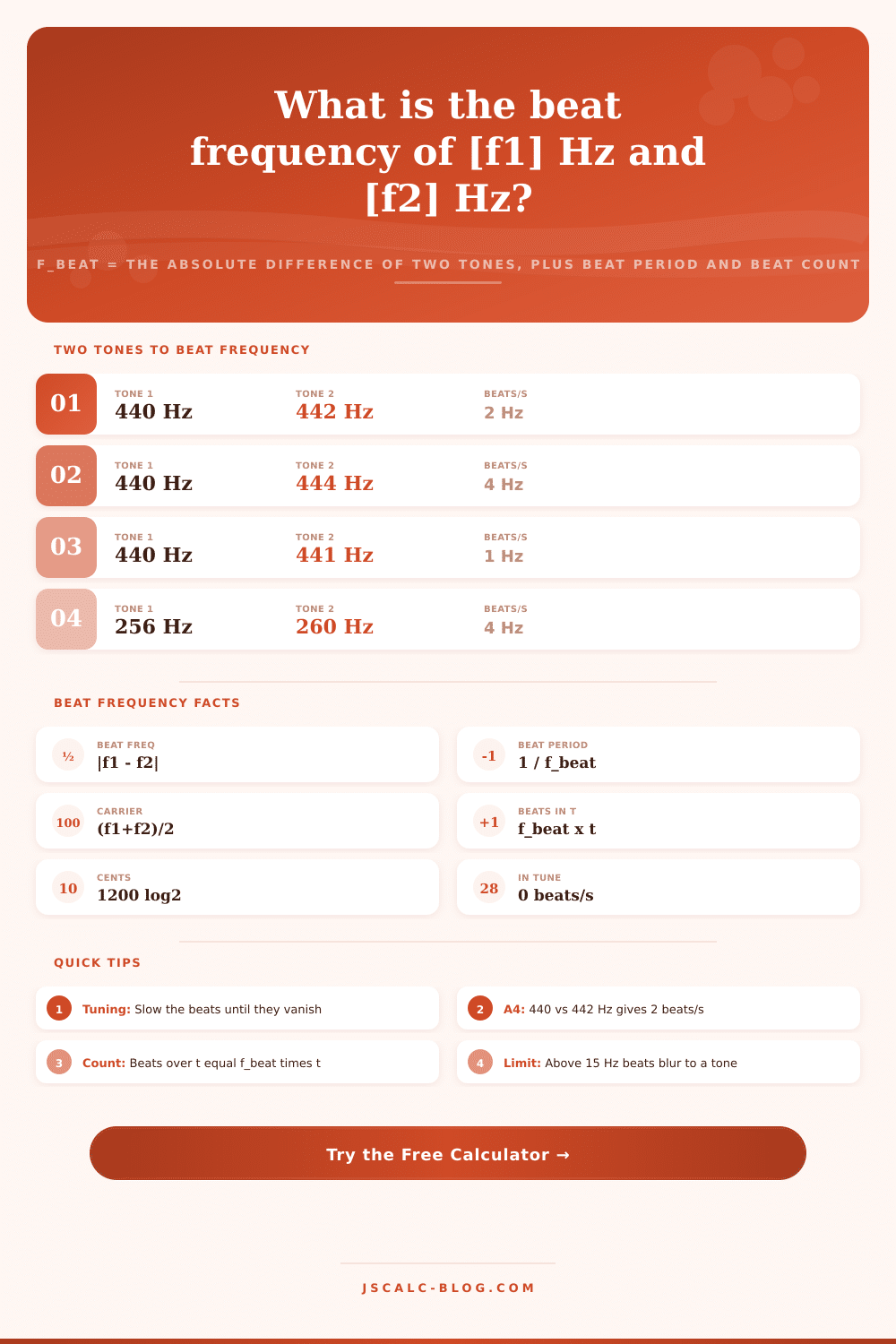
The rule is: take the absolute value of (f1. F2). This is called the beat frequency. If I have two tones at 440 Hz and 442 Hz they beat at 2 Hz. In other words, the sound swell twice every second. Why do we need the absolute value? It doesn’t matter if the second note are above or below the first. A 2 Hz gap always results in 2 beats per second, regardless of which number is higher.
It’s all pretty straightforward subtraction, with some handy other numbers derived from that figure. From the beat rate, we get the time from one swell to the next, called the beat period. It’s just the inverse of the rate. If the beat rate is 2 Hz, then the period will be half a second. The carrier or average frequency fall midway between the two sounds. It’s the pitch that your ear hears beneath the pulsating action. Finally, if you want to know how many times you hear a beat in a given interval, you multiply the beat rate by duration. These results appear as soon as you calculate them, and a breakdown panel displays all the figures used so you can follow the maths, should you have to.
However, the more practical question goes the other way. You’ve got the unknown tone that you’re adjusting, you can hear it, you know the number of beats per minute, now you’d like to find out what the frequency is of known tone. That’s what the reverse mode is for. Feed it the reference frequency and the number of beats you counted. Select whether the unknown frequency falls above or below the reference, and presto! If string vibrates at 256 Hz and beats four times per second, the string is at 256 + 4 = 260 Hz. That’s exactly how a piano tuner does their job. They count the number of beats against the known reference and adjust until they get desired number.
This is why the tuner is the best friend of beating as you can hear the slower pulsing much more easy than try and detect a slight difference in pitch. Two tones get closer together until they are finally exactly the same, meaning there are no beats per second and interval is perfectly in tune. The calculator uses a logarithmic equation that converts this to cents (100 cents = one semitone equally tempered). A 2 Hz beat at A4 is approximately 7.85 cents away, which an experienced ear can immediately hear.
For a given number of beats, the cents value is smaller at higher frequency. Therefore, a given beat rate feels less dramatic at high frequencies. Onscreen results of each calculation are displayed as four cards. The first, titled beat frequency, displays the rate at which they pulse together (or the word “in tune” if it’s not pulsing), expressed in Hertz. The second card, titled beat period, indicates the number of seconds between swells (or an infinity symbol when no beating occurs). Average carrier card represents the midpoint between the tones as heard, while the beats-in-window card displays the total number of swell during the duration you specified.
A single switch toggles the rounding on all the cards, which can be useful for when you need extra accuracy for scientific purposes, but just want a neat whole number elsewhere. But if we keep the two frequencies near each other, the beat picture persists. When they get more than about 15 Hz apart, your ear loses track of one swell and another. It hears just a sort of rough buzzing texture. And when they go beyond that, the two tones simply sound like different pitches.
These reference tables stop the range where the beating sounds clean at around 15 Hz and describe any wider difference in terms of roughness. The tables proceed through the rates of beater from that lazy half-hertz increase until they hit the flutter limit. Then they specify the corresponding periods and how many beats occur in five seconds and in thirty. So you can correlate what you’re hearing with a number. Frequency pairs are loaded via preset buttons that use everyday tuning situations. For example, there’s a gentle two beat wobble (A4) at 440 Hz with 442; then clearer beating with the same note but set to 444; plus a unison setting where no beats is heard at all. Other presets cover middle C; a guitar’s low E string, an organ celeste rank deliberately detuned to shimmer, and a pair of tuning forks.
Everything calculates instantly as you fill out the form, providing a worked case for you to study or alter. A little goes a long way. Beat frequency appears in vibration analysis, radio mixing, acoustic labs, and even music tuning. The list stretches out and there’s not much to it. The beat period, the carrier pitch, the beat count, and the cents value add up fast. Doing the subtraction in your head is simple. Wasting time leads to mistakes at the bench or at an instrument. Bring all those together into one place and you can focus instead on adjustment and listening rather than arithmetic.
Select a preset, input your own tones, read the four cards, and run through the breakdown. Whether you are tuning a piano, chasing down an unwanted hum, or teaching about wave interference, the beat frequency calculator delivers reliable numbers in seconds. Whatever your need, the beat frequency calculator delivers reliable numbers in seconds. Slow pulse, instant answer.