500 Rule Exposure Calculator
Estimate the longest unguided night-sky shutter from focal length and crop factor, then compare that classic rule with pixel pitch drift and declination.
Pick a kit preset or enter your own lens and camera values.
Lens, Camera, And Sky Presets
Exposure Inputs
Four Exposure Cards
Drift Comparison Grid
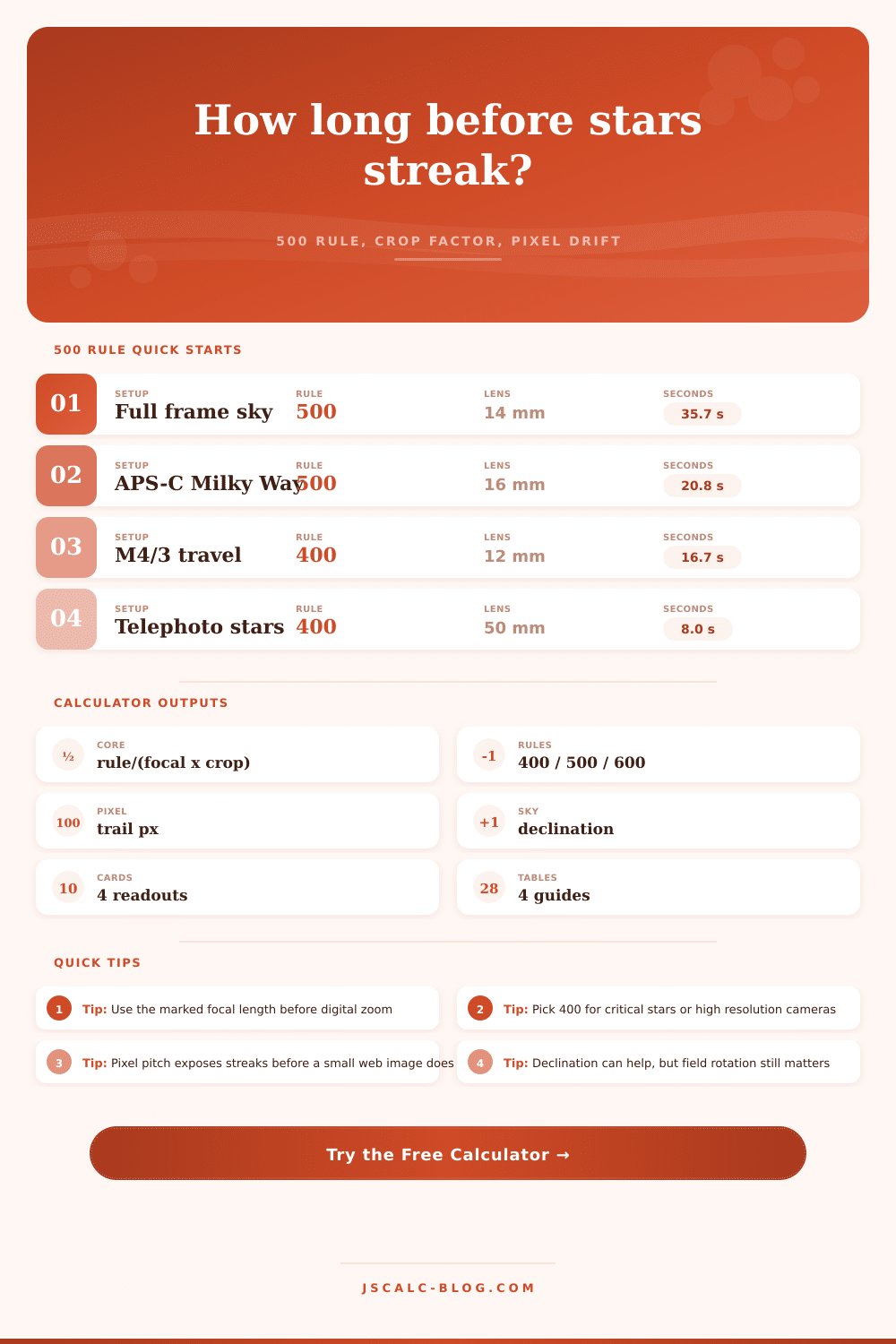
The classic 500 rule is a framing rule, not a guarantee of pixel-perfect stars.
Tip Box 1: Choose The Rule By Output
Use 600 only when small viewing size hides short trails. Use 500 for quick field work. Use 400 when high resolution review or large prints matter.
Tip Box 2: Declination Needs Caution
Stars near high declination move slower across the sensor, but foreground alignment, field rotation, and lens distortion can still show streaks before the math looks dangerous.
Formula Breakdown
| Step | Expression | Live value |
|---|---|---|
| Rule time | max exposure seconds = ruleConstant/(focalLength*cropFactor) | 35.7 seconds |
| Effective focal length | focalLength x cropFactor | 14.0 mm equivalent |
| Pixel scale | 206.265 x pixelPitch / focalLength | 86.9 arcsec/pixel |
| Declination drift | 15.041 x cos(abs(declination)) | 13.63 arcsec/second |
400, 500, 600 Rule Table
| Rule constant | Exposure seconds | Pixel drift | Best use |
|---|---|---|---|
| 400 | 28.6 s | 10.4 px | Sharper review |
| 500 | 35.7 s | 12.9 px | Classic field estimate |
| 600 | 42.9 s | 15.5 px | Small display output |
Pixel Pitch Comparison
| Pixel pitch | Scale at this focal length | Time for selected tolerance | Reading |
|---|---|---|---|
| 2.4 um | 35.4 arcsec/pixel | 5.2 s | Very demanding |
| 3.76 um | 55.4 arcsec/pixel | 8.1 s | Modern mirrorless or astro camera |
| 5.9 um | 86.9 arcsec/pixel | 12.8 s | Large pixel DSLR style |
| 8.4 um | 123.8 arcsec/pixel | 18.2 s | Forgiving large pixels |
Declination Caution Table
| Declination zone | Sky motion cue | Exposure caution | Field note |
|---|---|---|---|
| Near 0 deg | Fastest apparent drift | Be conservative | Celestial equator reveals trails quickly. |
| 20 to 45 deg | Moderate drift | Rule time may hold for web views | Still inspect corners after focusing. |
| 60 deg plus | Slow drift | Do not simply multiply time upward | Field rotation and lens edges can dominate. |
This calculator is provided by JSCalc-Blog.com for planning only. Make a test exposure, zoom into the corner stars, and shorten the shutter if trails bother your final use.
Patience is required when shooting the night sky; there’s always a trade off between sharpness and light gathering. You’ve focused manually, balanced your ISO, and framed your shot. It’s now time to choose your shutter speed. Expose it too long and the stars appears as streaks. Expose it to short, and you may not capture enough detail.
While the calculator tells you the numbers, knowing why the numbers change make you a better shooter. There’s also the old way: the 500 rule. Take the 500 divided by the lens’s focal length times the crop factor of your camera. For example, a 14-millimeter lens on full-frame camera yields approximately 35 seconds. That sounds like enough.
How to Choose the Right Shutter Speed
But remember, this rule originated with film, and even low-res digital sensors. It’s based off the idea that some blurring will be tolerated. Maybe you’ll see it on your phone screen, where smudges may not show up at all. Or maybe you’re going to zoom in and print big (then those smudges is glaring flaws).
Switch the constant to 400 in the calculator for a more conservative guess. Go as high as 600 if you’re doing this just for an instant preview on the Web.
Secondly, sensor itself matters. We put more and more megapixels on same piece of silicon, which means that each pixel are smaller. And this is where pixel pitch comes into play. For a given amount of time, smaller pixels produce greater resolution, yet also expose star trails sooner. Because it’s calculating true pixel drift (not mere perceived motion), the tool may say “cut it down from 30 seconds to six.” That’s a hard pill to swallow if you shoot at high resolution. Why does my picture appear soft despite following textbook guidance?
You’ve got it now. But there’s another element to all of that: declination. Stars closer to the poles will appear to drift through the sky slower then those closer to the celestial equator. That makes a difference when capturing images of the Milky Way core. Why? Because the sky isn’t a still canvas! The calculator accounts for that.
Field rotation is also relevant here. Since we’re on a rotating Earth, stars near the top of your frame will actualy rotate at one angle compared to stars nearer the bottom of the frame. That results in distortion seen in the corners of your image. Often it’s visible well before the middle of your frame show signs of streaking. That’s why a test exposure is always necessary (not just prudent).
There are also several preset buttons on the tool that provide a shortcut for most common scenarios. It automatically does crop factor conversions, meaning you don’t need to be doing any mental arithmetic in the dark. But do not accept the output as a hard limit. Accept it as a starting point.
A cheap head may not hold focus. Tripods gets shaken by wind. The sky condition will change. Take the calculated time as your base line, and tweak from there. Shorten the shutter if the stars are looking soft, bump up the ISO to compensate. If they’re too noisy, try stacking multiple shorter exposures. Try stacking multiple shorter exposures.
The math provides the theory. The test shot provides the truth. As with all astrophotography, it’s really about the management of both light and expectation.
You can’t capture the entire Milky Way in a single exposure without some compromise. But at what cost? Maybe a cleaner background? Or cleaner stars? The tool measures the trade off so the guesswork becomes a conscious choice.
Know your equipment (sensor size and focal length), know how the sky moves, and you won’t of to worry about the numbers anymore. You trust your eyes again. The stars are going to move anyway, but now you’ll know by just how much.