Working Hours Between Dates Calculator
Count scheduled working hours across a date range with selected workdays, partial start and end times, unpaid breaks, holidays, and inclusive or exclusive range rules.
Used as the gross daily schedule before break subtraction.
Subtracted for each counted day; partial days use a proportional break.
Optional manual subtraction for shutdowns, training, or maintenance.
Enter one date per line as YYYY-MM-DD. Dates outside the counted range are ignored.
Working hours result
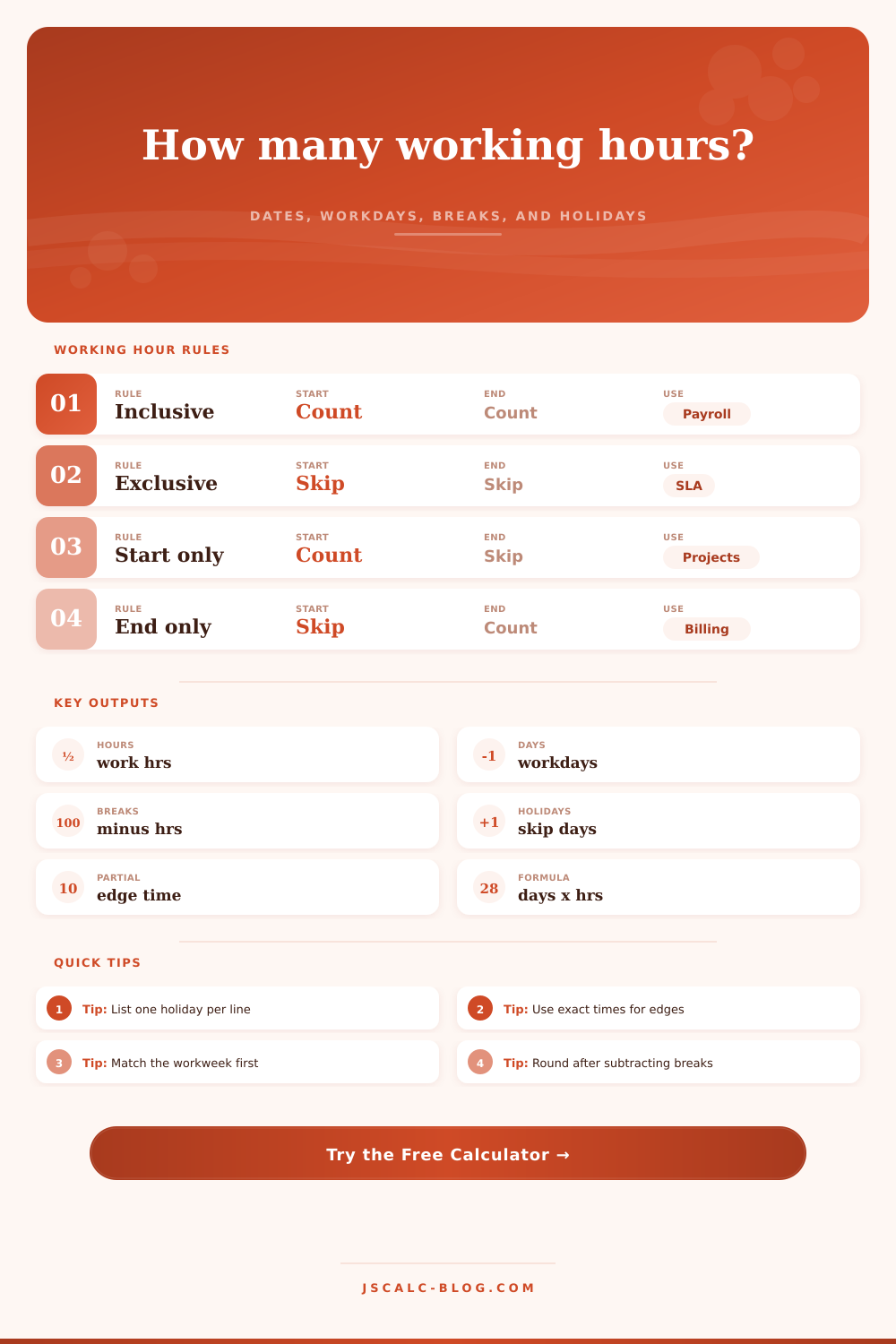
Count both edge dates.
Skip both edge dates.
Count listed holidays.
Ignore edge times.
| Scenario | Rule | Workdays | Net hours | Excluded | Note |
|---|---|---|---|---|---|
| Current inputs | Inclusive | 0 | 0 | 0 | Calculate to fill this table. |
| Range length | Selected workdays | Gross hours | Break hours | Net hours |
|---|---|---|---|---|
| 1 week | 5 | 40 | 5 | 35 |
| Pattern | Typical selected days | Daily gross | Break default | Common use |
|---|---|---|---|---|
| Office 5-day | Mon-Fri | 8.0 h | 0.5-1.0 h | Payroll ranges, project capacity |
| Four tens | Mon-Thu | 10.0 h | 0.5 h | Compressed workweeks |
| Six-day retail | Mon-Sat | 7.5-8.0 h | 0.5 h | Store and roster planning |
| Weekend crew | Fri-Sun | 10.0-12.0 h | 0.5-1.0 h | Operations coverage |
| Always open | Sun-Sat | 24.0 h | 0 h | Uptime windows and facilities |
| SLA business | Mon-Fri | 8.0 h | 0 h | Response clock calculations |
| Step | What the calculator does | Formula piece | Why it matters |
|---|---|---|---|
| 1 | Iterates each date in the range | start date to end date | Prevents average-week shortcuts from missing edge cases. |
| 2 | Applies the inclusive or exclusive rule | counted date set | Matches billing, payroll, deadline, or SLA policy. |
| 3 | Keeps only selected workdays | eligible workdays | Supports normal, compressed, weekend, and 24/7 calendars. |
| 4 | Subtracts listed holidays | holiday workdays removed | Closed days should not contribute scheduled hours. |
| 5 | Multiplies by scheduled hours/day | workdays x daily hours | Creates gross scheduled hours before adjustments. |
| 6 | Adjusts partial start and end days | edge overlap with shift | Counts only the actual work-window overlap on edge dates. |
| 7 | Subtracts breaks and extra closures | gross - breaks - extras | Returns net productive working hours. |
Remember the last time you thought a project would only require two weeks? But somewhere inside, you knew it was going to take another week? You weren’t just being anxious.
There’s this invisible resistance of wasted time, something no date range on a calendar can capture alone. While the regular calendar provide the number of days between a beginning and an end, it is unaware of the nature of human work. It has no clue about holidays, lunch breaks, or the fact that you don’t actualy work from midnight to midnight. And that’s where most estimated timelines comes unstuck.
Stop Guessing: Calculate Real Work Time
Once you enter your exact schedule into the calculator above (which takes out the guess work of converting and coefficients), it’ll crunch numbers for you. It’s more than just counting the number of days, though; it calculates your actual productive or billable hours.
Input the starting and ending date of your work and then the fun part come in the settings. Here’s where you decide exactly how a workday works for your team. Is it the traditional 9am-5pm with an hour break for lunch? Or perhaps it’s a compressed four-day workweek with ten-hour shift? The system adjusts based off this fact about your life.
Most folks neglect the fact that they aren’t working full days when their projects begins halfway through the day. For example, if your project begins on Tuesday at 2pm, you’re not working an eight-hour day. You’re only working six. Unless you factor in that beginning-of-the-week time, you’re overestimating from day one.
Holidays are another sneaky time suck. Maybe your office has a retreat and closes down one week, but a public holiday falls during that week (which would be Tuesday). That’s going to cost you two days of zero output. You can specify individual dates that will be excluded from the calculation so your net hours only include the times when you’re actualy available, not simply theoretically able to work.
This can make all the difference in service level agreements, where you may guarantee your client an eight hour turnaround. It means eight working hours, not eight clock hours. A ticket filed at 4:55 PM on Friday doesn’t have the clock ticking over the weekend. It resets Monday morning.
The comparison grid lets you see how those differing counts break out, which times gets included under inclusive counting vs. This uses more realistic business logic.
The last element in this equation: breaks. When we think about working eight hours, we imagine that those eight hours is spent doing eight hours of work. But according to human biology and labor laws, no such thing exist. Taking one unpaid hour off for lunch reduces your actual productive time down to seven. Account for that if you’re budgeting out payroll; don’t account for it if you’re estimating how much work can be accomplished.
Those lost hours add up over the course of a month until they cause a lot of drift. What seemed like four hundred hours of capacity turns out to actualy be only three hundred and fifty once you remove holidays, breaks, and half-days at the edges. This is a fifteen percent gap in your total bandwidth. This is laid out plainly in the reference tables on the page, which detail how various shift patterns affects the overall result. An eight-hour day, five days a week at a corporate office doesn’t have the same capacity as a seven-hour day, six days a week at a retail store.
It’s more than just spitting out a number: the tool actually makes you define your constraints. What do you count as work? Is maintenance downtime excluded from the equation? Is training time billable? That’s not just math (those are business decisions). And by making you enter those details into the calculator, it take away some of the ambiguity that can lead to missed deadlines and burned-out team.
So yes: There’s no replacing time. But getting it right isn’t so much about going faster… It’s about being precise with estimates.
Remove all the extra “noise” (holidays, weekends, breaks) from your calendar, and you’ll have a better idea how much time remains. Spoiler alert: Your calendar doesn’t look as busy as you think. Getting it right will save your sanity, but also your spreadsheet.
You shouldn’t of fight an imaginary timeline anymore. Instead, you work according to reality. And that makes all the difference between being in control and feeling stressed.