Hours Calculator With Lunch
Enter your clock in and clock out times, subtract an unpaid lunch break and any extra breaks, and get net worked hours in hours and minutes, decimal hours, and optional gross pay.
🍴Real Shift Presets
📝Shift Inputs
Switch to relabel the clock in and clock out fields.
Add short unpaid rest breaks on top of lunch.
Leave at 0 to skip the gross pay estimate.
🔢Formula Snapshot
🍽Common Lunch Break Policies
| Policy | Lunch Length | Paid Status | Where It Applies |
|---|---|---|---|
| Full hour lunch | 60 minutes | Usually unpaid | Salaried and office roles |
| Half hour meal | 30 minutes | Usually unpaid | Retail, warehouse, hourly |
| Short meal break | 20 minutes | Varies by policy | Fast food and quick service |
| Two 15-min rests | 15 minutes each | Often paid | Manufacturing and call centers |
| No meal break | 0 minutes | All time worked | Short shifts under 6 hours |
| Auto deduct | 30 to 60 minutes | Removed by system | Timeclock systems |
🗂Shift Comparison Grid
| Shift | Clock In | Clock Out | Gross | Lunch | Net Hours | Decimal |
|---|---|---|---|---|---|---|
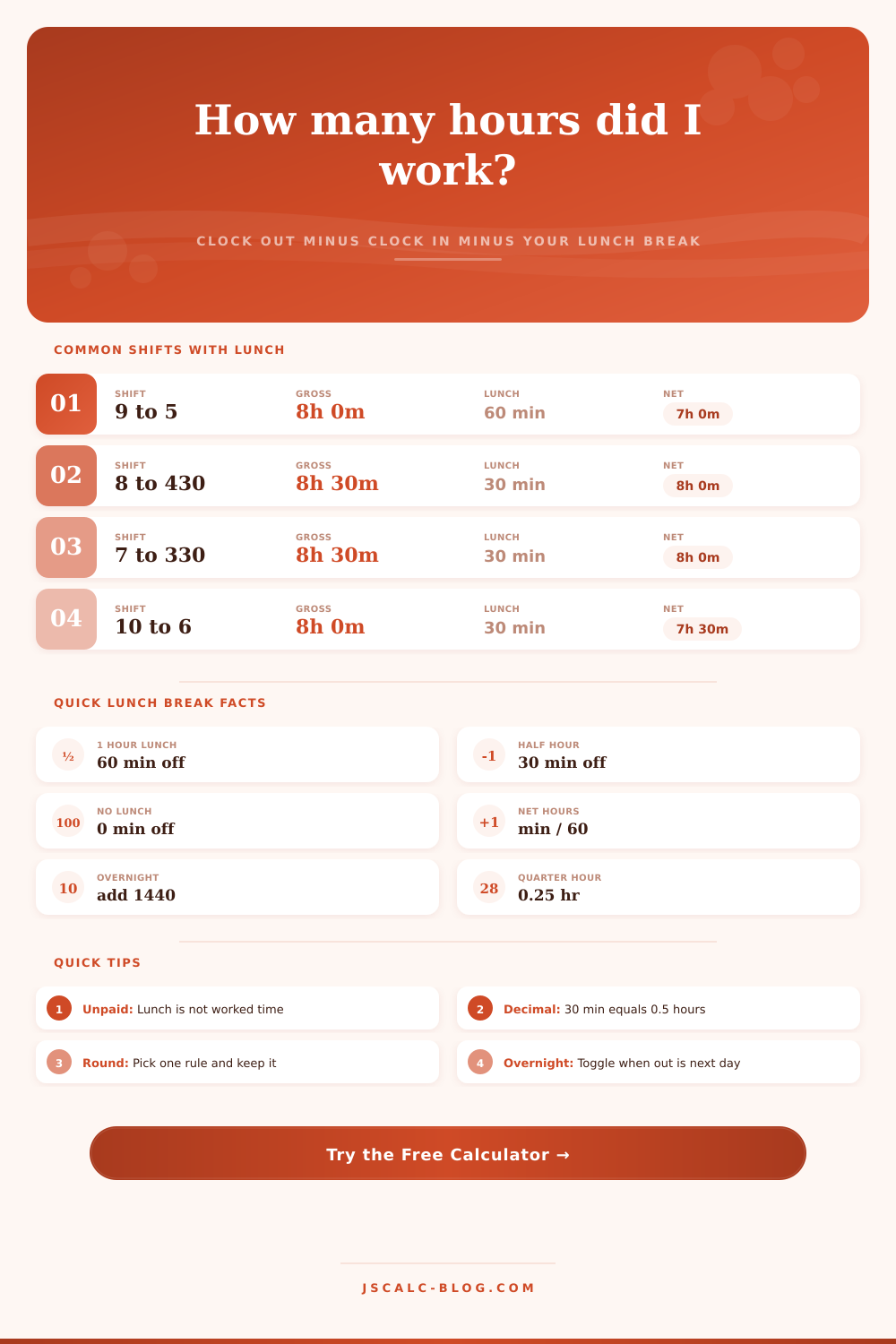
| Classic 9 to 5 | 9:00 AM | 5:00 PM | 8h 0m | 60 min | 7h 0m | 7.00 |
| Office 8 to 4:30 | 8:00 AM | 4:30 PM | 8h 30m | 30 min | 8h 0m | 8.00 |
| Warehouse 7 to 3:30 | 7:00 AM | 3:30 PM | 8h 30m | 30 min | 8h 0m | 8.00 |
| Retail 10 to 6 | 10:00 AM | 6:00 PM | 8h 0m | 30 min | 7h 30m | 7.50 |
| Half day 9 to 1 | 9:00 AM | 1:00 PM | 4h 0m | 0 min | 4h 0m | 4.00 |
| Long 8 to 6 | 8:00 AM | 6:00 PM | 10h 0m | 60 min | 9h 0m | 9.00 |
| Nurse 7 to 7:30 | 7:00 AM | 7:30 PM | 12h 30m | 30 min | 12h 0m | 12.00 |
| Overnight 7 to 7 | 7:00 PM | 7:00 AM | 12h 0m | 60 min | 11h 0m | 11.00 |
🕐Minutes to Decimal Hours Chart
| Minutes | Decimal | Minutes | Decimal | Minutes | Decimal |
|---|---|---|---|---|---|
| 5 min | 0.08 | 25 min | 0.42 | 45 min | 0.75 |
| 10 min | 0.17 | 30 min | 0.50 | 50 min | 0.83 |
| 15 min | 0.25 | 35 min | 0.58 | 55 min | 0.92 |
| 20 min | 0.33 | 40 min | 0.67 | 60 min | 1.00 |
⚙Full Formula Breakdown
📋Break and Rounding Notes
| Topic | Common Practice | Effect On Net Hours | Note |
|---|---|---|---|
| Unpaid lunch | 30 or 60 minutes | Subtracts from worked time | Not counted toward pay |
| Paid rest break | Two 15-minute breaks | Stays in worked time | Do not enter as extra break |
| Quarter rounding | Nearest 15 minutes | Shifts net up or down | 7 or 8 minute midpoint |
| Tenth rounding | Nearest 6 minutes | Small even adjustment | Common on decimal cards |
| Overnight shift | Out time next day | Adds a full 24 hours | Toggle overnight to yes |
💡Worked Hours Tips
When most people think about their workday they assume that eight hours on job means eight hours of pay. That’s where the math begins to break down. The clock show you when you arrived and left, but it doesn’t account for your unpaid breaks. If you want to figure out how much money you earned, you’ll have to subtract the minutes you weren’t paid. It’s a basic subtraction equation. But it take a little bit more than glancing at clock.
After you input your starting time, ending time, and how long your break is, the calculator takes care of the math for you. It subtracts lunchtime and any additional breaks you take from your day to reveal the number of net hours you worked. The difference between net time and gross time is where most folks get hosed when it comes to being paid correctly.
How to Calculate Your Paid Work Hours
For instance, if you clock-in at 8am and clock-out at 4:30pm, that’s eight-and-a-half hours on paper. If, however, you took a half-hour unpaid break for lunch, you actualy only worked eight hours. Thirty minutes may not seem like much but it’ll add up after a week, or a month; and definitely over the course of a year.
Finally, understanding your company’s rounding policy is crucial. Knowing when you punch in and out is only half the battle; you also need to know how that time are rounded by your employer. Most companies employ quarter-hour rounding, which means they’ll round your clock-in and -out times to the closest 15 minutes. Some systems will round your clock-in back to the previous quarter-hour (e.g., if you show up at eight-zero-two, some systems will round it back to eight-zero). Others will round it forward (e.g., to eight-oh-five). This small change pushes your total hours worked one way or another. To see how much of an impact your rounding policy has on your final decimal hour count, you can choose from different rounding rules within the tool.
Most payroll systems actualy process decimal hours, turning fractions of an hour into a single number for easier multiplication against your hourly rate. The math becomes a little more complex when we consider workers who punch in after sundown. If their shift runs from 7PM to 7AM, they’re technically logging hours across two days, a fact that can mess up simple math if you forget about the midnight handoff between dates. Fortunately, the calculator has a toggle for this type of shift, so it adds on the correct number of hours and doesn’t truncate your total by stopping at noon. Once you learn to keep your eye out for this tweak, it’s a cinch (otherwise), you’d of be paid for only half your shift.
On that page, there’s a reference table to lay out what typical workdays looks like, with their various shifts. The one for nine-to-five with an hour-long paid lunch amounts to just seven hours of work time, i.e., it’s net pay but gross time. That’s another textbook illustration of the difference between gross time vs. It is net pay. Warehouse/retail jobs may take other forms, such as two brief paid breaks rather than one longer unpaid lunch. If so, you don’t deduct anything: The time is accounted for through payment.
Understanding your employer’s offer includes understanding which types of break are paid versus unpaid. What aren’t. Also keep in mind: Laws surrounding meal breaks vary by location in terms of which hours triggers an employer’s obligation to provide one. For example, in some places, employers are required to give a break once employees has worked five consecutive hours; other locations have different rules.
While the calculator is unaware of the law where you live/work, it will let you check whether or not the hours reflected on your paystub correspond to what you think you’ve been working. And if they don’t align, keeping track of when you clocked in and out (and for how long) makes it simpler to talk through the situation with payroll. Ultimately, it’s all about control. You can never change how many hours you’re scheduled to work, but you can make sure that you get paid for every hour you actualy work. Knowing your net hours gives you more clarity around your financial situation. This applies whether you’re reviewing a timesheet each week or trying to calculate how much income you’ll be earning before signing on the dotted line. Only the math will tell you how much these moments is worth.