Time Zone Converter
Convert a source date and time into multiple target zones with UTC, fixed offsets, DST rule mode, meeting duration, and business-hour checks.
Use named zones for automatic DST rules where the reference data supports them.
Select one or more target zones. Presets choose common meeting sets automatically.
The converter checks whether the full meeting fits inside this local window.
| Target zone | Local start | Local end | UTC offset | DST status | Business hours |
|---|
| IANA-style zone | Display name | Standard offset | Daylight offset | DST rule | Typical use |
|---|---|---|---|---|---|
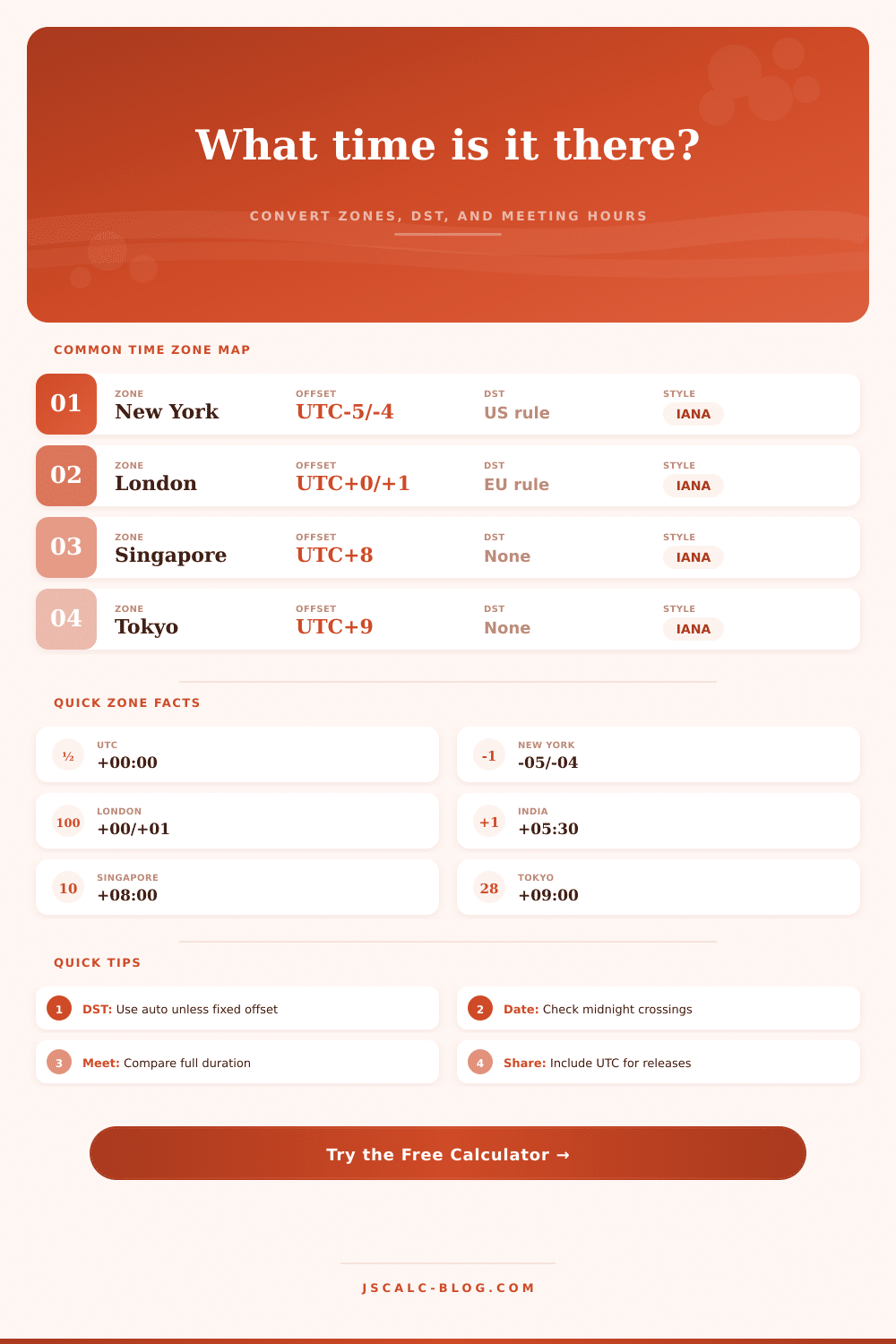
| America/New_York | New York | UTC-05:00 | UTC-04:00 | US second Sunday March to first Sunday November | US Eastern meetings |
| America/Los_Angeles | Los Angeles | UTC-08:00 | UTC-07:00 | US second Sunday March to first Sunday November | Pacific product teams |
| Europe/London | London | UTC+00:00 | UTC+01:00 | EU last Sunday March to last Sunday October | UK meeting hubs |
| Europe/Berlin | Berlin | UTC+01:00 | UTC+02:00 | EU last Sunday March to last Sunday October | Central Europe calls |
| Asia/Kolkata | India | UTC+05:30 | None | Fixed offset | India operations |
| Asia/Singapore | Singapore | UTC+08:00 | None | Fixed offset | Asia-Pacific planning |
| Asia/Tokyo | Tokyo | UTC+09:00 | None | Fixed offset | Japan market timing |
| Australia/Sydney | Sydney | UTC+10:00 | UTC+11:00 | Australia first Sunday October to first Sunday April | Southern hemisphere handoffs |
| Rule group | Start reference | End reference | Applies to | Notes |
|---|---|---|---|---|
| US | Second Sunday in March, 02:00 local standard time | First Sunday in November, 02:00 local daylight time | New York, Chicago, Denver, Los Angeles, Anchorage | Phoenix is kept fixed in this reference set. |
| EU | Last Sunday in March, 01:00 UTC | Last Sunday in October, 01:00 UTC | London, Berlin, Paris | UTC transition avoids local clock ambiguity. |
| Australia | First Sunday in October, 02:00 local standard time | First Sunday in April, 03:00 local daylight time | Sydney and Melbourne style zones | Season crosses the calendar year. |
| New Zealand | Last Sunday in September, 02:00 local standard time | First Sunday in April, 03:00 local daylight time | Auckland style zones | Season crosses the calendar year. |
| None | No seasonal change | No seasonal change | UTC, Dubai, India, Singapore, Tokyo, Hong Kong, Honolulu | Offset stays fixed for all dates. |
| Preset | Source | Targets | Duration | Business window |
|---|---|---|---|---|
| NY to London meeting | America/New_York at 09:30 | London, Berlin, Los Angeles | 60 minutes | 09:00 to 17:00 |
| PST to Singapore | America/Los_Angeles at 16:00 | Singapore, Tokyo, India | 45 minutes | 08:00 to 18:00 |
| UTC release | UTC at 14:00 | New York, London, Singapore, Sydney | 30 minutes | 09:00 to 17:00 |
| India call | Asia/Kolkata at 18:30 | Dubai, London, New York | 60 minutes | 09:30 to 18:30 |
| Tokyo market open | Asia/Tokyo at 09:00 | Singapore, Sydney, New York | 120 minutes | 08:00 to 16:00 |
| Sydney handoff | Australia/Sydney at 08:30 | Auckland, Singapore, Los Angeles | 90 minutes | 08:00 to 18:00 |
| Step | Input used | Formula | Result |
|---|---|---|---|
| 1 | Source date, time, and zone | UTC instant = source local time minus source UTC offset | One universal timestamp |
| 2 | DST mode and rule data | Offset = standard, daylight, or rule-selected offset | Offset minutes for each zone |
| 3 | Target zone list | Target local time = UTC instant plus target offset | Converted start time |
| 4 | Duration and business window | End time = start plus duration, then compare local minutes | Inside, partial, or outside |
Time zones aren’t mere lines on a map. They’re complex political systems that change throughout the seasons. Set an event for 10am and think it’s fine; until the other person answers back with a confused emoji, because actualy they’re still sleeping. That’s where this time zone calculator comes in. It figures out math for you. It translates the head-scratching offset into clear local times, letting you plan rather than guess.
But if you know what button to press, you should of also understand how the tool does its work. What’s the problem? It’s not the static difference between cities: In winter, for example, New York is five hours ahead of London (you do the math). The problem comes from daylight saving time, which goes into effect on completely separate calendars.
How This Time Zone Tool Works
The US advances on second Sunday in March; Europe has to wait another week or two (the last Sunday in March). So there are three to four weeks at the start of spring where you lose not just one hour but another hour of overlap each day. That’s what people don’t get right: They think the gap stays the same, when it actually changes for much of the year.
It’s complicated and this tool covers it by allowing you to flip between DST modes, whether to auto-detect based off stored rules or to just force it to standard time instead. For most people, I’d recommend leaving it on automatic mode. Most people aren’t in regions that have dropped daylight saving altogether. Those on fixed offsets). Places like India and Singapore do that and they’re easy because the math work out the same throughout the year. But for global teams that need reliable consistency across the seasons, it does matter. It is a little thing, but it still matters.
Beyond simply computing when the meeting starts, the converter also ensures whole block can fit inside your defined window of business hours. It’s actualy pretty darn handy: You may think you’re cool with an 8:15 start time for a call…until it occurs to you that it ends at seven-thirty in someone else’s timezone. A meeting that ends late in another time zone might mean your peer stays up too late or misses dinner altogether. Simply set your work day (e.g. Nine to five), and the app highlights any meeting spilling out past your own downtime.
Making a courtesy call is easy. For example, you could use a preset for a meeting between New York and London. Set the source to be nine-thirty in the morning on the East Coast of the United States. That’s two-thirty in London in the winter (perfectly fine for an early start); but in July, it lands at three-thirty PM. However, once it gets to July, both the US and Europe have jumped forward an hour each, and that nine-thirty call comes down at three-thirty PM in London. It is still doable, just in a different context.
You’ll see the change in the tool’s own output table. It shows the UTC offset and whether or not Daylight Saving Time is enabled next to each other, so you know precisely how much daylight has changed the time. If you’re launching a piece of software or a new product, go ahead and stick with UTC; it’s usually the safest option. There’s a preset called “release” on the calculator that aligns everything to Coordinated Universal Time.
UTC is never ambiguous. It remains fixed regardless of whether we’ve switched to daylight savings time. It is the neutral ground of all scheduling. Publish any timestamp in UTC. Your Tokyo-based team can translate it as morning light, while your SF-based team can see it as their evening hours. No one will be confused by local clocks or argue about who was right. Everyone knows exactly when the code drops.
A second complication overlooked by most calculators is the half-hour offsets. India is five-and-a-half hours ahead of UTC. So when you’re scheduling a meeting in London for twelve noon, it won’t take place until five-thirty PM in Mumbai, not six o’clock. It is a half hour’s difference, but it is enough to mean you might catch somebody before they go home, or miss them completely. The converter takes those half-steps into account so your invites arrive squarely on target instead of sitting on the edges.
In sum: As much as calculating the time difference between two places is an act of mathematics, coordinating your schedule across international borders is also an act of empathy. You’re looking for the minute when both sides feel like they’ve got time. Those time zone reference tables (included with the tool) explain this well enough: Who’s following EU hours? Who’s following US hours? Who follows no one’s hours? Then you use flexible inputs against hard data, and suddenly, there’s no need to fret over any more math by hand. Forget whether it’s still March in London; just talk.