Sales Commission Calculator
Estimate commissionable revenue, quota attainment, accelerators, spiffs, draw recovery, caps, and the net commission payout for a sales period.
Use the revenue amount that the plan credits before returns or exclusions.
Use 100 for standard revenue credit, or margin/collection percent when plans credit less than booked revenue.
Use 100 for a full quota period, 50 for half-credit ramp, or above 100 for special crediting.
Commission estimate
Commissionable revenue = (gross credited sales - returns/credits) × crediting factor × ramp multiplier
Base commission = commissionable revenue × base commission rate
Accelerator commission = revenue above threshold × accelerator rate
Net payout = gross commission + spiffs - recoverable draw recovery - clawbacks, then capped if a cap applies
For quota-based plans, quota attainment is commissionable revenue divided by period quota. A recoverable draw first reduces the commission that is payable now; unpaid balances carry forward. A non-recoverable draw works like a period guarantee and does not create a balance in this calculator.
| Plan type | Core formula | Quota behavior | Upside lever | Risk to rep | Best fit |
|---|---|---|---|---|---|
| Flat rate | Revenue × fixed rate | Quota may be informational | More credited revenue | Low formula complexity | Simple transactional sales |
| Tiered quota | Rate changes by attainment band | Higher rate after target bands | Step-up tiers | Band cliffs can matter | Teams with mature quotas |
| Accelerator | Base rate plus above-threshold rate | Usually starts at 100% quota | Higher rate on overage | Missed quota limits upside | New business account executives |
| Recoverable draw | Commission minus draw balance | Quota still drives commission | Future commissions clear draw | Balance can carry forward | Ramp periods and new territories |
| Non-recoverable draw | Greater of commission or guarantee | Quota still measured | Commission above guarantee | Lower downside to rep | Hiring ramps and transitions |
| SPIFF bonus | Commission plus eligible deal bonus | May sit outside quota | Per-deal fixed bonus | Eligibility disputes | Product pushes or time-boxed campaigns |
| Manager override | Team revenue × override rate | Often team quota based | Team attainment | Dependent on team mix | Sales leaders and channel managers |
| Renewal plan | Renewal or expansion revenue × rate | Retention and expansion quotas | Expansion multipliers | Churn chargebacks | Customer success and account management |
| Attainment band | Typical rate treatment | Example on $100k quota | Planning note |
|---|---|---|---|
| Below 50% | Base rate or reduced rate | Under $50k credited | Check minimum threshold clauses |
| 50%-79% | Base rate commonly applies | $50k to $79k credited | Draw balances can grow here |
| 80%-99% | Base rate, sometimes near-quota kicker | $80k to $99k credited | Small bookings may close the gap |
| 100%-119% | Base rate plus first accelerator | $100k to $119k credited | Confirm which dollars accelerate |
| 120%-149% | Higher accelerator in many plans | $120k to $149k credited | Watch any payout cap |
| 150%+ | Top accelerator or executive review | $150k+ credited | Document large deal treatment |
| Draw setup | Current commission | Draw paid | Net payout result | Balance effect |
|---|---|---|---|---|
| No draw | $6,000 | $0 | $6,000 | No carry-forward balance |
| Recoverable, commission exceeds draw | $8,500 | $5,000 | $3,500 incremental | Draw cleared for period |
| Recoverable, draw exceeds commission | $3,000 | $5,000 | $0 incremental | $2,000 may carry forward |
| Prior recoverable balance | $9,000 | $0 | $4,000 if $5,000 prior balance | Prior balance recovered first |
| Non-recoverable guarantee | $3,000 | $5,000 | $5,000 total guaranteed | No recovery balance created |
| Commission above guarantee | $7,500 | $5,000 | $7,500 total earned | No balance if non-recoverable |
| Input | Use in formula | Common range | What to verify |
|---|---|---|---|
| Gross credited sales | Starting revenue base | Booked or collected | Credit split and territory rules |
| Returns and exclusions | Reduces commissionable revenue | 0%-10% of sales | Timing of deductions |
| Base commission rate | Revenue multiplied by rate | 2%-12% | Whether rate applies to all dollars |
| Quota | Attainment denominator | Monthly, quarterly, or annual | Ramp quota and proration |
| Accelerator threshold | Gate for higher rate | 90%-120% of quota | Only overage or all revenue reset |
| SPIFF count | Fixed bonus count | Per deal or per unit | Eligibility and close date |
| Draw balance | Recovery before payout | Current plus prior periods | Recoverable versus non-recoverable |
Prepared for JSCalc-Blog.com calculators.
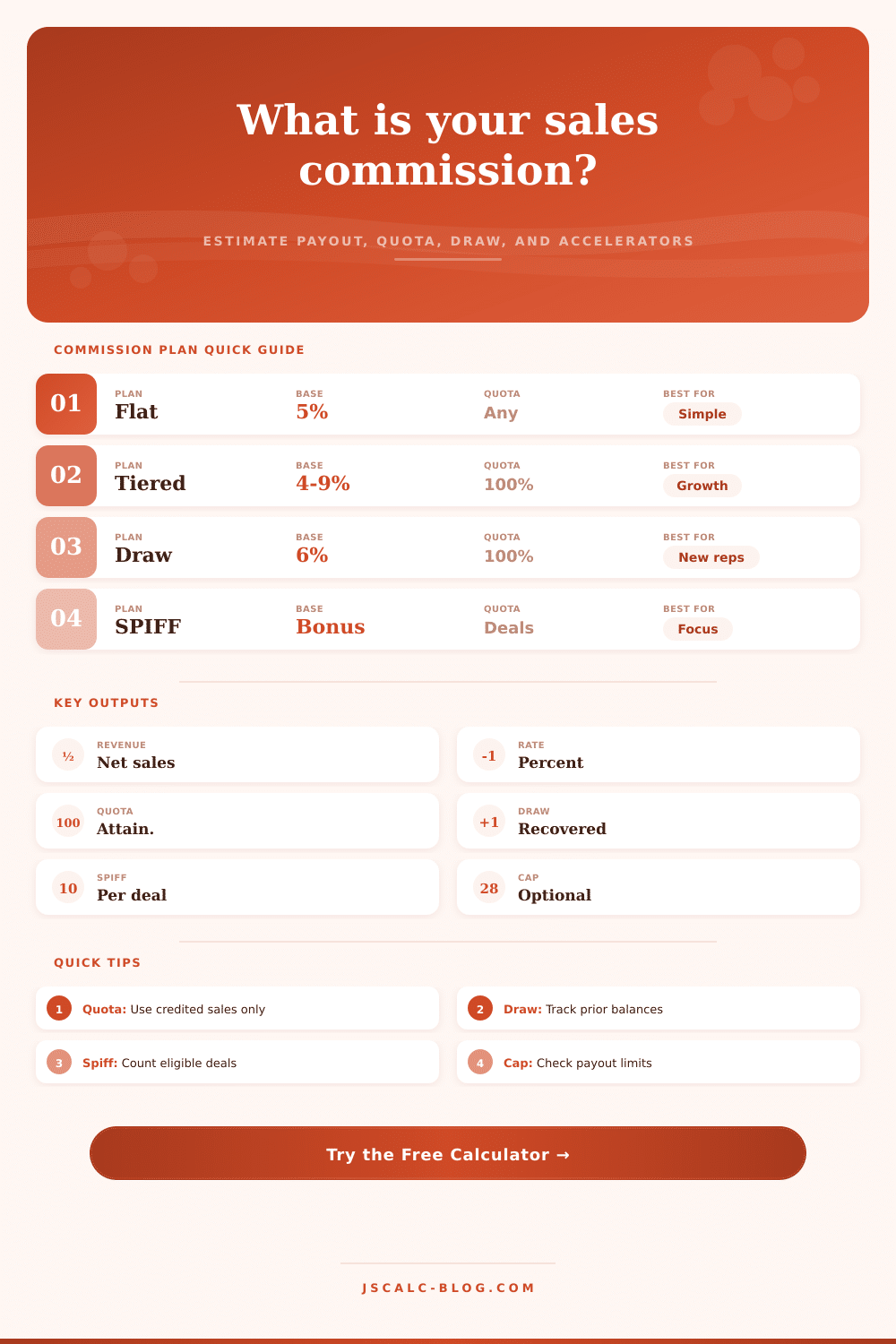
Your sales quota is one thing; what that represents in your bank account another. And typically, the latter is obscured by confusing terms. Draws sound like safety net. Accelerators look like windfalls. But they’re accounting mechanics, devices to move risk from the company to you. If you don’t grasp this change of hands by the time payday arrives, it won’t matter.
Once you have inputted your plan information into the calculator (above), it will do all of the math for you. And guess what? It take away any wiggle room. It asks you to specify the crediting method. I.e., does your plan credit based on booked revenue or collected cash? That’s a big deal. On the surface, your possible payout appears huge when it’s crediting based off booked revenue. When it’s crediting on collected cash, that number becomes much smaller. Input the crediting method in line with your contract, not the one that makes you most happy at quarter end.
How Sales Pay Works
Most sales reps trip up on draws. A draw isn’t a gift. It’s a loan. You’re borrowing money for your present cash flow and paying back later when you earn more. That means if you don’t do well enough to cover the draw, it gets deducted from your next paycheck (which the tool will show you). This way, you know how much commission has been applied to pay down the draw. Alternatively, a non-recoverable draw works like a real guarantee: you’ll get paid the draw, or whatever you earned on commission, whichever is highest without having any drawn funds hanging over your head. Knowing whether you have one of these type of draw will tell you how aggressive you need to be selling during a slow month.
Spiffs and accelerators operate differently. Accelerators is based on volume. Once you reach a certain threshold (typically 100% of your quota) you get an accelerator. It rewards your momentum, meaning you are likely to sell more as you gain speed. Spiffs, on the other hand, are bonuses for specific behaviors or products. Spiffs aren’t quota dependent. They’re activity dependent. Think of these separately. If you miss the specific criteria required for a spiff then you won’t get it. If you get a big quarter but didn’t met the spiff’s specific criteria, you might be disappointed. One is a measure of your focus. The other is a measure of your growth.
You can see how these structures play out in various roles below in our reference tables on the page. In most cases account executives gets a tiered plan (they’re typically rewarded for hitting quota). Customer success managers tend to have a renewal plan which rewards them for retention. One isn’t “better” than another, they simply measure different things. The key is to align your effort with what you will be paid against. If you’re on a flat rate plan, then you only have one lever, volume. If you’re on a tiered plan, then you have timing as your lever. You want to know when deals accelerate so you can pace them appropriately.
Commission planning has another tough nut to crack: Clawbacks. If you receive payment for a deal that dies, it will be taken back. Months later. And it catches people by surprise. They think it’s some kind of punishment from the past. Always plan with a buffer. Think about how much of your pipeline will go poof! This happens once the close occurs. Ten to fifteen percent? Feed these numbers into the calculator and see what it looks like when they’re used as a drag on your net payout. Ouch. But it is necessary.
In conclusion, working on a commission deal is a game of risk. If you don’t perform, you bear the risk. If the company doesn’t pay you, they bear the risk. Your tools should of give you an ability to measure this risk. Don’t base your expectation of compensation on a vague description of upside or a handshake. Review the math. Understand the inputs. Know exactly what it is you’re getting paid for. Once you clearly see the numbers, the anxiety dissapears. You no longer wonder if you’ll be paid, now you plan on getting paid more.