Recurring Event Date Calculator
Find the next scheduled date, nth occurrence, business-day-adjusted date, skipped weekends, end-date status, and upcoming schedule for daily, weekly, monthly, and yearly recurring events.
Recurring Date Result
| Occurrence | Formula Date | Adjusted Date | Weekday | Status |
|---|
| Frequency | Occurrence N Formula | Interval Unit | Calendar Behavior | Example |
|---|---|---|---|---|
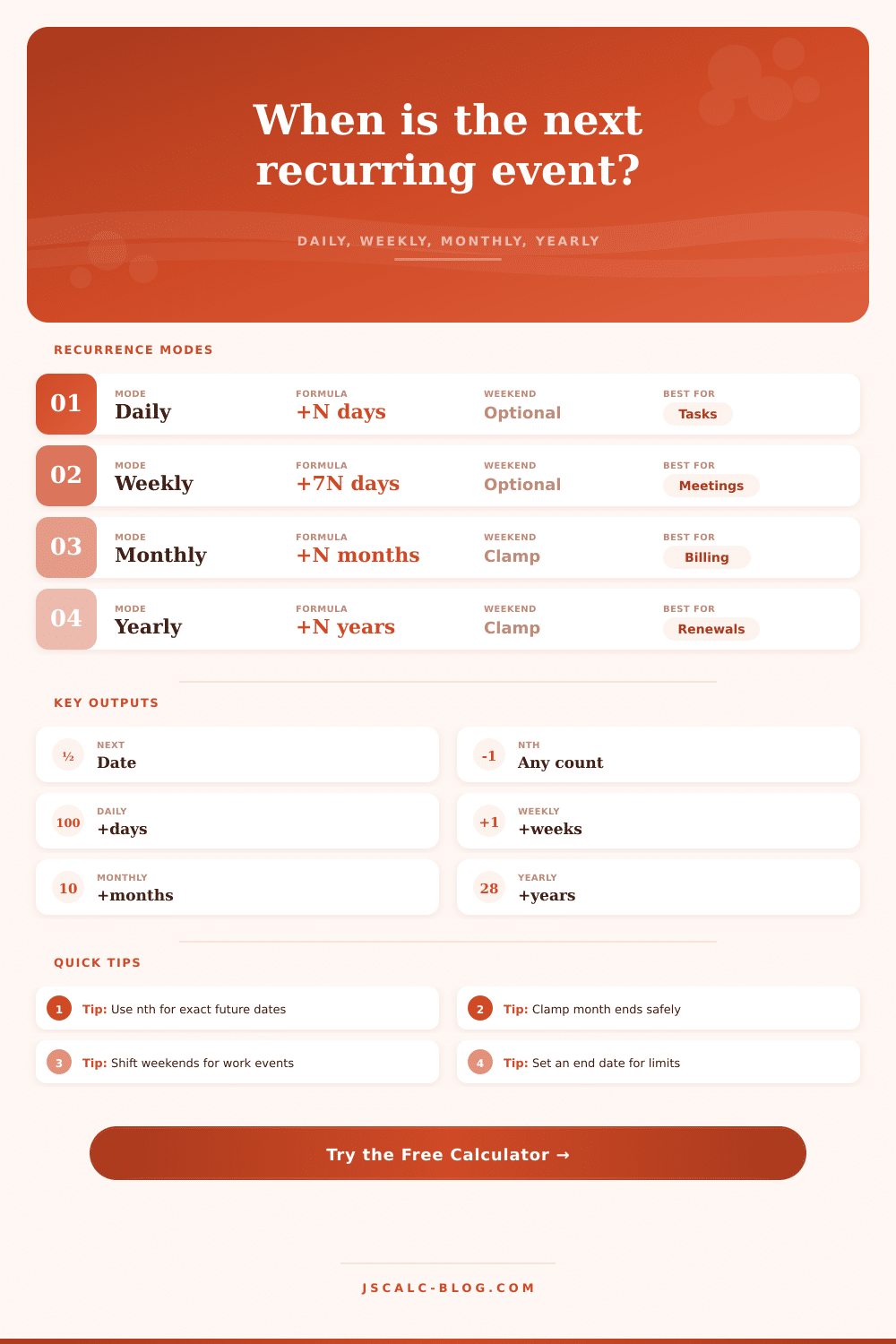
| Daily | Start + (N - 1) x interval days | Days | Exact day count | Every 3 days |
| Weekly | Anchor weekday + (N - 1) x interval weeks | 7-day blocks | Preserves weekday | Every 2 weeks |
| Monthly | Start + (N - 1) x interval months | Calendar months | Clamps short months | 31st to 30th |
| Yearly | Start + (N - 1) x interval years | Calendar years | Clamps leap dates | Feb 29 to Feb 28 |
| Rule | Base Date | Adjusted Date | Shift | Reason |
|---|
| Pattern | Inputs Used | When It Fits | Short-Month Handling | Business Option |
|---|---|---|---|---|
| Same day | Start day number | Subscriptions, reminders | Clamp to month end | Adjust after clamp |
| Nth weekday | Ordinal and weekday | Committee meetings | Falls back to last match | Usually no shift needed |
| Last weekday | Weekday only | Reporting cycles | Searches backward | Can still exclude holidays |
| Last day | Month end | Close dates | Uses actual last day | Move next or previous |
Take your monthly team meeting on the 30th, for instance. Everything makes sense until one day, February comes around with just 28 days. Now what? Does the meeting vanish into thin air? No, it doesn’t. Instead, the meeting’s date have to be tweaked.
The calendar isn’t broken. It’s just that someone need to do the math, and there’s a tool for that. Enter the recurring event date calculator. Input the starting date and how often it recurs. Let it handle the math for you. Save yourself from having to check which holidays is falling on which days or count out leap years each time.
How to Use a Recurring Date Calculator
So how do we understand what it’s measuring? The first problem is that the system doesn’t always add exactly seven days. It normally repeats on same weekday as the initial date. So if you begin on a Tuesday, then it’ll repeat each week on a Tuesday. However, a monthly recurrence work differently. Adding one month keeps the calendar day constant, but adding thirty days doesn’t.
That’s important for payroll and billing your clients. You don’t want the date to slide further and further back in the month every month because you’re just adding raw days. You want it to fall on same day of the cycle (so the invoice drops on the same day). The calendar changes; the math doesn’t.
Many users think that a “month” is fixed number of days. It’s not. There are 28/29 days in Feb and 31 days in July. In the short months, events scheduled for the 31st gets pushed back. That’s what most pro tools do… Clamp the date so it falls on the final day that still makes sense. So if you’re scheduling an event on the 31st, it rolls over to the 30th or the 29th. It preserves the timing. It doesn’t interrupt the sequence. That’s how the clamping works in the calculator; it make sure your schedule always lines up, even when the calendar doesn’t.
Weekends and holidays are handled with business-day adjustments. For example, if your payment deadline falls on a weekend, then the bank isn’t going to process it, so they’ll bump up the date. Whether that bumps it back or forward is based off your contract. Bumping forward, the payment goes out Monday, the next business day. Bumping backward, the payment goes out Friday, the previous business day. Typically, finance prefers the previous day in case it slips past an end-of-month cut-off. Meanwhile, project managers may want the next day to maintain the workflow into the following week. You can change this setting within the tool so you can see the exact impact of moving either way.
To go forward in time, there’s the nth occurrence input. Rather than seeing what happens in two weeks’ time, you could see what will happen on 10th meeting. If you have something far off that you’re planning for, say, when your quarterly review happens next year, or when your six-month trial expires, then this helps you plan further ahead. You enter the number of times to skip (the “nth” occurrence) and you land directly on the date you want to find. It converts a random-access lookup into a linear progression.
The schedule gets even more complicated with holidays. There’s a separate list for national holidays. Your office may be closed on Thanksgiving, so your Monday deadline should of become a Tuesday deadline. With this calculator, you can paste a list of exclusion dates. Those days will be treated as if they don’t exist when calculating business-day adjustments. That way, your schedule won’t fall on a day when no one’s in the office. It adds another level of realism that a simple calendar view can’t offer.
The other protection comes from end limits. Few things are an infinite series, so most things has some kind of end. Either a specific amount or by date. By setting these limits, you will be able to audit how many times it happens in total. You can confirm the series doesn’t go past what was expected. This is resource planning. When will this happen for the last time? How much budget do I need? What staff do I need?
On the page it also includes table of all the different frequency formulas. That demonstrates how each one will work differently (daily vs weekly vs etc). The daily formula is just plain addition. The weekly formula works in blocks. The monthly and yearly formulas needs to be aware of calendars. Knowing that can help you select the right mode for what you need to track. Want to track a daily stand up? Use the daily formula. Need to track an annual renewal with some particular day-of-month pattern? Use the yearly formula.
How much math there is in planning repeating events isn’t as important than how much planning there is. What does “consistency” look like for your situation? Does it involve the same calendar day? Same weekday? Last working day of the month? Whatever your rules are, it’s as simple as that. Then you let the calculator do its thing. Set the parameters clearly. Get the rules correct. Let the dates fall into line. And voila! Everything runs smoothly.