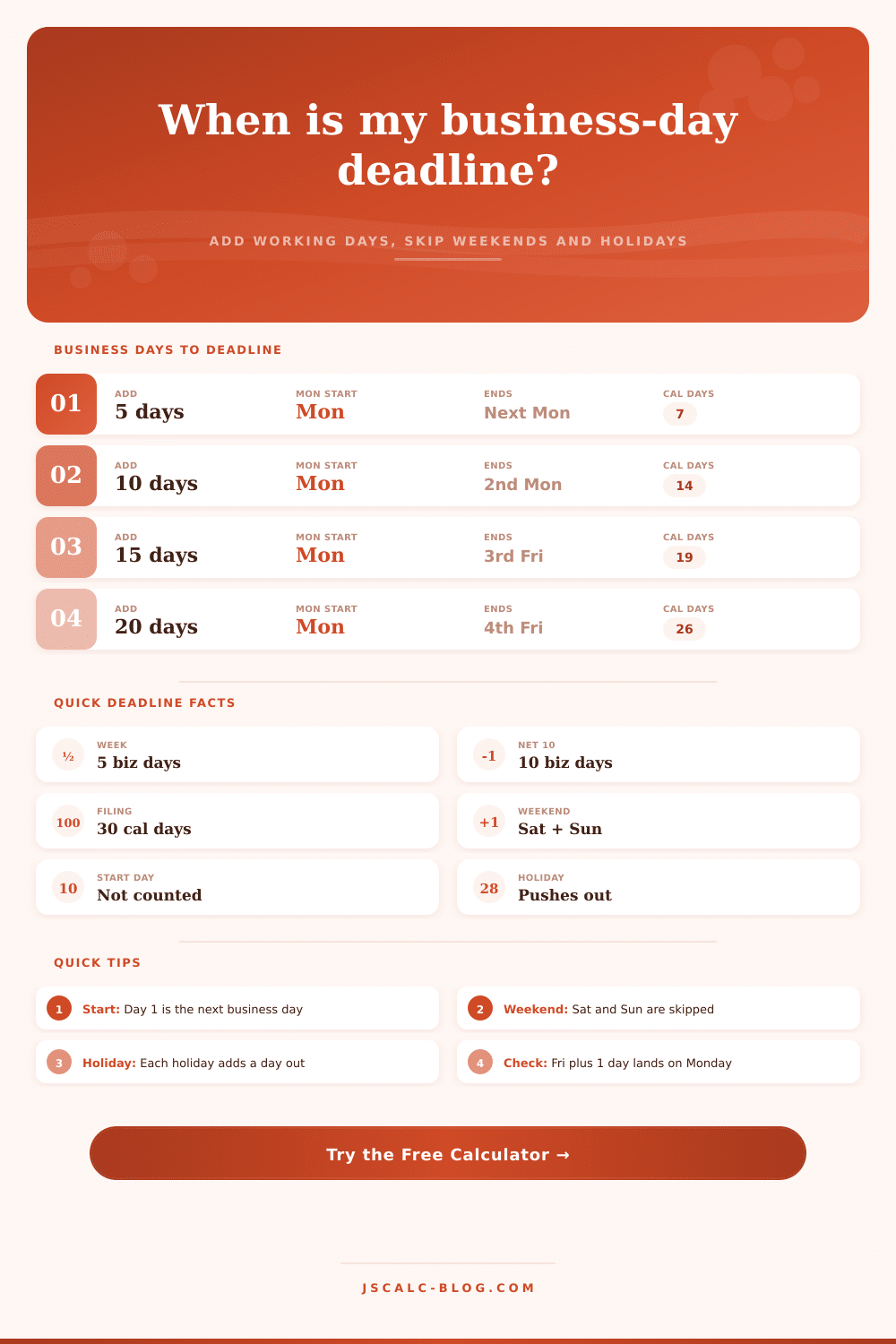
Business Day Deadline Calculator
Add or subtract working days from a start date to find the exact deadline. The tool steps one calendar day at a time, skips Saturdays, Sundays, and any holidays you set, and reports the day of week, calendar days elapsed, and weekends skipped.
📌Common Deadline Presets
📝Deadline Inputs
The clock starts here. By default the start day itself is not counted.
A quick count of weekday holidays inside the window. Each one pushes the deadline out by a day.
Comma separated YYYY-MM-DD dates. Only ones that fall on a working day inside the window actually change the result.
🔢How The Stepping Works
📆Common Deadline Windows
| Window | Business Days | Typical Use | Rough Calendar Span |
|---|---|---|---|
| Same week | 1 to 4 | Quick reply, ship notice | 1 to 6 days |
| One work week | 5 | Standard turnaround | 7 days |
| Net 10 | 10 | Short invoice terms | 14 days |
| Contract review | 15 | Sign or object period | 19 to 21 days |
| Net 20 | 20 | Vendor payment | 26 to 28 days |
| Court window | 21 | Answer or respond | 29 days |
| Long filing | 30 | Formal submissions | 42 days |
🗂Business Days To Calendar Days
| Business Days | Full Weeks | Weekends Inside | Calendar Days (Mon start) |
|---|---|---|---|
| 1 | 0 | 0 | 1 |
| 3 | 0 | 0 | 3 |
| 5 | 1 | 1 | 7 |
| 7 | 1 | 1 | 9 |
| 10 | 2 | 2 | 14 |
| 15 | 3 | 2 to 3 | 19 to 21 |
| 20 | 4 | 4 | 26 to 28 |
| 21 | 4 | 4 | 29 |
📊Deadline Comparison Grid
| Business Days | Start (Mon 2026-07-06) | Deadline Date | Deadline Day | Calendar Days | Weekend Days Skipped |
|---|---|---|---|---|---|
| 1 | Mon Jul 6 | Jul 7, 2026 | Tuesday | 1 | 0 |
| 3 | Mon Jul 6 | Jul 9, 2026 | Thursday | 3 | 0 |
| 5 | Mon Jul 6 | Jul 13, 2026 | Monday | 7 | 2 |
| 7 | Mon Jul 6 | Jul 15, 2026 | Wednesday | 9 | 2 |
| 10 | Mon Jul 6 | Jul 20, 2026 | Monday | 14 | 4 |
| 15 | Mon Jul 6 | Jul 27, 2026 | Monday | 21 | 6 |
| 20 | Mon Jul 6 | Aug 3, 2026 | Monday | 28 | 8 |
| 21 | Mon Jul 6 | Aug 4, 2026 | Tuesday | 29 | 8 |
| 30 | Mon Jul 6 | Aug 17, 2026 | Monday | 42 | 12 |
☀Holiday Effect On A 10 Day Deadline
| Holidays Skipped | Working Days Needed | Extra Calendar Days | Net Effect On Deadline |
|---|---|---|---|
| 0 | 10 | 0 | Base deadline |
| 1 | 10 | +1 | Pushed out one day |
| 2 | 10 | +2 | Pushed out two days |
| 3 | 10 | +3 to +5 | May cross a weekend |
| Holiday on a weekend | 10 | 0 | No change, already skipped |
⚖Legal And Filing Conventions
| Convention | Counting Style | Start Day | Weekend / Holiday Rule |
|---|---|---|---|
| Business days | Working days only | Usually not counted | Skip Sat, Sun, holidays |
| Calendar days | Every day counts | Not counted | Roll if last day is off |
| Net terms (Net 10) | Often calendar days | Invoice date excluded | Confirm with vendor |
| Short court period | Business days | Trigger day excluded | Extend to next open day |
| Long court period | Calendar days | Trigger day excluded | Extend to next open day |
⚙Full Stepping Breakdown
📋Input Reference
| Input | Example | How It Is Used | Effect On Deadline |
|---|---|---|---|
| Start date | 2026-07-06 | Origin for the stepping loop | Anchors the whole result |
| Business days | 10 | Working days to consume | More days push it later |
| Direction | After / Before | Step sign, forward or back | Before finds an earlier date |
| Include Saturdays | No / Yes | Whether Saturday counts | Yes reaches deadline sooner |
| Holidays | 3 | Extra skipped working days | Each one adds a day out |
| Count start day | No / Yes | Whether day 1 is the start | Yes lands one day earlier |
💡Deadline Tips
The contract says it needs to be paid within 10 business days and you invoice on Friday morning. Glance over at the calendar and count out five days, since a week contains five days. Then count out another five days because next week also has five days. This lands you on following Monday. Sounds good, except you realize that Tuesday is a public holiday. Now suddenly your deadline shift.
Most scheduling mistakes fall into this category: people mix up the passing of time with availability of working hours. The former isn’t the latter. A deadline calculator closes this gap because it strips away days during which you don’t work.
Why Calendar Days Are Not Business Days
Operations gets frustrated by distinction between calendar days and business days. Calendar days go on with or without human labor. Business days pick and choose, only including day that offices are actualy open. Start your clock on a Thursday? Two days pass before your eyes but dissapears for work. The dock won’t be open to send out products over the weekend. The clerk’s office will be dark to file motions on Sunday.
Once you plug in your starting date and how long you want to run, the tool figures it out. It spares you from thinking through which week include weekends. The key to understanding how this works is understanding what start day rule means. By default most legal frameworks don’t include trigger day in the count. So if something occurs on a Monday then Tuesday is considered first day. This might seem counter intuitive if you are used to thinking in terms of duration versus completion dates. But it’s done to align the deadlines with workable hours and to avoid double counting. You can change this but only if your agreement also allows for start date to be included. By default it’s not set up to include start date as that’s usually cleanest across all types of business.
Weeks have an easy cadence; holidays mess things up. Two non-working days throw off regular five-day week and stretch it across seven calendar days. Then each holiday adds one more day to that period but doesn’t add any more time for work. For example: three public holidays during your ten-day window require thirteen days of clock time, counting only the workdays, before you reach finish line. Enter either the number of expected holidays, or their specific dates (this is flexible because holidays are locally observed). Your vacation destination may celebrate a holiday on what’s a typical Tuesday back home.
More often, backwards is better than forwards. Your shipment cutoff is on the 30th of the month. You have that hard stop date. When should you start so that you can complete in time? It’s the same logic as working forward but harder because it runs counter to your feeling of progress. The holidays and weekends are skipped, but in reverse order. If you need five business days and the deadline is Friday then don’t count backwards five spots (including the weekend). Jump past the blank area and find out when you could of started.
These are real world scenarios. The tool’s presets represent typical real world situations. Short invoices get netted in ten days. Contract reviews take about two weeks (fifteen days). Responding to court filings need twenty-one days or less. All these figures exist and make sense; there’s some give-and-take between urgency and feasibility. A baseline of five working days per week is assumed. If you work on Saturdays too, if you’re in an industry that does business six days a week instead of five… Then the entire math change. Adding another working day per cycle shortens the calendar span quite a bit.
It’s a little tool that saves you a few calendar days over time. Precision matters less than consistency: consistency is king. If your mental model or tool applies one set of rules for one calculation and another set of rules for next calculation, it’s broken. That means you’ll miss payments. You’ll file things late. You’ll make promises you can’t keep. It shouldn’t be hard to calculate a date but it should be easy to see that everyone’s on the same page about what “days” means. Everyone stops arguing about whether something was late when they agree on how to count them.
At its core, time management is constraint management. And deadlines are constraints. When you understand what days falls within those constraints, you can plan confidently (not hope). You can intentionaly buffer for weekends and holidays, without hoping that they won’t get in the way. A calendar day isn’t the same as a working day. Once you understand it, you’re no longer at the mercy of the calendar; you control your own schedule.
Most people miss this part.