Days Since a Date Calculator
Count elapsed days between two calendar dates, then convert the answer into weeks, approximate months, business days, weekend days, and work hours.
📌Presets
📆Date Inputs
Calculation Breakdown
📊Range Snapshot
🧮Comparison Grid
📋Detailed Tables
| View | Days | Weeks | Approx. months | Business days | Weekend days |
|---|
| Weekday | Calendar count | Business count | Weekend/off count | Share of range |
|---|
| Holiday date | Weekday | In counted range | Business impact |
|---|
📘Counting Mode Reference
| Mode | What is counted | Same date result | Best use |
|---|---|---|---|
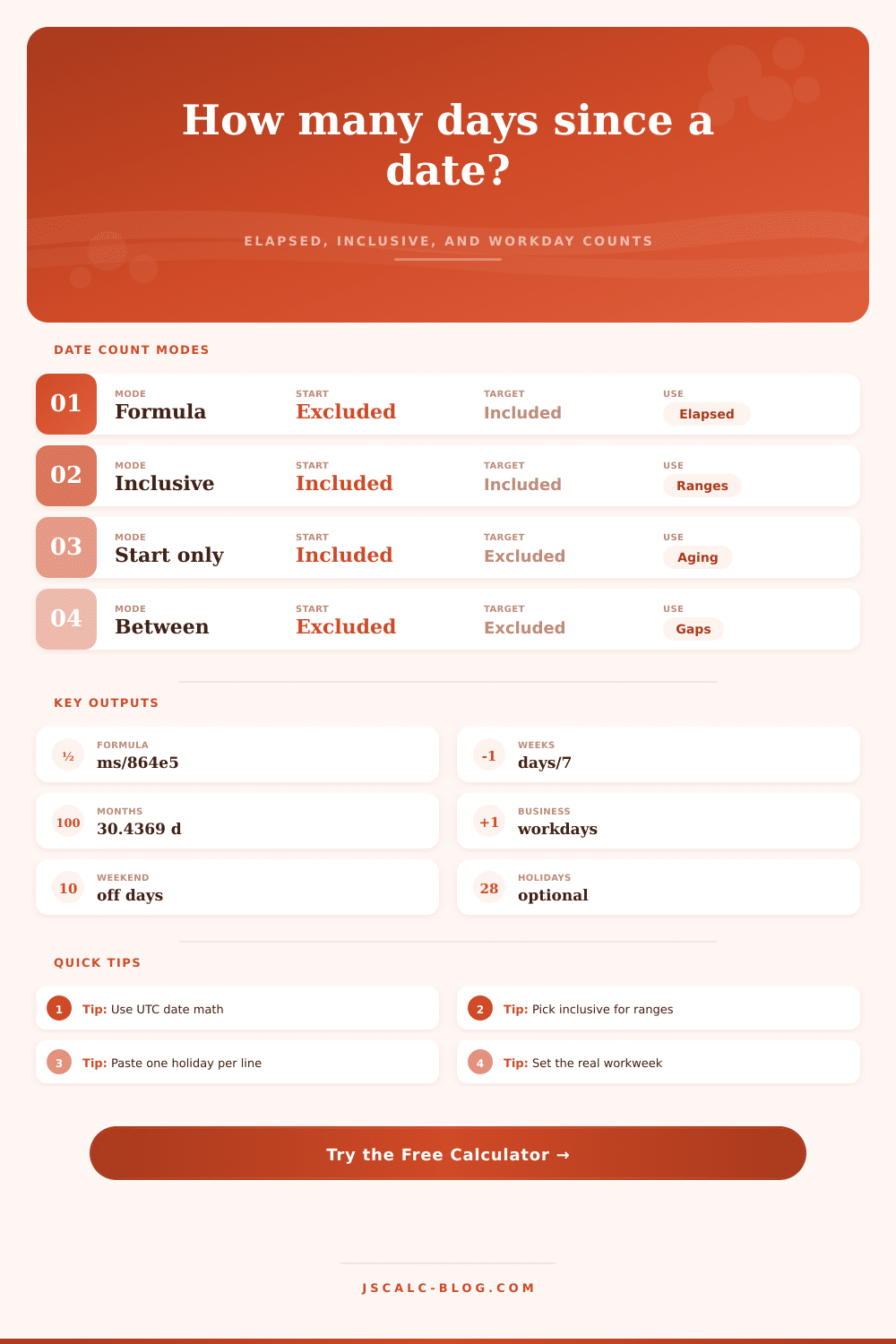
| Formula elapsed | floor((target date - start date) / 86400000) | 0 days | Days since a date, aging, elapsed time |
| Inclusive range | Start date through target date | 1 day | Calendar ranges where both endpoints matter |
| Include start only | Start date through the day before target | 0 days | Daily status windows and subscription-like spans |
| Between only | Dates strictly between the two endpoints | 0 days | Gap checks where endpoints are events |
| Workweek pattern | Workdays | Weekend/off days | Typical use |
|---|---|---|---|
| Monday-Friday | Mon Tue Wed Thu Fri | Sat Sun | Office deadlines and payroll aging |
| Sunday-Thursday | Sun Mon Tue Wed Thu | Fri Sat | Regional work schedules |
| Monday-Saturday | Mon through Sat | Sun | Retail, production, and field work |
| Tuesday-Saturday | Tue through Sat | Sun Mon | Support teams and service counters |
| Weekend only | Sat Sun | Mon through Fri | Weekend coverage or event staffing |
| Every day | All seven days | None | Operations without off-day rules |
| Approximation | Days per month | Formula | Use when |
|---|---|---|---|
| Average Gregorian | 30.436875 | 365.2425 / 12 | You want a long-run calendar average |
| Simple 30-day | 30 | days / 30 | You need a quick planning estimate |
| Weeks | 7 days | floor(days / 7), remainder days | You need weekly cadence rather than months |
| Business hours | workdays x hours | business days x hours per day | You are translating days into capacity |
💡Practical Tips
Remember that panic you get with looming deadlines? It is not exactly clear how far away they are. Oh! Yes, it started back in early spring. Now it’s midsummer, so it feels like it will never end.
But when your manager ask where you are, you cannot say you have no idea. And that costs money in the workplace, it translates to fuzzy promises and missed handoffs.
How to Use a Date Calculator
A date calculator fix the number of days since a date. It takes away any vagueness about time passing and replaces it with cold hard numbers.
So here’s what you should do first: What exactly are you counting? It turns out most people thinks there’s only one right answer to “how many days from now until then?” That results in mistakes.
You have a choice… Does the start date get included or not? This is an option the calculator presents as ‘inclusive’ mode versus ‘formula’ mode. These may seem like minor distinctions, but they make all the difference once you’re in a pinch.
If you want to know how old someone is (or how long ago something happened), you choose formula mode; it includes the target date and doesn’t include the start date. When you’re trying to bill for a range of services (where each and every day matters), you’ll pick inclusive mode (because it counts both endpoints).
If you choose the wrong mode, it will throw your total off by a day or two, which might sound trivial, but add it up over the course of a year. And that’s what most people screw up on. They think all days are the same when, in fact, they are not.
After deciding which type of counting you prefer, you need to think about what makes up a work day for you. In most cases, business operates on a M-F schedule, but this may not be true for all industry.
For example, if you’re in healthcare or retail, you may work Saturdays (or even Sundays). That’s why the tool lets you set up your own work week. It calculates your business days based off when you actualy have capacity, instead of using an abstract idea of “a work day.”
If desired, you can even remove certain holidays from the mix so that you get a pure number of workdays. Why? Because there’s no use in knowing you have 30 calendar days to complete something if five of them are holidays that aren’t really workdays for you. It’s spelled out pretty well in the reference table on the page and shows how various workweeks impact the denominator. Because there’s no use in knowing you have 30 calendar days to complete something if half of them are holidays that aren’t really workdays for you. It’s spelled out pretty well in the reference table on the page and demonstrates how various workweeks impact the denominator.
What about months? Months are problematic on a calendar. They have twenty-eight or thirty-one days, which change back and forth and are terrible for accurate math. So the calculator average the Gregorian month at roughly thirty point four days to provide a ballpark.
It does not provide second-to-second accuracy, but it provides consistency of measurement when estimating across time. Weeks are good for cadence; months are good for high level estimation. And forcing yourself to use calendar months for anything other than that will lead to frustration eventually because February always breaks your model.
It is a small matter, but it is still important. It is also worth noting that time is relative to your activity. Working actively on something makes it feel shorter then when you’re waiting around for something else.
For instance, waiting a week for someone to reply? That’s longer than a week of working hard!
If you want to know direction (is the target ahead of you, behind you?), the signed days will give you the answer (a negative # indicates behind). For example: this could be handy for retroactive analysis; or for calculating how far behind/overdue you are on an invoice.
Distance vs. Use absolute days for aging comparisons because direction does not matter. Want to compare the age/distance of two things? Whatever works for your problem, we let you pick the lens.
So in summary, time tracking isn’t so much about the math as it is about the insight. Whether it’s a time audit of a project or a check-in on your training streak, having an accurate number puts the “I don’t know” card out of play.
There’s no more guesswork. No more wondering how long something will take. You manage instead of guess.
And that calculator up top? It’ll do the numbers for you. It’ll leave you free to think not about how many days you have but what you’re going to do with them. It makes time, which is otherwise vague and slips away (something concrete), something tangible. Something you can hold and measure and plan around.