Work Hours Calculator With Pay
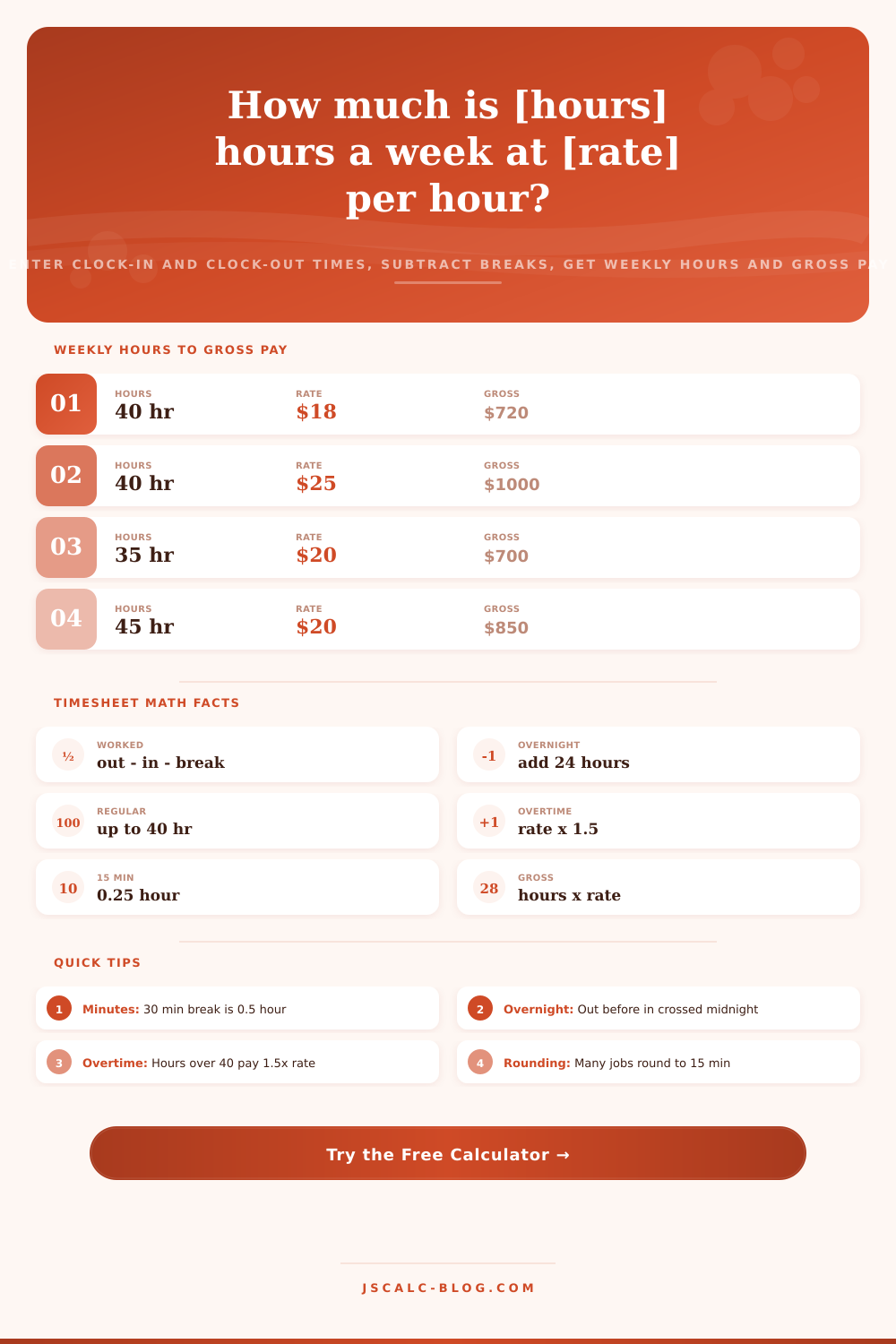
Enter your clock-in and clock-out times for each day, subtract unpaid break minutes, and this timesheet tool parses every shift, handles overnight hours that cross midnight, totals your weekly hours, splits regular from overtime over 40, and multiplies by your hourly rate for gross pay.
🎯Real Schedule Presets
⚙Rate and Options
📅Daily Clock In and Clock Out
| Day | Clock In | Clock Out | Break (min) |
|---|---|---|---|
| Monday | |||
| Tuesday | |||
| Wednesday | |||
| Thursday | |||
| Friday | |||
| Saturday | |||
| Sunday |
Leave a day blank for a day off. Overnight shifts are handled automatically: if the clock-out time is earlier than clock-in, the tool adds 24 hours because the shift crossed midnight.
| Day | In | Out | Break | Hours |
|---|
🔢Formula Snapshot
🕐Minutes to Decimal Hours
| Minutes | Decimal Hour | Fraction | Common Use |
|---|---|---|---|
| 5 min | 0.08 hr | 1/12 | Rounded to .08 |
| 10 min | 0.17 hr | 1/6 | Rounded to .17 |
| 15 min | 0.25 hr | 1/4 | Quarter hour |
| 20 min | 0.33 hr | 1/3 | Third of hour |
| 30 min | 0.50 hr | 1/2 | Half hour break |
| 40 min | 0.67 hr | 2/3 | Two thirds |
| 45 min | 0.75 hr | 3/4 | Three quarters |
| 50 min | 0.83 hr | 5/6 | Five sixths |
| 60 min | 1.00 hr | 1/1 | Full hour |
💵Weekly Hours to Gross Pay
| Weekly Hours | At $15/hr | At $20/hr | At $25/hr | At $30/hr |
|---|---|---|---|---|
| 10 hr | $150 | $200 | $250 | $300 |
| 20 hr | $300 | $400 | $500 | $600 |
| 25 hr | $375 | $500 | $625 | $750 |
| 30 hr | $450 | $600 | $750 | $900 |
| 35 hr | $525 | $700 | $875 | $1050 |
| 37.5 hr | $562.50 | $750 | $937.50 | $1125 |
| 40 hr | $600 | $800 | $1000 | $1200 |
⏳Overtime Threshold Rules
| Weekly Hours | Regular Hours | OT Hours | OT Multiplier | Note |
|---|---|---|---|---|
| 38 hr | 38 hr | 0 hr | none | Under 40, no OT |
| 40 hr | 40 hr | 0 hr | none | At the threshold |
| 44 hr | 40 hr | 4 hr | 1.5x | 4 OT hours |
| 45 hr | 40 hr | 5 hr | 1.5x | 5 OT hours |
| 48 hr | 40 hr | 8 hr | 1.5x | 8 OT hours |
| 50 hr | 40 hr | 10 hr | 1.5x | 10 OT hours |
| 60 hr | 40 hr | 20 hr | 1.5x | Heavy OT week |
📏Time Rounding Conventions
| Rule | Round To | Example Punch | Becomes |
|---|---|---|---|
| Quarter hour | Nearest 15 min | 9:07 in | 9:00 |
| Quarter hour | Nearest 15 min | 9:08 in | 9:15 |
| 7-minute rule | 15 min blocks | 5:07 out | 5:00 |
| Tenth hour | Nearest 6 min | 9:04 in | 9:06 |
| Tenth hour | Nearest 6 min | 9:02 in | 9:00 |
| Exact | To the minute | 9:07 in | 9:07 |
📊Hours and Rate Gross Pay Grid
| Weekly Hours | $16/hr | $18/hr | $22/hr | $28/hr | $35/hr |
|---|---|---|---|---|---|
| 20 hr | $320 | $360 | $440 | $560 | $700 |
| 30 hr | $480 | $540 | $660 | $840 | $1050 |
| 35 hr | $560 | $630 | $770 | $980 | $1225 |
| 40 hr | $640 | $720 | $880 | $1120 | $1400 |
| 44 hr (4 OT) | $736 | $828 | $1012 | $1288 | $1610 |
| 48 hr (8 OT) | $832 | $936 | $1144 | $1456 | $1820 |
| 50 hr (10 OT) | $880 | $990 | $1210 | $1540 | $1925 |
| 55 hr (15 OT) | $1000 | $1125 | $1375 | $1750 | $2187.50 |
| 60 hr (20 OT) | $1120 | $1260 | $1540 | $1960 | $2450 |
Rows over 40 hours include weekly overtime at 1.5x on the hours past 40. For example 44 hours at $16 is 40 x 16 plus 4 x 24 = $640 + $96 = $736.
⚙How the Math Works
💡Timesheet Tips
Time: While most of us believe payroll math equals hours x rate, it doesn’t. In reality, there are several moving parts. These include time conversions and break deductions. There is also overtime thresholds that span seven days and times that cross midnight.
Sure, you punch in at 9 a.m. And out at 5 p.m. Each day will keep your brain on autopilot until Thursday. When you work an extra couple of hours to wrap up a project, your mind shuts down. You’re now facing a timesheet form. You stare at a series of clock-in/clock-out times and wonder if you were paid for your half-hour lunch. You also wonder if working an extra couple of hours puts you over your overtime limit.
How a Payroll Calculator Makes Your Job Easier
Payroll Calculators with Work Hours Handle Tiresome Math for You: By letting you enter your actual punch times instead of guessing total hours, a work hours calculator with pay eliminates all of the pesky math. It takes the guessing game out of clock-in and clock-out times and converts them into gross pay so you can get on with your life. Rather than estimate an entire number of hours, the tool allows you to input the precise times you punched in and out. Why does that make a difference? Because it’s at the boundaries of your shift where you’re most likely to mess up. After taking a break, you believe you clocked eight hours but actualy clocked seven-and-forty-five. When you enter the minute-by-minute details (in and out times), the computer can precisely figure out how much time you spent working, remove unpaid breaks, and add everything together correctley for the week.
It’s not just about making things easier for you. It’s about accuracy. Your employer pays according to what you’ve got on paper. The more accurate the details, the better your paycheck will be.
Overnight: Starting your shift late in the evening (say from 10 PM until 6 AM) can be one of more challenging parts of an hour-based schedule. After all, if “ten” comes after “six,” we’re not allowed to simply subtract. To handle this, the calculator knows what happens when you clock-out before you clock-in; i.e., your shift crosses over into the next day. In this case, it will add another 24 hours to your out time so you recieve credit for all eight. This is the kind of thinking nurses, factory workers, security guards etc. Use every single day. There’s no need to indicate whether or not these are overnight shifts. Based off the times you enter, the system will know for itself.
Here are a few other things. You won’t have to set a reminder to tell yourself that your shift crossed midnight. Rather than having to manually account for your time, just input Saturday and Sunday exactly as you would any other day. The app will do the rest. The app will do the rest.
Payroll systems count in decimal hours, not minutes; so for example, a half hour break isn’t zero point three hours. It’s zero point five. Thirty divided by sixty is one half. Fifteen minutes should never be entered as zero point fifteen. You’re losing money each week on that one! The calculator will convert your break time into its proper decimal form and then deduct it from your shift duration. That way, if your shift is eight hours including an unpaid, 30 minute lunch, you’ll get credited for seven and a half paid hours (not seven and seven tenths). Knowing how this works will also help you check your own timesheet manually.
It will then divide these up into regular and overtime pay. Generally speaking (in the U.S.), if you work more than forty hours in a work week, federal law requires you to be paid time-and-a-half. So, if you work fifty hours at eighteen bucks an hour, the first forty of those hours get you seven hundred twenty dollars. Then you tack on two hundred and seventy dollars, the other ten hours were worked at twenty-seven per hour. The total is nine hundred ninety dollars. That’s a $180 underpayment for the week, without factoring in proper overtime rules. By default, it does apply this rule, but you can turn it off for special deals/agreements/salaried roles.
It cleanly breaks down your earnings in a results panel. It shows you how many regular versus overtime hours you worked during the week. It also shows the gross amount of money before taxes and your total number of hours for that week. Then there’s an average hours per day number that can help you know if your scheduling is sustainable long-term. To put these numbers into context, there are reference tables on the page that show how much each rate would be for take-home pay and demonstrate rounding conventions across different employers. Some will round their punch times to the nearest fifteen minutes (based on the seven-minute rule), others will just give them exact minutes. Understanding what your employer’s convention is will explain why your paycheck might not be exactly as calculated manually.
You must track your hours accurately. Recording your workday is critical to every payroll task, from reviewing a recent paycheck to making a budget for your next gig. Punch in your actual hours. Specify your pay-rate. Then sit back as it crunches all the complicated math. In mere seconds, you’ll have crystal-clear results, numbers you can trust to provide peace of mind (and financial clarity). It transforms the messy jigsaw puzzle of your week’s hours into a simple calculation you can rely on.