VLSM Subnet Calculator
Plan Variable Length Subnet Masking in seconds. Enter one parent network block and a list of subnets with the hosts each one needs, and this tool allocates several different-sized subnets from the same block, largest first, returning a full plan with network, mask, usable range, broadcast, and address utilization.
🎯Real VLSM Design Presets
📡Parent Network Block
Subnet host requirements (name and required usable hosts). Leave hosts blank or 0 to skip a row.
| Subnet | Needed | Size | Network / CIDR | First | Last | Broadcast | Mask |
|---|
🔢VLSM Formula Snapshot
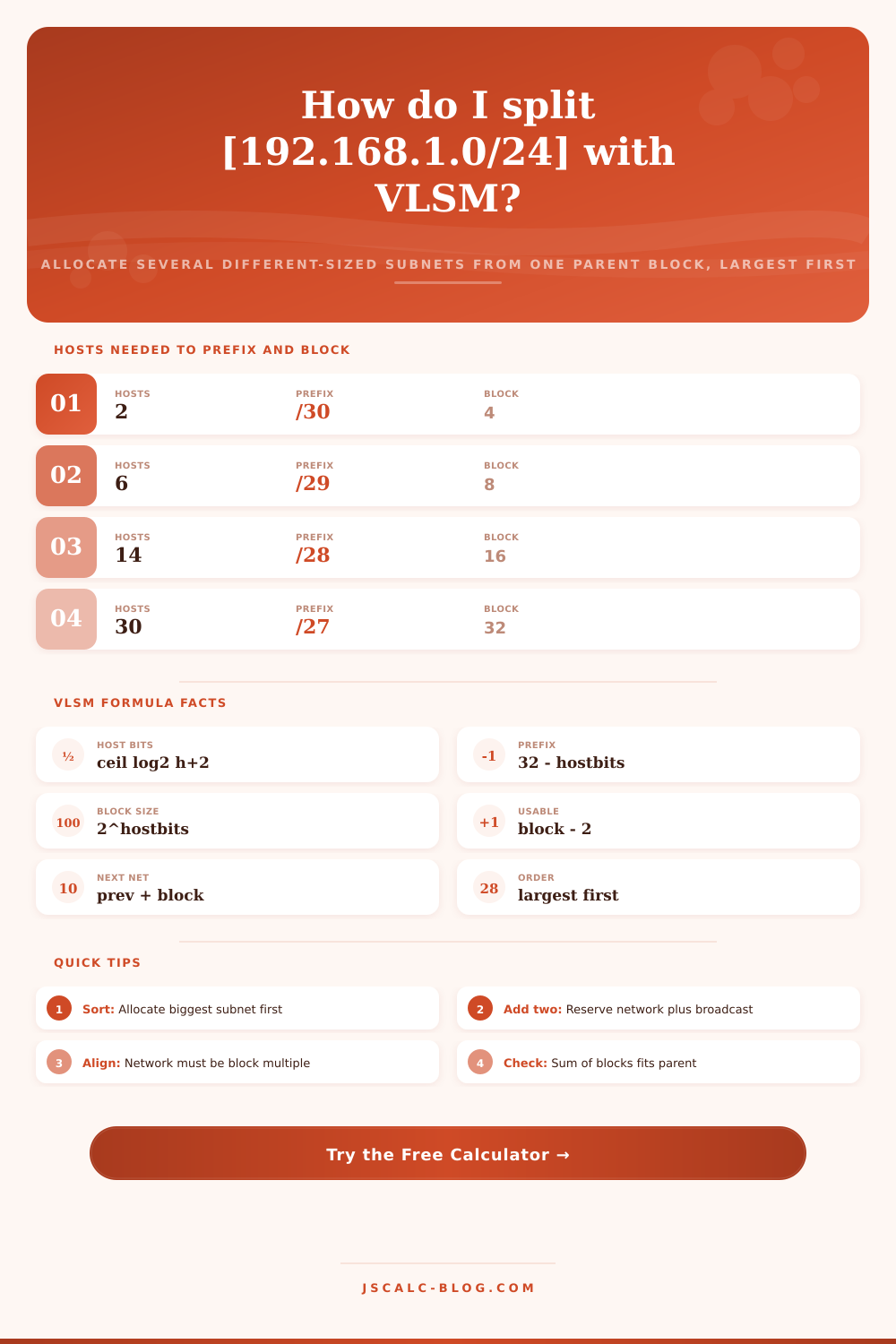
📋Hosts Needed to Prefix and Block
| Usable Hosts Needed | Host Bits | Prefix (CIDR) | Block Size | Subnet Mask |
|---|---|---|---|---|
| 1 to 2 | 2 | /30 | 4 | 255.255.255.252 |
| 3 to 6 | 3 | /29 | 8 | 255.255.255.248 |
| 7 to 14 | 4 | /28 | 16 | 255.255.255.240 |
| 15 to 30 | 5 | /27 | 32 | 255.255.255.224 |
| 31 to 62 | 6 | /26 | 64 | 255.255.255.192 |
| 63 to 126 | 7 | /25 | 128 | 255.255.255.128 |
| 127 to 254 | 8 | /24 | 256 | 255.255.255.0 |
| 255 to 510 | 9 | /23 | 512 | 255.255.254.0 |
| 511 to 1022 | 10 | /22 | 1024 | 255.255.252.0 |
🔧Worked VLSM Example: 192.168.1.0/24
| Subnet | Hosts Needed | Prefix | Network | Usable Range | Broadcast |
|---|---|---|---|---|---|
| Sales (100) | 100 | /25 | 192.168.1.0 | .1 to .126 | 192.168.1.127 |
| Engineering (50) | 50 | /26 | 192.168.1.128 | .129 to .190 | 192.168.1.191 |
| Support (25) | 25 | /27 | 192.168.1.192 | .193 to .222 | 192.168.1.223 |
| Servers (10) | 10 | /28 | 192.168.1.224 | .225 to .238 | 192.168.1.239 |
| WAN Link (2) | 2 | /30 | 192.168.1.240 | .241 to .242 | 192.168.1.243 |
| Free space | - | - | 192.168.1.244 | .244 to .255 | 12 addresses |
📊Powers of Two and Block Sizes
| Host Bits | Block = 2^n | Prefix | Usable Hosts | Wildcard Last Octet |
|---|---|---|---|---|
| 1 | 2 | /31 | 0 (link only) | 1 |
| 2 | 4 | /30 | 2 | 3 |
| 3 | 8 | /29 | 6 | 7 |
| 4 | 16 | /28 | 14 | 15 |
| 5 | 32 | /27 | 30 | 31 |
| 6 | 64 | /26 | 62 | 63 |
| 7 | 128 | /25 | 126 | 127 |
| 8 | 256 | /24 | 254 | 255 |
🗃Allocation Efficiency Comparison Grid
| Subnet | Hosts Needed | Prefix | Addresses Given | Usable | Wasted |
|---|---|---|---|---|---|
| Sales | 100 | /25 | 128 | 126 | 26 |
| Engineering | 50 | /26 | 64 | 62 | 12 |
| Support | 25 | /27 | 32 | 30 | 5 |
| Servers | 10 | /28 | 16 | 14 | 4 |
| Guest WiFi | 60 | /26 | 64 | 62 | 2 |
| Printers | 14 | /28 | 16 | 14 | 0 |
| WAN Link | 2 | /30 | 4 | 2 | 0 |
| Loopback | 1 | /32 | 1 | 1 | 0 |
⚙Formula Breakdown
💡VLSM Planning Tips
Assigning IP addresses isn’t rocket science, though it does involve some math. On one hand, you need enough numbers for deployment. On the other hand, you don’t want to waste any. That’s why Variable Length Subnet Masking comes in handy. It subdivides one network block into multiple subnets of varying size without leaving giant areas of unassigned space or overlapping the ranges. It allows you to meet diverse requirements within a single container with every address being valuable.
The tool calculates an allocation plan based off your parent block and subnet requirements. Simply cut-and-paste that plan into your router configuration file.
How VLSM Saves IP Addresses
Fixed-length subnetting divide the block evenly (a classic example). For instance, dividing a /24 into four subnets creates same number of addresses for each segment. This stay the same regardless of how many device are on that segment. It’s easy to do, but it’s not efficient.
With VLSM, we don’t need the rule of even-sized subnets, instead, each subnet can has whatever size prefix length is required. One department has a hundred users; take a bigger chunk. Another team only has twenty-five users; take a smaller slice. A link between routers? Take a tiny sliver. Three things all within the same parent network. This results in more efficient use of addresses, which is why VLSM works for almost every actual network design nowadays.
This leaves us with the main mechanic: turning the number of raw hosts into the length of their prefix. A subnet holds an address for the network itself, and another for broadcast traffic. This means you’ll get only usable addresses equal to segment size minus two. So an otherwise unaccounted-for set of h hosts require h plus two available addresses. The calculator does this logarithmically, because we’re not guessing at coefficients here.
With one-hundred hosts, there will be one-hundred-and-two total addresses required. The smallest power of two that covers that total is 128. This yields a /25 prefix and seven host bits. This is the smallest such block that satisfies our need without blocking growth.
After defining block sizes, the tool sorts subnets into memory order. The golden rule are to sort based on number of required hosts. Large subnets need strict boundary alignment. Starting at the base network address, the first subnet is assigned. Each following subnet begin exactly one block size after the previous network ends. This way, every subnet always lands on an aligned boundary equal to its size.
In the output table, each subnet is listed by name with its hosts required, block size recieve, network/CIDR notation, usable range, broadcast address, and dotted-decimal mask. A breakdown panel re-states total address count and the parent block to show the logic.
By far the most frequent error with VLSMs comes from having a single block tasked to contain too many addresses for its physical capacity. The tool warns of overflow, and flags any rows that won’t fit within the parent block. That way, no two ranges will overlap without raising a flag first. It reflects how a router would respond in real life.
Overflows indicate you either have to trim back hosts needed, or select a shorter prefix as the parent. Each additional dropped bit doubles the amount available. It’s much cheaper to catch this on screen now than finding an IP conflict post-deployment. You should of checked it earlier.
Block sizes are always a power of two, which means that even correct VLSM results in address waste. For example, a subnet requiring precisely one hundred hosts receive a /25 with 128 addresses and throws away twenty-six addresses (counting network and broadcast header). A subnet requiring exactly fourteen hosts can be served by a /28 with no wasted addresses. The graph illustrates the point: where do you round up at cost?
You will save most by rounding your need down to two less than the next larger block. One good rule-of-thumb is to determine whether nudging your requirement just below the next power of two, minus two, would drop it into a smaller block and reclaim a large chunk of space. In other words, reclaim a big chunk of space.
But a router-to-router link has just two addresses, one at either end of the link. That fits snugly inside a /30 subnet that contains a full four addresses: one network, two usable, one broadcast. It’s a little subnet. It doesn’t mess up any bigger subnets because you order them from largest to smallest (largest-first). This means a /30 will fit in whatever remaining four-address boundary remains.
You’ll see this done every day by network engineers when designing WAN meshes, data center tiers, and even branch office layouts. If you’re studying for certs, learning how to do this mental math is part of the study routine. Pick a given scenario, then change host numbers to match what you’d have on your own subnets. Then read the table of allocations. It’s a long, frustrating exercise; the calculator makes it a fast, checkable plan.