Usable Host Count Calculator
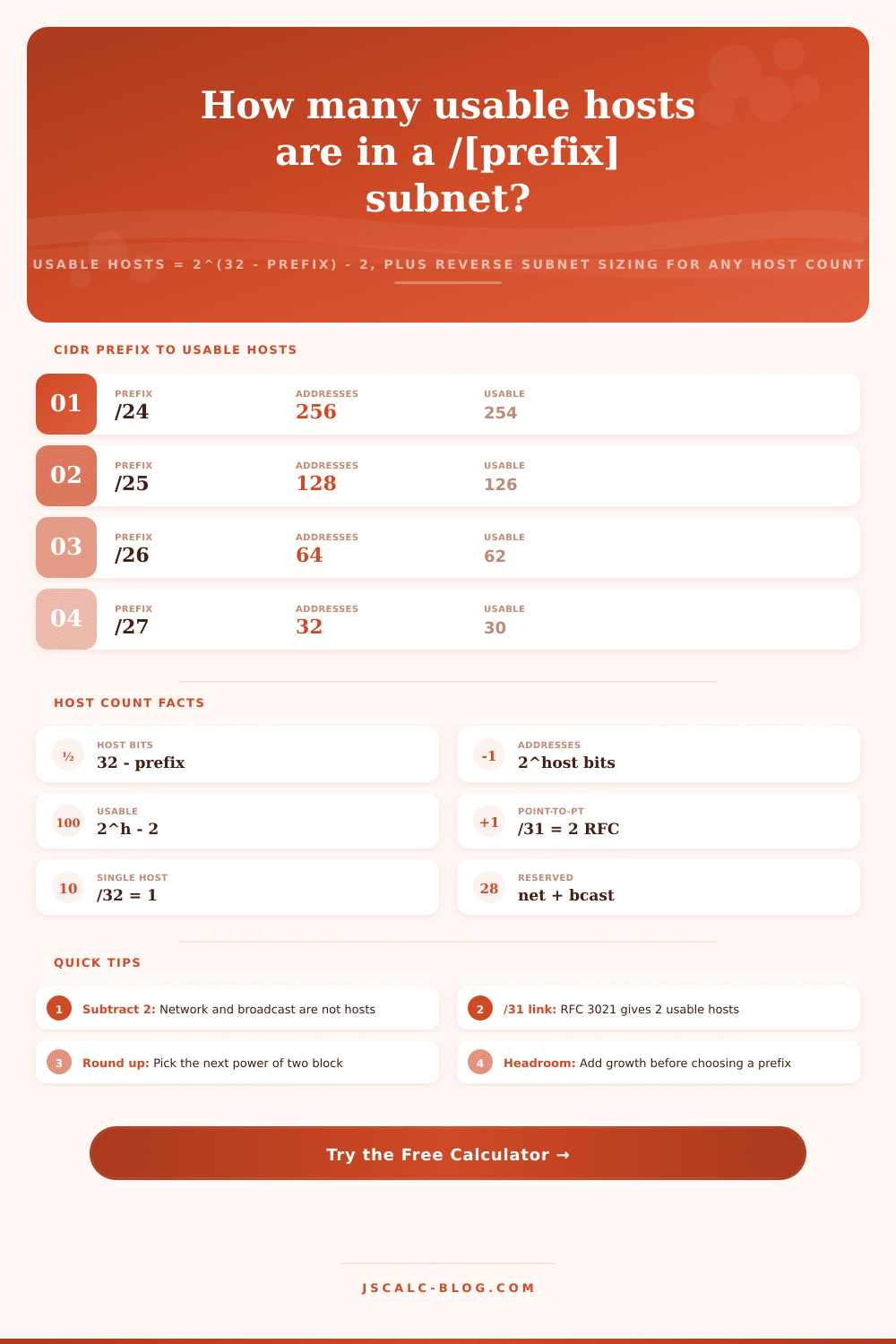
Turn any CIDR prefix into the number of usable hosts with usable = 2^(32 - prefix) - 2, or work backward from a required host count to the smallest subnet that fits. Handles the reserved network and broadcast addresses, the RFC 3021 /31 point-to-point link, and the single-address /32, and reports address utilization so you can size subnets without wasting space.
📡Choose a Mode
🎯Common Subnet Presets
📝Subnet Inputs
The mask bits after the slash, for example 24 for a /24.
How many devices need an address on this subnet.
Extra capacity added on top of your host count before sizing.
Standard subnets reserve the first and last address.
This tool sizes IPv4 host space with a 32-bit width.
Gateway or infrastructure addresses to hold back from hosts.
🔢Formula Snapshot
📋Prefix to Usable Hosts Chart
| CIDR Prefix | Host Bits | Total Addresses | Usable Hosts | Reads As |
|---|---|---|---|---|
| /24 | 8 | 256 | 254 | Class C sized |
| /25 | 7 | 128 | 126 | Half of /24 |
| /26 | 6 | 64 | 62 | Quarter /24 |
| /27 | 5 | 32 | 30 | Eighth /24 |
| /28 | 4 | 16 | 14 | Sixteen block |
| /29 | 3 | 8 | 6 | Eight block |
| /30 | 2 | 4 | 2 | Router link |
| /31 | 1 | 2 | 2 | RFC 3021 P2P |
| /32 | 0 | 1 | 1 | Single host |
📊Host Requirement to Smallest Subnet
| Hosts Needed | Smallest Prefix | Usable Hosts | Total Addresses | Spare Hosts |
|---|---|---|---|---|
| 1 | /32 | 1 | 1 | 0 |
| 2 | /30 | 2 | 4 | 0 |
| 5 | /29 | 6 | 8 | 1 |
| 10 | /28 | 14 | 16 | 4 |
| 25 | /27 | 30 | 32 | 5 |
| 50 | /26 | 62 | 64 | 12 |
| 100 | /25 | 126 | 128 | 26 |
| 200 | /24 | 254 | 256 | 54 |
| 500 | /23 | 510 | 512 | 10 |
| 1000 | /22 | 1022 | 1024 | 22 |
🧮Power-of-Two Host Blocks
| Host Bits | Block Size 2^h | Prefix | Usable 2^h - 2 | Doubling Note |
|---|---|---|---|---|
| 0 | 1 | /32 | 1 (single) | One address |
| 1 | 2 | /31 | 2 (RFC 3021) | Point to point |
| 2 | 4 | /30 | 2 | Doubles to 4 |
| 3 | 8 | /29 | 6 | Doubles to 8 |
| 4 | 16 | /28 | 14 | Doubles to 16 |
| 5 | 32 | /27 | 30 | Doubles to 32 |
| 6 | 64 | /26 | 62 | Doubles to 64 |
| 8 | 256 | /24 | 254 | Full octet |
🗃Subnet Size Comparison Grid
| Prefix | Total Addresses | Usable Hosts | Typical Use | Fits 50 Hosts | Wasted If 50 Used |
|---|---|---|---|---|---|
| /24 | 256 | 254 | Standard LAN or VLAN | Yes | 204 spare |
| /25 | 128 | 126 | Split LAN half | Yes | 76 spare |
| /26 | 64 | 62 | Department subnet | Yes | 12 spare |
| /27 | 32 | 30 | Small workgroup | No | Too small |
| /28 | 16 | 14 | Server rack or lab | No | Too small |
| /29 | 8 | 6 | DMZ or edge block | No | Too small |
| /30 | 4 | 2 | Router to router link | No | Too small |
| /31 | 2 | 2 | P2P link RFC 3021 | No | Too small |
⚙Formula Breakdown
💡Host Sizing Tips
Or perhaps you’ve got an apparently good network plan on paper, yet when you attempt to assign those addresses, nothing seem available. You’ve got plenty of room for all your gear, but too many holes and you end up with a puzzle-like mess rather than a well-structured addressing hierarchy. IPv4 planning creates some friction. It does not happen often enough to cause a system crash, but it is enough to slow down everything from VLAN assignments to router configurations.
This happens because of the powers-of-two math versus our tendency to think in linear increments. IPv4 has a bit length of thirty-two, and the CIDR prefix describe how many bits describe the network and how many bits remain for hosts. Two to the power of eight (the number of host bits if you’re given a /24) is two hundred fifty-six. A /24 provide two hundred fifty-six total addresses.
Why IPv4 Planning Is Hard
Where most folks fall down is remembering that two of those addresses have to be reserved: one for the network address itself and one for the broadcast address. Neither of these can contain a device; so while there’s room in the block for two hundred fifty-six, you can realy use only two hundred fifty-four of them for printers or servers. That slight math change occur when you start putting host into smaller subnets. It’s good that the calculator does this math for us on the fly, no mistakes here! But it’s better if we understand *why* these numbers change.
Remember, you can’t pick any subnet size at random. Binary addressing require blocks of two (32), four (30), eight (28) or sixteen (26). For example, suppose I want 42 hosts? A /26 provides 64 IP addresses in all, giving me 62 usable ones (after taking away the network and broadcast address). A /27 provide only 30 usable hosts, leaving me stuck with 12 devices that don’t fit into my plan. That is, I can’t reduce the block any smaller without falling below my host count. So take the /26 and deal with those spare 20 IP addresses.
That additional overhead (the “wasted” addresses) isn’t a bug but an efficiency of binary logic: a safety valve for static allocations such as gateway addresses, or space to grow as needed. The tool helps you account for that growth. Add a percentage margin first and then the tool tells you the smallest subnet that will still fit. This prevents painful renumbering later if you failed to plan for growth. It turns abstract waste into a clear strategy: you’re not wasting any addresses at all; you’re buying yourself insurance against change.
Another complication in the rules is that there are exceptions: In the old days, a /30 had just two available IP addresses of four (with overhead due to the link being used as a point-to-point connection between routers). For those kinds of links, /31s are legal according to RFC 3021, meaning you can use both IPs in a /31 where there isn’t an actual “broadcast” or “network” address. That’s twice as efficient on a router link, though at the other end of the spectrum a /32 is simply one host, good for a loopback or a special firewall rule. Knowing what works with your gear is as important than knowing when to use these exceptions.
This means it’s frequently easier to work backwards; if you know the prefix, then you have a known quantity of hosts. But if you don’t start with the host count, you have to round up to the nearest power-of-two. This reverse sizing mode inverts that process to tell you exactly what subnet will fit your needs while not wasting extra addresses. It displays the use rate, so you can see at a glance just how many of those addresses are actualy in use as opposed to unused. That rate allows you to weigh the tradeoff between saving address space vs reserving room for growth.
These relationships is laid out in clear reference tables included with the tool, which map common numbers of hosts to their corresponding minimum subnet size. Over time, this visual aid builds intuition; it becomes obvious at-a-glance that five hosts push you into a /29 while twenty-five will require a /27. Soon enough, you don’t need to calculate anymore, you recognize patterns (a server rack with ten machines fits in a /28; a department with fifty people requires a /26).
Learning this math will make network design far more predictable, the guesswork goes out and address planning becomes a mathematical exercise rather than drudgery. Instead of dreading constraints of the base-2 math, you can use it to build out a logical network in the most efficient way possible, where subnets aren’t “filled” but they have headroom when looked at on paper. It’s the difference between a chaotic network and one which will scale smoothly over time.