Subnet Range Calculator
Enter an IPv4 address and a CIDR prefix or subnet mask to get the complete subnet range at once: the network address, the broadcast address, the first and last usable host, the total and usable host counts, and the exact role of your IP. You can also locate a specific host by its offset within the block.
🌐Choose Prefix Input
🎯Real Network Presets
📝IP and Subnet Inputs
Any address inside the subnet works; the network is derived from it.
The prefix sets how many leading bits are the network portion.
Dotted decimal mask; the tool converts it to a prefix length.
Host number counted from the network address, so 1 is the first host.
Adds the binary network and mask to the breakdown panel.
Standard subtracts 2; /31 and /32 are handled as special cases.
🔢Range Formula Snapshot
📋Example Networks and Their Ranges
| CIDR Block | Network | First Host | Last Host | Broadcast |
|---|---|---|---|---|
| 192.168.1.0/24 | 192.168.1.0 | 192.168.1.1 | 192.168.1.254 | 192.168.1.255 |
| 192.168.0.0/25 | 192.168.0.0 | 192.168.0.1 | 192.168.0.126 | 192.168.0.127 |
| 172.16.5.0/26 | 172.16.5.0 | 172.16.5.1 | 172.16.5.62 | 172.16.5.63 |
| 10.0.8.0/27 | 10.0.8.0 | 10.0.8.1 | 10.0.8.30 | 10.0.8.31 |
| 10.1.1.0/28 | 10.1.1.0 | 10.1.1.1 | 10.1.1.14 | 10.1.1.15 |
| 203.0.113.8/29 | 203.0.113.8 | 203.0.113.9 | 203.0.113.14 | 203.0.113.15 |
| 198.51.100.0/30 | 198.51.100.0 | 198.51.100.1 | 198.51.100.2 | 198.51.100.3 |
| 10.255.0.0/31 | 10.255.0.0 | 10.255.0.0 | 10.255.0.1 | n/a |
📊Octet Boundary Block Sizes
| Prefix | Last Mask Octet | Block Size | Subnets per /24 | Usable Hosts |
|---|---|---|---|---|
| /24 | 0 | 256 | 1 | 254 |
| /25 | 128 | 128 | 2 | 126 |
| /26 | 192 | 64 | 4 | 62 |
| /27 | 224 | 32 | 8 | 30 |
| /28 | 240 | 16 | 16 | 14 |
| /29 | 248 | 8 | 32 | 6 |
| /30 | 252 | 4 | 64 | 2 |
🧮Which Subnet Does an IP Fall In
| Prefix | Magic Number | Multiples in Last Octet | Example IP | Its Network |
|---|---|---|---|---|
| /25 | 128 | 0, 128 | x.x.x.130 | x.x.x.128 |
| /26 | 64 | 0, 64, 128, 192 | x.x.x.100 | x.x.x.64 |
| /27 | 32 | 0, 32, 64, 96 ... | x.x.x.70 | x.x.x.64 |
| /28 | 16 | 0, 16, 32, 48 ... | x.x.x.45 | x.x.x.32 |
| /29 | 8 | 0, 8, 16, 24 ... | x.x.x.29 | x.x.x.24 |
| /30 | 4 | 0, 4, 8, 12 ... | x.x.x.14 | x.x.x.12 |
🗃Prefix Range Comparison Grid
| Prefix | Block Size | Wildcard | Network (Base 0) | Broadcast | Usable Range |
|---|---|---|---|---|---|
| /22 | 1024 | 0.0.3.255 | x.x.0.0 | x.x.3.255 | .0.1 to .3.254 |
| /23 | 512 | 0.0.1.255 | x.x.0.0 | x.x.1.255 | .0.1 to .1.254 |
| /24 | 256 | 0.0.0.255 | x.x.x.0 | x.x.x.255 | .1 to .254 |
| /25 | 128 | 0.0.0.127 | x.x.x.0 | x.x.x.127 | .1 to .126 |
| /26 | 64 | 0.0.0.63 | x.x.x.0 | x.x.x.63 | .1 to .62 |
| /27 | 32 | 0.0.0.31 | x.x.x.0 | x.x.x.31 | .1 to .30 |
| /28 | 16 | 0.0.0.15 | x.x.x.0 | x.x.x.15 | .1 to .14 |
| /29 | 8 | 0.0.0.7 | x.x.x.0 | x.x.x.7 | .1 to .6 |
| /30 | 4 | 0.0.0.3 | x.x.x.0 | x.x.x.3 | .1 to .2 |
| /31 | 2 | 0.0.0.1 | x.x.x.0 | none | both .0 and .1 |
⚙Formula Breakdown
💡Subnet Range Tips
The internet goes down, you plug in a new access point. You go look at the IP settings. No problems. The subnet mask appears correct and the IP address seem right. But still no traffic. This isn’t a hardware problem (usually). This is typicaly some form of arithmetic error acting like a configuration problem.
You configured the wrong address on the wrong side of a subnet boundary or you configured it for broadcast address. The device attempts to talk to every one at once, and it’s ignored by everybody else.
Why Your IP Settings Are Wrong
An IP address is a number with 32-bits split into two sections: a network part (high-order) and a host part (low-order). A subnet consist of a continuous set of addresses which have common values for their higher-order bits. The number of leading bits fixed by the subnet are called its prefix length and can be expressed using a slash: /24. All other bit are host bits. Each different sequence of host bits correspond to an IP address in the range.
The first address in the range is known as network address. It describes this particular group of addresses. The last address in the range is known as the broadcast address. It’s sent out to everyone in the range to ‘shout’ something at them all. In between there should be addresses assigned to physical interface.
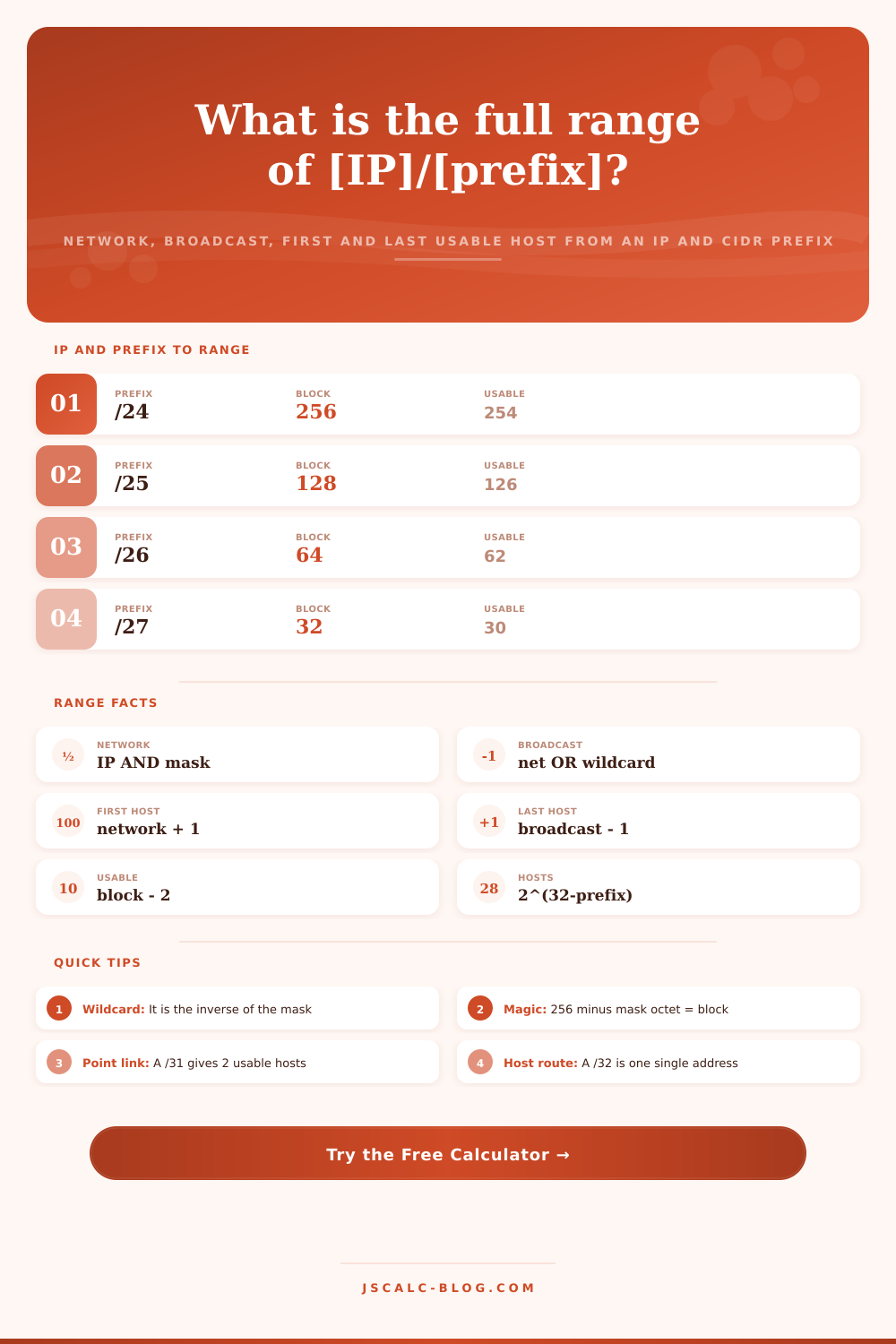
Getting this right avoids a nasty surprise that you only notice when it’s too late on your office and home network. This is actualy performed using bitwise logic, which doesn’t use simple addition. A “logical AND” on your IP and subnet mask will clear out any host bits and leave just the network portion. That’s your network address.
To form what’s called a wildcard, you invert that subnet mask. You then perform a logical OR against the network address, setting all the host bit to one to find the top of the range, known as its broadcast address. The calculator above does all this binary arithmetic for you in an instant, without you having to convert the octets yourself. One pass, you see floor, ceiling, and usable space between.
The very first and very last aren’t used for most subnet anyway. They’re reserved for protocol overhead. Therefore, the first usable host is the network address +1. Likewise, the last usable host is the broadcast -1. A standard /24 network give us 256 total addresses and only 254 usable ones.
Down to a /30 subnet this reserve rule apply as well. That leaves us with four addresses and two usable host. It is perfect for point-to-point links between router. All you need is an IP on both ends of the wire.
Many gets tripped up on exceptions. RFC 3021 permits a /31 prefix to have two addresses and use them both as host addresses over a point-to-point link. There is no broadcast or network address. Just two endpoints and an exhaust of the whole block. This saves precious IPv4 space within large provider networks.
Even smaller is a /32 which is a single host route. These is often used for firewall rules that apply specifically to a single device or a loopback interface.
When designing something that will scale, getting this right does matter. The magic number approach is also how network engineers mentally locate a range. Take the block size as 256 minus the interesting octet of the mask. A /26 with an ending octet of 192 has a magic number of 64. The subnets will be on multiples of 64: zero, sixty-four, one hundred twenty-eight, and so on. What about an IP address that ends in one hundred? That’s part of the block that starts at sixty-four.
The tool’s reference tables spells out those multiples for each common prefix. This lets you check your mental math against exact values. It closes the gap between back-of-the-envelope estimation and ready-for-production.
Why deal with quietly expensive subnetting mistakes? A device on the broadcast address don’t route properly. When a DHCP pool overflows into another subnet, it create IP conflict problems that waste hours tracking down. Subnetting errors are quietly expensive.
Knowing the network address, the first host, the last host, and the broadcast address remove guesswork and computes these values in one step. Find any given host’s location within a range by knowing how far off it is. Verify your gateway is where you expect it to be.
Begin with a defined scenario. Change the octets to fit your plan. Scan through the entire range in seconds. It converts complex binary math into real network boundaries. Avoids wasted time while keeping traffic flowing as intended.