CIDR to Subnet Mask Converter
Turn a CIDR prefix like /24 into its dotted-decimal subnet mask, then read the wildcard mask, host bits, total addresses and usable hosts. Reverse the process too: paste any dotted mask and the tool counts the leading one bits to return the matching /n prefix, all with pure IPv4 bit math.
🌐Choose a Direction
🎯Common CIDR Prefix Presets
📝Converter Inputs
The number of leading network bits, from /0 to /32.
Any address in the block, used to show the network range.
Enter four octets; the tool counts the leading one bits.
Standard drops 2 reserved rows; /31 and /32 are special.
🔢Bit Snapshot
📋CIDR Prefix Reference Chart
| Prefix | Subnet Mask | Wildcard | Addresses | Usable Hosts |
|---|---|---|---|---|
| /16 | 255.255.0.0 | 0.0.255.255 | 65,536 | 65,534 |
| /20 | 255.255.240.0 | 0.0.15.255 | 4,096 | 4,094 |
| /22 | 255.255.252.0 | 0.0.3.255 | 1,024 | 1,022 |
| /23 | 255.255.254.0 | 0.0.1.255 | 512 | 510 |
| /24 | 255.255.255.0 | 0.0.0.255 | 256 | 254 |
| /25 | 255.255.255.128 | 0.0.0.127 | 128 | 126 |
| /26 | 255.255.255.192 | 0.0.0.63 | 64 | 62 |
| /27 | 255.255.255.224 | 0.0.0.31 | 32 | 30 |
| /28 | 255.255.255.240 | 0.0.0.15 | 16 | 14 |
| /30 | 255.255.255.252 | 0.0.0.3 | 4 | 2 |
📊Classful Default Masks
| Class | Leading Bits | Default Prefix | Default Mask | First Octet Range |
|---|---|---|---|---|
| Class A | 0 | /8 | 255.0.0.0 | 1 to 126 |
| Class B | 10 | /16 | 255.255.0.0 | 128 to 191 |
| Class C | 110 | /24 | 255.255.255.0 | 192 to 223 |
| Class D | 1110 | n/a | multicast | 224 to 239 |
| Class E | 1111 | n/a | reserved | 240 to 255 |
| Loopback | within A | /8 | 255.0.0.0 | 127 |
🔢Mask Octet Bit Values
| Octet Value | Binary | One Bits | Wildcard Octet | Adds To Prefix |
|---|---|---|---|---|
| 0 | 00000000 | 0 | 255 | +0 |
| 128 | 10000000 | 1 | 127 | +1 |
| 192 | 11000000 | 2 | 63 | +2 |
| 224 | 11100000 | 3 | 31 | +3 |
| 240 | 11110000 | 4 | 15 | +4 |
| 248 | 11111000 | 5 | 7 | +5 |
| 252 | 11111100 | 6 | 3 | +6 |
| 254 | 11111110 | 7 | 1 | +7 |
| 255 | 11111111 | 8 | 0 | +8 |
🗃Quick CIDR Comparison Grid
| Prefix | Mask | Host Bits | Addresses | Usable | Typical Use |
|---|---|---|---|---|---|
| /32 | 255.255.255.255 | 0 | 1 | 1 host | Single host route |
| /31 | 255.255.255.254 | 1 | 2 | 2 hosts | Point-to-point link |
| /30 | 255.255.255.252 | 2 | 4 | 2 | Router WAN link |
| /29 | 255.255.255.248 | 3 | 8 | 6 | Tiny office segment |
| /28 | 255.255.255.240 | 4 | 16 | 14 | Small lab or VLAN |
| /27 | 255.255.255.224 | 5 | 32 | 30 | Department segment |
| /26 | 255.255.255.192 | 6 | 64 | 62 | Medium subnet |
| /25 | 255.255.255.128 | 7 | 128 | 126 | Half a class C |
| /24 | 255.255.255.0 | 8 | 256 | 254 | Standard LAN |
⚙Formula Breakdown
💡CIDR Bit Math Tips
This page is a CIDR to subnet mask converter. What does that mean? Basicly, it takes compact slash notation (like /24) and translates it into dotted-decimal subnet masks.
Why would someone do that? Network engineers use this type of notation every day, but routers and operating systems wants to see the complete mask. In other words, the CIDR (Classless Inter-Domain Routing) specifies a prefix length (/24), and from that one number, you can tell what portion of 32 bits in an IPv4 address is reserved for the network. How many bits are left over for hosts?
How to Use the CIDR Converter
That’s all we’re looking for: CIDR converts the prefix length into a mask value; it figures out the wildcard mask as well. Then it counts up the number of host bits and reports how many addresses there is. It also reports how many addresses is usable for hosts. It uses bit arithmetic, but don’t worry, you won’t have to memorize binary tables to get the conversions correct.
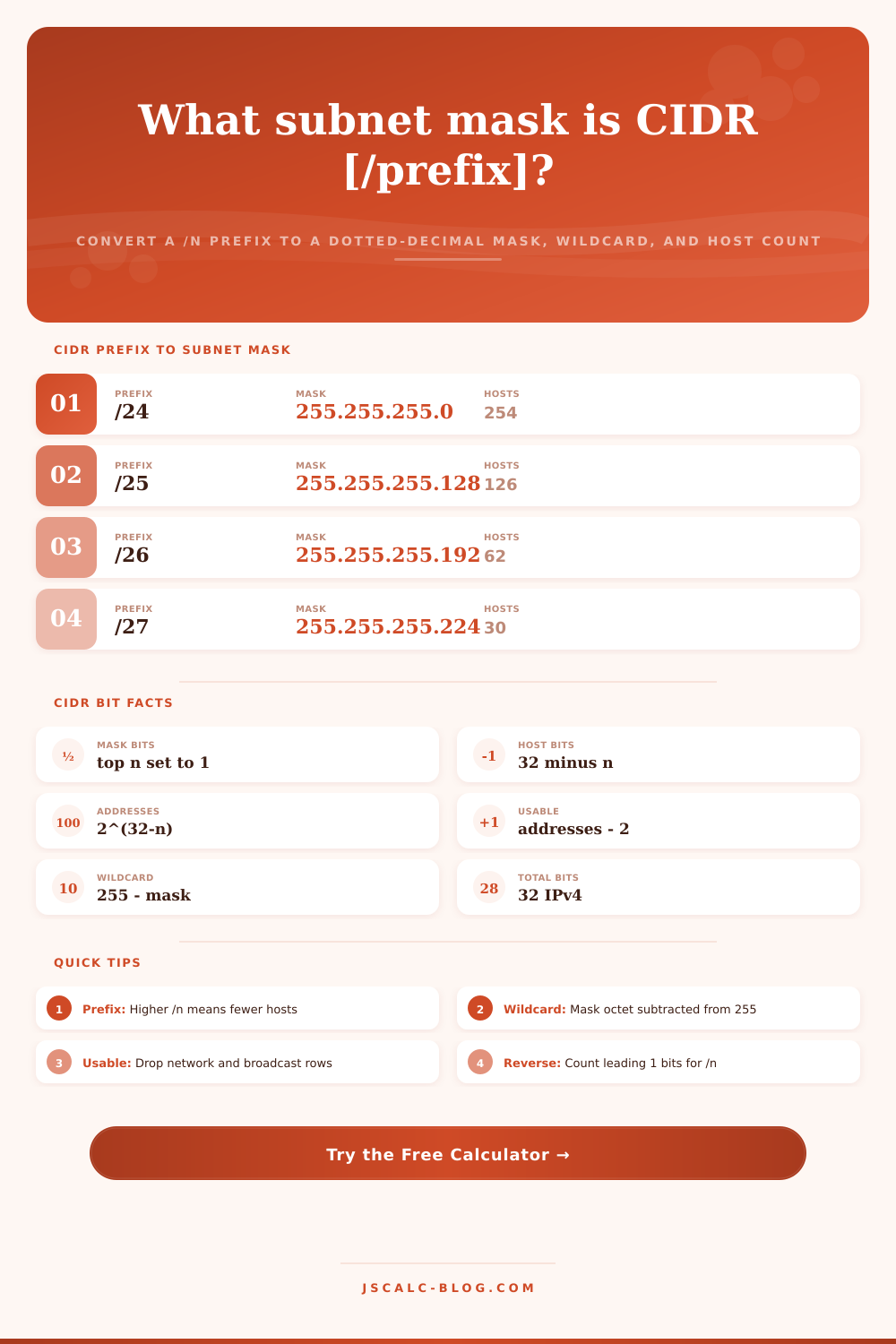
An IPv4 address is typically represented with 32 bits, split into 4 decimal numbers called octets (written dot-separated). CIDR prefix notation (/n) represent how many of those bits at the left end are network bits. In the netmask, those must be 1s, while the rest (32-n bits) are host bits that is all 0s. So, for example, /24 gives us 24 ones-bits and then 8 zeros; this is written as the subnet mask 255.255.255.0. That’s just a shortcut to writing down the mask; it’s called the “prefix” for that reason, and this tool illustrates that connection clearly. It will help you avoid guessing when configuring your interfaces.
The math used to convert it is a simple bitwise operation. Take a 32-bit value consisting entirely of ones, then shift it left (n) places less than 32. That leaves you with just the top n bits set. For a /26, you shift left by 6, which leave 6 zero bits and 26 ones. Then the tool breaks out that 32-bit value into four octets (a.k.a. Octet-by-octet). It shifts right each time, masking with 255 until the result is 255.255.255.192. From there, since it’s a predictable process, each prefix between /0 and /32 maps directly to a single mask. The calculator does the work for you; you just need to pick the appropriate block size.
A wildcard mask is the bitwise inverse of the subnet mask. This is a wildcard mask, which is used frequently in OSPF configuration and access control lists (ACLs). To calculate it, simply subtract every octet of the mask from 255. For example, a /26 mask of 255.255.255.192 results in a wildcard of 0.0.0.63, and a /24 mask of 255.255.255.0 results in a wildcard of 0.0.0.255. Basicly, while a mask uses 1 bits to show what must match, a wildcard uses 0 bits to show what must match. So they are mirror images. While most folks don’t think about the wildcard until they write an ACL rule, it’s helpful to work it out alongside the regular mask. The rest falls into place after learning the prefix.
To get host bits, subtract the prefix from 32. The number of addresses in the block is 2 to the power of that number. For instance, a /26 has 6 host bits, which equals 64 addresses. In the olden days, the rule was to reserve the first one as the network address and the last one as the broadcast address. You were left with 62 usable addresses, those being for actual hosts. For all blocks starting at /30 and above, the calculator subtracts two. The reserved rows are clearly marked so you won’t mistakenly give someone your network address.
But there are two exceptions to that general rule: A route with a /32 prefix is a host route. It is a single address, so has precisely one address you can use, but no broadcast. And a /31 only contains two addresses; both of those are usable in endpoint roles of a point-to-point link (per RFC 3021). So this conserves address space on an interface between two routers, where there’s no need for them each to have their own network or broadcast ID. The tool catches these edge cases and returns the appropriate numbers. It doesn’t just subtract two, because that would yield a negative or zero number, neither of which makes sense.
It goes the other way too. Switch to mask mode and enter the four octets of any dotted-decimal mask into the box. Type in the four octets for the CIDR (or subnet) mask. The converter counts how many ones are at the start of 32-bit value to provide the prefix. For example, a mask of 255.255.255.192 consists of 24 ones in the initial three octets and then two additional ones in the fourth. That’s a total of 26 ones, which means the prefix equals /26. This is handy when someone gives you a mask listed in dotted-decimal notation on an old document, while your new firewall requires it in slash notation. If the one bits aren’t contiguous, the calculator will warn you (a proper subnet mask must consist of a solid run of ones followed by zeros).
You’ll notice there’s an option to enter a base IP address as well. In this mode, the converter expands past the mask to display the network address, which is computed by ANDing the base IP and the mask. It also displays the broadcast address, which is found by filling all host bits with ones. You then have the range of usable host addresses in that block. With a /24 mask like we’ve got here (192.168.1.0), your usable range is from 192.168.1.1 up to 192.168.1.254. That turns what was once a general prefix into something real: a collection of addresses you can hand out to devices.
Below the primary interface are reference tables and presets. Common prefixes is matched with their typical uses and masks. A set of real world presets covers those prefixes that engineers grab for the most, from a /30 router link up to a /24 LAN. Each preset loads immediately and updates the results. Explore the effect on the number of addresses as the prefix grows.
It’s the first step in having a stable network, keep the math right for bits. Slash notation is just a shortcut, but understanding how it works helps the system function properly.