UPS VA to Watts Converter
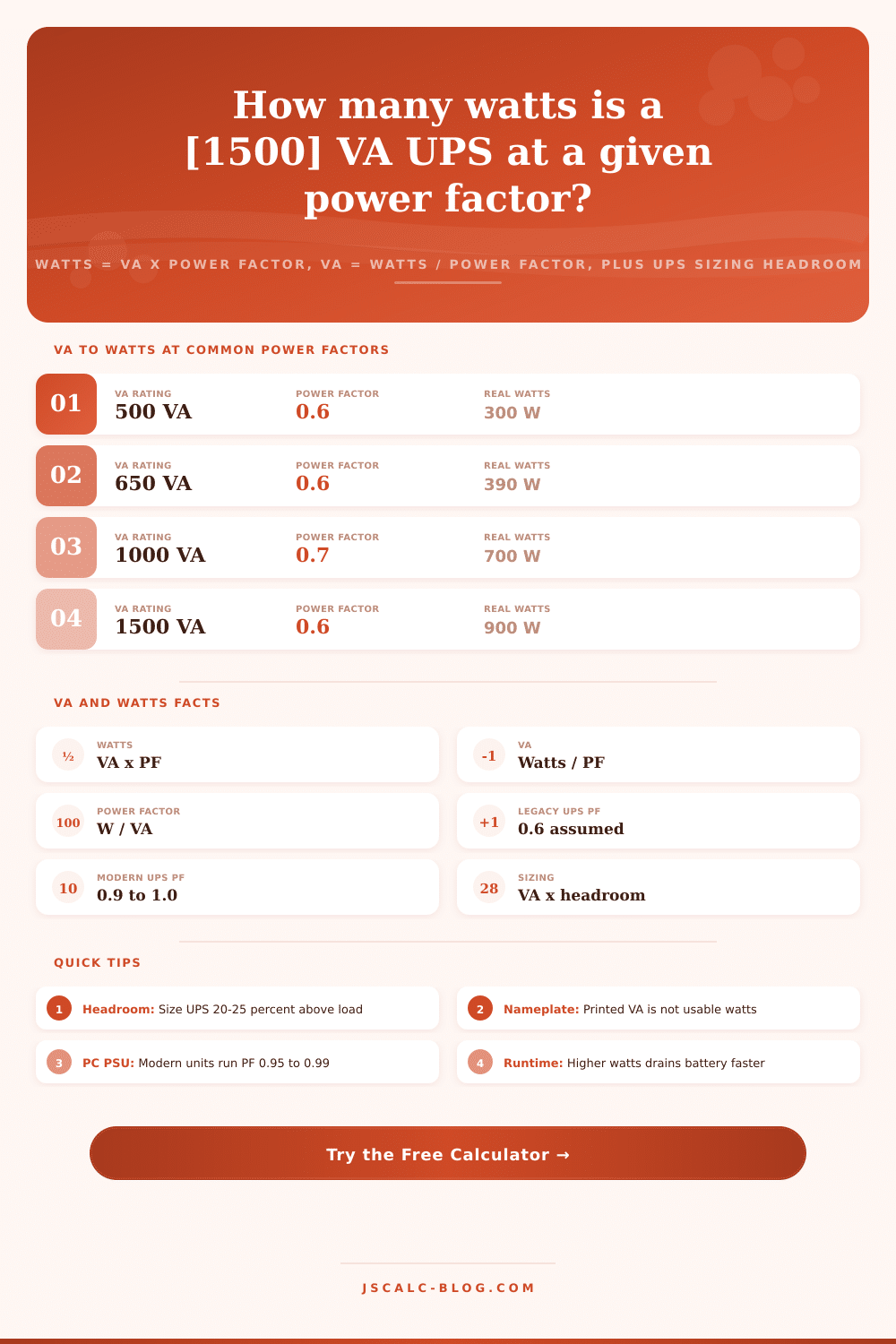
Convert between volt-amps and watts using power factor. Enter a VA rating to get real watts as W = VA x PF, or enter a wattage to get VA as W / PF, pick an equipment type for a typical power factor, and read a recommended UPS VA size that adds sizing headroom.
⚡Conversion Direction
🔌Quick UPS Presets
📝Load and Power Factor Inputs
The volt-amp figure printed on a UPS nameplate.
The usable wattage your equipment actually draws.
Choosing a type fills a typical power factor for you.
The ratio of real watts to apparent VA.
Fast fill for the standard power factors.
Extra capacity for the recommended UPS VA rating.
Multiplies the load when sizing for several units.
Controls decimals shown on every result card.
🔢Formula Snapshot
📋VA to Watts at Common Power Factors
| UPS VA Rating | Power Factor | Real Watts | Typical Use |
|---|---|---|---|
| 500 VA | 0.6 | 300 W | Single PC + monitor |
| 650 VA | 0.6 | 390 W | Desktop workstation |
| 1000 VA | 0.7 | 700 W | Small office setup |
| 1500 VA | 0.6 | 900 W | Legacy tower UPS |
| 1500 VA | 0.9 | 1350 W | Modern line-interactive |
| 2200 VA | 0.8 | 1760 W | Network closet / NAS |
| 3000 VA | 0.9 | 2700 W | Rack-mount UPS |
| 5000 VA | 0.8 | 4000 W | Server room load |
📊Watts to VA at Common Power Factors
| Load Watts | Power Factor | Apparent VA | Nearest UPS Size |
|---|---|---|---|
| 200 W | 0.9 | 222 VA | 350 VA |
| 300 W | 0.6 | 500 VA | 500 VA |
| 500 W | 0.9 | 556 VA | 650 VA |
| 600 W | 0.8 | 750 VA | 800 VA |
| 800 W | 0.9 | 889 VA | 1000 VA |
| 1000 W | 0.7 | 1429 VA | 1500 VA |
| 1500 W | 0.8 | 1875 VA | 2200 VA |
| 2000 W | 0.9 | 2222 VA | 3000 VA |
⚙Equipment Power Factor Comparison Grid
| Equipment Type | Typical PF | Example VA | Example Watts | Load Nature |
|---|---|---|---|---|
| Legacy UPS nameplate | 0.60 | 1500 VA | 900 W | Assumed rating |
| Old CRT monitor | 0.60 - 0.65 | 200 VA | 120 W | Reactive |
| AC motor / pump | 0.70 - 0.85 | 1000 VA | 750 W | Inductive |
| Compressor / small motor | 0.85 | 880 VA | 748 W | Inductive |
| LED lighting driver | 0.90 | 222 VA | 200 W | Corrected |
| Desktop PC PSU | 0.95 - 0.99 | 526 VA | 500 W | Active PFC |
| Server PFC supply | 0.90 - 0.99 | 816 VA | 800 W | Active PFC |
| Resistive heater | 1.00 | 1500 VA | 1500 W | Resistive |
| Mixed office rack | 0.80 | 2200 VA | 1760 W | Combined |
| Modern rack UPS | 0.90 - 1.00 | 3000 VA | 2700 W | High PF |
📏UPS Sizing Headroom Reference
| Load VA | Headroom | Recommended UPS VA | Reason |
|---|---|---|---|
| 500 VA | 20% | 600 VA | Light margin |
| 800 VA | 25% | 1000 VA | Standard buffer |
| 1200 VA | 25% | 1500 VA | Standard buffer |
| 1760 VA | 25% | 2200 VA | Growth room |
| 2400 VA | 25% | 3000 VA | Growth room |
| 2000 VA | 50% | 3000 VA | Heavy inrush |
🔧Formula Breakdown
💡UPS Sizing Tips
When the grid flickers, you don’t want your work lost, so you buy a UPS. But there’s a trap in its specs that waits for you. Runtime and even battery size aren’t everything. What matters is difference between what the box claims to deliver and what it does deliver.
It provides 1500 VA. Sounds like plenty of power, right? Wrong. When it comes to electrical reality, watt isn’t the same as volt-amp. And mixing up these two measurement is the quickest path to tripping your backup unit while it’s needed.
Watts vs VA: What You Need to Know
What’s the difference? It all boils down to something known as power factor. Real power (watts) is what turns your screen on or makes your motor spin. Apparent power (volt-amps) also measures power, but it’s wasted due to physics of electricity flowing through an inductive load. Imagine that as drinking a beer. The watts are the liquid; the reactive power is the foam. While you don’t get drunk from the foam, you still have to pay full price for the entire mug.
Older UPS unit were rated under assumption of a low power factor, typically about 0.6. That means they only put out 900 actual watts on a 1500 VA rating. Today’s gear is much more efficient. It gets closer to 0.9 and even 1.0, meaning the same VA rating will support almost twice the wattage.
After plugging in a probable power factor and your devices’ wattage, the calculator does all of this for you (above). That means no more guesswork about whether your server rack can fit within the threshold. It also provides a buffer: It’s never good to run a UPS to capacity, it’ll fail well before then. If you choose an equipment category such as “old CRT monitor” or “desktop PC,” the tool populates a reasonable power factor for your device.
Why? A crappy-old device with bad power factor shuts down well before its VA rating implies it should of. Batteries lose capacity over time; motors and compressors has inrush currents that spike well beyond their rated draw. Add to this the fact that sizing is not simply a matter of watts divided by power factor (see Watts vs. VA). For peace of mind, you want headroom. This means having 20 to 25% additional capacity so that a surge won’t kill your UPS or a hot summer day doesn’t leave you dead.
The graphic below shows how various load scenario map onto standard UPS sizes. It becomes apparent why you’d spec a 2200 VA unit for a computer even though its calculated load is 1760 VA. On some older gear, the VA number isn’t the same as the watt rating; many folks see this number and think it equals the wattage, but often they’re not the same thing. Two decades ago, a 500VA UPS may have been rated to handle only 300-watts of maximum load; a dangerously small margin of safety.
Moddern high quality UPSes with active power factor correction pulls current based off the input voltage. This means the ratio gets even closer, which is better, and each VA counts for more usable watts. So you need to check the actual wattage rating on the spec sheet. You must do this without exception. While the VA figure tells you about the electrical stress on the unit, the wattage figure tell you what it can actualy power.
But what’s dangerous is assuming that factor doesn’t matter. It does; for example, mixing corrected equipment with non-corrected will drag your factor down to the lowest common level. Even within one room, a bunch of moddern equipment running efficiently and coolly can be dragged down by just a couple old lights/drivers/fans that haven’t been corrected yet.
If you have a complicated system, the tool let you set that number yourself. This prevents incorrect estimates caused by assuming an optimism factor of 0.9 when it actualy acts more like 0.7.
To summarize, respect the physics of what you are trying to power. Buy the appropriate UPS for what you want to power it with. Power it with the right number of real watts. Power it with enough VA capacity to absorb all of the reactive waste your devices produce. Separate the foam from the beer. The math’s simple if you do.
Use the converter to find both limits and apply a reasonable buffer for expected growth. And then, when the power goes out, your backup will stay on. It is not just because you have a battery, but because you have a battery that doesn’t quit halfway through the outage.