Typing Speed (WPM) Calculator
Measure gross WPM, net WPM, accuracy, error impact, target pace, and remaining word time with JSCalc-Blog.com.
Enter elapsed time for the typing sample.
Use total typed characters, including spaces.
These reduce correct characters for accuracy.
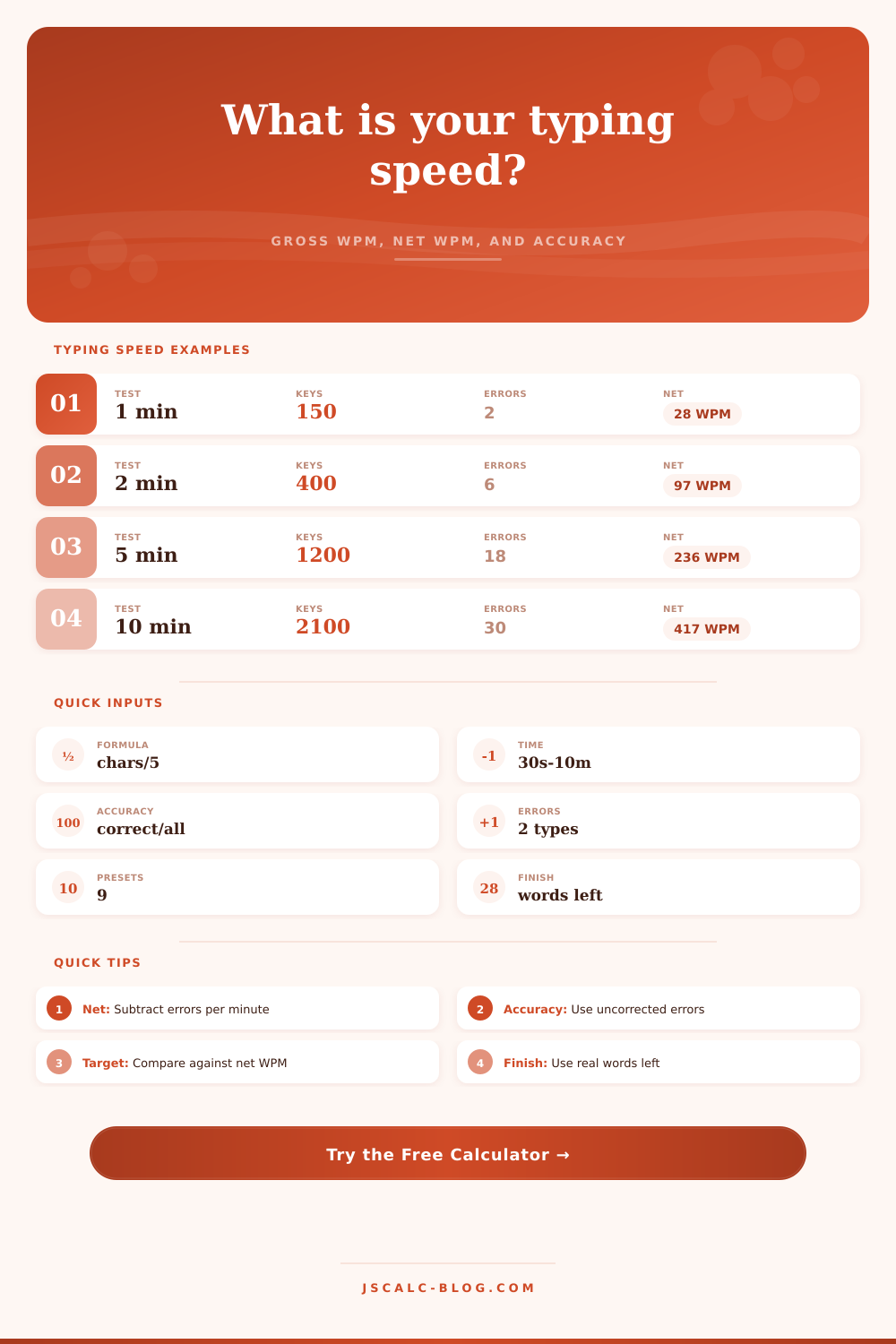
Gross WPM = typed characters / 5 / minutes. A five-character word standard keeps tests comparable across short and long passages.
Net WPM = gross WPM - errors / minutes. Use the selected penalty rule to decide which corrected and uncorrected errors count.
Accuracy = correct characters / total characters x 100. This calculator treats uncorrected errors as incorrect final characters.
| Level | Net WPM | Typical Use | Accuracy Goal |
|---|---|---|---|
| New typist | 10-25 | Learning keys | 90%+ |
| Developing | 26-39 | School tasks | 92%+ |
| Average | 40-49 | Daily writing | 94%+ |
| Efficient | 50-64 | Office work | 95%+ |
| Advanced | 65-79 | Fast drafting | 96%+ |
| Expert | 80+ | Speed typing | 97%+ |
| Difficulty | Factor | Why It Changes Speed | Best Test Length |
|---|---|---|---|
| Simple sentences | 1.05 | Familiar words and flow | 1 minute |
| Standard article | 1.00 | Balanced punctuation | 2 minutes |
| Academic passage | 0.93 | Long words and clauses | 3 minutes |
| Technical or code-heavy | 0.88 | Symbols and exact terms | 5 minutes |
| Numbers and symbols | 0.82 | Frequent hand shifts | 3 minutes |
| Verbatim transcript | 0.90 | Stops, names, and repeats | 5 minutes |
| Names or foreign words | 0.86 | Low word familiarity | 3 minutes |
| Penalty Rule | Counts Corrected | Counts Uncorrected | Use When |
|---|---|---|---|
| Uncorrected only | No | Yes | Final text matters most |
| All errors | Yes | Yes | Raw test discipline matters |
| Half corrected | Half | Yes | Backspacing should matter less |
| Accuracy check | No | Yes | Measures final correctness |
| Practice log | Yes | Yes | Tracks typing habits |
| Work estimate | No | Yes | Focuses on usable output |
| Words Left | At 30 WPM | At 50 WPM | At 70 WPM |
|---|---|---|---|
| 100 | 3.3 min | 2.0 min | 1.4 min |
| 250 | 8.3 min | 5.0 min | 3.6 min |
| 500 | 16.7 min | 10.0 min | 7.1 min |
| 750 | 25.0 min | 15.0 min | 10.7 min |
| 1000 | 33.3 min | 20.0 min | 14.3 min |
| 1500 | 50.0 min | 30.0 min | 21.4 min |
The conventional wisdom says typing speed is measured by how quickly you can make your fingers dance around on a keyboard. It is a charming notion, but it are wrong. If you type really fast yet has to hit Backspace half the time because of typos, then you don’t get much work done. Net words per minute is true measure, factoring in the errors you made along the way. It’s the distinction between appearing busy and being productive.
This is how it works. Gross WPM counts words per minute regardless of accuracy, though it’s based off every character you type. It’s a bloated metric designed to make us all feel better about ourselves temporarilly. Net WPM cuts through this vanity by subtract errors.
What is Net WPM?
How hard do you want to punish yourself? Do you correct your mistakes? Some tests accounts only for uncorrected error, and other tests remove a point for each backspace. Once you determine your error policy, the way you want the score to treat errors, the calculator at top will perform the math for you.
For example, if you’re practicing to get faster, you might choose to ignore corrected errors. If you need to prepare for a professional test where output counts, then activate the harsher penalty.
The second part of the equation are accuracy. Typing at a high speed without accuracy is nothing more than noise. You might be going quick but you’re not making yourself understood. The research on productivity says most anything over 95% accurate is fine. If accuracy falls below that level, you begin to spend more time correcting yourself then you save by typing faster. By displaying to you exactly where you are on accuracy compared to the goal, the tool let you see that balance.
And, here’s the surprising part: These scores reflect the difficulty of the text itself. It’s easier to type something simple like “The dog walked through the park” than it is to transcribe a legal document with lots of dates and names. This is expressed in the reference table on the page, which displays what kinds of texts impact your typing speed. Familiar words might bump up your score a little bit, but numbers or code symbols in technical text will pull it down because you has to change hand positions more frequently.
If you find yourself going from an article to a transcript and seeing your score go down, don’t worry. You didn’t get slower. You just made the task harder.
It can also help you time-plan. Know your net speed? Think you’ve got a thousand words left on that document? Then just input that data and get a guess of the time required. For example: writers with deadlines, students during exams. Suddenly that vague feeling of being under-pressure becomes something concrete, a timeline. You no longer ask yourself ‘will I make it?’ You’ll know precisely when.
A longer test will give you a better idea of your speed: 1 minute is good for a rough estimate. In that time span, however, you can be lucky (or unlucky). 3-5 minutes provide a more even sampling. The dips and spikes smooth out. The numbers you see are your average, not your best.
Do practice with the kind of text you really use. Write emails if that’s what you do at work. Type code if that’s what you do as a coder. Your muscle memory is specific.
Adults usually averages between 40 and 60 words-per-minute while typing. It’s good enough for most needs in life. There’s no requirement to master it, either. Many people fall into the trap of chasing numbers, sacrificing speed for precision. Aim to be solidly good all the time rather than blazing-fast now and again. This isn’t about breaking records. This is about reducing friction during work.
The less you notice your fingers hitting the keys, the more you’ll be able to think about what’s being typed. Ultimately, typing isn’t a sport. It’s a utility. It is a tool for controlling time rather than showing off.
When you’re doing support chats, writing reports, whatever, you want to know how fast you really type so that you can work better. You’ll start acting instead of guessing. You’ll see the numbers and know where you stand. And you’ll should of known from practice where you’re headed.
Focus on keeping up a good pace. Write relevant stuff. Make sure the words mean something. Those are keystrokes turned to output.