TV Power Consumption Calculator
Estimate how much electricity your television uses and what it costs to run. Pick a TV technology and screen size to auto-fill a realistic wattage, then set hours watched per day, standby vampire draw, days per year, and your electricity price to see daily, monthly, and annual kWh alongside the yearly running cost and the standby portion.
📺Real TV Setup Presets
📝Television and Usage Details
Panel type sets the auto-estimated wattage when the watts box is blank.
Diagonal screen size drives the wattage estimate.
Leave blank to auto-estimate, or enter the label or measured watts.
Average on-time each day; the rest counts as standby.
Idle draw while off but plugged in; modern sets cap near 0.5 W.
Use fewer days for a vacation home or seasonal set.
Check a recent bill; the US average is about $0.16 per kWh.
Controls rounding on the cost figures.
🔢Formula Snapshot
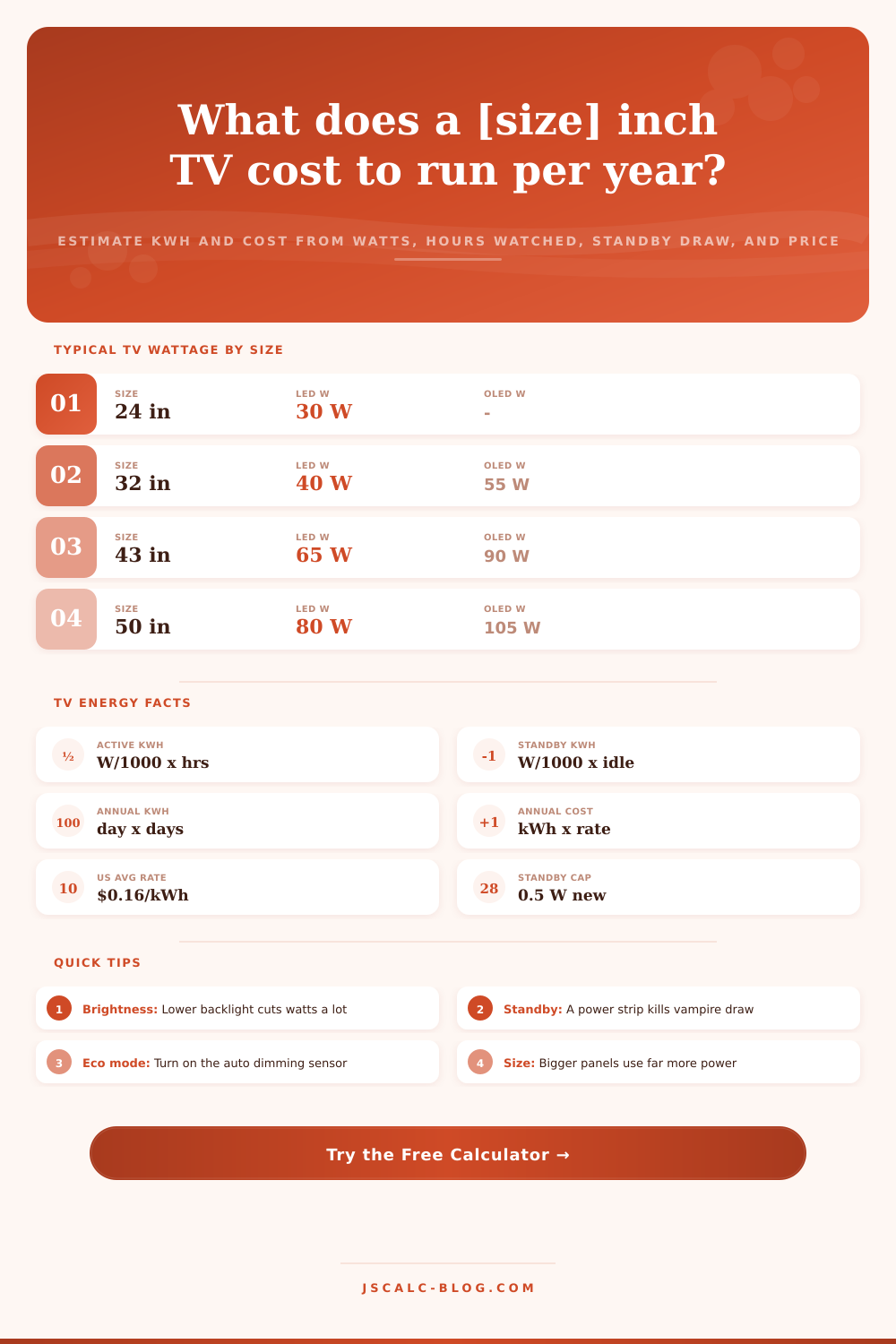
📊Typical Wattage by Size and Technology
| Screen Size | LED / LCD | OLED | QLED | Mini-LED |
|---|---|---|---|---|
| 24 inch | 30 W | - | - | - |
| 32 inch | 40 W | 55 W | 45 W | 50 W |
| 43 inch | 65 W | 90 W | 70 W | 80 W |
| 50 inch | 80 W | 105 W | 90 W | 100 W |
| 55 inch | 95 W | 120 W | 105 W | 115 W |
| 65 inch | 120 W | 150 W | 135 W | 145 W |
| 75 inch | 150 W | 190 W | 170 W | 185 W |
| 85 inch | 190 W | 245 W | 210 W | 230 W |
🔌Standby Vampire Draw Reference
| Standby Draw | Typical Set | kWh / Year | Cost / Year | Note |
|---|---|---|---|---|
| 0.3 W | New Energy Star | 2.6 kWh | $0.42 | Best case idle |
| 0.5 W | Modern smart TV | 4.4 kWh | $0.70 | EU / US cap |
| 1 W | Quick-start on | 8.8 kWh | $1.40 | Fast boot mode |
| 3 W | Older flat panel | 26.3 kWh | $4.20 | Pre-2010 set |
| 5 W | TV plus soundbar | 43.8 kWh | $7.01 | Whole stand idle |
| 0 W | On a power strip | 0 kWh | $0.00 | Fully unplugged |
⏰Annual Cost by Daily Hours (100 W TV)
| Hours / Day | kWh / Day | kWh / Year | Cost at $0.16 | Cost at $0.30 |
|---|---|---|---|---|
| 2 h | 0.20 kWh | 77 kWh | $12.32 | $23.10 |
| 4 h | 0.40 kWh | 150 kWh | $23.94 | $44.89 |
| 6 h | 0.60 kWh | 222 kWh | $35.57 | $66.69 |
| 8 h | 0.80 kWh | 295 kWh | $47.19 | $88.48 |
| 10 h | 1.00 kWh | 368 kWh | $58.81 | $110.28 |
| 12 h | 1.20 kWh | 440 kWh | $70.43 | $132.07 |
🗃TV Type Comparison Grid
| Screen Size | LED W | OLED W | QLED W | Annual kWh (LED, 5h) | Annual Cost (LED) |
|---|---|---|---|---|---|
| 32 inch | 40 W | 55 W | 45 W | 76 kWh | $12.16 |
| 43 inch | 65 W | 90 W | 70 W | 122 kWh | $19.52 |
| 50 inch | 80 W | 105 W | 90 W | 149 kWh | $23.84 |
| 55 inch | 95 W | 120 W | 105 W | 176 kWh | $28.16 |
| 65 inch | 120 W | 150 W | 135 W | 222 kWh | $35.52 |
| 75 inch | 150 W | 190 W | 170 W | 277 kWh | $44.32 |
| 85 inch | 190 W | 245 W | 210 W | 350 kWh | $56.00 |
⚙Formula Breakdown
💡Cut Your TV Energy Bill
How Much Does Your TV Cost to Run? With bigger and bigger screens these days, even moddern flat panel TVs use more electricity because they have grew so much in size. How much does running your TV realy cost?
The TV power consumption calculator takes a typical “how do I save money on my electricity bill?” question and makes it real. It will show you roughly how much energy your TV consume in kilowatt-hours per day, month, and year, along with the approximate yearly running cost. It also breaks out standby power usage, which is the energy consumed during idle hours when screen is dark, so you can tell whether your home theater system is secretly busting your budget.
How Much Does It Cost to Run Your TV?
It’s simple, and transparent, math. Energy = (watts) x (time). Watts are power, and kilowatt-hours are what the calculator uses to measure energy. That’s why first part of calculation divides the watts by 1,000 and multiplies by hours-per-day to get daily kilowatt-hours. It converts watts into kilowatts then calculates how many you use each day watching TV.
To calculate idle-time standby energy, it does something similar; it just adds it up for the idle hours. Then it sums the two, scales those up to a yearly number and multiplies that by your electricity rate. It shows every step on the page; you can see exactly where the math happens and not have to take anyone’s word about anything.
As another example, imagine watching TV which use one-hundred watts for five hours a day at a cost of fifteen cents per kilowatt-hour of electricity. That’s point-five kWh daily of active usage. In a year, that would be one hundred and eighty-two point-five kWh just due to active watching time. At fifteen cents, that’s around $27 per year in cost. If you use the calculator, it will spit out this number and then account for standby costs (if you’ve chosen to factor them). It’s a sanity check if you’d like to double-check your numbers.
The calculator will estimate your TV’s actual wattage (most folks don’t actually know). The tool assumes the wattage if you leave that field blank; it gets an estimate using screen size and panel technology. Generally speaking, the bigger the screen, higher the power; though different types of panels vary in efficiency. For example, larger OLED sets tend to be less-efficient than larger LCD or LED displays. Older display tech like CRTs and plasmas use a lot of power compared to what they project, which is why this factor are important.
To get the best result, plug in your TV’s actual wattage (or run it through a power meter). Even when a TV’s “off,” it typically consumes a small trickle of power around half a watt, powering its ability to receive a signal from your remote, stay connected to the Internet and other networks, and be quickly brought back to life. To account for that, the calculator has standby option and calculates the yearly cost on its own. This isn’t usually more than a buck per year for a single up-to-date TV. But if you have a bunch of devices in one entertainment center, that wasted electricity can add a couple bucks per year. That might be enough to convicne you to plug them all into a switched power strip.
Four key numbers are presented as cards at a glance: the annual energy card includes both a day’s worth of energy used and the yearly figure; the annual running cost card takes that energy use and multiplies by your electricity price; the monthly cost card divides the total up into 12 months (helping you fit the TV in with other household costs); while the standby vampire cost card extracts just the power use when it isn’t being watched, letting you see if it’s worth eliminating it.
Below the cards, there’s a more detailed splitout of how much each thing costs and how many watts they is using… This is the teaching part. It includes ten presets that cover popular configurations from LED TVs, qled tvs, oled tvs, all sorts of sizes. The presets will fill out form automatically, and make an estimate on-the-fly so that you’ve got something to go off while making adjustments. It provides reference tables with average wattage per size or technology. It also includes estimates of what each TV costs to run annually based on daily usage, along with standby draw comparisons. So you can get an idea of where your TV stands vs normal.
What has the greatest impact on how much energy modern TVs use? The answer: Brightness. In store demo mode, they’re frequently cranked up as bright as possible. Enough that it almost doubles their power usage! Simply turning down backlight (or switching to an Eco, Cinema, or Standard mode) will cut power usage significantly. You’ll also want an ambient light sensor to dim the TV when lights go out.
For standby, plug everything into a switched power strip so nothing draws juice when off. Turning off quick start saves even more by keeping the TV in a deeper sleep. Try our calculator to run your own numbers, it shows how little time on or lowered brightness saves you each year. That way you know exactly how much electricity you’re using (and where you should of make changes).