Subnet Mask Bit Calculator
Enter an IPv4 address with a CIDR prefix from /0 to /32, or type a dotted subnet mask, to instantly compute the subnet mask, wildcard mask, network and broadcast addresses, the usable host range, and the number of usable hosts, all with a full bitwise and binary breakdown.
🌐Real Subnet Presets
📝IP & Mask Inputs
Each octet is 8 bits, so the full IPv4 address is 32 bits. Use the network base (host bits zero) for the cleanest read-out.
The prefix sets how many leading bits belong to the network. Moving the slider rewrites the dotted mask below.
Dropdown mirrors the slider for exact keyboard selection.
Pick a dotted mask and the calculator converts it back to the matching /n prefix.
Enter usable hosts per subnet; the tool suggests the smallest prefix that fits. Leave 0 to ignore.
Enter how many equal subnets you must carve from this block; the tool suggests borrow bits. Leave 0 to ignore.
🔢Formula Snapshot
⚙Bitwise Formula Breakdown
📊Full CIDR /0–/32 Reference
| CIDR | Subnet Mask | Wildcard | Total Addr. | Usable Hosts |
|---|---|---|---|---|
| /8 | 255.0.0.0 | 0.255.255.255 | 16,777,216 | 16,777,214 |
| /16 | 255.255.0.0 | 0.0.255.255 | 65,536 | 65,534 |
| /20 | 255.255.240.0 | 0.0.15.255 | 4,096 | 4,094 |
| /22 | 255.255.252.0 | 0.0.3.255 | 1,024 | 1,022 |
| /23 | 255.255.254.0 | 0.0.1.255 | 512 | 510 |
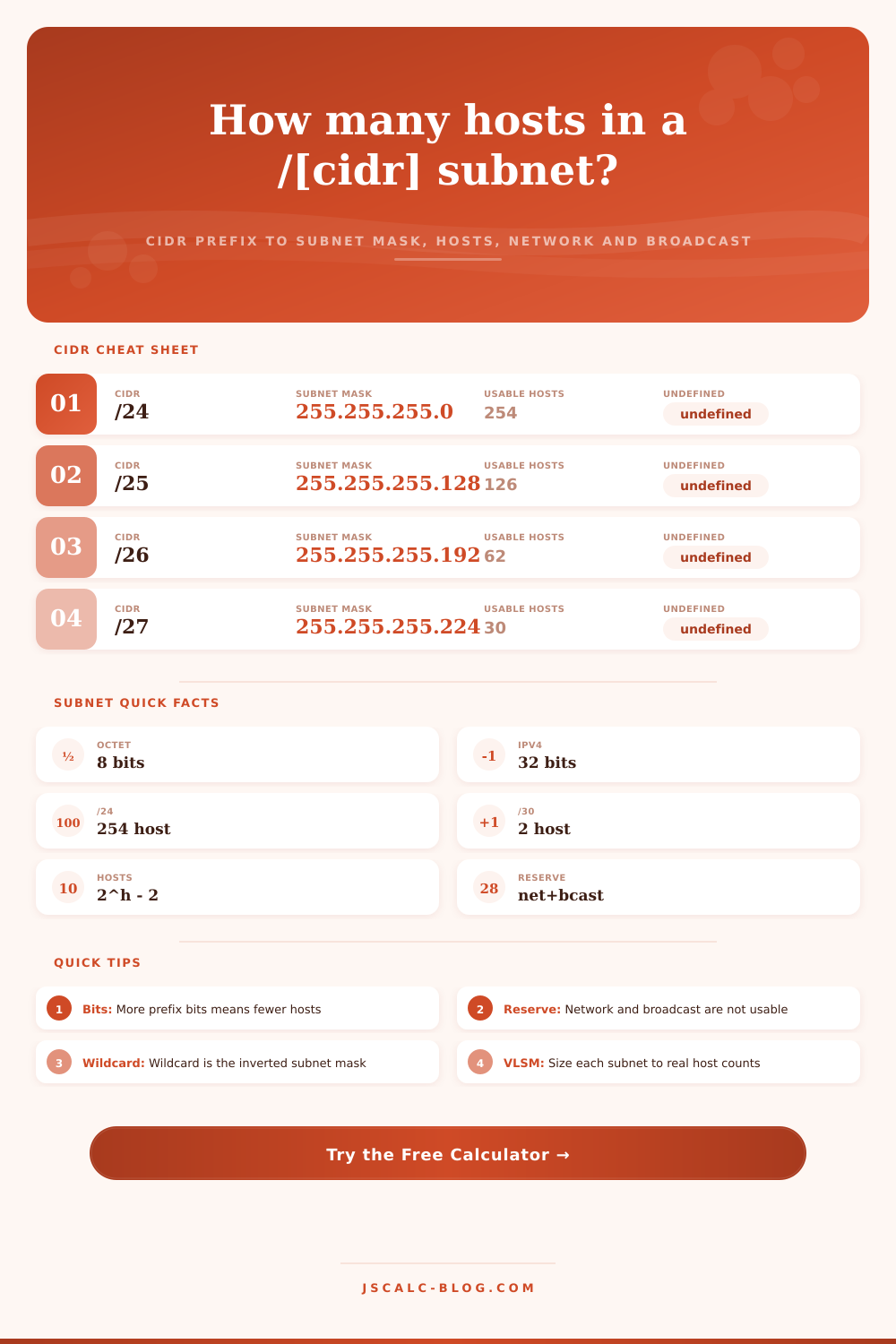
| /24 | 255.255.255.0 | 0.0.0.255 | 256 | 254 |
| /25 | 255.255.255.128 | 0.0.0.127 | 128 | 126 |
| /26 | 255.255.255.192 | 0.0.0.63 | 64 | 62 |
| /27 | 255.255.255.224 | 0.0.0.31 | 32 | 30 |
| /28 | 255.255.255.240 | 0.0.0.15 | 16 | 14 |
| /29 | 255.255.255.248 | 0.0.0.7 | 8 | 6 |
| /30 | 255.255.255.252 | 0.0.0.3 | 4 | 2 |
| /31 | 255.255.255.254 | 0.0.0.1 | 2 | 2 (RFC 3021) |
| /32 | 255.255.255.255 | 0.0.0.0 | 1 | 1 (host route) |
Usable hosts = 2^(32 − n) − 2. A /31 carries 2 usable point-to-point hosts under RFC 3021; a /32 is a single host route.
🏷IPv4 Class Ranges (A / B / C)
| Class | First Octet | Range | Default Mask | Default Prefix |
|---|---|---|---|---|
| Class A | 1–126 | 1.0.0.0 – 126.255.255.255 | 255.0.0.0 | /8 |
| Loopback | 127 | 127.0.0.0 – 127.255.255.255 | 255.0.0.0 | /8 |
| Class B | 128–191 | 128.0.0.0 – 191.255.255.255 | 255.255.0.0 | /16 |
| Class C | 192–223 | 192.0.0.0 – 223.255.255.255 | 255.255.255.0 | /24 |
| Class D | 224–239 | 224.0.0.0 – 239.255.255.255 | Multicast | n/a |
| Class E | 240–255 | 240.0.0.0 – 255.255.255.255 | Reserved | n/a |
Classful defaults are legacy; modern networks use classless CIDR prefixes, but the class still hints at the historic default mask.
🔒Private Ranges (RFC 1918)
| Block | CIDR | Address Range | Total Addresses | Typical Use |
|---|---|---|---|---|
| 24-bit block | 10.0.0.0/8 | 10.0.0.0 – 10.255.255.255 | 16,777,216 | Large enterprise |
| 20-bit block | 172.16.0.0/12 | 172.16.0.0 – 172.31.255.255 | 1,048,576 | Mid-size campus |
| 16-bit block | 192.168.0.0/16 | 192.168.0.0 – 192.168.255.255 | 65,536 | Home & small office |
| Link-local | 169.254.0.0/16 | 169.254.0.0 – 169.254.255.255 | 65,536 | APIPA auto-config |
| Shared (CGNAT) | 100.64.0.0/10 | 100.64.0.0 – 100.127.255.255 | 4,194,304 | Carrier-grade NAT |
RFC 1918 addresses are not routed on the public internet and are reused behind NAT on countless private networks.
📏Subnet Size Comparison Grid
| CIDR | Subnet Mask | Subnets per /24 | Hosts Each | Wildcard | Block Size |
|---|---|---|---|---|---|
| /24 | 255.255.255.0 | 1 | 254 | 0.0.0.255 | 256 |
| /25 | 255.255.255.128 | 2 | 126 | 0.0.0.127 | 128 |
| /26 | 255.255.255.192 | 4 | 62 | 0.0.0.63 | 64 |
| /27 | 255.255.255.224 | 8 | 30 | 0.0.0.31 | 32 |
| /28 | 255.255.255.240 | 16 | 14 | 0.0.0.15 | 16 |
| /29 | 255.255.255.248 | 32 | 6 | 0.0.0.7 | 8 |
| /30 | 255.255.255.252 | 64 | 2 | 0.0.0.3 | 4 |
| /31 | 255.255.255.254 | 128 | 2 | 0.0.0.1 | 2 |
Each extra network bit borrowed doubles the subnet count and roughly halves the hosts per subnet.
💡Subnetting Tips
If you’re assigning an IP address to each device in a network, things get dicey when boundaries is off. If you don’t know subnetting, you’ll give out addresses that make no sense because certain spaces won’t be viewable. Once you’ve entered your prefix and IP, the subnet mask bit calculator runs all the math for you. No more manual binary conversions for you, just design. Instead of seeing abstract bits, it display concrete ranges. Where is the network starting? When does it end? How many device will fit here?
IPv4 addresses are a total of thirty-two bits long, expressed commonly in dotted-decimal notation (e.g., 192.168.1.10). The subnet mask divide these bits into network and host portions. Bits marked with a one represent the network side; bits marked with a zero represents the host side. This results in the CIDR prefix which is just the number of initial ones, e.g., /24. So /24 indicates that the first twenty-four bits correspond to the network, while the last eight bits corresponds to the hosts.
How Subnetting Works
That is why it is flexible and has capacity. CIDR prefixes and dotted masks differ in appearance but do not represents different languages. A /24 and 255.255.255.0 both refers to the same boundary. One is expressed as a bit count; the other as decimal notation. There’s only a list of thirty-three legal masks since the mask bits has to run contiguously from the left. The tool will convert back and forth for you right away. Type in /26 and it displays 255.255.255.192. Pick the dotted mask, and it tells you /26.
After learning the eight non-trivial octet values, you’ll be able to convert any prefix in your head. That’s why people often get this wrong, they learn the table instead of understanding the bit shift. Just as your router does, the engine employs straightforward bitwise operations. To calculate the mask, it shifts bits left. To compute the network address, it performs a bitwise AND operation. This sets all the host bits to zero, which is base of the block. And the broadcast address? It is a bitwise OR between the wildcard mask and 1s set for each host bit. All those calculations take place in microseconds, yet that’s the essence of how IP works. So if you grasp them, you’ll stop guessing and begin computing.
The number of usable hosts are not so simple. To calculate them, raise two to the power of the number of host bits in your prefix, then subtract two. You must of subtracted two because those are the two reserved addresses: the broadcast address and the network identifier. In case of a /24 you have 8 host bits which gives you 254 usable hosts. With a /30 you have two usable hosts, which is perfect for point-to-point links between routers.
There are two exceptions that kind of break the rule. RFC 3021 defines certain kinds of links that use a /31 and carry two usable addresses. Then there’s the /32, a single host route. These exceptions will save you from misconfiguration if you’re dealing with tight limits.
Now a requirement is typically given, and then you choose a prefix. For example, let’s say your department requires two hundred hosts. That goes into the “hosts-needed” field. The calculator will recommend smallest block that will accommodate this. In our case that is a /24. A /25 will only support 126. And therefore you are left short.
This is where we get into Variable Length Subnet Masking (VLSM). Instead of applying the same mask everywhere, you will now apply each subnet based on actual need. You will no longer waste network addresses in overly large subnets, and you will have enough for growing needs. On this page you can see the idea presented in a binary way. The IP address, mask and broadcast is rendered as thirty-two bits grouped into octets. You get to see the host bits change from an all-zero network address to an all-one broadcast address in real terms. Drag the prefix over by one position and suddenly we have another subnet, but half the space. By giving up capacity you gain detail. This helps to understand how borrowing bits works visually.
Before CIDR, IP addresses were grouped into classes based on the first octet of the address. The first octet ranged from 1 through 126 (default /8), then from 128 to 191 was reserved, followed by 192 to 223 (default /24). These default values are old, but they also provide clues as to historical masks. Today, the private address ranges defined in RFC 1918 are more helpful. These include 10.0.0.0/8 and 192.168.0.0/16. Note that these never get routed over the public internet and are re-used behind NAT on just about any network you’ll encounter. That allows you to have your own safe sandbox where you can play around without exposing your devices out on the wild web.
When you get to subnetting, seeing those bits line up ends the rote learning. This is what divides an engineer from a user: he knows why the output looks like that. He understands where the boundaries are, and he can assign addresses accordingly with confidence. It is not performing advanced mental arithmetic; it is understanding the structure of the network itself. The zeros and ones create the space, and once you recognize their pattern, the entire model is one you can reason through instead of reference.