Subnet Calculator
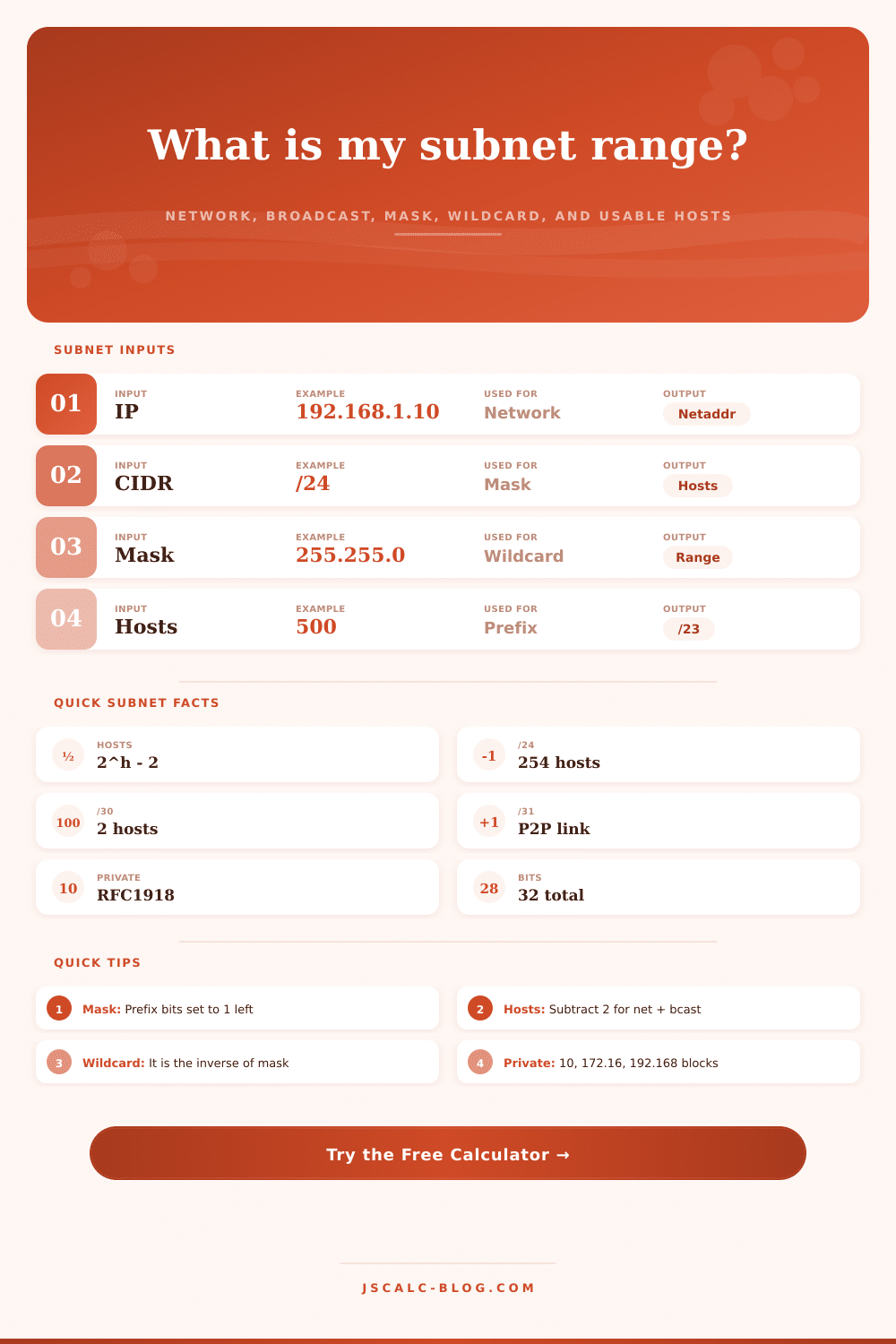
Enter any IPv4 address with a CIDR prefix or subnet mask to get the network address, broadcast, usable host range, host count, wildcard, IP class, and a full binary breakdown of the mask.
🎯Common Subnet Presets
📝Address and Mask Inputs
Any host inside the network, for example 192.168.1.10.
Used when mode is CIDR prefix.
Used when mode is dotted subnet mask, for example 255.255.255.0.
In hosts mode the smallest fitting prefix is chosen for you.
🔢Subnet Facts At A Glance
🧩Mask Octet Binary Breakdown
| Part | Octet 1 | Octet 2 | Octet 3 | Octet 4 |
|---|---|---|---|---|
| Enter an address above to see the binary breakdown. | ||||
📊CIDR Prefix Reference
| CIDR | Subnet Mask | Wildcard | Total Addresses | Usable Hosts |
|---|---|---|---|---|
| /20 | 255.255.240.0 | 0.0.15.255 | 4,096 | 4,094 |
| /22 | 255.255.252.0 | 0.0.3.255 | 1,024 | 1,022 |
| /23 | 255.255.254.0 | 0.0.1.255 | 512 | 510 |
| /24 | 255.255.255.0 | 0.0.0.255 | 256 | 254 |
| /25 | 255.255.255.128 | 0.0.0.127 | 128 | 126 |
| /26 | 255.255.255.192 | 0.0.0.63 | 64 | 62 |
| /27 | 255.255.255.224 | 0.0.0.31 | 32 | 30 |
| /28 | 255.255.255.240 | 0.0.0.15 | 16 | 14 |
| /29 | 255.255.255.248 | 0.0.0.7 | 8 | 6 |
| /30 | 255.255.255.252 | 0.0.0.3 | 4 | 2 |
| /31 | 255.255.255.254 | 0.0.0.1 | 2 | 2 (P2P) |
| /32 | 255.255.255.255 | 0.0.0.0 | 1 | 1 (host) |
🔒Private and Reserved Ranges (RFC 1918)
| Range | CIDR Block | Address Count | Typical Use |
|---|---|---|---|
| 10.0.0.0 - 10.255.255.255 | 10.0.0.0/8 | 16,777,216 | Large enterprise, cloud VPCs |
| 172.16.0.0 - 172.31.255.255 | 172.16.0.0/12 | 1,048,576 | Mid-size private networks |
| 192.168.0.0 - 192.168.255.255 | 192.168.0.0/16 | 65,536 | Home and small office LANs |
| 127.0.0.0 - 127.255.255.255 | 127.0.0.0/8 | 16,777,216 | Loopback (localhost) |
| 169.254.0.0 - 169.254.255.255 | 169.254.0.0/16 | 65,536 | Link-local (APIPA) |
| 100.64.0.0 - 100.127.255.255 | 100.64.0.0/10 | 4,194,304 | Carrier-grade NAT (RFC 6598) |
🗂Splitting a /24 Into Smaller Blocks
| New Prefix | Subnets from /24 | Hosts / Subnet | Block Step | First Two Networks | Good For |
|---|---|---|---|---|---|
| /25 | 2 | 126 | 128 | .0, .128 | Two even halves |
| /26 | 4 | 62 | 64 | .0, .64 | Departmental VLANs |
| /27 | 8 | 30 | 32 | .0, .32 | Small offices, Wi-Fi |
| /28 | 16 | 14 | 16 | .0, .16 | Server clusters, DMZ |
| /29 | 32 | 6 | 8 | .0, .8 | Small host groups |
| /30 | 64 | 2 | 4 | .0, .4 | Router point-to-point |
| /31 | 128 | 2 | 2 | .0, .2 | Modern P2P links |
📋IPv4 Class and Scope Comparison
| Class | First Octet | Leading Bits | Default Prefix | Networks | Notes |
|---|---|---|---|---|---|
| A | 1 - 126 | 0 | /8 | 126 | Very large blocks |
| B | 128 - 191 | 10 | /16 | 16,384 | Medium networks |
| C | 192 - 223 | 110 | /24 | 2,097,152 | Small networks |
| D | 224 - 239 | 1110 | n/a | n/a | Multicast groups |
| E | 240 - 255 | 1111 | n/a | n/a | Reserved, experimental |
| Loop | 127 | 0 | /8 | 1 | Loopback localhost |
⚙How The Subnet Math Works
💡Practical Subnetting Tips
You don’t need to be a computer scientist to understand what’s happening when your home Wi-Fi seem to be buckling beneath its own weight. There is typically some kind of mess related to something called subnetting. It’s technically scary-sounding, but it simply refers to how the seemingly endless internet gets carved up into small pieces for use on your local network. So if you add a smart fridge, a laptop and a router to your house, each device require an address. Traffic jams occur when those addresses aren’t organized properley. This is where a subnet calculator stop being just math and turns into your guide for maintaining order in this chaos.
So what’s the idea? Well, a 32-bit number get split up into a network identifier and a host identifier. To think about it another way, imagine you’re setting up an address system. Your network identifier would be your street name (which identify the building). And then your host identifier would be your house/apartment number (it says exactly which apartment in that building you live in). The CIDR prefix/subnet mask defines where the cutoff point is. If you’ve ever seen a /24 used in your home router configuration, you’ll know that most folks is familiar with that kind of slash-notation. A /24 translates to a 255.255.255.0 mask, leaving 8 bits available for hosts. This equates to 256 possible addresses all told. However, only 254 of those will be usable, because you can’t use the first and last address in each block to identify the network itself or to broadcast traffic to all devices on that network.
How a Subnet Calculator Works
The above calculator does all that calculation for you and spits out results instantly, without needing to fiddle with converting your own binary string. This is also where people tend to make wrong choice when it comes to size. There’s this temptation to simply take the largest block that exists, but not only do you waste address space, you might run into routing problems if your environment get large. For example, if you’re creating a VLAN for an office of 50 people, a /26 works great because it gives you 64 total addresses while providing plenty of room to grow.
At the opposite extreme, traditional point-to-point links between routers got a /30, giving them precisely two usable hosts. Newer standards allow for using /31 prefixes on such links; basically squeezing every last drop of efficiency from the situation by getting rid of network and broadcast addresses on that single link. For security, it’s important to understand private address space as well. We call these RFC 1918 private addresses because they are all in the 192.168.x.x range. What that means is you can have millions of different homes with an address of 192.168.1.1 with no conflict because those addresses aren’t routable on the public internet. That’s why your router translates your private addresses to your public IP address when you go to a site. It’s this layering that has allowed the moddern web to function. Without it, we’d quickly run out of IPv4 addresses even more then we currently do.
The tables on the page shows which ranges are reserved and multicast. They also show exactly where private blocks belong. Looking at the binary breakout, you can see where some of the numbers make sense. Every digit position is a power of two. So the 2nd position from the right is twice the value of the 3rd position, and so on. Moving left, the value doubles. Moving from a /24 to a /23 doubles the address space from 256 to 512. This is exponential growth. And it helps visualize if you’re trying to troubleshoot why one device isn’t communicating with another. Frequently it’s because the devices are on opposite sides of the subnet boundary and there is no route set by the router between subnets.
A little forethought goes a long way when planning for expansion. What’s the smallest subnet that will do today? Run it through this tool. If you think you’ll grow again in half a year, run it again with a bigger number so you have room for future growth. Better that than being stuck with nowhere else to go. Plug different numbers into the host requirements field here and see what happens, everything changes as you change any single element. You can see the tradeoffs between capacity and efficiency in real time.
To conclude, subnetting is all about control. You can use it to organize, improve performance and increase security in a network by segmenting it. This gives you an idea of what’s going on with your infrastructure and helps you understand what mask means and how to read a CIDR value. Your job is to make the design decision, while the tools takes care of the math for you. You should of gotten this balance correct and your network will be fast, secure and able to scale. A good way to keep track is to realize that each bit matters as you divide up the digital space.