Bandwidth Required for Streaming Calculator
Size the internet plan a home or venue really needs by adding up the bitrate of every stream running at the same time. Count SD, 1080p, and 4K video, plus music, video calls, and cloud gaming, reserve headroom for overhead, and see the total peak Mbps and the recommended plan speed against a plan you already have.
🎯Real Household & Venue Presets
📺Simultaneous Streams
Standard definition, about 3 Mbps each.
Full HD video, about 8 Mbps each.
Ultra HD video, about 25 Mbps each.
Two-way meetings, about 3 Mbps each way.
Lossy audio, about 0.32 Mbps each.
Game streaming, about 15 Mbps each.
Web, updates, smart home, IoT background.
Spare capacity so peaks never saturate the link.
Enter a plan to check the leftover margin.
Controls rounding on every result card.
🔢Bitrate Snapshot
📋Per-Stream Bitrate Reference
| Quality Tier | Typical Bitrate | 4 Streams At Once | Reads As |
|---|---|---|---|
| Audio music | 0.32 Mbps | 1.3 Mbps | Podcasts, songs |
| SD 480p | 3 Mbps | 12 Mbps | Small screens |
| HD 720p | 5 Mbps | 20 Mbps | Basic HD |
| Full HD 1080p | 8 Mbps | 32 Mbps | Sharp HD |
| 4K UHD 2160p | 25 Mbps | 100 Mbps | Ultra HD |
| 8K 4320p | 100 Mbps | 400 Mbps | Home theater |
🎮Activity Bitrate Table
| Activity | Down Mbps | Up Mbps | Notes |
|---|---|---|---|
| Video call 720p | 1.5 | 1.5 | Two-way flow |
| Video call 1080p | 3 | 3 | Group meetings |
| Cloud gaming 1080p | 15 | 1 | Low latency key |
| Cloud gaming 4K | 35 | 1 | 60 fps target |
| Large file download | Fills link | Low | Bursty, greedy |
| Smart home / IoT | 0.5 | 0.5 | Cameras, sensors |
🏠Recommended Plan by Household Size
| Household | Typical Peak | Usage Style | Suggested Plan |
|---|---|---|---|
| 1 person | 10-25 Mbps | One HD or 4K stream | 50 Mbps |
| 2 people | 25-60 Mbps | Two streams plus calls | 100 Mbps |
| 3-4 people | 60-120 Mbps | Mixed 4K and gaming | 200 Mbps |
| 5-6 people | 120-220 Mbps | Several 4K screens | 300-500 Mbps |
| Small office | 150-300 Mbps | Many calls, uploads | 500 Mbps |
| Public venue | 300 Mbps+ | Dozens of guests | 1 Gbps |
🗃Streaming Service Bitrate Comparison Grid
| Service Type | SD | HD 1080p | 4K UHD | Audio | Notes |
|---|---|---|---|---|---|
| General video app | 3 Mbps | 8 Mbps | 25 Mbps | 0.32 Mbps | Adaptive bitrate |
| Premium 4K service | 3 Mbps | 8 Mbps | 25 Mbps | 0.64 Mbps | HDR uses top end |
| Live sports feed | 4 Mbps | 9 Mbps | 28 Mbps | 0.5 Mbps | Peaks on motion |
| User video platform | 2.5 Mbps | 6 Mbps | 22 Mbps | 0.25 Mbps | Wide quality range |
| Live game streaming | 2.5 Mbps | 6 Mbps | 18 Mbps | 0.32 Mbps | Source dependent |
| Cloud game service | 10 Mbps | 15 Mbps | 35 Mbps | 0.5 Mbps | Latency sensitive |
| Video meeting app | 1 Mbps | 3 Mbps | N/A | 0.1 Mbps | Two-way traffic |
| Music-only service | 0.1 Mbps | 0.32 Mbps | 1.4 Mbps | 1.4 Mbps | Lossless at top |
⚙Formula Breakdown
💡Bandwidth Planning Tips
And that’s why there’s no easy way to say what speed is right for you, it’s not about average speeds but peak usage. That means a speed test during a slow Tuesday morning don’t tell you anything about what happens on a crazy Friday night. One person might kick off an ultra-high-def movie, someone else join a work video chat, another open up a cloud game… meanwhile the smart TV decide to update its firmware. Suddenly everyone want to use your connection, and they break stuff because bandwidth is a precious resource in your home network.
Your plan has to be big enough to cover that moment when all those streams pile onto each other. Size for that moment, not for one at a time. And that’s where this calculator come in, helping you size for that peak. That calculation is as easy as adding up numbers…with an extra step. You have to multiply each stream’s bitrate by how many are going on at once.
How to Calculate Your Internet Speed Needs
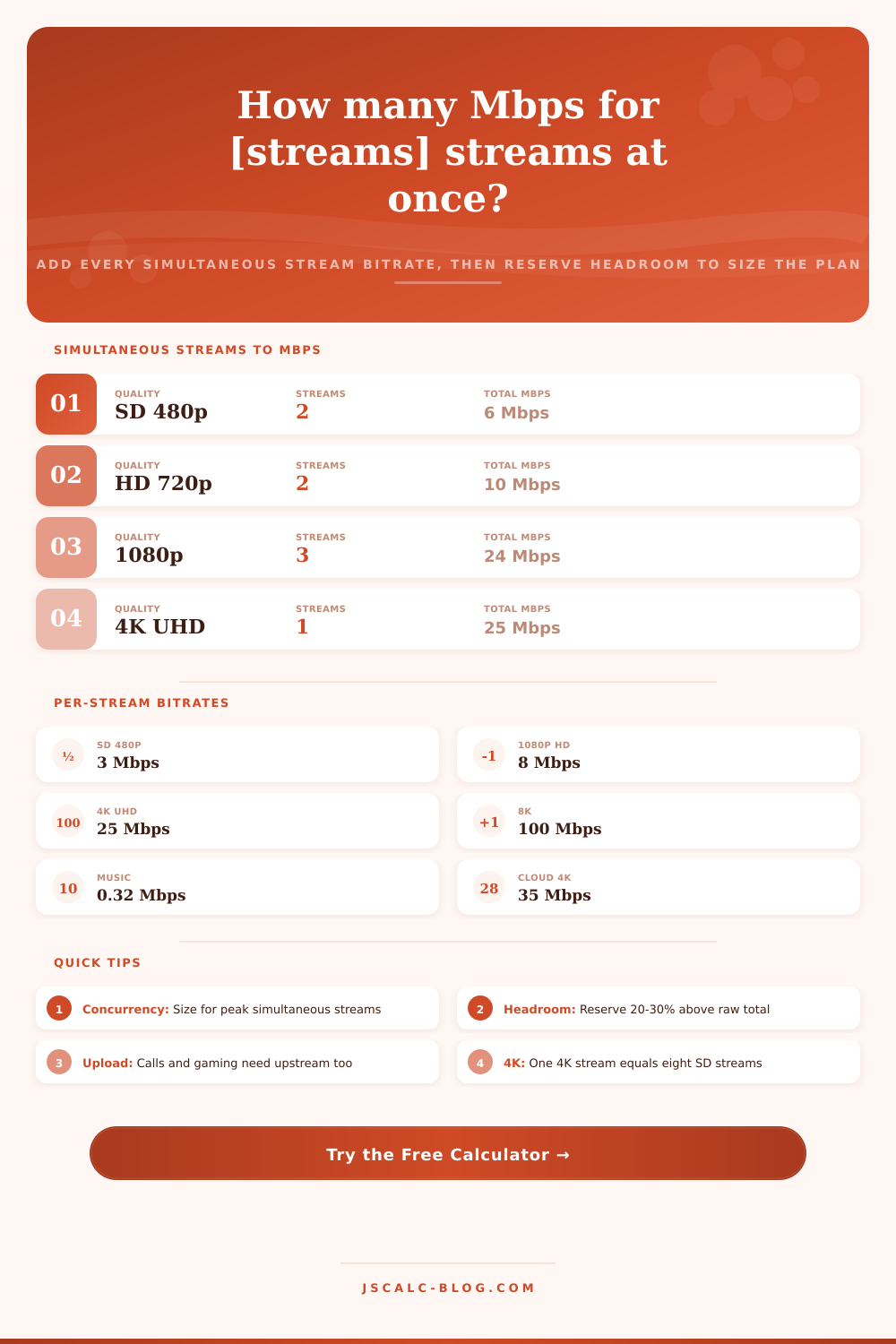
Standard def is about three and full HD is around eight. Music runs low at around zero-point-three-two and UHD 4K is in the mid-twenties (all these measurements is in megabits). A 1080p video call is closer to three. Add it all up and throw in some cushion for your smart home and casual web surfing. That is your total raw need.
If someone turns on another guest device, or your router start installing a software update, that will immediately fill the connection, running a link at full raw stream is a formula for buffering. To avoid that, the tool add some headroom. It takes your raw total, then divides it by “one minus the reserve fraction.” For example, if you want to reserve twenty-five percent, a sixty-megabit peak become eighty megabits. That spare twenty megabits handle bursts, retransmissions, and other thing like the gap between advertised and real-world speeds. Twenty to twenty-five percent is typical in homes; busy public venue tend toward thirty percent since guest demand is more unpredictable.
Each calculation generates four result cards full of details. Together, they show the highest amount of bandwidth needed, which is the total number of streams in use at once. We also add an estimate based off your headroom reserve to tell you what plan you should of being shopping for. The biggest categories are named after their combined size, typically either 4K video or cloud gaming, though occasionally both. Plan margin show you how much your inputted speed is below (or above!) the recommendation. It’s a clean number telling you if you’re ahead or behind.
So let’s imagine an average night in an average family home with a tablet streaming standard def, two televisions playing full HD shows, another TV playing a 4K movie, a single video chat, a few megs for music playback, another few megs for background browsing, that brings our raw peak to roughly fifty-two megabits. Add a buffer of twenty-five percent, and we’re up to around seventy megabits recommended, easily cleared with a two-hundred-megabit plan.
Replace one of those HD shows with a second 4K stream and the data usage goes up a lot: One 4K stream is equivalent to about eight SD streams. Switching a single television from HD to 4K adds as much as seventeen megabits all by itself to your household peak. However, most bitrate descriptions refer to download traffic (which tends to dominate video viewing), and upload speed also count for gaming and calls. Cloud gaming and video calls both push traffic both ways, a 1080p meeting sends about three megabits in each direction… And several meetings per day in a work-from-home home could stress a meager upload allowance even if everything else look OK. If you rely on live streaming, uploading or calls, make sure your upload speed is keeping up with your needs.
Don’t guess when choosing an internet plan. Turning the number of streams playing at once into a real number turns vague worry into a clear goal. Pick the preset nearest to where you sit and adjust the stream count, adding their bit rates and leaving some head room. Choose a headroom appropriate to the sudden changes in your use; then you get a recommendation. This makes streaming bandwidth planning a quick, repeatable, and straightforward calculation regardless if you’re outfitting a one bedroom apartment or a venue full of guests. It’s no longer about magic numbers, but real behavior.