Screen Size From Diagonal Calculator
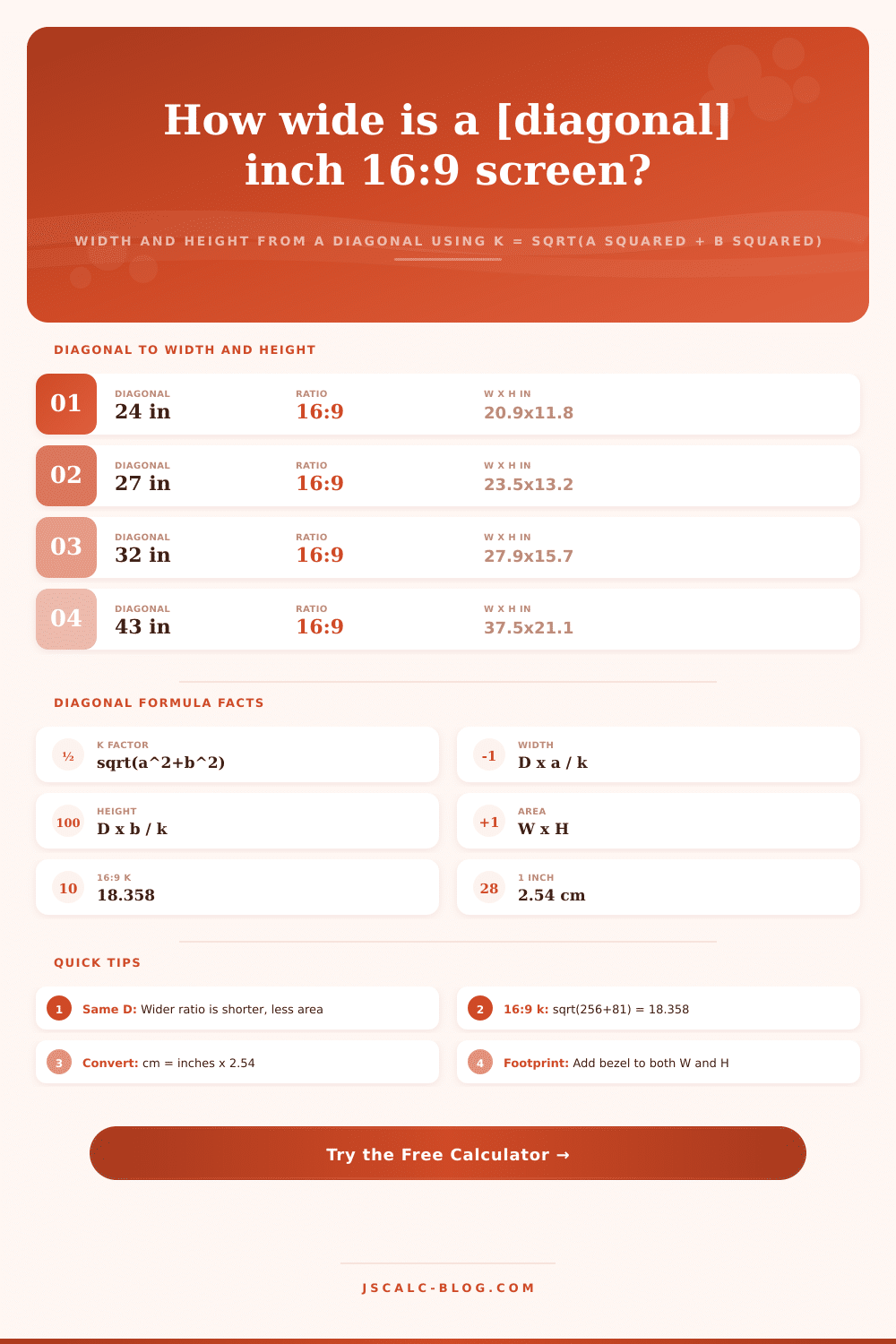
Enter a screen diagonal and aspect ratio to get the exact width, height, and viewing area. Using k = sqrt(a squared + b squared), width = D x a / k and height = D x b / k, this tool reports every result in both inches and centimeters and can add a bezel to show the total footprint.
🎯Real Screen Presets
🖥Screen Inputs
The advertised corner-to-corner screen size.
Input unit for the diagonal above.
Sets the width-to-height ratio a:b.
Rounding applied to every result.
Horizontal term a, used when ratio is Custom.
Vertical term b, used when ratio is Custom.
Optional frame per edge, in the diagonal unit. Use 0 for none.
Choose the extra metric to display.
🔢Formula Snapshot
📋Common 16:9 Diagonals to Width and Height
| Diagonal | Width (in) | Height (in) | Width (cm) | Height (cm) |
|---|---|---|---|---|
| 24 in | 20.92 | 11.77 | 53.13 | 29.89 |
| 27 in | 23.53 | 13.24 | 59.77 | 33.62 |
| 32 in | 27.89 | 15.69 | 70.84 | 39.85 |
| 43 in | 37.47 | 21.08 | 95.17 | 53.53 |
| 50 in | 43.57 | 24.51 | 110.68 | 62.26 |
| 55 in | 47.94 | 26.96 | 121.76 | 68.49 |
| 65 in | 56.65 | 31.87 | 143.89 | 80.94 |
| 75 in | 65.37 | 36.77 | 166.04 | 93.40 |
📏Aspect Ratio k-Factors
| Aspect a:b | k = sqrt(a² + b²) | Width share a/k | Height share b/k | Shape |
|---|---|---|---|---|
| 16:9 | 18.3576 | 0.8716 | 0.4903 | Widescreen |
| 16:10 | 18.8680 | 0.8480 | 0.5300 | Taller wide |
| 21:9 | 22.8473 | 0.9192 | 0.3939 | Ultrawide |
| 32:9 | 33.2415 | 0.9627 | 0.2707 | Super wide |
| 4:3 | 5.0000 | 0.8000 | 0.6000 | Classic |
| 3:2 | 3.6056 | 0.8321 | 0.5547 | Productivity |
| 1:1 | 1.4142 | 0.7071 | 0.7071 | Square |
🖥Same Diagonal, Different Ratio Comparison
| Aspect | Width (in) | Height (in) | Area (in²) | vs 4:3 Area | Character |
|---|---|---|---|---|---|
| 1:1 | 19.09 | 19.09 | 364.5 | +22% | Tallest, most area |
| 4:3 | 21.60 | 16.20 | 349.9 | 0% | Reference square-ish |
| 3:2 | 22.47 | 14.98 | 336.5 | -4% | Balanced |
| 16:10 | 22.90 | 14.31 | 327.7 | -6% | Slightly wider |
| 16:9 | 23.53 | 13.24 | 311.5 | -11% | Standard widescreen |
| 21:9 | 24.82 | 10.63 | 263.9 | -25% | Wide but short |
| 32:9 | 25.99 | 7.31 | 190.0 | -46% | Widest, least area |
All rows use a fixed 27 in diagonal. Notice how a wider ratio grows the width but shrinks the height and the total area.
📐Inch to Centimeter Conversions
| Inches | Centimeters | Centimeters | Inches |
|---|---|---|---|
| 1 in | 2.54 cm | 1 cm | 0.3937 in |
| 10 in | 25.40 cm | 10 cm | 3.937 in |
| 13 in | 33.02 cm | 33 cm | 12.99 in |
| 24 in | 60.96 cm | 60 cm | 23.62 in |
| 27 in | 68.58 cm | 70 cm | 27.56 in |
| 55 in | 139.70 cm | 140 cm | 55.12 in |
| 65 in | 165.10 cm | 165 cm | 64.96 in |
⚙Formula Breakdown
💡Sizing and Fit Tips
There’s a reason that marketing likes to tout the diagonal measurement: It sounds larger than height or width by itself. But as you’re standing in the electronics store looking down at a box proclaiming “Fifty-Five Inches,” you notice that your entertainment center was designed for a forty-three-inch TV. That was years ago. That diagonal value mean absolutely nothing when you’re trying to understand what kind of real estate the screen will take up.
A 55″ widescreen HDTV has the same corner-to-corner distance as an ultrawide monitor which is far skinnier (a 21:9 ultrawide display with the same diagonal would have 13% less corner-to-corner distance), but couldn’t possibly fit on your wall in the same way. If you don’t do the math to find out the actualy measurements, marketers win.
Why Diagonal Size Is Not Enough
It’s just simple geometry based off the Pythagorean theorem, but here’s the math anyway. You think about your display as a right-angled triangle with the diagonal line being the hypotenuse and the other two lines being the width and height of screen. You are missing those two values. You also has one additional value: the aspect ratio. That tells you the fixed relationship between the height and width of the image, like 16 by 9 for today’s HDTVS or 4 by 3 for an old-school classic TV.
Plug in those two pieces of data into calculator above and it does all the nasty square root stuff for you immediately. You do not need any algebra, and it is guaranteed to be accurate in either metric or imperial measurements.
To that end, it’s useful to know that the aspect ratio describes how all that diagonal length is divided between height and width. Horizontal space: As the ratio grows wider, more of that diagonal length falls within the width dimension, while height become smaller. So even though a wider screen takes up more of its diagonal length in its width, it doesn’t necessarily provide more to view. On the contrary, if you maintain the same diagonal length and make the aspect ratio wider, the overall surface area of the screen will be smaller than what you expect.
That’s what the tool shows when it displays both dimensions and the calculated area. You’ll notice that with a super-wide display, you may have a large space from one side to the other across width, but considerably fewer total pixels compared to a similar-sized diagonal screen with squarer shape.
A lot of folks only think about size of the actual picture they’re getting, the active image area, and overlook the fact there’s also some sort of physical frame around it. When mounting a television above a fireplace or squeezing a monitor onto your already-packed desk, the width of that bezel becomes pretty important. Even just adding a fraction of an inch to all four sides will bring the overall footprint past whatever clearance you have.
To make sure what’s possible aligns with what actualy fits in real life, factor a bezel measurement into your calculations. It’s a minor point, but would of saved you from the pain of purchasing something that sounds great on paper but doesn’t work at all in reality.
A manual inch-to-centimeter or vice-versa conversion can be prone to error as well. When rounding is involved. Which tends to happen in specs provided by manufacturers, it gets even trickier. The tool uses the standard conversion factor (2.54) to handle that for you. It immediately provides both sets of units so you can compare your monitor spec from the States with your cabinet measurement from Europe. You won’t have to dig out another conversion table.
That saves some trouble in the decision process, now you don’t have to do math; just consider whether something fits. Ultimately, it is just one part of a three-dimensional problem. This involve design preference, viewing comfort, and space. When you dissect that one number into its two parts, height and width, you get the clarity to make an informed decision.
It’s no longer guesswork; now you know precisely how the new screen fits in with what you already have. Sure, the box may say a big number but the dimensions is where you’ll learn the truth about how this moddern technology fits in your room.