Sampling Frequency Aliasing Calculator
Enter an input tone and a sampling rate fs to find the alias (apparent) frequency it folds down to, the folding frequency fs/2, whether the tone is aliased, and which Nyquist zone it lives in. Fold about fs/2 with f_alias = fs - (f mod fs) when the wrapped tone exceeds half the sample rate, and read even zones as mirror-reversed.
🎯Real Signal and ADC Presets
📡Signal and Sampling Inputs
Frequency of the tone being sampled.
Applies to the input tone above.
Samples taken per second by the ADC.
Applies to fs above (S/s = Hz).
A second tone, shown in the same unit as f.
Which spectral image the card 4 reports.
Controls rounding on every result card.
Unit used to print alias and folding values.
🔢Formula Snapshot
📋Alias at fs = 8 kHz Examples
| Input Tone f | f mod fs | Alias Frequency | Reads As |
|---|---|---|---|
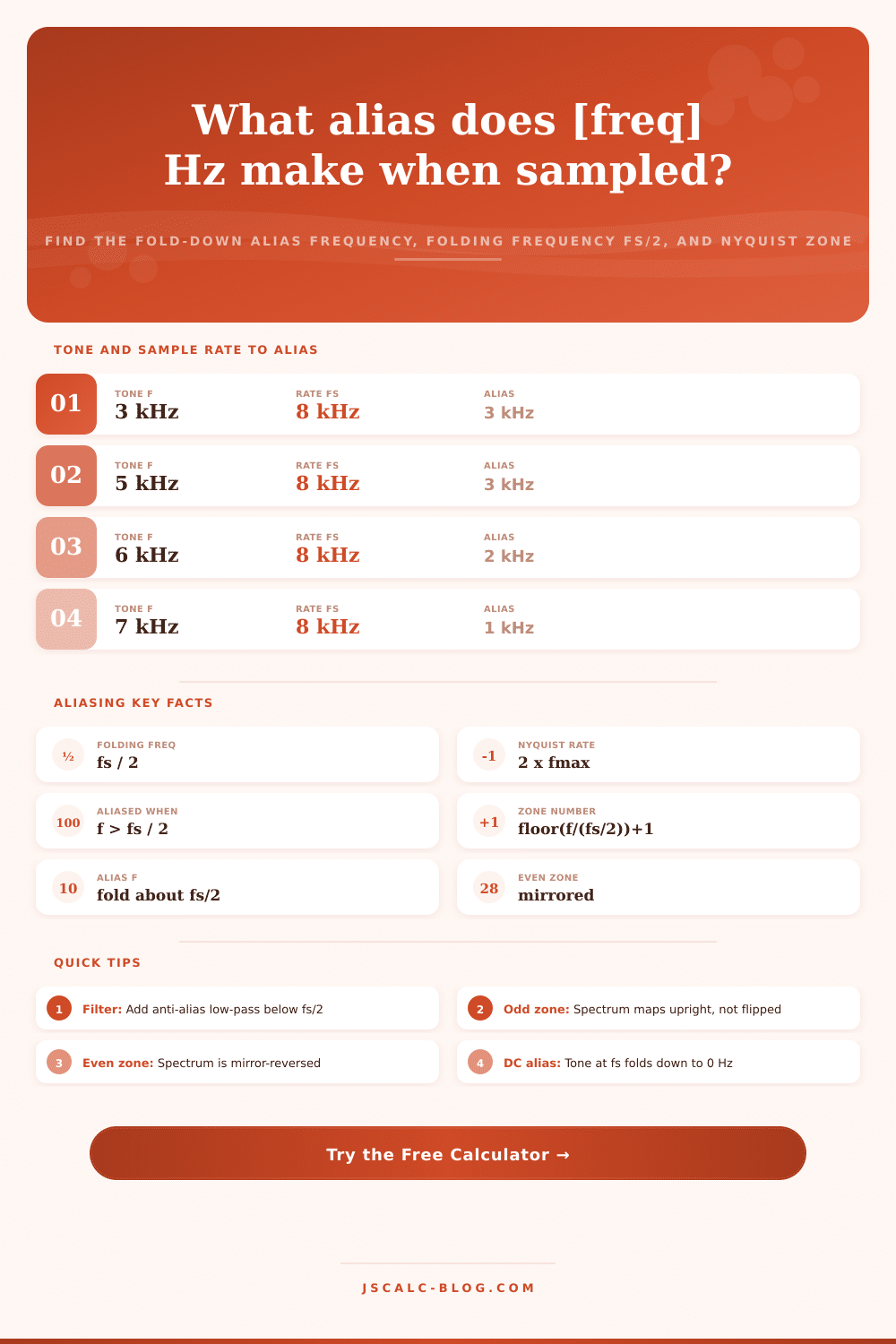
| 3 kHz | 3 kHz | 3 kHz | No aliasing |
| 4 kHz | 4 kHz | 4 kHz | Exactly fs/2 |
| 5 kHz | 5 kHz | 3 kHz | Folded down |
| 6 kHz | 6 kHz | 2 kHz | Folded down |
| 7 kHz | 7 kHz | 1 kHz | Folded down |
| 8 kHz | 0 kHz | 0 kHz | Aliases to DC |
| 9 kHz | 1 kHz | 1 kHz | Second period |
| 11 kHz | 3 kHz | 3 kHz | Zone 3 upright |
📊Nyquist Zone Map (fs = 10 kHz)
| Zone | Frequency Band | Orientation | Alias Rule | Example Fold |
|---|---|---|---|---|
| 1 | 0 to 5 kHz | Upright | f itself | 2 kHz to 2 kHz |
| 2 | 5 to 10 kHz | Mirrored | fs - f | 7 kHz to 3 kHz |
| 3 | 10 to 15 kHz | Upright | f - fs | 12 kHz to 2 kHz |
| 4 | 15 to 20 kHz | Mirrored | 2fs - f | 17 kHz to 3 kHz |
| 5 | 20 to 25 kHz | Upright | f - 2fs | 22 kHz to 2 kHz |
| 6 | 25 to 30 kHz | Mirrored | 3fs - f | 27 kHz to 3 kHz |
🎧Common Sample Rates and Their fs/2
| System | Sample Rate fs | Folding fs/2 | Usable Band | Anti-Alias Cutoff |
|---|---|---|---|---|
| Telephone voice | 8 kS/s | 4 kHz | 0 to 4 kHz | near 3.4 kHz |
| CD audio | 44.1 kS/s | 22.05 kHz | 0 to 22 kHz | near 20 kHz |
| Studio audio | 48 kS/s | 24 kHz | 0 to 24 kHz | near 22 kHz |
| Hi-res audio | 96 kS/s | 48 kHz | 0 to 48 kHz | near 45 kHz |
| DAQ card | 100 kS/s | 50 kHz | 0 to 50 kHz | near 45 kHz |
| Fast scope | 1 GS/s | 500 MHz | 0 to 500 MHz | near 450 MHz |
🗃Alias Comparison Grid
| Input f | Sample Rate fs | Folding fs/2 | f mod fs | Alias f | Nyquist Zone |
|---|---|---|---|---|---|
| 3 kHz | 8 kHz | 4 kHz | 3 kHz | 3 kHz | 1 upright |
| 7 kHz | 8 kHz | 4 kHz | 7 kHz | 1 kHz | 2 mirrored |
| 12 kHz | 8 kHz | 4 kHz | 4 kHz | 4 kHz | 3 upright |
| 18 kHz | 48 kHz | 24 kHz | 18 kHz | 18 kHz | 1 upright |
| 30 kHz | 48 kHz | 24 kHz | 30 kHz | 18 kHz | 2 mirrored |
| 60 Hz | 100 S/s | 50 Hz | 60 Hz | 40 Hz | 2 mirrored |
| 70 MHz | 20 MHz | 10 MHz | 10 MHz | 10 MHz | 8 mirrored |
| 450 MHz | 100 MHz | 50 MHz | 50 MHz | 50 MHz | 10 mirrored |
| 1.2 GHz | 1 GHz | 500 MHz | 200 MHz | 200 MHz | 3 upright |
| 1 kHz | 44.1 kHz | 22.05 kHz | 1 kHz | 1 kHz | 1 upright |
⚙Formula Breakdown
💡Practical Aliasing Tips
If you’ve ever watched a movie where a helicopter’s rotors seem to turn backwards, you’re witnessing an example of something called aliasing, a sampling artifact that isn’t some sort of fancy makeup trick. It happens when the blade speed are greater than one-half the frame rate at which camera captures frames: the visual information gets folded back onto itself.
Digital audio (and data acquisition) has the same issue. Any input tone with a frequency higher then one-half the sampling rate doesn’t magically go away. It becomes another tone, called a ghost, with a frequency lower than one-half the sampling rate and therefore undetectable. This will corrupt your measurement or recording unless you use this calculator to learn exactly what happens to any input tone once it enters digital domain.
What Is Aliasing?
That’s the underlying idea: When you sample a signal, you must do it at more than twice its highest frequency. If the highest frequency is less than half of the sampling rate, then everything below that comes out accurately through analog-to-digital converter. At 8 kHz, a 3 kHz tone gets sampled as a 3 kHz tone. It’s safely underneath the ceiling of 4 kHz.
Push that same tone up to 5 kHz, however, and now it’s over the line. Because nothing over 4 kHz can be represented by the system, the signal bounces back down into baseband. That 5 kHz tone hits the 4 kHz wall and goes right over; it falls down into 3 kHz. In world of the digital recorder, a 3 kHz sine wave sounds just like a 5 kHz one.
And that’s why aliasing is a problem. When the signal folds in the sampled data, there’s no way to know what’s what anymore. So how do you avoid corrupting your data? First you need to understand what happens when your signal folds over on itself at that folding point.
The tool calculates the alias frequency based off the input and wraps it into a single sampling period. It then reflects (if needed) this wrapped value. Then it determines whether resulting wrapped frequency is greater than the folding limit. If so, you subtract it from the sample rate to determine the apparent frequency. The math is simple enough, but result is anything but.
That 7 kHz tone with an 8 kHz sample rate will appear to be a 1 kHz hum, because of the math. And you could waste hours attempting to remove a lower frequency noise you don’t even have in your analog source. This is not limited to only the first fold. The folding frequency divide the frequencies into Nyquist zones. Each zone is as wide as the folding frequency.
Upright is zone one, where frequencies simply map. Mirror-reverse is zone two; it flips the spectral orientation. Even zones flip the ordering of frequencies; odd zones do not. And this makes all the difference in the world when engineers uses the technique of bandpass sampling.
You might want to alias on purpose. For instance, if you have some high-frequency radio signal, you may wish to fold it down to a more reasonable intermediate frequency without having to spend big bucks on high-speed converters. Just select a sample rate that puts your high-frequency radio signal into one of the even zones and it will fold back down to a usable intermediate frequency. The calculator tells you which way things go…
Bug or feature? So how is this prevented? This is typically done by putting an analog anti-alias filter in front of the converter. This is a low-pass filter that reduces all energy above folding frequency to a level low enough so it cannot fold back down. In real life filters are never brick-wall. So engineers typically over-sample just enough to accommodate a gentle roll-off.
For example, telephone systems sample at 8kHz. That means anything over 4kHz gets filtered out. However they filter out close to 3.4kHz to ensure that margin. And audio systems follow suit. We sample at 44.1kHz because we know that will safely cover our 20kHz of human hearing range.
Knowing what your folding frequency is can help you pick the proper sample rate and filter corner if you’re creating a system yourself. Alias is a form of predictable distortion, governed by hard math; it’s not some sort of random noise at all. Its behavior can be predicted, and its rule set are strictly defined. Knowing what the aliasing frequency is saves you from chasing phantom problems when trying to debug an odd hum in a digital audio track, or when designing an interface between a microcontroller and a sensor.
The tool computes the zone boundaries and the modulo math for you, so you can concentrate on the signal chain. Seeing the frequency folding and mirroring inside each Nyquist zone gives you control of how the converter works. As with the helicopter rotor in the movie, knowing the sample rate lets you see through the illusion to real underlying motion. The intangible becomes tangible and the theoretical turns into solid design choices for making your data honest.