RAM Bandwidth Calculator
Compute theoretical memory bandwidth in GB/s for DDR3, DDR4, and DDR5 from the transfer rate in MT/s, bus width per channel, and the number of populated channels, with per-channel throughput and the effective clock shown.
⚡Real Memory Presets
📝Memory Configuration
Selecting a type loads a typical data rate; you can override it below.
Marketing speed, e.g. DDR4-3200 = 3200 MT/s (double the clock).
ECC uses 8 of every 72 bits for parity, not payload.
More DIMMs add capacity, not per-channel bus width.
🔢Formula At A Glance
📊Common DDR Speeds & Bandwidth
| Memory | Data Rate | Clock | Per Channel | Dual Channel |
|---|---|---|---|---|
| DDR3-1333 | 1333 MT/s | 667 MHz | 10.7 GB/s | 21.3 GB/s |
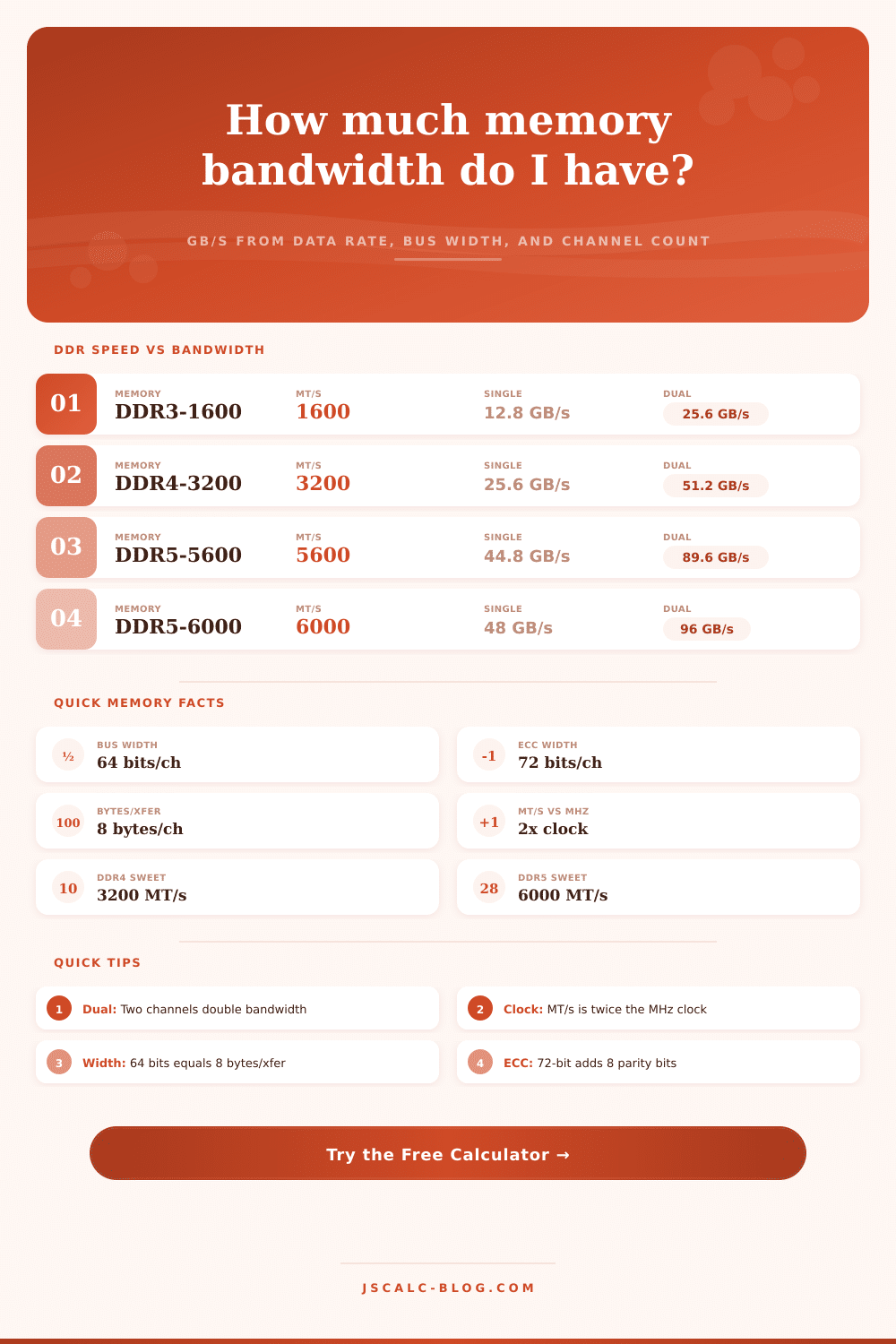
| DDR3-1600 | 1600 MT/s | 800 MHz | 12.8 GB/s | 25.6 GB/s |
| DDR4-2666 | 2666 MT/s | 1333 MHz | 21.3 GB/s | 42.6 GB/s |
| DDR4-3200 | 3200 MT/s | 1600 MHz | 25.6 GB/s | 51.2 GB/s |
| DDR4-3600 | 3600 MT/s | 1800 MHz | 28.8 GB/s | 57.6 GB/s |
| DDR5-4800 | 4800 MT/s | 2400 MHz | 38.4 GB/s | 76.8 GB/s |
| DDR5-5600 | 5600 MT/s | 2800 MHz | 44.8 GB/s | 89.6 GB/s |
| DDR5-6000 | 6000 MT/s | 3000 MHz | 48.0 GB/s | 96.0 GB/s |
| DDR5-8000 | 8000 MT/s | 4000 MHz | 64.0 GB/s | 128.0 GB/s |
🗂DDR Generation Reference
| Generation | Typical Range | Bus / Channel | Voltage | Module Notes |
|---|---|---|---|---|
| DDR3 | 800–2133 MT/s | 64-bit (72 ECC) | 1.5 / 1.35 V | 240-pin DIMM, 204-pin SO-DIMM |
| DDR4 | 2133–3200 JEDEC | 64-bit (72 ECC) | 1.2 V | 288-pin DIMM, XMP up to 4000+ |
| DDR5 | 4800–8800 MT/s | 2 × 32-bit sub-ch | 1.1 V | On-die ECC, PMIC on module |
| LPDDR4X | 3733–4266 MT/s | 16/32-bit lanes | 0.6 V I/O | Soldered mobile, wide bus |
| LPDDR5 | 5500–8533 MT/s | 16-bit channels | 0.5 V I/O | Phones, thin laptops, APUs |
🔗Channel Scaling (DDR5-6000 Example)
| Config | Channels | Total Width | Bytes/Transfer | Bandwidth |
|---|---|---|---|---|
| Single channel | 1 | 64-bit | 8 bytes | 48 GB/s |
| Dual channel | 2 | 128-bit | 16 bytes | 96 GB/s |
| Quad channel | 4 | 256-bit | 32 bytes | 192 GB/s |
| Hexa channel | 6 | 384-bit | 48 bytes | 288 GB/s |
| Octa channel | 8 | 512-bit | 64 bytes | 384 GB/s |
| 12-channel server | 12 | 768-bit | 96 bytes | 576 GB/s |
🕑MT/s vs MHz Quick Lookup
| Data Rate (MT/s) | Bus Clock (MHz) | Transfers/Clock | Common Label |
|---|---|---|---|
| 1600 | 800 | 2 (DDR) | DDR3-1600 / PC3-12800 |
| 2666 | 1333 | 2 (DDR) | DDR4-2666 / PC4-21300 |
| 3200 | 1600 | 2 (DDR) | DDR4-3200 / PC4-25600 |
| 4800 | 2400 | 2 (DDR) | DDR5-4800 / PC5-38400 |
| 6000 | 3000 | 2 (DDR) | DDR5-6000 / PC5-48000 |
| 8000 | 4000 | 2 (DDR) | DDR5-8000 / PC5-64000 |
⚙Full Formula Breakdown
📋Reference Values
| Term | Meaning | Typical Value | Effect On Bandwidth |
|---|---|---|---|
| Data rate | Transfers per second | 1600–8000 MT/s | Linear: 2× rate = 2× bandwidth |
| Bus width | Bits moved per transfer | 64-bit per channel | Wider bus = more bytes/transfer |
| Channels | Parallel memory buses | 1, 2, 4, 8 | Each channel adds full bandwidth |
| ECC | Error-correcting parity | 72-bit (8 parity) | Same speed, 8 bits are non-payload |
| Bus clock | Command clock in MHz | MT/s ÷ 2 | Marketing uses MT/s, not MHz |
💡Memory Bandwidth Tips
That big number on your RAM sticker isn’t in miles per hour. That’s a million-transaction-per-second transfer rate. How much data does that mean is moved in each transaction? If you’re like most folks, you think bigger = better. Meaning, if you see a larger number, you have more bandwidth. In reality, that depends off what the entire picture looks like.
Enter the calculator above. It’ll do the math for you and tell you whether upgrading doubled your throughput or merely gained you a few ticks of extra speed.
How to Understand Your RAM Speed
That’s where the confusing part begins, though. DDR = Double Data Rate. That means that memory actualy sends two transfers per clock cycle… Hence the “Double Data Rate” part of the name. So when you see an ad for “3200 MT/s,” you are seeing exactly twice the actual clock speed, a 1600 MHz bus clock is called 3200 MT/s. A 1600 MHz bus clock is called 3200 MT/s. When most folks looks at their specs and try to figure out how fast their RAM is compared to their CPU, they fail to notice this detail. Fortunately, the tool converts everything for you.
You’ll see that there are two numbers shown: the bandwidth and the effective clock. That will tell you how fast the thing runs on your motherboard and gives you a sense of why a 1600 MHz clock “feels” faster then what it sounds like on paper. But width is important, and speed isn’t everything.
Think of memory bandwidth as a highway. The bus width is like lanes, and the data rate is like how quickly those vehicles travel down that road. Standard desktop memory is 64-bit wide lane per channel. So if you only pop in one stick, you’ve got one lane. Use two and you’re using dual channel mode, which means two parallel highways. That doesn’t mean the cars is going any faster, individually, but it means twice as much data can flow into your processor. The page has a reference table that lays this all out for common generations. You’ll see that doubling the number of channels doubles the total gigabytes per second, even though the speed rating stay the same.
That’s why mixing and matching memory kits can be so underwhelming. Maybe you purchase two sticks of really fast memory hoping for a huge performance boost. You might then discover that lacking another stick in the other channel bottleneck you with just 64-bit pipe. Using the calculator, you can switch from using just one channel all the way up to eight (for servers) to get an idea of how much of a difference it actualy makes. Turns out it’s linear: add another channel and you’ll gain more bandwidth across the board. If you’re running dual channel with 3200 MT/s, then you’re getting around 51 gigabytes per second. That is double the amount of one channel. When moving large amounts of data or running integrated graphics that don’t use their own video card and draw from system memory, having that additional space make a big difference.
That also takes into account unit confusion (and error correction). For example, server-grade ECC memory uses its usual 64-bit width plus 8 extra parity bits. That brings the total width to 72 bits, which it then use to correct itself. Some of those bits are overhead though; not all of it is actualy payload data. If you pick the right option in the tool, it accounts for that. When figuring out what your possible max is, it doesn’t count those error-checking bits as usable storage.
Also, marketing materials frequently muddy the water when talking about both binary and decimal gigabytes. You know, one divides by 1000 and the other divides by 1024? Again, these are little differences that can make things appear off if you don’t know they’re there. There is a difference between the theoretical ceiling and reality: raw bandwidth figures are theoretical. In practice, it’s all about timings and latency. The CPU controller managing those requests is also important. Some gaming scenarios may favors a slower kit with tight timings over a faster kit with loose timings.
But you can use your total available throughput to help pinpoint where the bottlenecks actualy lie. Does your app need 40 gigabytes per second? And do you have a system that can deliver 25? No amount of software tweaking should of going to close that gap. Knowing the connection between channel count, bus width and clock speed converts what could be a confusing spec sheet into a practical roadmap for building a balanced system. Instead of chasing numbers, you’re building capacity.